


 Video Converter Ultimate
 Gravadora de pantalla
 Reparació de vídeo
Com convertir MTV a FLV en 2 enfocaments incomparables

Part 1. Com convertir MTV a FLV fora de línia
Video Converter Ultimate és un dels millors convertidors d’MTV a FLV. Pots canviar el format del teu vídeo d’MTV a FLV amb només uns quants clics. Et permet editar i comprimir vídeos MTV amb l’ajuda d’aquest programari. Aquest convertidor d’MTV a FLV està disponible tant per a ordinadors Windows com Mac, i és completament gratuït. Pots convertir fàcilment fitxers MTV al format FLV descarregant i instal·lant l’aplicació convertidora, i després important els vídeos que vulguis convertir. Per a una explicació més detallada, consulta la guia següent.
Pas 1: Per començar a descarregar el programari, fes clic al botó Baixada gratuïta que hi ha sota d’aquest pas. Després de fer-hi clic, prepara’t per instal·lar-lo al cap d’una estona.
Descàrrega gratuïtaPer a Windows 7 o posteriorDescàrrega segura
Descàrrega gratuïtaPer a macOS 10.7 o posteriorDescàrrega segura
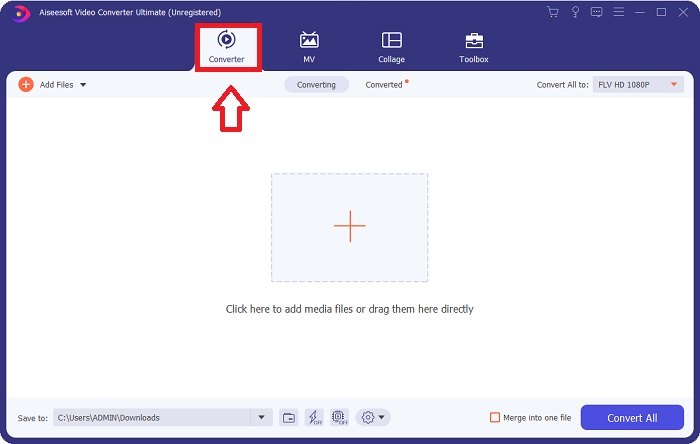
Pas 2: Després d’instal·lar el programari a l’ordinador, executa’l i apareixerà una finestra a la pantalla. El programari mostra la interfície de Conversor a la pantalla, preparada per importar-hi un fitxer.
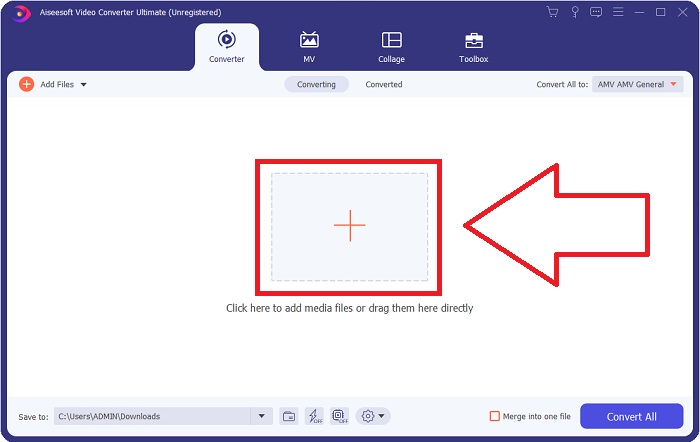
Pas 3: Per importar un fitxer al programari, has de fer clic al botó + al mig de la finestra del programa, o bé simplement arrossegar-hi qualsevol fitxer de vídeo.
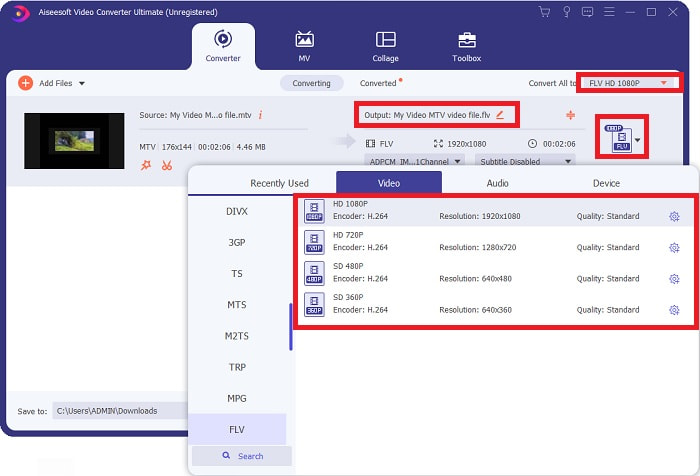
Pas 4: Ara és el moment d’escollir el format de vídeo FLV, situat al cantó dret de la finestra, a prop de la sortida de vídeo. Fes-hi clic, busca el format de vídeo FLV i determina quina qualitat prefereixes.
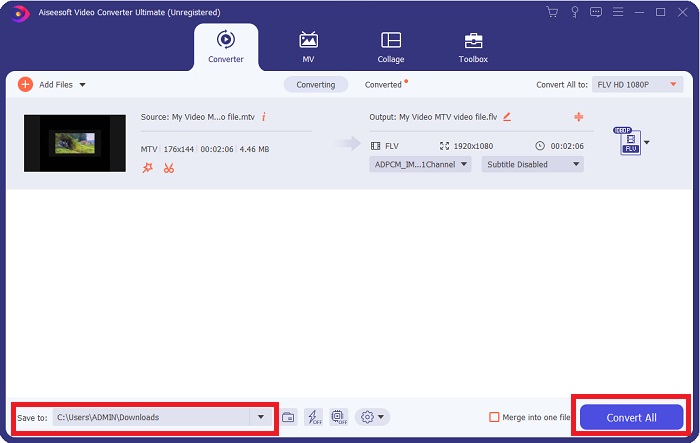
Pas 5: Ara ja pots convertir el teu fitxer fent clic al botó Converteix-ho tot, situat a l’angle inferior dret de la finestra. I busca la ubicació on transferiràs el fitxer convertit fent clic al botó desplegable que hi ha al costat de Desa a.
Part 2. Com convertir MTV a FLV en línia
Aquí tens una eina en línia gratuïta que et pot servir per convertir MTV a FLV. El Convertidor de vídeo en línia gratuït pot convertir formats de vídeo i àudio com MP4, WMV i ASF a diversos formats. Pots restaurar els teus vídeos d’alta definició a tipus de fitxer populars amb només uns quants clics i mantenint-ne la qualitat visual original. Convertir diversos vídeos o fitxers d’àudio alhora no compromet la qualitat. Aquests són els passos que has de seguir:
Pas 1: Accedeix a la pàgina principal de Free Video Converter Online fent clic en aquest enllaç. Després, has de fer clic al botó Afegeix fitxers per convertir que es mostra a la pantalla principal per descarregar el llançador que et permetrà fer servir aquesta eina en línia. Un cop descarregat, torna-hi a fer clic per importar fitxers des de l’ordinador.
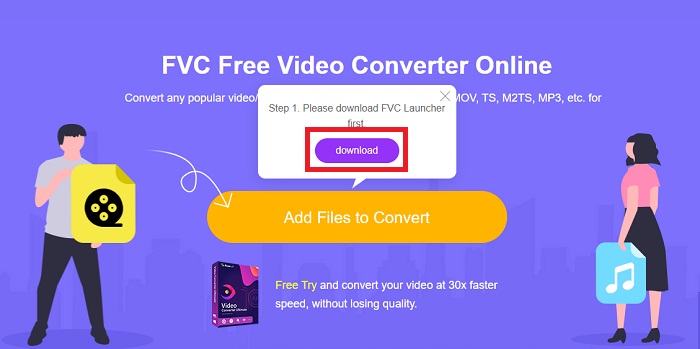
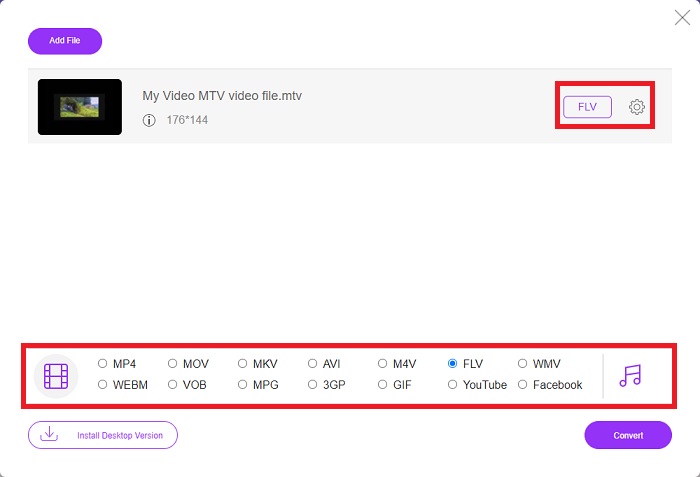
Pas 2: Tria el format de vídeo FLV a la selecció de formats de vídeo situada a la part inferior de la finestra. Si vols conèixer totes les especificacions del vídeo de sortida, fes clic a la icona d’engranatge. Ajusta-les a la configuració que prefereixis i, quan acabis d’ajustar-les, fes clic a D’acord.
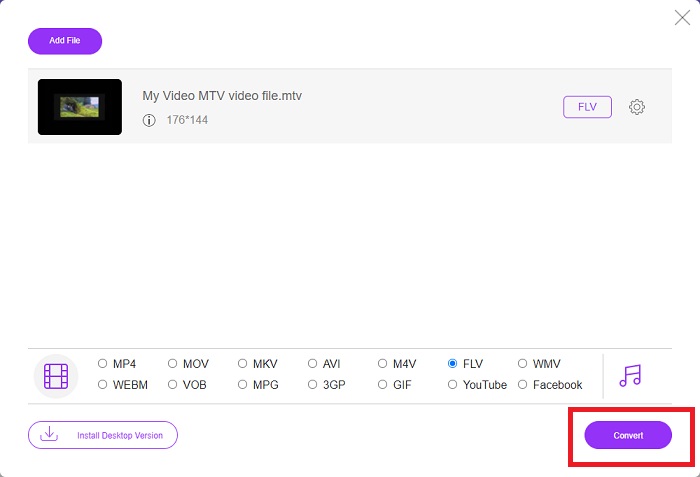
Pas 3: Ara que estàs satisfet amb tots els ajustos, pots convertir el teu vídeo en format MTV a FLV fent clic al botó Converteix.
Relacionat:
Part 3. Coneixements ampliats sobre MTV i FLV
Alguns reproductors de vídeo MP4 portàtils xinesos utilitzen un ampli coneixement sobre fitxers de vídeo MTV i FLV en format MTV per emmagatzemar vídeos. A una velocitat de 12 fotogrames per segon, combina l'àudio MP3 amb un munt d'imatges. Hi ha algunes similituds entre els fitxers MTV i els fitxers AMV, però el format és lleugerament diferent. Diversos reproductors MP4 portàtils xinesos barats no emmagatzemen ni reprodueixen vídeos MP4. D'altra banda, es mostren vídeos de MTV. Els vídeos de baixa resolució (128 x 128 píxels) i de petit format són les normes a MTV (un minut de vídeo és aproximadament 24 MB de dades). Els reproductors multimèdia no necessiten molt espai d'emmagatzematge o potència de processament. per emmagatzemar i reproduir molts vídeos de MTV. Tot i que el format MTV és com el format AMV, que també utilitzen els reproductors multimèdia portàtils xinesos, els formats difereixen prou perquè no tots els dispositius o reproductors multimèdia compatibles amb AMV poden reproduir fitxers MTV.
Tanmateix, el format de vídeo Flash d'Adobe Systems es pot utilitzar per a vídeos en línia a YouTube, Hulu, Vevo i molts altres serveis de vídeo en temps real. Excepte iOS, gairebé tots els sistemes operatius poden llegir i visualitzar fitxers FLV mitjançant Adobe Flash Player (inclosos els connectors del navegador) i programari de tercers. FLV es pot reproduir en dispositius iPhone i Android mitjançant programari de codi obert i navegadors específics. Flash encara causa problemes a iOS. Els usuaris de la versió d'Android Jellybean poden utilitzar fitxers FLV. Només els programes de reproductor FLV poden veure fitxers amb l'extensió FLV. La gravació de la pantalla de vídeo FLV és possible mitjançant el programari de captura i gravació de pantalla.
| Extensió de fitxer | MTV | FLV |
| Tipus d'arxiu | Reproductor xinès de MP4/MTV | Arxiu de vídeo Flash |
| Desenvolupat per | Robert W. Pittman | Adobe Systems |
| Pros | Un dels avantatges més importants del format MTV és la seva capacitat per reproduir-se a la majoria d'ordinadors del món. | El format FLV és prevalent a Internet. Milers de llocs web l'utilitzen; ofereix molt més funcions que altres extensions de fitxers de vídeo i produeix fitxers significativament més petits que la majoria dels altres formats de vídeo. Els vídeos FLV són bons per mostrar una qualitat decent i carregar-se ràpidament. |
| Contres | A causa de les seves poques capacitats de millora del so, té una resolució d'imatge limitada i no pot mostrar vídeos a pantalla completa i en moviment complet. | És necessari tenir instal·lats connectors flash per reproduir fitxers flash en línia. |
| Programes que donen suport/obren | ◆ VLC Media Player ◆ AVS Media Player | ◆ VLC Media Player ◆ Adobe Flash Player |
Part 4. Preguntes freqüents sobre la conversió de MTV a FLV
Com puc convertir MTV a FLV al Mac?
Podeu fer servir l'esmentat Video Converter Ultimate per convertir els vostres fitxers MTV a FLV. Primer, heu de descarregar el programari al vostre Mac i, a continuació, iniciar-lo després de la instal·lació. A continuació, afegiu els vostres fitxers al programa i trieu el format FLV desitjat. Al final, feu clic al botó Convertir-ho tot per iniciar la conversió de MTV a FLV.
Com puc obrir un fitxer MTV?
És possible que alguns fitxers MTV no es reprodueixin al reproductor multiplataforma VideoLAN o VLC o al reproductor multimèdia AVS de Online Media Technologies només per a Windows. La part d'àudio d'alguns fitxers MTV, per exemple, només es pot reproduir amb VLC. Els vídeos MTV es poden convertir a AVI o MP4 mitjançant FFmpeg, AnyMP4 Video Converter o AVS Video Converter de Online Media Technologies, totes aplicacions multiplataforma (Windows).
VLC pot convertir vídeos a FLV?
Reprodueix un vídeo amb el VLC Media Player. Seleccioneu l'opció Convertir/Desar al menú desplegable de la pestanya Multimèdia. Els fitxers de vídeo .flv del sistema es poden afegir fent clic al botó "Afegeix" a la pàgina Obre el mitjà.
Conclusió
Tenint en compte tots els punts exposats en aquest article, hi ha dos convertidors recomanats que hauries de considerar utilitzar: el Free Video Converter Online i el Video Converter Ultimate. Tal com s’ha indicat abans, tots dos han demostrat tot el seu potencial, i són millors que altres convertidors disponibles en línia.
-
 [En línia i gratuït] 3 mètodes per convertir MTV a AVI sense problemes
 Alguna vegada has sentit parlar d'un format de vídeo com MTV? Com que no ho sabeu tot sobre aquest format i voleu convertir un vídeo MTV a AVI, llegiu atentament aquest article per obtenir més informació sobre aquest problema.
-
 Guia concreta per ajudar-vos a convertir AVI a FLV de forma gratuïta
 Per convertir AVI a FLV, necessiteu un potent convertidor de vídeo. Afortunadament, en podeu aprendre dos i la seva guia pas a pas d’aquest article únic.
-
 2 maneres més fàcils de convertir fitxers WMV a FLV en PC / Mac
 Com es pot convertir WMV a FLV? En primer lloc, heu de llegir la nostra recomanació i trobar el vostre mètode preferit, i després seguir la nostra guia per fer la feina ràpidament.
