


 Video Converter Ultimate
 Gravadora de pantalla
 Reparació de vídeo
Conegui quins són els 7 editors d'etiquetes de música populars disponibles a Reach
Un reproductor multimèdia té un editor de metadades integrat per editar o afegir etiquetes de música omplint el nom de l’artista, el títol i el gènere. Tanmateix, la majoria limiten el que poden oferir per ajudar els usuaris a afegir les etiquetes o metadades. No és frustrant? Afortunadament, la millor manera de gestionar l’edició de les metadades és utilitzar un editor de metadades al telèfon. Però la pregunta és: quina app hauríeu d’utilitzar? Quina aplicació s’ajusta millor a les vostres necessitats pel que fa a l’edició de metadades? Si us feu la mateixa pregunta, no cal que us preocupeu. Perquè avui analitzem les sis millors apps que podeu utilitzar per editar-les als vostres dispositius, així que llegiu atentament per conèixer més aplicacions d’edició de metadades de música que podeu descarregar i fer servir.

Part 1. Ultimate Music Tag Editor disponible per utilitzar-lo a Windows i Mac
Si teniu un Windows o un Mac per editar metadades, quin eina hauríeu d’utilitzar? Us suggerim que confieu en FVC Video Converter Ultimate. A diferència dels editors d’etiquetes, aquesta eina complementa totes les necessitats que voleu cobrir o afegir a les metadades en uns quants clics. Imagineu-ho: totes les apps que us poden oferir són dins d’aquesta eina, excepte les etiquetes automàtiques. Encara més important, podeu editar, eliminar i actualitzar totes les etiquetes del vostre fitxer d’àudio seguint els passos següents. Així doncs, per editar etiquetes de música a Windows 10/11 o Mac, el tutorial següent us ajudarà a fer-ho.
Pas 1. Per descarregar l’editor de metadades al vostre Windows o Mac, premeu el botó adequat que hi ha a continuació. Un cop finalitzada la descàrrega, feu clic al fitxer per instal·lar l’app, seguiu el procés i després obriu l’eina.
Descàrrega gratuïtaPer a Windows 7 o posteriorDescàrrega segura
Descàrrega gratuïtaPer a macOS 10.7 o posteriorDescàrrega segura
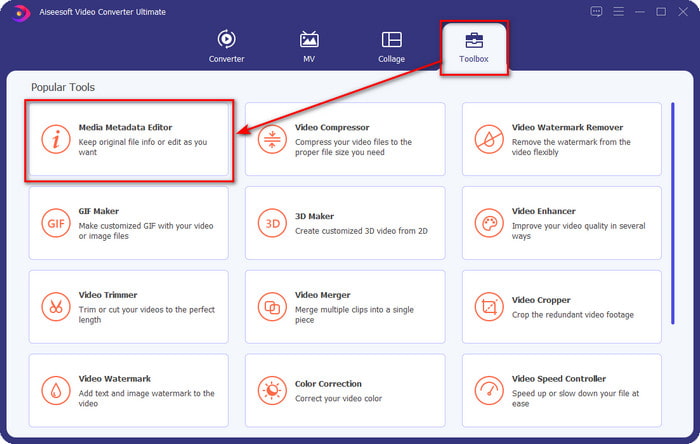
Pas 2. Aneu a la secció Caixa d’eines, localitzeu i feu clic a Editor de metadades multimèdia a la llista que es mostrarà.
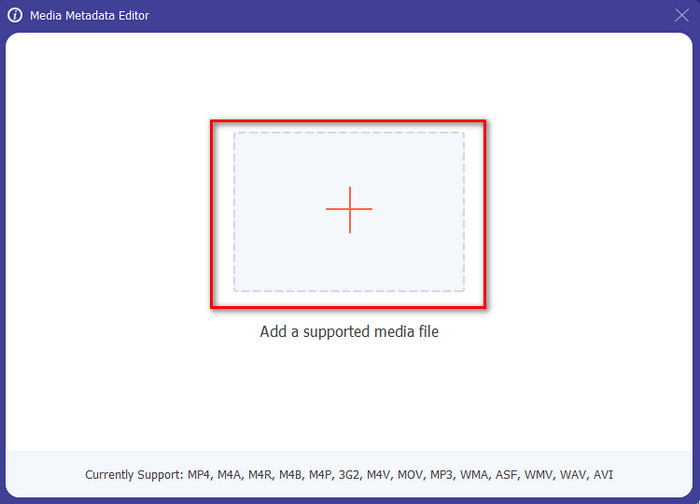
Pas 3. En prémer la icona +, es mostrarà la carpeta a la pantalla; cerqueu el fitxer d’àudio que voleu editar i premeu Obre per passar al pas següent.
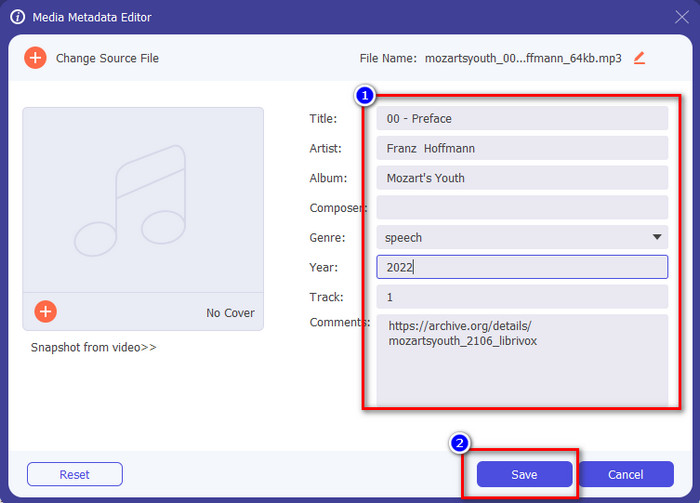
Pas 4. Actualitzeu l’etiqueta del fitxer d’àudio escrivint-la al quadre de text. Després d’això, heu de fer clic a Desa, i totes les etiquetes que hàgiu canviat s’actualitzaran. Fins i tot si transferiu el fitxer al mòbil, les etiquetes continuaran incrustades al fitxer d’àudio.
Relacionat:
Part 2. 6 de les millors aplicacions d'editor d'etiquetes de música en dispositius Android i iOS
Editor automàtic d'etiquetes
Dispositiu compatible: Android
Puntuació al Play Store: 4,4 estrelles
Ressenyes o valoracions: 81.332 persones
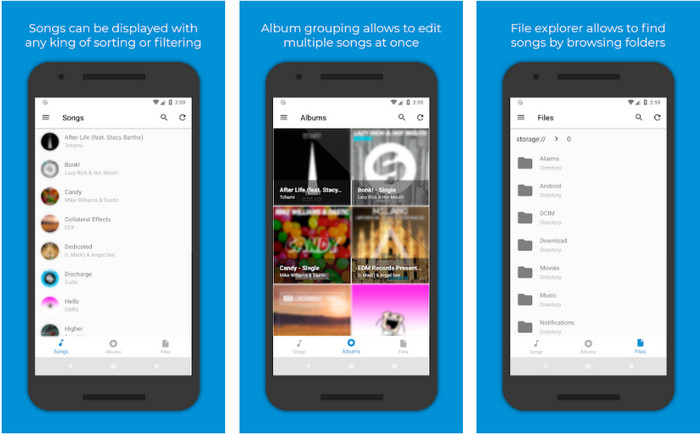
Podeu accedir a Automatic Tag Editor, el millor editor de metadades de música si sou usuari d’Android. Aquesta app és perfecta per editar etiquetes als vostres fitxers d’àudio en menys d’un minut. Una altra cosa positiva d’aquesta app és que té un editor automàtic de metadades per omplir o actualitzar les dades dels fitxers, sobretot si heu comprat la còpia digital. Admet múltiples etiquetes que pot omplir, com ara títol, gènere, any i moltes més, per ajudar-vos a reconèixer encara millor el fitxer. En l’última actualització, molts usuaris han detectat alguns errors i fallades mentre feien servir l’app a Android. A més, admet formats de música habituals que podeu pujar, com MP3, M4A, OGG, FLAC, WMA i WAV.
Editor d'etiquetes de música Star
Dispositiu compatible: Android
Puntuació al Play Store: 4,0 estrelles
Ressenyes o valoracions: 293.598 persones
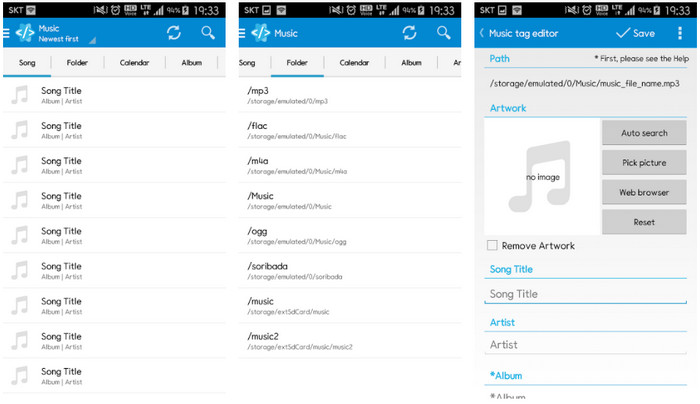
Star Music Tag Editor és un altre editor d’etiquetes de música que podeu descarregar al Play Store. Aquesta app és excel·lent perquè ofereix una interfície gràfica senzilla que es pot entendre millor que la que ofereixen altres apps. Igual que la primera eina, també admet la cerca automàtica que omple de manera efectiva les etiquetes de la vostra música. Tot i que l’app és fàcil d’utilitzar i té molt a oferir, en alguns casos no és tan efectiva com alguns diuen. Quan hem intentat editar les metadades amb aquesta app, hi ha hagut vegades que no les ha desat. A més, quan esteu a punt de desar les metadades, apareix un missatge emergent a la pantalla dient invalid audio frame exception amb la nova música a causa del fitxer corrupte. Però alguns usuaris no tenen aquest problema amb l’app, així que, si la voleu utilitzar, la podeu descarregar del Play Store.
Music Tag Editor - Mp3 Tagger | Editor de música gratuït
Dispositiu compatible: Android
Puntuació al Play Store: 3,8 estrelles
Ressenyes o valoracions: 11.378 persones
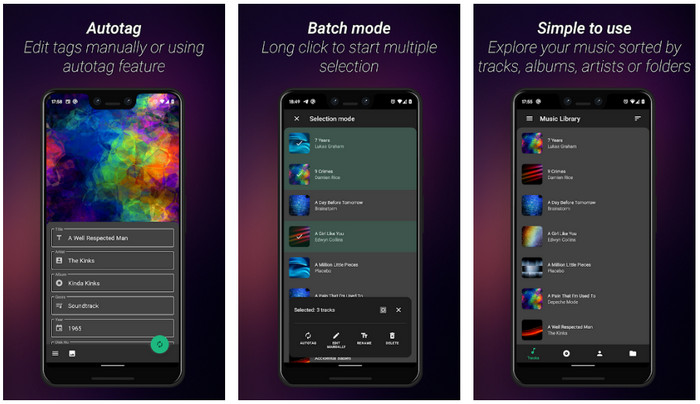
Si teniu problemes amb etiquetes incorrectes, feu servir Music Tag Editor - Mp3 Tagger | Free Music Editor per corregir ràpidament les metadades de la música. Aquesta eina pot omplir la resta de dades si primer introduïu el nom de la cançó i de l’artista per cercar les etiquetes correctes. Amb aquesta app, podeu afegir fàcilment etiquetes a diferents fitxers d’àudio alhora. No obstant això, la cerca automàtica d’etiquetes que ofereix triga molt a recopilar la informació i, de vegades, inclou etiquetes que no hi estan relacionades. A més, quan esteu a punt d’afegir una imatge a la pista d’àudio, no adjunta la imatge a la pista que heu editat.
Ever Tag: Music Tag Editor 4+
Dispositiu compatible: iOS
Puntuació al Play Store: 4,7 estrelles
Ressenyes o valoracions: 1,1 k persones
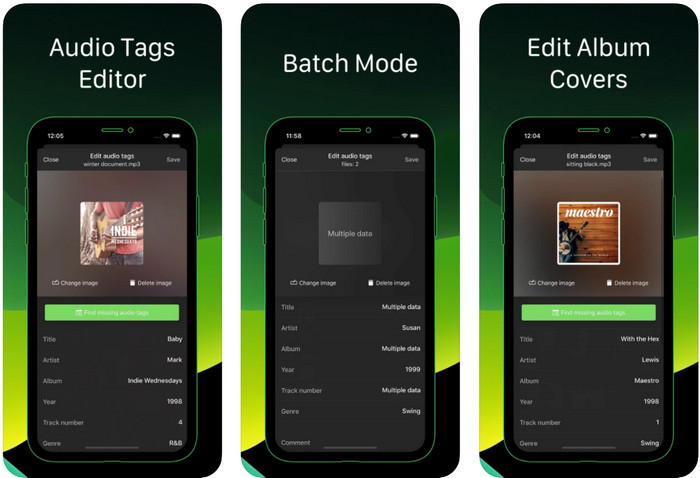
Apreneu a editar etiquetes de música a l’iPhone amb l’ajuda de Ever Tag: Music Tag Editor 4+. Aquesta app per a iOS admet múltiples formats d’àudio, de manera que pujar metadades és més fàcil que mai; el mateix passa amb l’edició de les dades. A més, aquesta app us ofereix diferents conjunts d’etiquetes de metadades per afegir al fitxer d’àudio omplint-les una per una, començant pel títol fins a les valoracions. L’inconvenient d’utilitzar l’app és que no pot omplir automàticament les etiquetes amb la cerca automàtica que altres eines per a Android us poden oferir. Encara que l’app diu que proporciona processament per lots per editar metadades, en realitat no ho podeu fer. Però si voleu provar aquesta app i utilitzar-la, descarregueu-la ara a l’App Store.
Generador d'etiquetes de música
Dispositiu compatible: iOS
Puntuació al Play Store: 4,5 estrelles
Ressenyes o valoracions: 55 persones
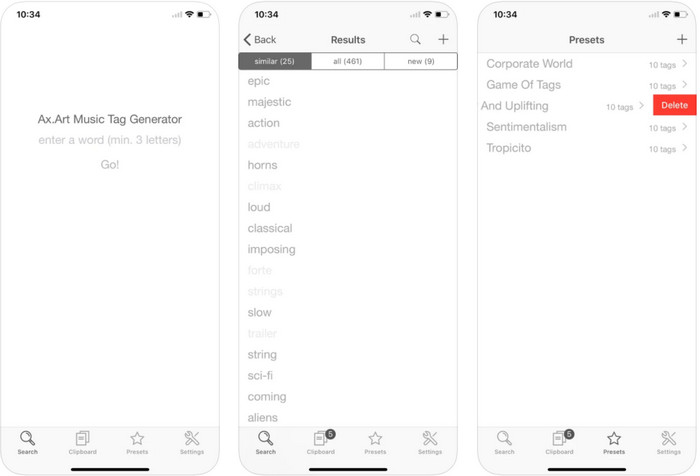
Tot i que la popularitat de Music Tag Generator no és tan gran com la d’altres editors, encara podeu veure i editar què és una etiqueta a la música. Aquesta eina és la vostra mini app d’utilitat per trobar i ordenar les pistes de música per etiquetes. A més d’ordenar les etiquetes, també podeu utilitzar aquesta app per canviar les metadades segons les vostres necessitats i organitzar-les. Tot i que l’app us pot ajudar a editar, continua sense ser tan bona com altres editors d’aquest article. Té una interfície senzilla, però les seves funcions són més completes del que podríeu esperar.
iTunes
Dispositiu compatible: iOS
Puntuació al Play Store: 4,9 estrelles
Ressenyes o valoracions: 1,4 k persones
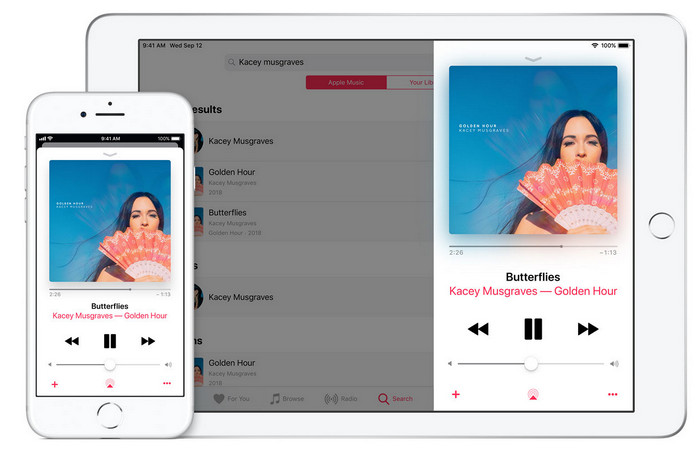
Aquesta aplicació té una biblioteca de música integrada que podeu comprar, descarregar i utilitzar. iTunes no és l'aplicació típica d'editor de metadades que podeu utilitzar al vostre iOS perquè aquesta aplicació és coneguda per emmagatzemar música com la que pot oferir Spotify. Tot i que la música que podeu trobar en aquesta aplicació té metadades i etiquetes, encara podeu canviar o actualitzar les etiquetes segons els vostres desitjos. Tanmateix, no podeu editar ni actualitzar fàcilment les etiquetes amb aquesta aplicació perquè hi ha un requisit que necessitareu abans d'aprendre a etiquetar música a iTunes.
La majoria de les aplicacions esmentades aquí tenen una etiqueta automàtica, que us pot ajudar a afegir automàticament etiquetes o metadades al fitxer d'àudio que teniu. Tanmateix, aquesta funció té defectes, a diferència d'afegir manualment les etiquetes no relacionades al vostre fitxer. Si voleu evitar aquests errors, passem al millor editor d'etiquetes de música per a PC llegint la part 2.
Part 3. Preguntes freqüents sobre Music Tag Editor
Què és l'etiqueta ID3?
Podeu veure aquestes etiquetes ID3 sovint a la música perquè contenen les dades sobre el fitxer multimèdia, concretament l'àudio. Si afegiu etiquetes ID3 al vostre fitxer d'àudio, podeu organitzar el fitxer en funció del reproductor multimèdia que feu servir.
La gravació d'àudio als telèfons té etiquetes?
Sí, té etiquetes i metadades. Tanmateix, les etiquetes no són completes com ho fan els altres fitxers multimèdia.
Per què el meu fitxer d'àudio es corromp després d'afegir metadades?
El motiu pel qual el vostre àudio està corrupte no es tracta de les metadades que afegiu o suprimiu, sinó de l'eina que heu utilitzat per editar les etiquetes del fitxer. Per tant, si voleu evitar aquesta circumstància, heu de triar l'eina perfecta que us ajudarà a afegir o eliminar metadades fàcilment. I recordeu, si el procés comença, assegureu-vos que no cancel·leu el procés d'edició de les metadades,
Conclusió
Ara heu de triar quina app podeu utilitzar per editar les vostres metadades de música; assegureu-vos de seleccionar l’app que s’adapti a la vostra plataforma per descarregar-la fàcilment des del Play Store o l’App Store. Però si creieu que necessiteu una eina que tingui el millor rendiment, aleshores heu d’utilitzar l’eina definitiva a l’escriptori. FVC Video Converter Ultimate ofereix la millor manera d’afegir etiquetes a la música fàcilment. Però abans de poder utilitzar aquesta eina, cal que la descarregueu i seguiu les instruccions que presentem a la part 2. Per saber-ne més, llegiu-les amb atenció.
-
 5 maneres més fàcils d'eliminar les metadades de qualsevol fitxer multimèdia
 Com eliminar les metadades? És difícil fer-ho? Necessito comprar o utilitzar una eina gratuïta per eliminar les etiquetes? Totes aquestes preguntes tenen respostes en aquest article.
-
 Els 5 millors extractors de metadades disponibles en línia i fora de línia [2022]
 Podeu trobar diversos extractors de metadades al mercat, però avui escollim només els cinc extractors d'etiquetes més escollits segons el públic.
-
 Els 5 millors editors de metadades de vídeo per al 2022 [Revisió imparcial]
 Voleu veure les metadades del vostre vídeo? Si és així, llegiu els detalls a continuació per entendre completament el tema i saber quina eina s'adapta millor a vosaltres.
