


 Video Converter Ultimate
 Gravadora de pantalla
 Reparació de vídeo
 Baixada segura
Maneres efectives de fer fotos HD en línia i a Android [tutorial complet]
És un miracle? És màgia? Bé, no ho és, i podeu fer fotos HD a l'instant sense utilitzar Adobe Photoshop ni cap programari professional al vostre dispositiu. La informació d'aquest article podria convertir les vostres imatges en alta definició amb els millors potenciadors que hem trobat al web i als vostres dispositius Android. Pot ser que sigui impossible gestionar aquesta tasca, especialment per a aquells que no tenen experiència en aquesta situació. No obstant això, no hauríeu de preocupar-vos si seguiu aquesta guia.

Part 1. Com fer una foto HD sense una eina professional al web de forma gratuïta [elecció de l'editor]
1a via. Com fer una foto HD augmentant les imatges [Elecció superior de l'editor]
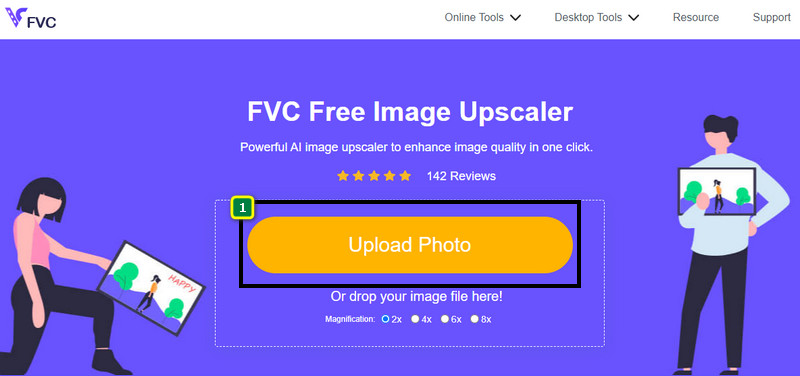
FVC Free Image Upscaler és un potent ampliador d’imatges que pots utilitzar per augmentar els píxels de la imatge i convertir-la en HD. Aquest ampliador en línia incorpora una IA capaç de detectar els errors de la teva imatge i millorar-la a l’instant sense haver d’ajustar gairebé cap opció. A més, també pots engrandir la imatge a 2x, 4x, 6x i 8x sense estirar ni deformar la imatge que hi penges. Vols saber el secret de com convertir una foto en HD amb aquesta eina? Pots seguir els passos indicats que afegim tot seguit.
Pas 1. Obre l’ampliador d’imatges en línia fent clic en aquest enllaç. T’adreçarà al lloc web oficial, i no cal que et preocupis perquè és segur en qualsevol navegador que facis servir o que prefereixis.
Pas 2. Fes clic a Upload Photo per afegir la imatge de baixa qualitat que vols convertir en HD. També disposa de la funció d’arrossegar i deixar anar per afegir la imatge, si ho vols provar.
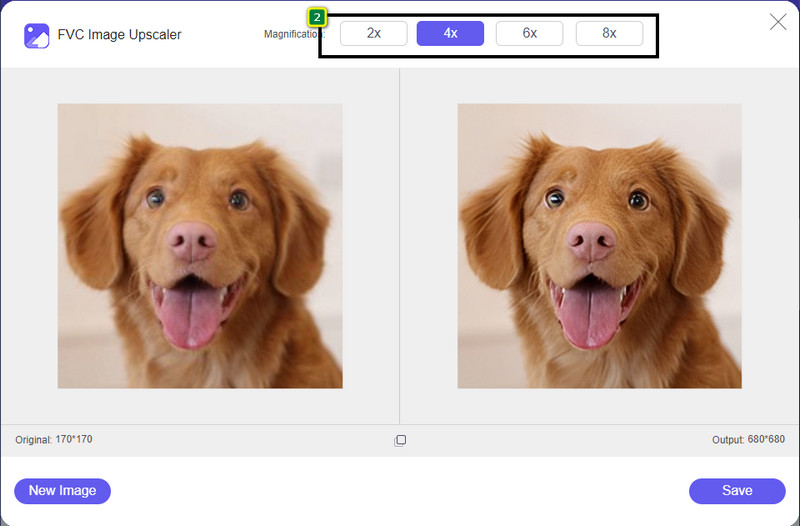
Pas 3. Espera que l’eina processi la imatge i selecciona la magnitud d’ampliació que vols aplicar-hi; la convertirà en HD.
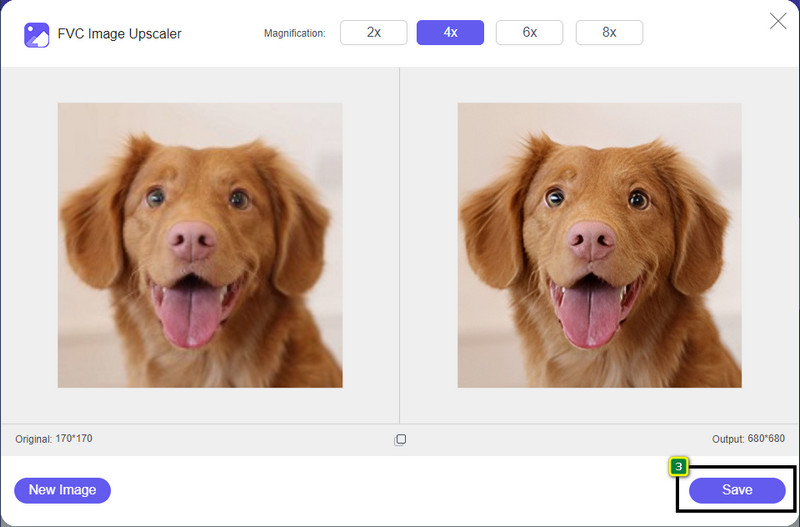
Pas 4. Ara ja pots desar la imatge que has ampliat aquí fent clic al botó Save que hi ha a la part inferior. Desarà la imatge en alta definició a la carpeta del teu disc; la pots comprovar per veure’n el resultat.
2n Camí. Com fer una imatge HD convertint les imatges
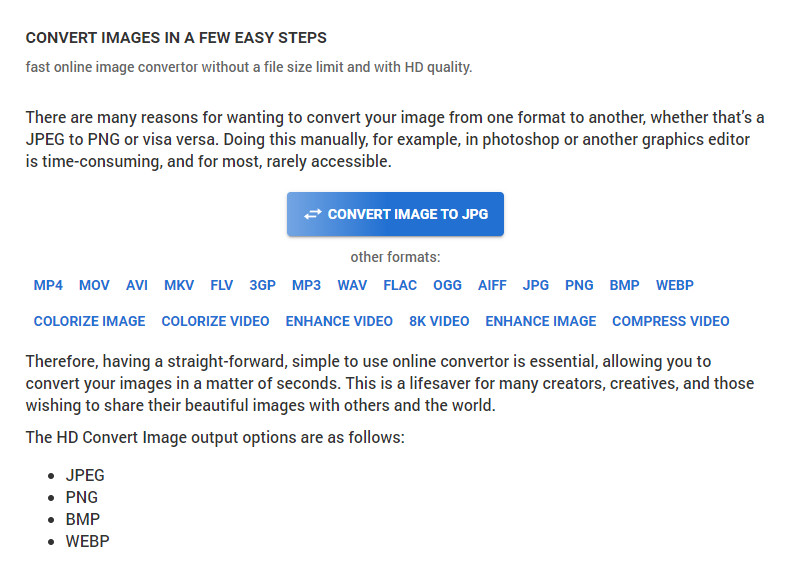
Tot i que HDconvert.com pot millorar la qualitat de la teva imatge, el procés segueix un camí diferent. Amb aquesta eina pots convertir una imatge de mala qualitat en HD penjant-la aquí i modificant algunes opcions per aconseguir la resolució desitjada. No podem negar que pot convertir la imatge que puges a JPG, PNG, BMP o WebP alhora que en canvia la qualitat. A més, pots retocar algunes opcions avançades de la imatge, com ara redimensionar-la, o bé ometre-ho si no ho vols aplicar. Tanmateix, hauràs de comprar la versió premium per obtenir una qualitat d’imatge alta. T’interessa saber com funciona aquesta eina? Si és així, continua llegint per descobrir com fer que una foto sembli més HD.
Pas 1. Obre el lloc web oficial d’aquest convertidor, fes clic a Convert Image to JPG, then Select Files per penjar la imatge que vols convertir a HD.
Pas 2. Selecciona el format d’imatge que vols aplicar a la teva imatge i fes clic a Next.
Pas 3. Canvia la qualitat de la imatge ajustant el slider fins al percentatge que prefereixis o fins a 100% i prem Next.
Pas 4. Prem Convert File per exportar aquí la imatge que has convertit a HD.
3a via. Com fer una imatge HD millorant la imatge
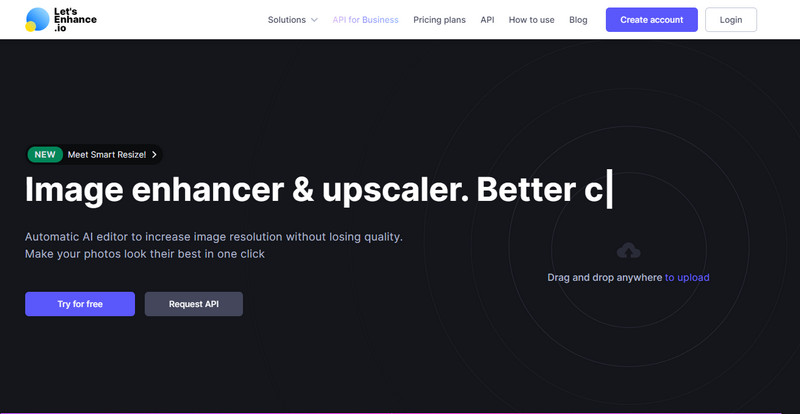
Let's Enhance.io et pot ajudar a millorar la teva imatge a l’ordinador fins a una qualitat superior, com ara HD. No tindràs cap problema a millorar la imatge a HD si utilitzes aquesta eina. A diferència de la primera eina, abans de poder-ne fer servir la versió gratuïta, t’hi hauràs d’iniciar sessió amb un compte existent o bé crear-ne un de nou. Tot i que cal iniciar sessió, pots estar tranquil perquè el rendiment que ofereix és tan bo com el que pots aconseguir amb altres programes d’escriptori per millorar imatges. Per tant, si vols utilitzar aquest potenciador d’imatges HD, pots llegir els passos indicats a continuació, on la provem per mostrar-te com fer-la servir.
Pas 1. Obre el navegador web, busca’n el nom i fes clic a l’enllaç que apareixerà als resultats.
Pas 2. Prem la icona de upload per afegir la imatge que vols millorar a HD.
Pas 3. A l’apartat d’operació, canvia els paràmetres que vulguis per convertir la imatge en alta definició.
Pas 4. Un cop fets els ajustos, fes clic a Start Processing perquè es processi la imatge de baixa qualitat a HD.
Pas 5. Prem la icona de download per obtenir la foto que has millorat aquí.
Part 2. Com fer una foto HD a Android amb PicsArt
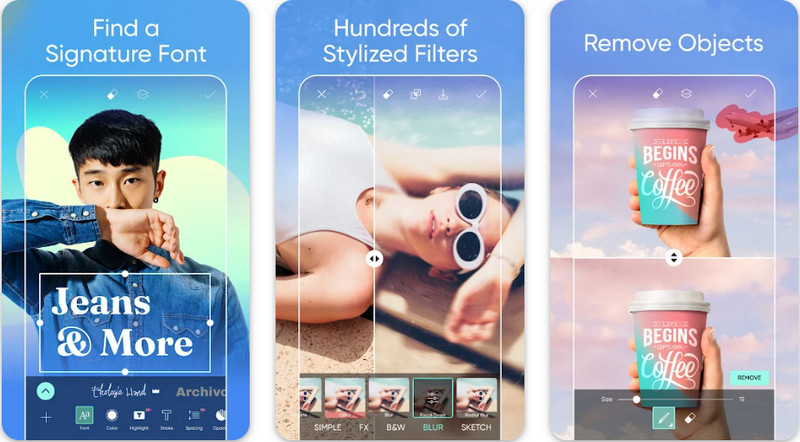
Per als usuaris d’Android que necessiten convertir les seves imatges a HD, poden provar de descarregar PicsArt des de PlayStore. És una solució per a molts usuaris gràcies a les diferents funcions d’edició que pots aplicar a la imatge per fer-la semblar millor que la versió original. Tot i que aquesta app pot fer molt per tu, la versió gratuïta deixa una marca d’aigua al resultat final. Si no t’agrada la marca d’aigua, hauràs de comprar la versió premium. En conjunt, aquesta app és la nostra opció preferida per fer que la imatge es vegi nítida i en HD. Per tant, si vols obtenir una imatge d’alta qualitat al teu dispositiu Android, no t’equivocaràs triant aquesta aplicació. Copia el tutorial sobre com fer una foto HD a PicsArt que trobaràs tot seguit.
Pas 1. Descarrega l’aplicació des de PlayStore i obre-la.
Pas 2. Fes clic a la icona + per triar a la galeria la imatge que vols convertir en HD.
Pas 3. Toca Effects i selecciona HDR; ajusta les opcions per convertir la imatge en HD i, després, prem la icona de check.
Pas 4. A la part superior del telèfon, fes clic a la icona de download per desar la imatge en HD a la teva galeria. Per canviar la resolució de les fotos a l’iPhone, fes clic aquí per obtenir més informació.
Part 3. Preguntes freqüents sobre com fer una imatge HD
Fer imatges en HD augmenta la mida del fitxer?
Absolutament! La mida de la imatge que no és HD i la HD tenen diferents mides de fitxer. HD té més dades de píxels que et podrien presentar una imatge detallada, i la seva mida també és més pesada que la imatge que no és HD.
Convertir la imatge 4k a HD és una mala elecció?
Pot semblar que sí, però si voleu estalviar emmagatzematge, podeu convertir les imatges 4k en HD, i les seves diferències de qualitat visual no són gaires. Podeu gaudir de la vostra imatge 4k encara que s'hagi convertit en HD.
Per què he de fer la imatge HD?
Convertir la vostra imatge en HD podria fer que la vostra imatge sigui més detallada en aparença i atractiu per als ulls en comparació amb les que no ho són. Per tant, si voleu millorar la imatge en HD, necessitareu una eina per augmentar els píxels de la imatge per donar vida a l'HD.
Conclusió
Increïble oi? Podeu fer fotos HD amb les diferents maneres que afegim aquí sense l'ajuda de programari professional com Adobe Photoshop. Copieu els passos a l'eina que trieu i milloreu la vostra imatge de baixa qualitat en una de millor com HD.
-
 Millorar la resolució de les fotos de l'iPhone amb els millors potenciadors
 Voleu millorar la resolució de fotos de l'iPhone? Bé, en aquest article cobrim les millors eines que pots utilitzar i altres trucs que has de conèixer!
-
 Restauració de fotos antigues en línia i fora de línia [Passos fàcils]
 Vols restaurar una foto antiga? Amb aquestes eines, coneixeràs el procés de restauració de fotografies antigues. Llegiu aquesta publicació per aprendre els mètodes més senzills.
-
 Millor 7 Pixels Enhancer per a tots els navegadors web que heu d'utilitzar
 Si voleu conèixer els millors potenciadors de píxels per utilitzar, millor que consulteu aquesta publicació. Aquest article enumera els set millors potenciadors de píxels fotogràfics per a tots els navegadors web.
