


 Gravadora de pantalla
 Reparació de vídeo
 Baixada segura
Com eliminar el fons dels GIF mitjançant programes efectius
GIF és l'abreviatura de Graphics Interchange Format i s’utilitza àmpliament en les comunicacions en línia, com ara enviar missatges o fins i tot comentar una publicació. Eliminar el fons de GIFs o imatges pot ser difícil si no disposes de programes de programari fets específicament per a aquest tipus de tasca. A causa de la seva popularitat, més usuaris senten curiositat per com editar i crear els seus propis GIFs. Per sort, hem reunit programes en línia fiables i fàcils d’utilitzar que poden ajudar els usuaris a eliminar el fons dels GIFs.
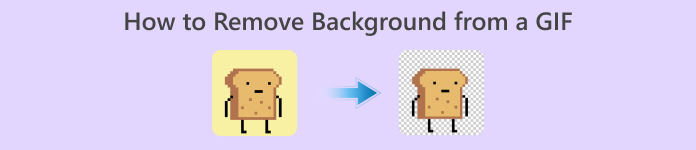
Recomanat: Eliminador de fons lliure de FVC
FVC Free Background Remover és una utilitat útil quan es tracta d’eliminar el fons de les teves fotos. Utilitza IA per resseguir i reconèixer la persona dins de la foto. A més, l’eina està disponible per a Windows i Mac. En conjunt, és una eina pràctica i fiable que pots utilitzar en qualsevol moment i lloc.
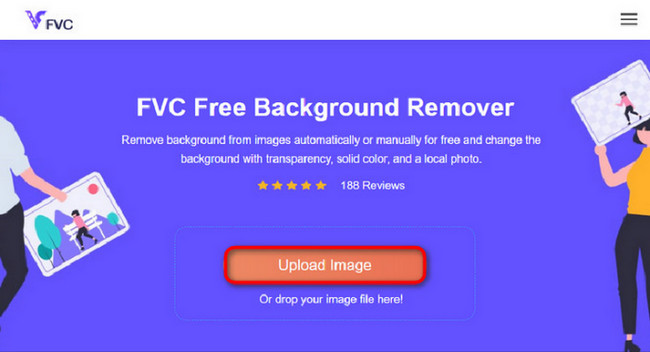
Pas 1. Carrega la imatge/GIF
El primer pas és obrir el navegador a l’ordinador. En obrir el programa en línia, se’t dóna l’opció de carregar la teva imatge. Fes clic a Upload Image per afegir el GIF del qual vols eliminar el fons.
Pas 2. Edita la imatge
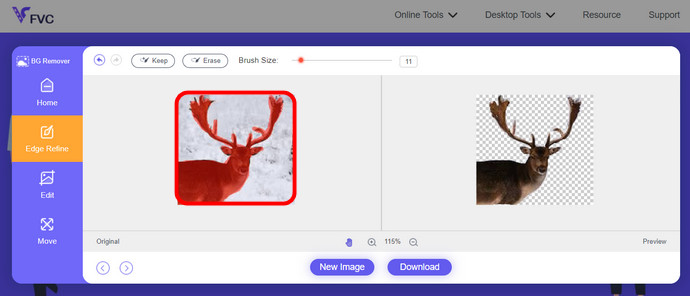
Després de la càrrega, ara podeu eliminar qualsevol eliminació de ressaltat imprecisa del reconeixement d'IA. Només cal que feu clic i arrossegueu el ratolí i feu-ho al vostre gust.
Pas 3. Descarrega la imatge editada
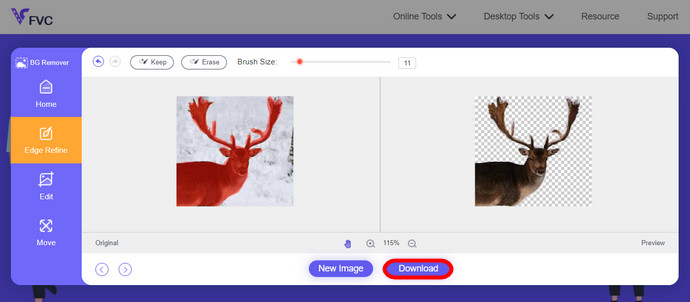
Finalment, fes clic al botó Download. Ara ja has eliminat correctament el fons de la teva imatge.
Part 1. Eliminar el fons GIF amb EZGIF.com
Aquest programari en línia és un programari d'edició i conversió de fotos/gif. Pot editar i convertir formats GIF, PNG, WEBP, IMG i molts més. Aquí, podeu editar el vostre GIF amb el programari d'edició que ve amb el programari.
Pas 1. Entra al lloc web
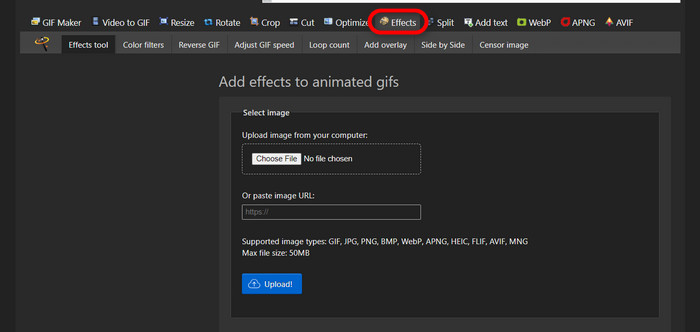
Per utilitzar aquesta eina en línia, obre el navegador i introdueix l’enllaç. Immediatament se t’ofereixen opcions segons les teves necessitats. Aquest lloc et dona la possibilitat d’eliminar el fons del teu GIF. Fes clic a Effects per començar.
Pas 2. Tria i carrega una imatge/GIF
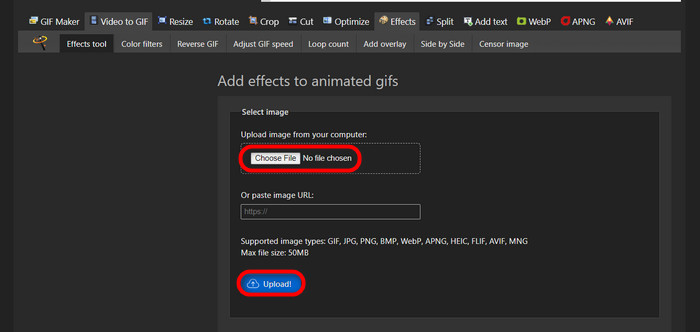
Ara, tria el fitxer que vulguis carregar. Fes clic a Choose Files, busca’l en el directori corresponent i prem Upload per carregar el fitxer escollit.
Pas 3. Edita la imatge
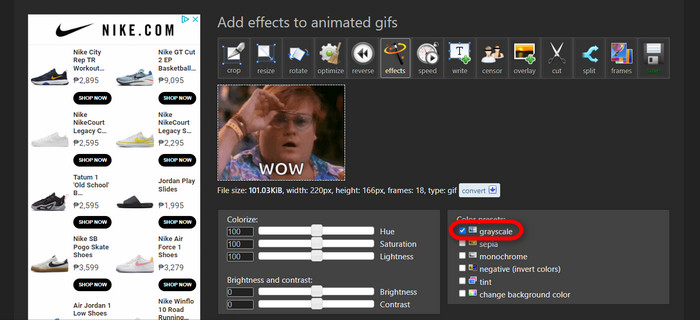
Després de carregar-la, ja gairebé estàs en el procés d’eliminar el fons del teu GIF o de fer que el fons del teu GIF sigui negre. Ara, fes clic a grayscale per enfosquir el fons.
Pas 4. Previsualitza i converteix la imatge/GIF
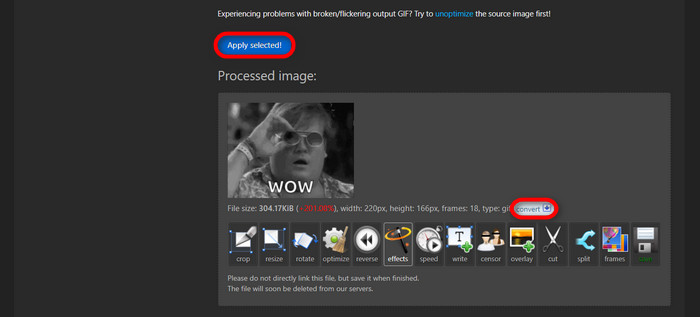
Després d’afegir l’efecte, redimensionar i retallar el teu nou GIF, fes clic a Apply Selected, i es mostrarà una previsualització del GIF editat. Després, fes clic al botó convert per descarregar el fitxer.
Part 2. Fes un GIF sense fons a Remove.bg
Aquest lloc també està dissenyat per eliminar qualsevol fons de qualsevol foto. Aquí, us ofereix l'opció de continuar editant la vostra foto de fons eliminada automàticament. Està alimentat amb una intel·ligència artificial hàbil que pot reconèixer el tema principal i eliminar-ne el fons perfectament.
Pas 1. Carrega la imatge/GIF
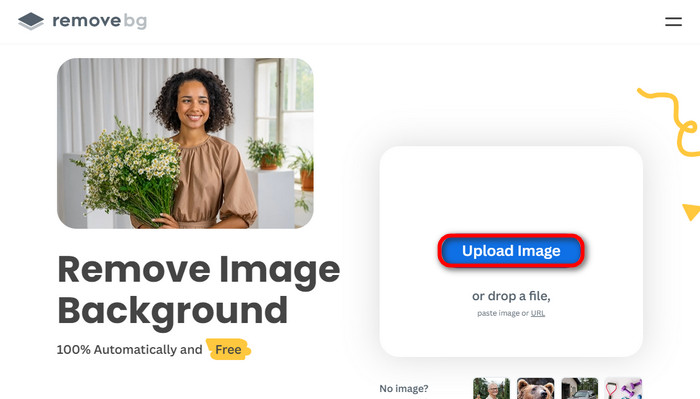
Comencem carregant la nostra imatge. Obre el programari en línia al navegador quan siguis a la pàgina. Després, fes clic a Upload Image.
Pas 2. Revisa i edita la imatge
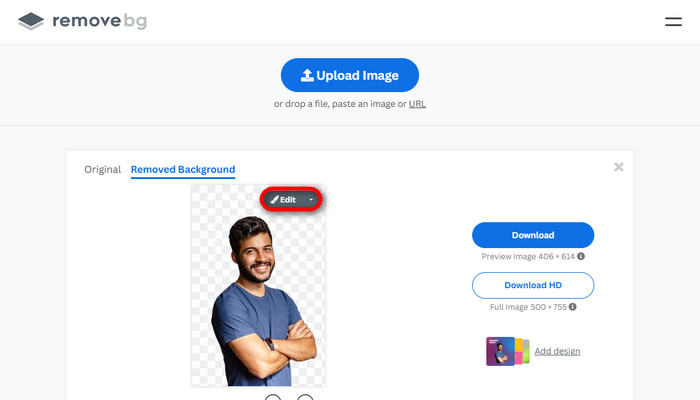
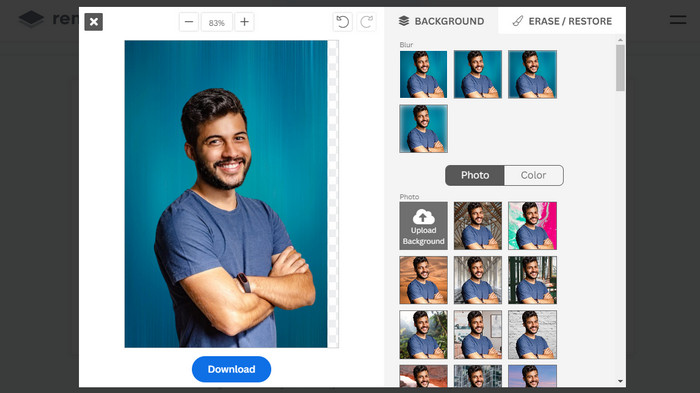
Un cop la teva imatge s’hagi carregat, el fons ja s’hauria d’haver eliminat automàticament, però encara pots editar la foto. Pots veure la foto original fent clic al botó Original al costat del botó Removed Background. Els usuaris poden posar un fons negre a la seva imatge fàcilment amb aquest programari.
Pas 3. Descarrega la imatge editada
En aquesta part, ja has acabat l’edició i ara pots descarregar la imatge. Només cal que facis clic al botó Download que hi ha sota la foto.
Part 3. Utilitzeu GIFMagic a l'eliminació de fons de GIF
A GIFMagic, efectes especials, afegint text, animació i molts més! Tot això és possible mitjançant aquest programa en línia. Els GIF són fàcils de treballar quan es tracta d'editar en aquest programari!
Pas 1. Carrega la imatge/GIF
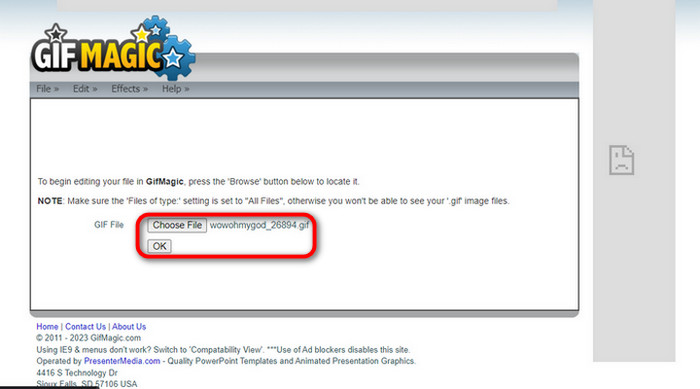
Després d’iniciar la sessió, el lloc et permet carregar el fitxer escollit al programari. Pots carregar fitxers .gif o .img, que resulten útils per a altres usuaris. Per triar el fitxer, fes clic a Upload i, un cop hagis escollit el fitxer, fes clic al botó OK.
Pas 2. Edita la imatge
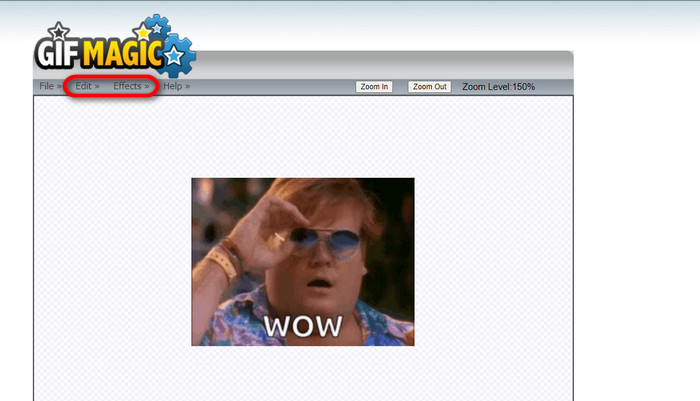
Quan arribis a la pàgina, veuràs els botons Edit i Effects al costat del botó File. El teu fitxer es pot editar en aquesta secció, així que dona-hi el teu toc i gaudeix editant.
Pas 3. Descarrega el GIF editat
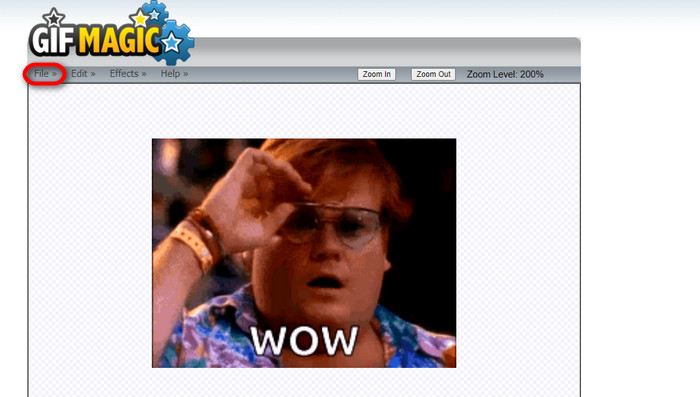
Després d’haver fet que el teu GIF tingui el fons transparent, només cal que facis clic al botó File i després a Save. I ja està: fet i descarregat.
Part 4. Fer que el fons GIF sigui transparent amb LunaPic
LunaPic és una eina en línia gratuïta que és capaç d'eliminar GIF de fons en línia. Pot avaluar i editar PNG, GIF, JPG, JPEG i molts més tipus d'imatges. És un programari ben fonamentat que s'utilitza per editar en moltes plataformes.
Pas 1. Carrega la imatge/GIF
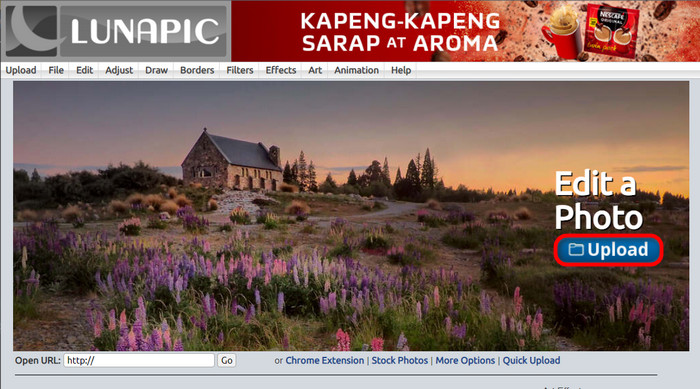
Després d’entrar al lloc amb el teu navegador predeterminat o qualsevol altre navegador al teu gust, carrega el fitxer .img o .gif al lloc. Només cal que facis clic al botó Upload.
Pas 2. Edita la imatge/GIF
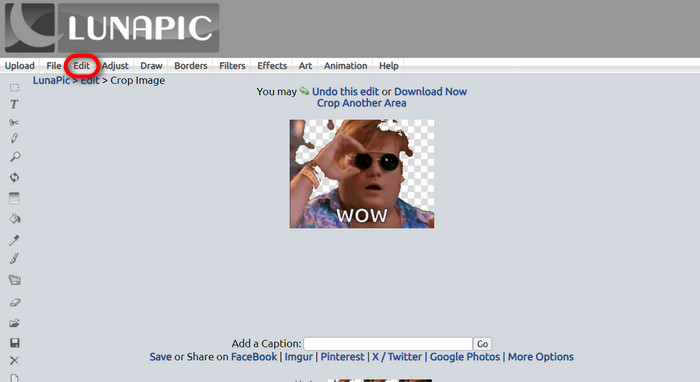
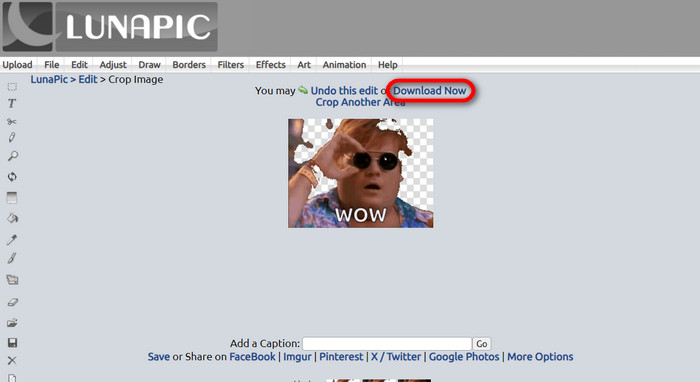
A continuació, pots editar el fitxer i fer que el fons del GIF sigui transparent clicant a Edit i després a l’eina Crop Image. Comença a retallar el fons de la imatge.
Pas 3. Descarrega el GIF editat
Després de retallar el fons, o si has intentat posar un GIF amb fons blanc, ja pots fer clic al botó Download now! per desar el fitxer editat.
Lectures relacionades:
4 millors maneres d’eliminar la marca d’aigua d’un GIF [En línia i fora de línia]
Descobrint les millors eines per a escriptori, en línia i per a mòbils

Video Converter Ultimate
Més de 345 descàrregues- Gaudeix mirant els teus vídeos sense aquestes molestes marques d'aigua que bloquegen el teu contingut.
- Produeix vídeos de bona qualitat amb alta resolució per a una millor visualització.
- Permet eliminar qualsevol marca d'aigua de qualsevol tipus de vídeo.
- Proporcioneu-vos innombrables formats per convertir el vostre fitxer.
Baixada gratuïtaPer a Windows 7 o posteriorBaixada segura
Descarrega gratisPer a MacOS 10.7 o posteriorBaixada segura
Part 5. Preguntes freqüents sobre l'eliminació de fons
Puc convertir un PNG animat en un GIF?
Sí, és possible convertir PNG a GIF. Tanmateix, hi ha diversos tipus de dades que es poden convertir en diversos formats sempre que tingueu el programa adequat.
Puc canviar el color del meu fons GIF després d'eliminar-lo?
Efectivament, hi ha molts programes que ofereixen aquest tipus de funcions. Prova FVC Background Remover per a una eliminació de fons senzilla.
Puc fer un fons GIF transparent amb pintura?
No, la pintura no té aquest tipus de capacitat. Però podeu buscar altres programes que ofereixin aquest tipus de feina.
Què és un GIF animat amb transparència?
Un GIF animat amb transparència és una imatge que només mostra una part determinada de la imatge un cop col·locada en un lloc web determinat. Pot mostrar diverses imatges si es col·loquen a un altre lloc web.
El GIF permet la transparència?
Sí, però no totalment transparent. Només admet transparència d'1 bit.
Conclusió
Actualment hi ha una gran importància i demanda de programes que puguin editar GIFs, com els esmentats anteriorment. Retallar, editar, treballar amb capes i suprimir són accions possibles amb només uns quants clics avui dia. Els usuaris estan innovant i pensant en coses que ningú havia fet abans, com ara crear un GIF amb fons blanc. Aquest tipus d’usuaris són la raó per la qual es creen programes tan potents com aquests, com ara FVC Background Remover.
-
 Trieu el millor retallador de GIF en línia i fora de línia per retallar GIF [2023]
 Escollir la millor eina de retall és imprescindible mentre aquesta funció dels fabricants de GIF estigui disponible. Aleshores, quina és la vostra millor opció per retallar fitxers i com utilitzar-los?
-
 Apreneu 4 maneres de crear GIF a partir d'imatges [en línia i fora de línia]
 Vols saber com crear GIF a partir de la compilació de les teves imatges? A continuació, feu clic a aquest enllaç i llegiu els exemples següents
-
 Bucle GIF amb el millor Looper GIF animat a Windows i Mac
 Vols conèixer el secret del millor GIF de bucle i fer-ne un? Si és així, esteu al lloc correcte. Apreneu a crear un bucle amb el millor looper disponible.
