


 Video Converter Ultimate
 Gravadora de pantalla
 Reparació de vídeo
 Baixada segura
Canvia la mida de la imatge a 20 KB: 3 mètodes de compressió efectius [2024]
És molt molest quan envieu fitxers d'imatge o en pengeu qualsevol només per trobar que no es poden processar a causa de la seva gran mida de fitxer. És comprensible que la majoria de les fotos d'avui siguin grans per la seva alta resolució i qualitat, però això no vol dir que hàgim d'acceptar aquest inconvenient.
En aquest article t’ajudarem a resoldre aquest problema. Hem preparat tres mètodes efectius per canviar la mida d’una imatge a 20 KB amb facilitat. Tant si treballes amb fotos personals com amb gràfics professionals, aquestes tècniques t’ajudaran a comprimir les teves imatges sense una pèrdua significativa de qualitat. Anem a veure aquests mètodes perquè compartir fitxers i penjar-los et resulti molt més senzill.

Part 1. Canvia la mida de la imatge a 20 KB amb un sol clic [Fàcil i ràpid]
FVC Free Image Compressor és una eina gratuïta de compressió d’imatges en línia disponible tant per a Mac com per a Windows. Amb aquesta eina, els usuaris poden canviar fàcilment la mida d’una imatge a 20 KB amb un sol clic. Només han de pujar les seves fotos i l’eina les comprimirà automàticament. A més, les fotos comprimides gairebé mantenen la millor qualitat possible gràcies als algorismes d’optimització i compressió de l’eina.
Formats d’imatge admesos: fotos JPEG, PNG, SVG i GIF animats
Límit de compressió per lots: pot comprimir per lots fins a 40 fotos simultàniament
Proporció de compressió: manté la proporció original de la foto.
Límit de mida: pot comprimir fotos de fins a 5 MB
A continuació t’expliquem com canviar la mida d’una imatge a 20 KB amb FVC Free Image Compressor
Pas 1. Al navegador, cerca FVC Free Image Compressor.
Pas 2. Un cop hagis accedit al seu lloc web, a la interfície principal, fes clic a Upload Images per importar les fotos que vols redimensionar a 20 KB. Després d’això, les teves fotos es comprimiran automàticament.
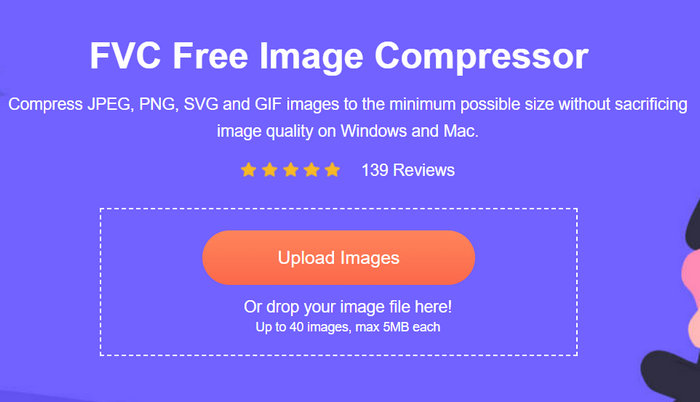
Pas 3. Després de comprimir les fotos, pots previsualitzar la nova mida de fitxer de la teva foto comprimida i comprovar si s’ha redimensionat a 20 KB. Finalment, fes clic a Download All per desar la teva imatge.
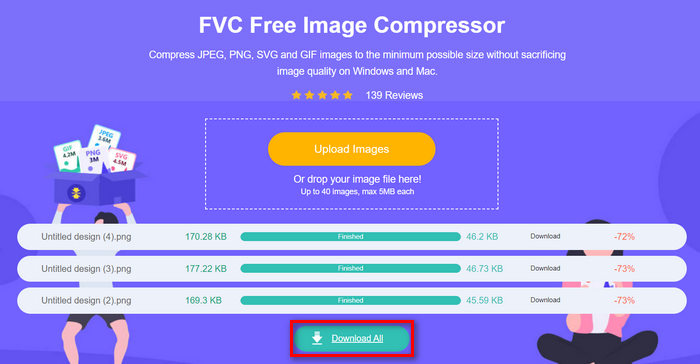
Amb FVC Free Image Compressor pots reduir fàcilment una imatge a 20 KB gràcies a la seva interfície molt intuïtiva i fàcil d’utilitzar. A més, les fotos redimensionades es comprimeixen amb els millors algorismes d’optimització i compressió, cosa que permet conservar la millor resolució i qualitat de la foto. Finalment, aquest redimensionador de fotos és gratuït, fet que el converteix en l’eina de compressió d’imatges preferida per davant d’altres, ja que pot oferir un rendiment similar al d’eines especialitzades de subscripció.
Part 2. Canvia la imatge a 20 KB amb la configuració personalitzada
Duplichecker és l'eina per a vostè si necessiteu opcions de qualitat personalitzades per a la compressió d'imatges. Ofereix una solució ràpida i sense problemes per canviar la mida de les imatges a 20 KB mentre es manté la integritat visual. Amb una interfície simplificada, ofereix als usuaris una manera ràpida i eficient de reduir els fitxers d'imatge. Finalment, aquesta eina és totalment gratuïta.
Formats d’imatge admesos: formats JPEG, PNG i GIF.
Límit de compressió per lots: pot comprimir per lots fins a 10 fotos simultàniament
Proporció de compressió: manté la proporció original de la foto.
Límit de mida: pot comprimir fotos de fins a 5 MB
A continuació t’expliquem com canviar la mida d’una imatge a 20 KB amb Duplichecker
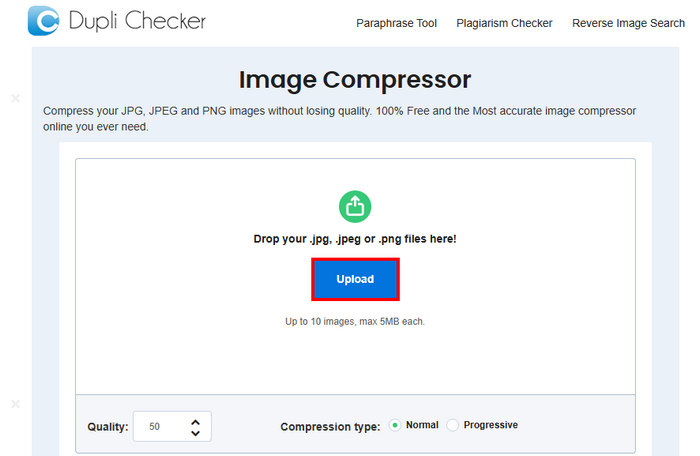
Pas 1. Per pujar la imatge que vols reduir a 20 KB, fes clic al botó Upload.
Pas 2. A continuació veuràs l’opció de Quality a la part inferior de l’angle esquerre. Tria o escriu la qualitat comprimida que desitgis. En aquest cas, escriu 20.
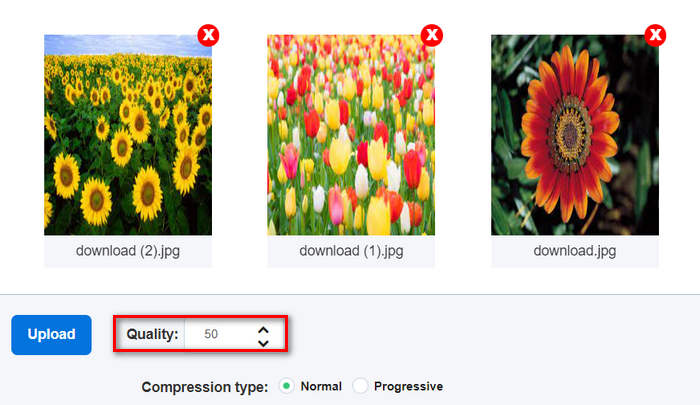
Aquesta qualitat d'imatge és en KB o Kilobyte.
Pas 3. Després d’escollir la qualitat, ja pots seleccionar el tipus de compressió que prefereixis.
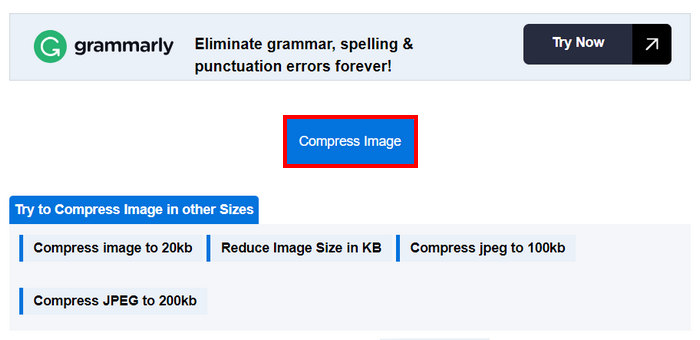
Pas 4. Un cop configurat, baixa una mica i fes clic al botó Compress Image per reduir les teves imatges a 20 KB.
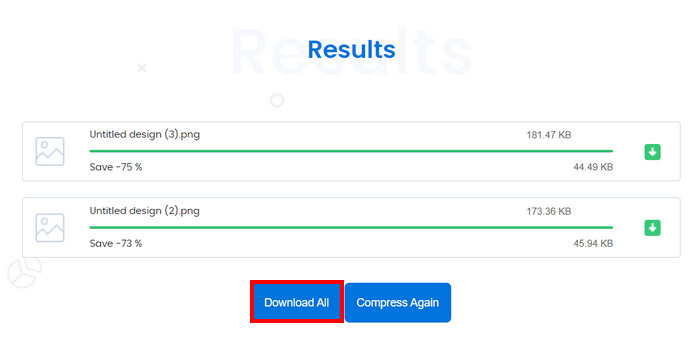
Pas 5. Finalment, per desar les imatges comprimides, fes clic al botó Download All per guardar-les totes. Aquests fitxers es desaran directament al teu dispositiu.
Per tant, si preferiu canviar la mida de la imatge a 20 KB mentre teniu control sobre la seva configuració, però, no és ideal quan comprimiu més de deu fotos alhora. A més, hi ha alguns problemes de retard en comprimir diversos fitxers.
Part 3. Canvia la mida d'imatges il·limitades a 20 KB alhora
L'eina Bulk Image Compressor és una eina de compressor en línia que us permet canviar la mida de les imatges de manera il·limitada a 20 KB alhora.
Formats d’imatge admesos: imatges JPG, JPEG, PNG i BMP.
Límit de compressió per lots: pot comprimir per lots un nombre il·limitat de fotos si et subscrius a la versió premium de per vida. En cas contrari, encara pots comprimir simultàniament 150 imatges amb un sol clic.
Proporció de compressió: manté la proporció original de la foto.
Límit de mida: pot comprimir fotos de fins a 5 MB
A continuació t’expliquem com canviar la mida d’una imatge a 20 KB amb Bulk Image Compressor
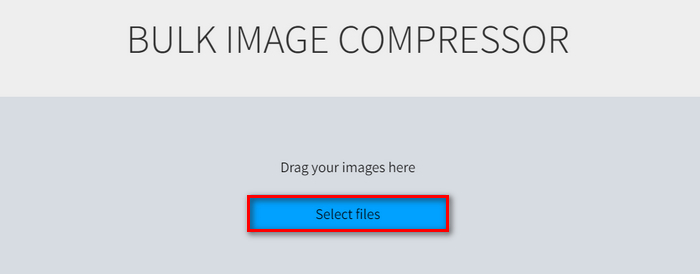
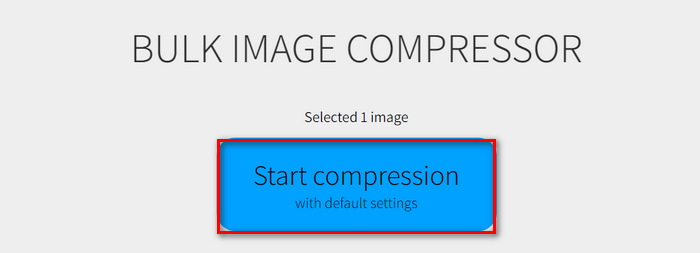
Pas 1. Arrossega els fitxers d’imatge que vols redimensionar a 20 KB o simplement fes clic al botó Select Files.
Pas 2. Ara pots ajustar la Quality movent la barra lliscant fins al percentatge que prefereixis. També pots establir una amplada i una alçada noves ajustant-les sota la mida Maximum.
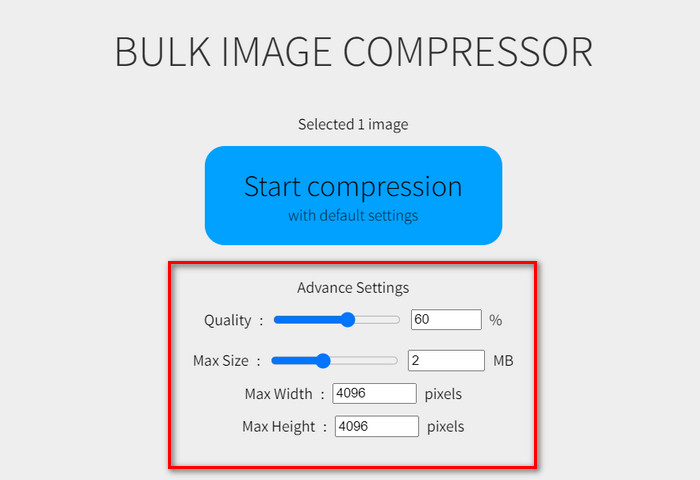
Pas 3. Després d’ajustar la configuració desitjada, fes clic al botó Start Compression.
Aquesta eina de compressor d'imatges és ideal per canviar la mida d'imatges il·limitades a 20 KB. Tanmateix, heu de fer servir la seva prima d'un pagament per gaudir-ne.
Part 4. Preguntes freqüents sobre el canvi de mida de la imatge a 20 KB
És segur utilitzar un compressor en línia JPEG per a contingut sensible?
L'ús d'un compressor JPEG en línia per a contingut sensible pot ser segur, però és important assegurar-se que l'eina que utilitzeu tingui polítiques de privadesa fiables. Busqueu compressors que no emmagatzemin les vostres imatges als seus servidors després del processament.
Com comprimir un PNG a 20 KB?
Per comprimir un PNG a 20 KB, podeu utilitzar eines en línia com ara FVC Free Image Compressor, Duplichecker o Bulk Image Compressor. Aquestes eines us permeten canviar la mida de la imatge PNG a 20 KB mantenint la qualitat. Seguiu els passos específics proporcionats per cada eina per aconseguir la mida de fitxer desitjada.
Què són 20 KB en píxels?
La mida del fitxer de 20 KB no es correlaciona directament amb una dimensió de píxel específica, ja que la mida en kilobytes està influenciada per la resolució de la imatge, la profunditat del color i el nivell de compressió. Per exemple, una imatge de 20 KB pot tenir dimensions diferents segons com es comprimeixi. En general, reduir les dimensions d'una imatge i aplicar compressió ajudarà a aconseguir una mida de fitxer més petita, però no hi ha cap dimensió de píxels fixa per a 20 KB.
Puc canviar la mida dels GIF animats a 20 KB?
Sí, pots redimensionar GIF animats a 20 KB utilitzant eines com FVC Free Image Compressor, que admet la compressió en format GIF. Només has de pujar el teu GIF i l’eina el comprimirà automàticament.
Comprimir les imatges a 20 KB afectarà la seva qualitat?
Comprimir imatges fins a 20 KB pot afectar la seva qualitat, però l'ús d'eines de compressió avançades com FVC Free Image Compressor pot ajudar a mantenir la integritat visual. Aquesta eina utilitza algorismes d'optimització per minimitzar la pèrdua de qualitat durant la compressió.
Conclusió
Canviar la mida de les imatges a 20 KB és fàcil amb les eines adequades. FVC Free Image Compressor, Duplichecker i Bulk Image Compressor et permeten reduir ràpidament la mida de les imatges sense perdre gaire qualitat. Prova aquests mètodes avui mateix per compartir i penjar imatges sense complicacions. Prova ara una d’aquestes eines!
-
 Canve Image Enhancer: el nou reforç de la qualitat d'imatge? [Revisió]
 Descobriu com Canve Image Enhancer pot portar les vostres fotos al següent nivell. Consulteu la nostra revisió detallada que cobreix totes les característiques, pros i contres d'aquesta eina.
-
 Com eliminar el fons de la imatge amb GIMP
 Comenceu amb GIMP i el procés pas a pas per eliminar fons de les imatges. Descobriu maneres eficients de crear imatges transparents amb GIMP avui!
-
 Com augmentar la mida de la imatge en línia i fora de línia
 Descobriu la manera més senzilla d'augmentar la mida de la imatge sense perdre qualitat. Consulteu les nostres eines i programari de canvi de mida per garantir una qualitat òptima per a les vostres imatges.
