


 Video Converter Ultimate
 Gravadora de pantalla
 Reparació de vídeo
 Baixada segura
Com combinar fitxers MPG a l'ordinador
Quan intentes copiar una pel·lícula d’un DVD a l’ordinador, normalment es desarà en format MPG. Com que la pel·lícula copiada acostuma a estar separada en diversos clips MPG curts, és possible que vulguis unir diversos clips de pel·lícula en format MPG en un de sol per obtenir l’arxiu complet de la pel·lícula. En aquest article, t’ensenyarem com unir arxius MPG de 2 maneres.

Part 1. Com unir fitxers MPG amb Video Converter Ultimate
Per combinar pel·lícules MPG i editar-les, és possible que necessiteu un programari professional per unir vídeos. Video Converter Ultimate és la millor manera de resoldre el vostre problema. Amb les potents funcions de combinació, conversió i edició de vídeos, podeu unir-vos a molts fitxers MPG i ajustar-los al vostre ordinador.
- 1. Uniu i converteix diversos tipus de formats de vídeo, inclosos els fitxers MPG amb un sol clic.
- 2. Múltiples funcions d'edició de vídeo MPG que inclouen retallar, dividir la rotació i afegir filigrana i subtítols.
- 3. Caixa d'eines especial que us proporciona un millorador de vídeo MPG per millorar la qualitat del vídeo.
- 4. Afegiu tema i filtres per decorar els vostres clips de pel·lícules mpg
Descàrrega gratuïtaPer a Windows 7 o posteriorDescàrrega segura
Descàrrega gratuïtaPer a macOS 10.7 o posteriorDescàrrega segura
Pas 1. Descarrega i instal·la Video Converter Ultimate. Tria la interfície Converter. Després pots afegir els arxius MPG que vols unir fent clic al quadrat Add Files al centre de la interfície. També pots arrossegar diversos arxius MPG dins del quadrat per afegir-los. Et permet afegir múltiples arxius MPG i fusionar-los en un de sol.
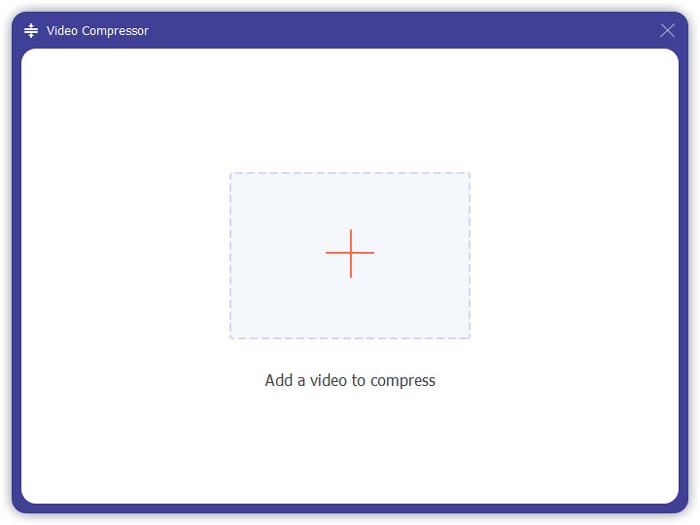
Pas 2. A continuació, tria el format de vídeo que vols obtenir fent clic al camp Convert All to al costat dret. Pots escollir diversos tipus de formats al menú, com ara MP4, MOV, MKV, etc. Pots ajustar manualment els paràmetres del format fent clic a la icona d'engranatge.
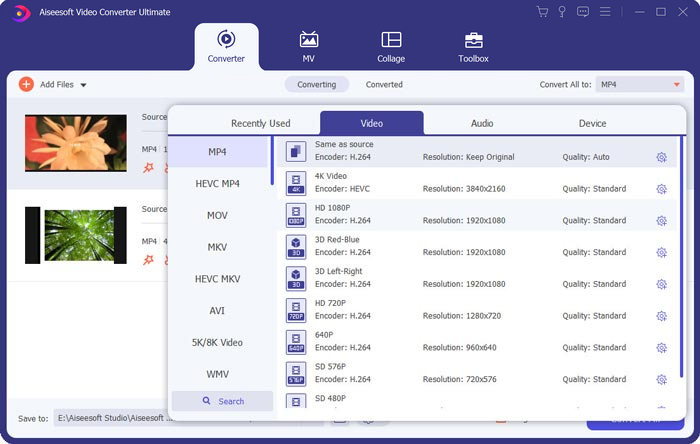
Pas 3. Per editar els teus vídeos, pots fer clic a la icona de tisores per obrir la interfície d’edició. Pots establir l’hora d’inici i de final dels vídeos per retallar-los. Els vídeos MPG a la barra de l’esquerra es mostren en ordre cronològic. Si vols canviar la seqüència dels vídeos, els pots arrossegar i col·locar en un ordre diferent. En el vídeo final fusionat, el vídeo que estigui a sobre es reproduirà abans que el de sota.
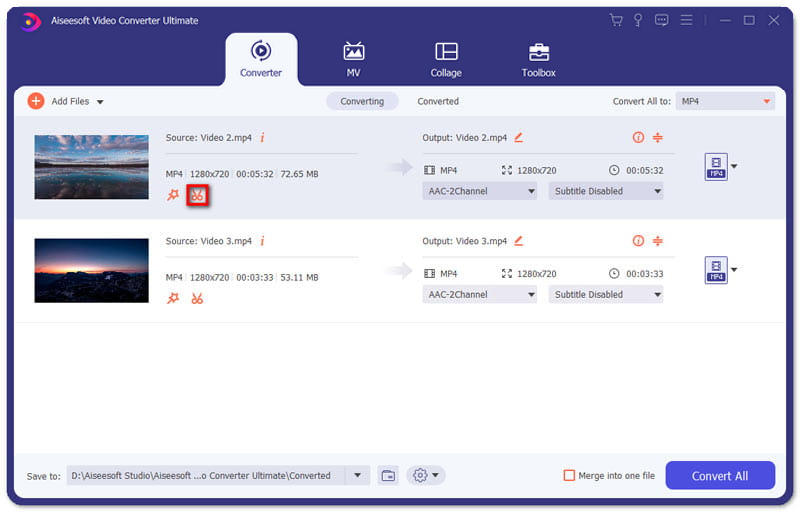
Pas 4. Quan acabis l’edició, els pots fusionar i exportar el projecte final. Has de saber que els vídeos es fusionaran en ordre cronològic segons la seqüència que hi hagi a la interfície d’edició. Per començar la fusió, has de marcar la casella Merge into One File i clicar el botó Convert All. Un cop acabat, podràs trobar el vídeo unit a la carpeta.
A continuació, pots reproduir els arxius MPG directament amb el reproductor MPG MPEG.
Part 2. Com unir fitxers MPG gratuïtament en línia
Si vols unir arxius MPG en línia de franc, pots utilitzar Free Online Video Merger. La interfície senzilla i ben dissenyada és fàcil d’utilitzar per a tothom.
Pas 1. Descarrega el llançador i instal·la l’eina de fusió. Després pots afegir arxius MPG fent clic al símbol + de la interfície. A la part inferior de la pantalla, pots ajustar la resolució i el format del vídeo fusionat al menú. La seqüència dels vídeos és en ordre cronològic d’esquerra a dreta en la pantalla.
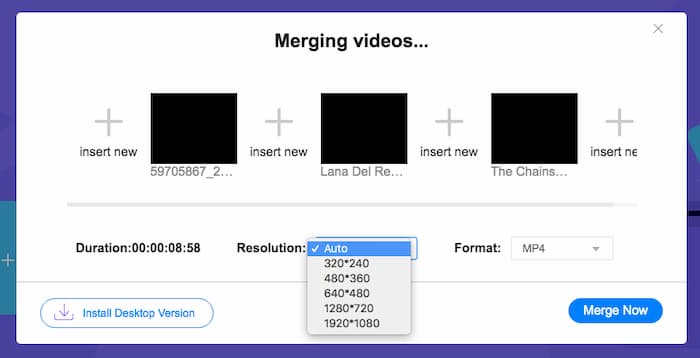
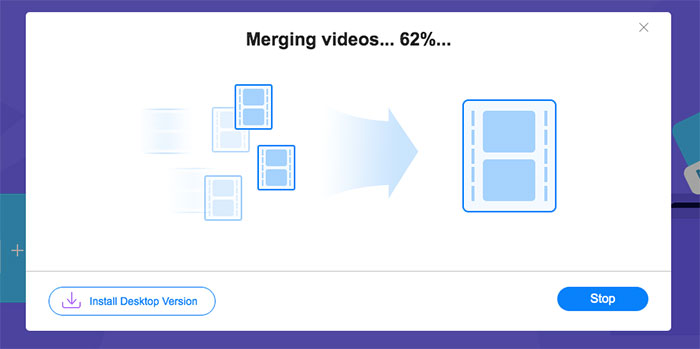
Pas 2. Per començar a unir-los, has de fer clic al botó Merge Now. Quan la fusió acabi, podràs trobar el vídeo a la carpeta predeterminada Download del teu ordinador.
Part 3. Preguntes més freqüents sobre Unir fitxers MPG
1. Com puc obrir un fitxer de vídeo MPG?
Normalment, el fitxer de vídeo MPG és MPEG-1 i MPEG-2. MPEG-1 és compatible amb la majoria dels reproductors multimèdia convencionals com Windows Media Player i VLC Media Player. MPEG-2 està dissenyat per a vídeos en DVD. Podeu descarregar un descodificador de DVD de tercers per obrir-lo.
2. Què és un fitxer MPG?
El fitxer MPG és un fitxer de vídeo molt utilitzat per desar dades de vídeo i àudio. Pot desar i comprimir dades d’àudio i vídeo grans en mida petita sense perdre qualitat. Està estandarditzat pel Moving Picture Experts Group (MPEG). MPG s’utilitza per desar i distribuir pel·lícules a Internet. Els fitxers MPG es guarden com a PS o MPEG-PS en un format de contenidor de flux de programes.
3. Com puc combinar fitxers de vídeo MPG de forma gratuïta?
Hi ha moltes eines gratuïtes per unir vídeos a Internet. La fusió de vídeo en línia gratuïta esmentada anteriorment és una eina gratuïta amb una interfície fàcil i clara que pot satisfer la vostra demanda.
Conclusió
Quan vulguis unir diversos arxius MPG en un de sol, necessites un ajuntador de vídeos professional. En aquest article, pots aprendre com utilitzar eines per unir vídeos i satisfer aquesta necessitat. Si tens cap dubte sobre les eines de fusió de vídeo o vols saber-ne més sobre com unir arxius MPG, si us plau deixa el teu comentari a continuació.
-
 2 millors mètodes per unir vídeos MXF de Sony X70
 Si heu pres alguns vídeos MXF de Sony X70, quins són els millors mètodes per unir fitxers MXF? Aquests són els 2 mètodes eficients per combinar els vídeos amb alta qualitat.
-
 2 maneres de comprimir el vídeo per a YouTube
 Els vídeos de YouTube són grans i són lents per penjar? Només cal que comprimeu la mida del fitxer de vídeo en un format més petit per a YouTube de dues maneres en línia i a l'ordinador.
-
 GIF Player: els 5 millors reproductors de GIF per a PC amb Windows, Mac, Android i iPhone
 Quin programa obre els fitxers GIF? Com puc veure els GIF a Android? L'iPhone té un reproductor GIF per obrir GIF? Aquesta publicació comparteix els 5 millors reproductors GIF per a vosaltres.
