


 Video Converter Ultimate
 Gravadora de pantalla
 Reparació de vídeo
 Baixada segura
Llista d'eines i plataformes disponibles al web per a la gravadora de veu/vídeo 3GP
Un contenidor amb format estàndard ISO conegut per la seva mida reduïda, molt adequat per transferir dades a través de xarxes 3G i semblants. Alguns dels gravadors de trucades 3GP avançats l’utilitzen com a format basat en estàndards. Durant un temps, el naixement del format 3GP ens va ajudar a veure fitxers molt grans als nostres telèfons intel·ligents fins i tot amb una connexió a Internet lenta. La majoria dels usuaris utilitzen aquest fitxer, ja que admet format de vídeo, àudio i text. D’aquesta manera, els usuaris encara volen gravar vídeos 3GP o desar un fitxer d’àudio 3GP en un nou format, com ara MP3. En aquest cas, un gravador de vídeo 3GP o un gravador de veu 3GP es converteix en una eina indispensable. Així doncs, no perdis el ritme i passa als detalls que tens a continuació.

Part 1. Millor gravadora 3GP en línia per capturar vídeos 3GP gratuïtament
Gravador de pantalla gratuït FVC
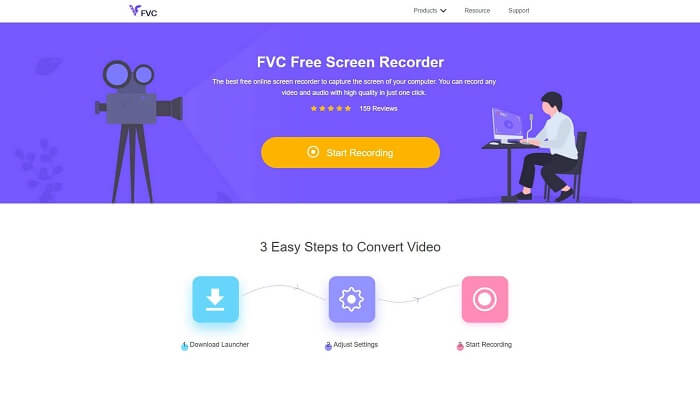
Una eina ideal per a l’usuari que no vol descarregar cap fitxer i té una connexió estable per fer la gravació. Si ets aquest tipus d’usuari, aquest és el millor gravador de pantalla en línia gratuït desenvolupat per FVC, és el FVC Free Screen Recorder. Una eina que permet a l’usuari capturar tota l’activitat que es mostra a la pantalla de l’ordinador. Si vols gravar partides de joc, reunions de feina, debats i similars, aquest és el més adequat per a tu. Per obtenir informació i passos més detallats, llegeix-ho amb atenció i segueix les instruccions indicades.
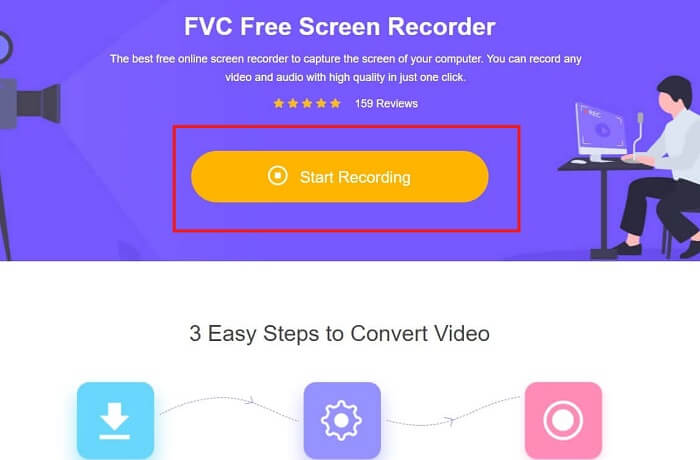
Pas 1. Fes clic en aquest enllaç per anar a la interfície principal del lloc web. Fes clic a Inicia la gravació i llança l’eina.
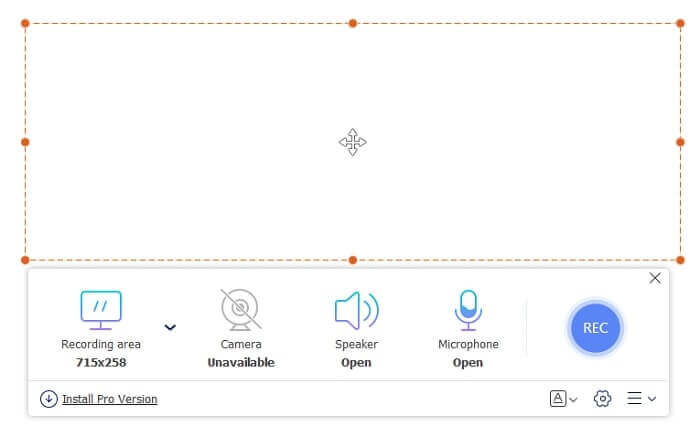
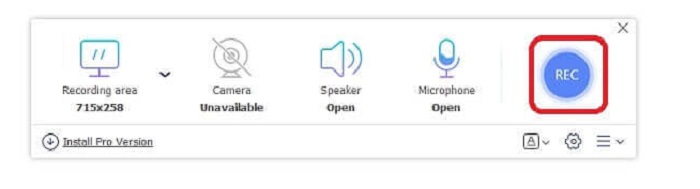
Pas 2. Si l’eina ja és oberta, veuràs una pantalla flotant com aquesta.
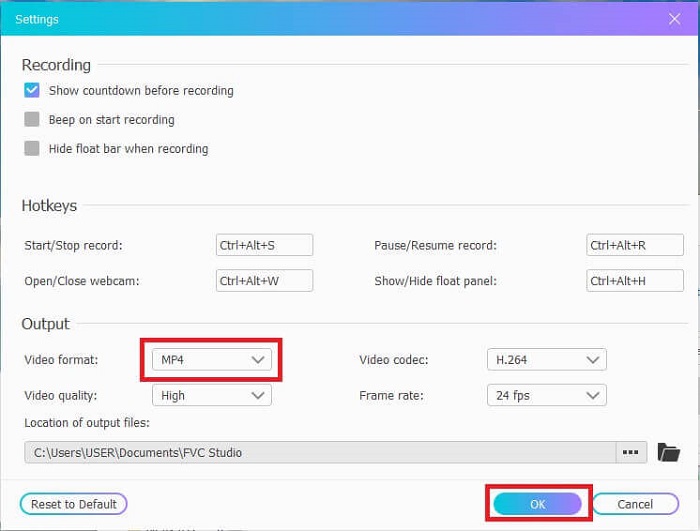
Pas 3. Prem Configuració per ajustar el format i altres paràmetres que vulguis, després fes clic a D’acord per desar-los.
Pas 4. A la barra d’eines flotant, pots ajustar la mida del marc o fer clic a Pantalla completa per mostrar-ho tot. Al costat de la mida del marc hi ha la Càmera web per afegir la teva cara mentre graves, Altaveu per al so del sistema i, finalment, el Micròfon per afegir-hi la teva veu. Quan estiguis a punt per començar, fes clic al botó amb forma de disc per iniciar la gravació.
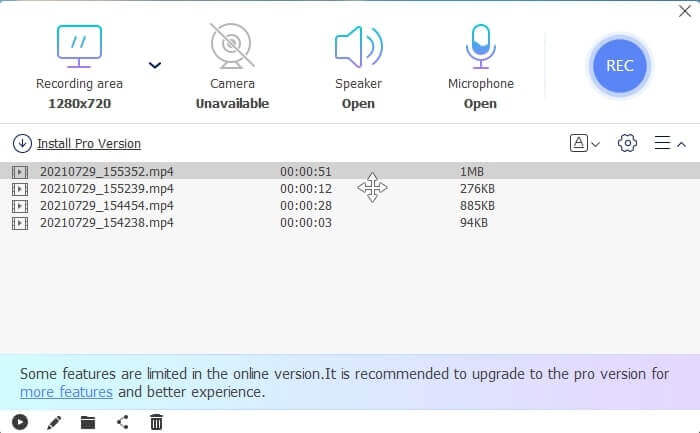
Pas 5. Quan acabis la gravació, fes clic al botó quadradet; sota la barra d’eines flotant apareixerà una llista d’Historial ordenada del més recent al més antic.
Pros
- La millor eina gratuïta en línia disponible per a totes les plataformes.
- A diferència de qualsevol altra eina en línia, és fàcil d'utilitzar i no apareixerà cap anunci de sobte durant la gravació.
- Per registrar-se, calia utilitzar l'eina.
Contres
- Depenent d'Internet, no funcionarà sense connexió a Internet o dades.
- No té cap funció de bloqueig de pantalla. Només està disponible a la versió premium de l'eina.
Part 2. Altres gravadores de veu i vídeo 3GP populars per a Windows i Mac
1. Gravador de pantalla FVC
Heu sentit mai parlar d'un dels millors gravadors de pantalla escollits per l'usuari a tot el món? Llavors si no és això és per a tu. FVC Screen Recorder Aquest gravador de pantalla està disponible a totes les diferents plataformes conegudes. Els problemes més comuns que podeu trobar amb l'altra gravadora de pantalla, algunes gravadores de veu d'Android 3gp sense sortida de so. Quan utilitzeu l'eina, mai trobareu aquest tipus de problemes sempre que no apagueu l'altaveu per al so del sistema i el micròfon per afegir la vostra veu. Si voleu saber com utilitzar aquesta eina polivalent, llegiu atentament i seguiu les instruccions següents.
Pas 1. Descarrega l’eina. Tria entre els dos sistemes operatius que facis servir actualment. Instal·la l’eina i ajusta les Preferències segons el que vulguis, després fes clic a Finalitza per continuar.
Descàrrega gratuïtaPer a Windows 7 o posteriorDescàrrega segura
Descàrrega gratuïtaPer a MacOS 10.7 o posteriorDescàrrega segura
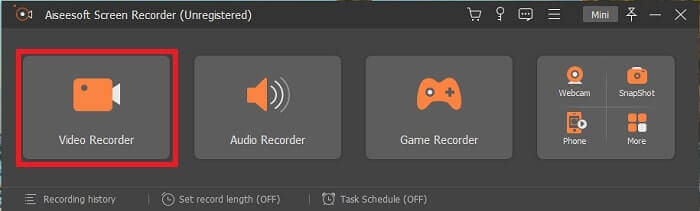
Pas 2. Després de la instal·lació, apareixerà a la pantalla una barra d’eines flotant com aquesta. Això indicarà que l’aplicació que utilitzes ja s’està executant a través del programa. Fes clic a Gravador de vídeo.
Pas 3. Després de fer-hi clic, ajusta la visualització a pantalla completa o bé selecciona una regió. Prem So del sistema per afegir el so de l’ordinador. Les altres opcions depenen només de si vols utilitzar-les. També pots afegir la teva cara i la teva veu activant la Càmera web i el Micròfon.
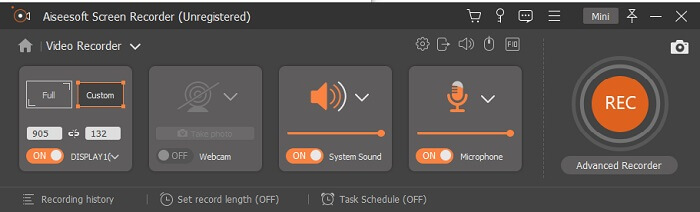
Pas 4. Abans de començar, fes clic al botó d’Engranatge i ajusta la configuració si cal, després fes clic a D’acord per desar-la. Després de tota la preparació, fes clic al botó de forma rodona per començar la gravació.
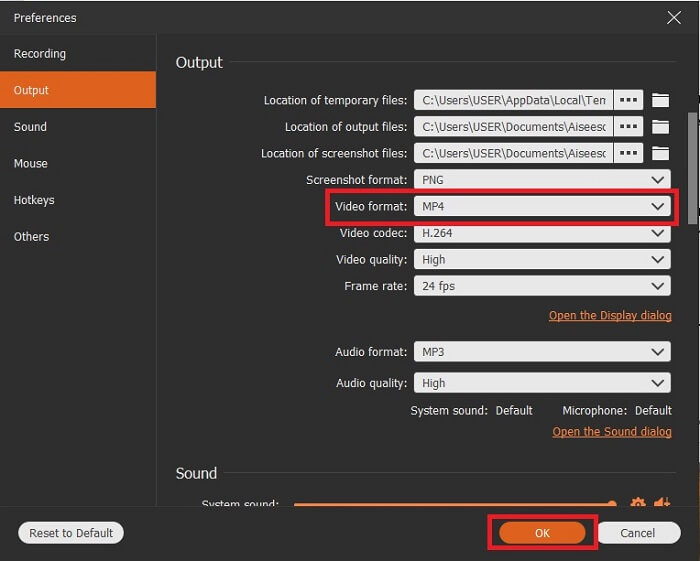
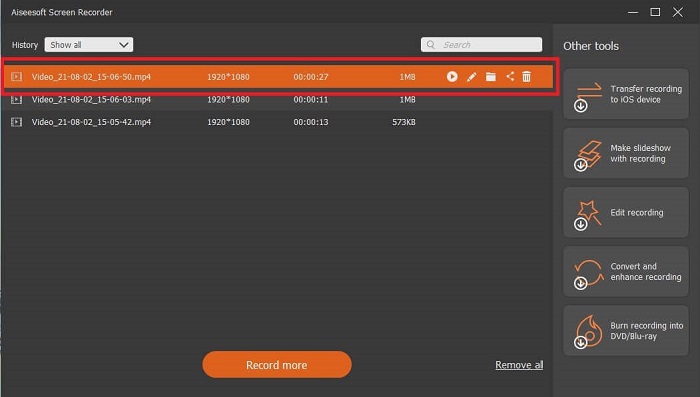
Pas 5. Si vols acabar la gravació, fes clic al petit botó quadradet de la barra d’eines per Aturar. Fes clic a Desa i tria on vols desar-la. A continuació, apareixerà una llista a la pantalla. Està ordenada del més recent al més antic. Fes clic al primer vídeo de la part superior per tornar a veure la gravació.
Pros
- No depèn d'Internet. Grava tant com vulguis, en qualsevol moment i en qualsevol lloc.
- És fàcil d'utilitzar i la millor opció per als principiants que volen una sortida professional o per als professionals que busquen un gravador de pantalla fàcil d'utilitzar.
- Té aquesta característica única, la pantalla de bloqueig.
Contres
- Eina de pagament per utilitzar i, tanmateix, els usuaris encara la fan servir.
- Requereix 2,4 MB del vostre emmagatzematge per descarregar-se.
2. ScreenFlow
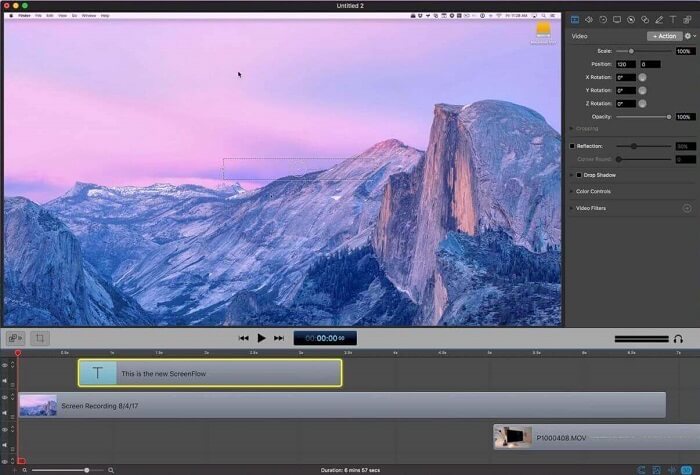
Una altra millor eina per als usuaris de Mac. Screenflow és una eina que es considera la millor eina de gravació de pantalla del sistema operatiu Mac. És una eina de pagament. Per tant, si penseu que aquesta eina és barata, la resposta no ho és. Aquesta eina costa gairebé per sobre del límit que pot oferir un gravador de pantalla. Pot oferir el que poden oferir altres gravadors de pantalla de pagament. I per alguna raó, els usuaris de Mac ho prefereixen com a gravador de pantalla d'elecció personal.
Pros
- Eina fàcil d'utilitzar que està disponible per a Mac.
- Eina actualitzada.
- Sense problemes de programari maliciós.
Contres
- Només disponible a Mac.
- Pot ser tan costós com la vostra elecció.
3. Fraps
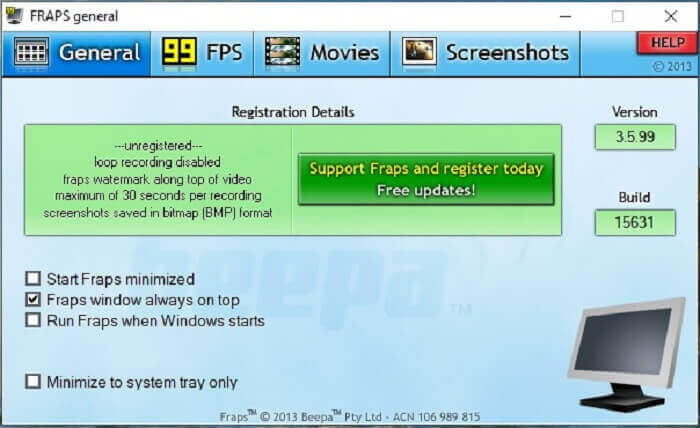
Igual que l'altra eina, Fraps es pot col·locar fàcilment entre els 10 millors gravadors de pantalla. Aquesta eina fa que l'enregistrament de la pantalla sigui el més fàcil possible. A causa de la seva instrucció puntual de l'eina. Però aquesta eina no està a l'actualització. A causa de les menys actualitzacions que s'han donat a l'eina, la seva popularitat va ser cada cop menor, però, tot i així, alguns usuaris la prefereixen tal com és.
Pros
- Una eina única que admet el format de fitxer AVI.
- Interfície fàcil d'utilitzar amb instruccions detallades.
- Admet resolucions de fins a 7680x4800.
Contres
- La interfície és avorrida de veure.
- A causa del format de fitxer AVI. Si enregistreu 20 minuts de vídeo, es necessitarien gairebé 4 gib d'emmagatzematge. No és la millor opció per a gravacions llargues.
Part 3. Gràfic comparatiu
| Característiques | Gravador de pantalla gratuït FVC | Gravador de pantalla FVC | Flux de pantalla | Fraps |
| Gravació de pantalla de vídeo / àudio |  | | | |
| Anotar | | | | |
| Segur contra programari maliciós | | | | |
| Acceleració de maquinari |  | | | |
| Pantalla de bloqueig | | | | |
| Mida de l'arxiu | Pocs kbps per al llançador | 2,1 mb | 85,3 mb | 2,4 mb |
| Sistema operatiu disponible | A totes les plataformes | A totes les plataformes | Mac OS | Windows XP, 2003, Vista i Windows 7 |
| Gamma de preus | Una gravadora en línia gratuïta de codi obert | Durant 1 mes: $25.00 Durant un any: $31.20 Per a llicència de per vida: $55.20 | FLIX DE PANTALLA (preus de descompte per volum): $149 FLIX DE PANTALLASuper Pak: $209 SCREENFLOWSuper Pak + Suport Premium: $239 | És gratuït, però també us podeu registrar a $37 |
Part 4. Preguntes freqüents sobre 3GP Recorder
Per què no puc reproduir el meu format de fitxer multimèdia 3GP al meu reproductor multimèdia?
Potser és perquè el teu reproductor multimèdia no admet aquest tipus de còdec. Si vols veure el teu fitxer en format 3GP, pots utilitzar el FVC Free Video Player. Aquest reproductor multimèdia és gratuït i admet diferents formats de vídeo i àudio. Sempre que tinguis Internet, també pots gaudir de la versió premium amb més opcions i funcions que la versió gratuïta. O pots llegir Best 3GP Players per trobar el que desitgis.
Com puc desar un fitxer d'àudio .3gp d'una gravadora de veu d'Android a mp3?
Utilitza un convertidor que pugui convertir 3GP a MP3. Un gran exemple és el FVC Free Online Video Converter. Pot convertir més de 200 formats de fitxer multimèdia disponibles per a totes les plataformes.
És possible combinar diferents fitxers 3GP en una sortida multimèdia?
Sí, és possible amb l’ajuda de FVC Free Online Merger. Aquesta eina en línia fa possible fusionar 2 o més fitxers 3GP en un de sol. És una altra de les millors eines produïdes per FVC. Fes clic al Merger per continuar.
Conclusió
Arribem a la conclusió que la majoria dels usuaris encara fan l'enregistrament per a diferents tipus de finalitats. Tant si l'utilitzen com a gravadora per a muntatges, reunions de negocis, discussió de professors i molts més. Però tot i així, sigui quina sigui la raó per la qual esteu gravant o el format, voleu que sigui la sortida del producte final. Tots els gravadors poden fer la feina com us demaneu.
Però amb tots els diferents gravadors que hi ha a la web i en aquesta llista, potser encara et preguntes quin és el millor que s’adapta a tu. Abans de donar-te una idea de què hauries de triar, ho has de pensar bé. Si el teu gravador de pantalla pot satisfer les necessitats que tens avui i potser en el futur. FVC Screen Recorder és la millor eina per a tu. A diferència de qualsevol altra eina que apareix aquí, aquesta és tan única que és capaç de destacar entre tots els gravadors de pantalla de la xarxa. I, tot i així, sempre és fàcil d’utilitzar i ofereix el millor rendiment que podria demanar tant un principiant com un professional. Doncs, què estàs esperant? No et conformis amb una eina gratuïta o massa cara si pots comprar una versió econòmica que pugui fer més que aquesta eina.
-
 4 millors gravadors gratuïts de llançament web per capturar vídeo en pantalla
 Esteu cercant la millor manera de gravar activitats a la pantalla a l’escriptori sense pagar ni un cèntim? Aquests són els 4 enregistradors gratuïts de llançament web més utilitzats.
-
 La gravadora d’àudio sense revisió Cinch Review i la millor alternativa
 Cinch Audio Recorder és la millor manera de descarregar música de llocs de transmissió. Només cal obtenir més informació sobre la ressenya imparcial i la millor alternativa de l'article.
-
 Els cinc millors enregistradors de teclat i ratolí per a Windows i Mac
 Aquests són els cinc millors programes de gravació de ratolí i teclat que us permeten estalviar moviments del ratolí i clics al teclat i repetir els esdeveniments.
