


 Video Converter Ultimate
 Gravadora de pantalla
 Reparació de vídeo
Top 9: Millor programari d'edició de GIF animats per a principiants [en línia i fora de línia]
La millor manera d'expressar millor els vostres sentiments és inserir GIF al vostre missatge. L'objectiu principal és emmagatzemar i donar suport a imatges animades i estàtiques. Se sap que els GIF es poden carregar millor que l'altre format disponible al web i és molt més petit. És més emocionant veure un GIF que només una imatge. Però no tots els GIF que cerqueu a Internet us poden proporcionar l'emoció que voleu transmetre.
So instead of searching GIFs over the internet they use a GIFs editor software to create their own GIFs. But maybe you're wondering what tool you should use to create a majestic GIF that will impress your receiver. Here are some lists of the best tools to create a GIF. All of the tools below can be used to convert, edit, make, and more to GIF. So, if you're looking for the right tool for the right job then continue reading below to know more about the tools.

Part 1. Millor editor de GIF fora de línia que funciona de manera eficaç per a PC i Mac
1. FVC Free Video to GIF Maker
Convert your favorite video to a GIF format so you can send them over to your friends, family, and someone with ease. This FVC Free Video to GIF Maker gives you the chance to create your own GIFs. Its main job is to convert any video file format whether it is an MP4, MOV, AVI, and many more, and change them into a GIF format. It provides editing and trimming features as well. This GIF editor is available in all system programs. To know how to use this tool, here are some step-by-step procedures provided to you to follow.
Step 1. Download the tool into your drive, install it and set it up.
Free DownloadFor Windows 7 or laterSecure Download
Free DownloadFor MacOS 10.7 or laterSecure Download
Step 2. An interface like this will show into your screen. Click the Add File or drag-and-drop the file into the converter.
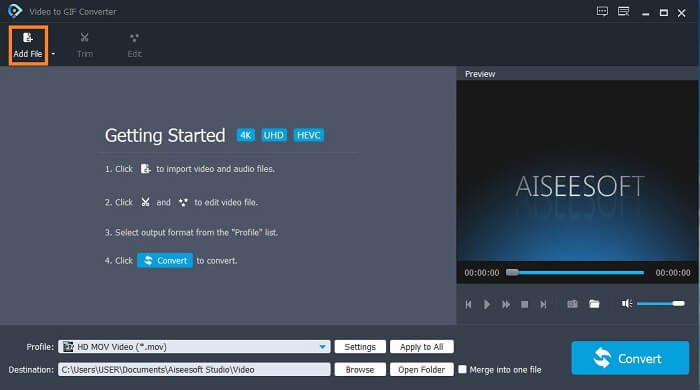
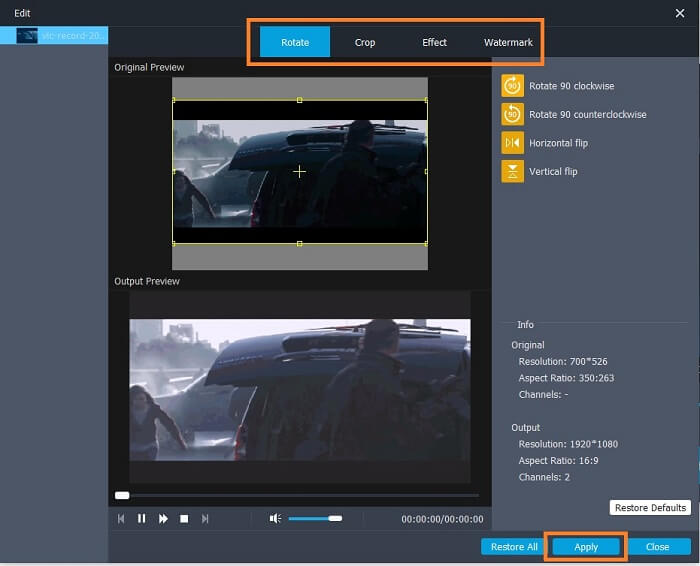
Step 3. If you have already added the GIF, you can also Trim it to make it shorter and click OK to save the changes. You may as well rotate, crop, add effects and watermark your GIF in the Edit to save the changes you made by clicking the Apply.
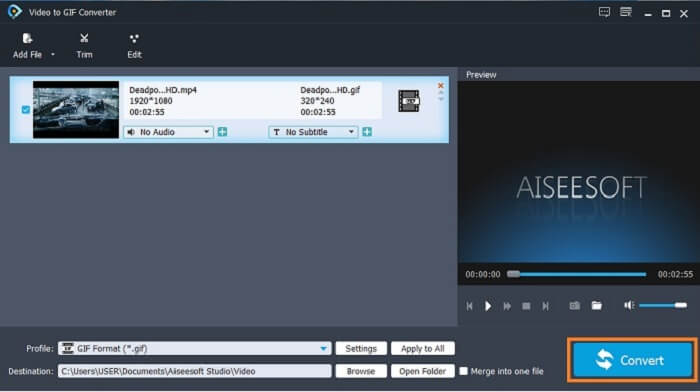
Step 4. Select the destination to place your final output. To start the conversion, click the Convert.
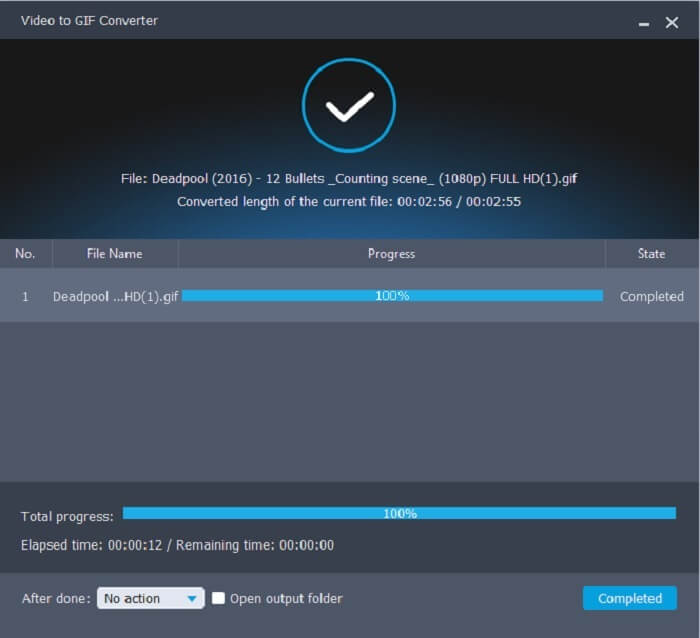
Step 5. If everything is done, you will see this in your display; it means that the conversion is completed.
Pros
- La millor eina gratuïta per convertir format de vídeo a GIF.
- Està disponible en totes les plataformes conegudes i sempre produeix una sortida increïble.
- Funciona encara que no hi hagi internet disponible.
Contres
- No es presenten totes les característiques finals aquí.
- És una eina que es pot descarregar també com la versió premium.
2. Video Converter Ultimate
It is known that the GIF editor above gives you the class-A on making a GIF. But did you know that there is another tool that is much better than the tool above and below as well? The Video Converter Ultimate lives up to its name as the ultimate GIF maker available in all software. It is not just best at making GIFs but also it functions as a converter and many more. Add effects into your GIF to stand out among other GIFs. So, if you are in a battle of making the best GIF with your friends and want to win. Then this must be your chance to deliver the wow factor to them. Also, to know how to use the tool you must follow these steps correctly to have a successful GIF.
Step 1. Click the download button and install it on your computer drive. Change the preference and click finish to save and launch the tool.
Descàrrega gratuïtaPer a Windows 7 o posteriorDescàrrega segura
Descàrrega gratuïtaPer a macOS 10.7 o posteriorDescàrrega segura
Step 2. If the tool is already running into your system an interface like this will pop up on your screen. Go to the Toolbox and GIF Maker to start making GIFs.
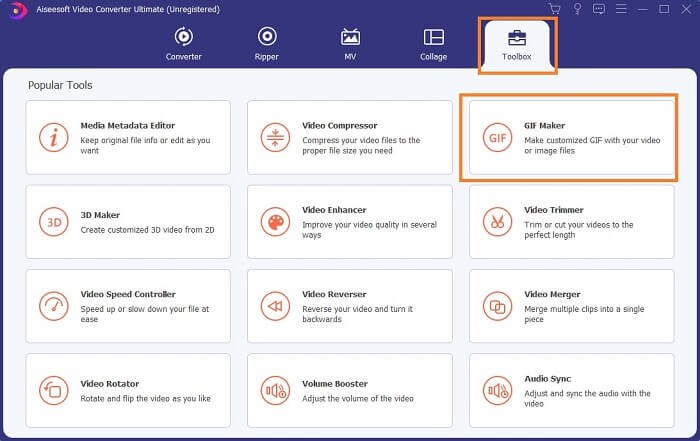
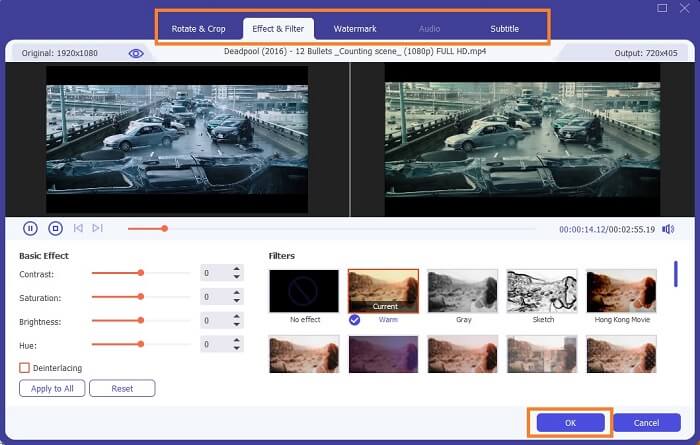
Step 3. Then click the Video to GIF and select what video you want to convert. After selecting the video file, you may as well edit the video like rotate and crop, effect filter, watermark, and subtitle as well. Click OK to save the adjustment.
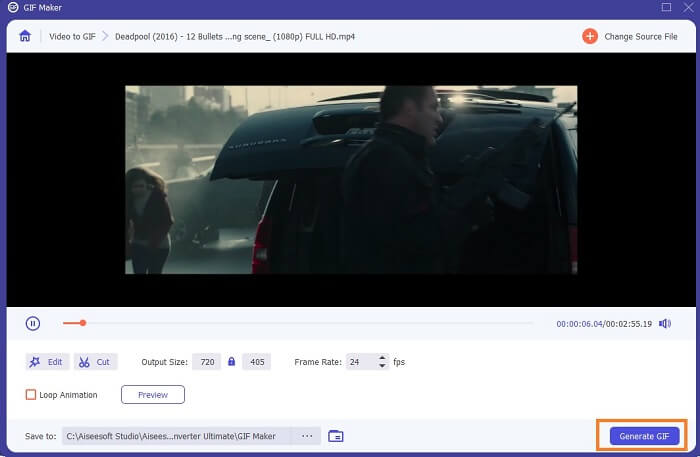
Step 4. Click the Preview to watch the first 10 seconds of the video you created. Hit on Generate GIF to start the conversion.
Step 5. If everything is done, locate the file into your file explorer and watch or send the final output.
Pros
- El millor convertidor de vídeo per a GIF amb l'eina definitiva per millorar el GIF.
- Admet tots els formats de vídeo-àudio coneguts i desconeguts al web.
- Eina polivalent amb una excel·lent sortida final.
Contres
- És una eina de pagament però és menys costosa.
- Cal que us descarregueu al vostre emmagatzematge abans de poder-lo utilitzar.
Part 2. 3 dels millors editors de GIF en línia
1. Ezgif
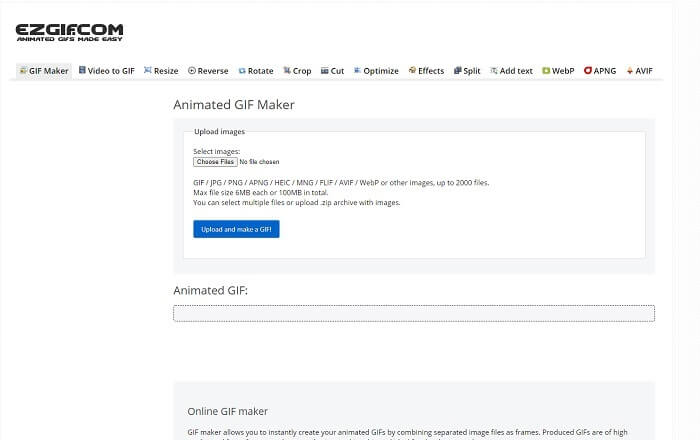
One of the GIF editors online that you might already encounter over the internet. Ezgif is known as one of the best GIF makers. Although this tool provides you numerous features like rotating the video, cropping the video, reversing it, and so on. They are all separated from one another, so instead of focusing on making GIFs and editing. You'll need to transfer the file to the editing tools you want to enhance it which is a hassle for you. Also, the interface has a white background which is simple yet boring to look at. It seems like the online tool doesn't get an update from the interface itself.
Pros
- Eina puntual amb diferents opcions.
- L'eina de la pàgina web és senzilla.
- Eficaç per fer GIF.
Contres
- Està limitat a 6 MB cadascun i 100 MB en total.
- No és fàcil d'utilitzar perquè totes les característiques de l'eina es troben a tot el lloc web. I és una mica avorrit de mirar pel seu fons blanc llis.
2. VEED.IO
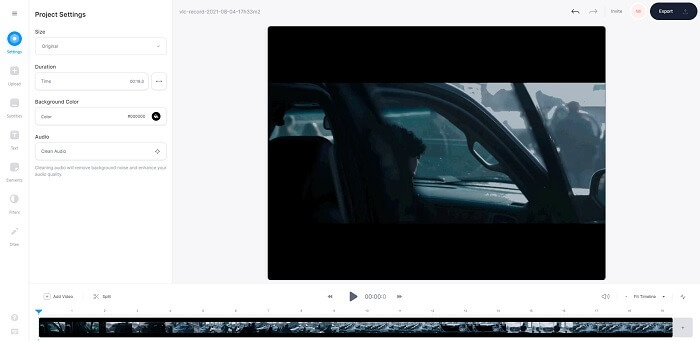
Another online GIF editor tool for making a GIF is VEED.IO. Create, edit, and convert your own video to a GIF format with this tool. The main website of the tool is somehow nice to look at, unlike Ezgif. But if you start making GIFs online, the webpage of the tool becomes unresponsive and somehow they are not secure. Also, don't try to put your password or credit cards because there is a chance that it can be stolen by the attacker.
Pros
- Millor atenció al client.
- Proporciona una versió professional de l'eina.
- Fàcil accés per Internet.
Contres
- L'eina web no està protegida. Per tant, visita sota el teu propi risc.
- No hi ha funcions d'edició 3D.
3. Giphy
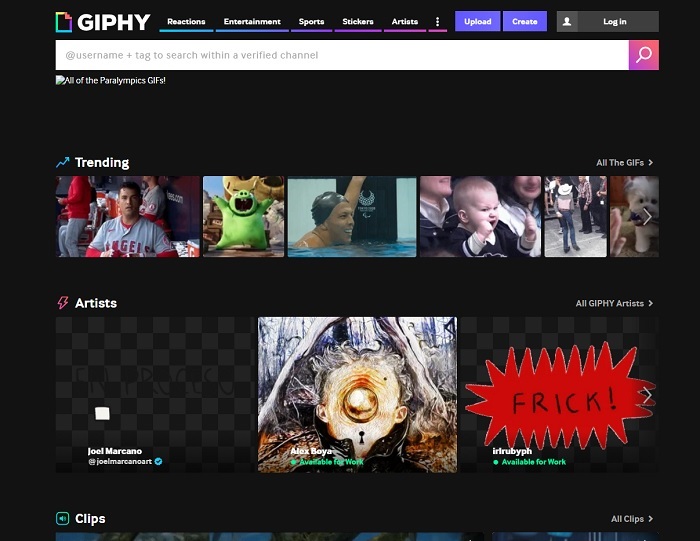
Giphy is an online animated GIF editor. This tool provides sample GIFs like reactions, entertainment, sports, and stickers. Though it is one of the best GIF makers, this tool needs your account before you may use it. It basically allows the website to gain access to your account. So, keep in mind that updates, new features, or new GIFs of the tool will always pop up into your mail.
Pros
- Carregueu i creeu GIF en línia.
- La biblioteca més gran de GIF, clips i adhesius gratuïts al web.
- La interfície està actualitzada i té un aspecte fantàstic.
Contres
- Haureu de registrar-vos abans d'utilitzar l'eina. Per tant, si no us registreu o inicieu sessió, l'eina és inaccessible.
- La durada màxima del GIF és de només 30 segons.
Part 3. Aplicacions de l'editor de GIF a Android i iOS
1. GIPHY: Teclat i creador de GIF i adhesius
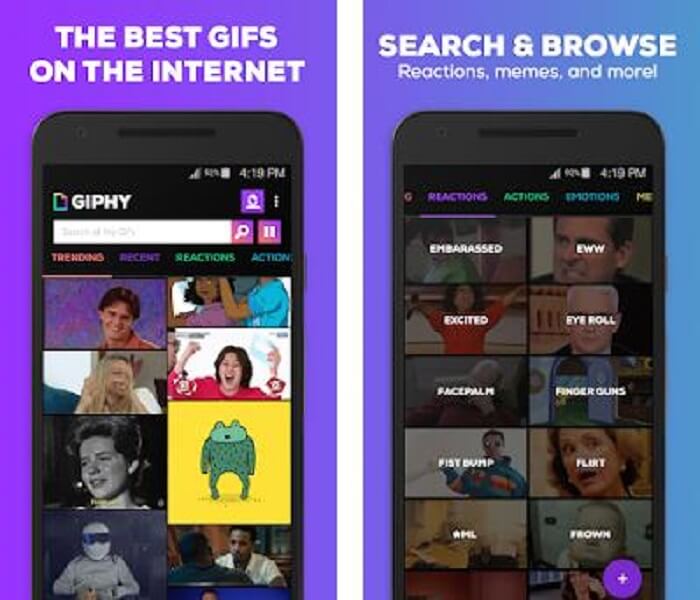
Another GIF editor app available on Android and iOS is the GIPHY: GIF & Sticker Keyboard & Maker. It is known as one of the largest storages of GIFs in the entire Play store and App Store. But not only that, this app can provide already done GIFs or maybe you want to create your own. Also, you can share your own GIFs in the app as well. In some cases, when you upload GIFs that work perfectly during the making or the one that is already on your phone. The app makes it a bit buggy and in some parts of the GIFs are faster and some are slow.
Pros
- GIFs, adhesius i videoclips increïbles.
- Poc o cap anunci a l'aplicació.
- Editeu els vostres GIF i afegiu-hi més animació estètica.
Contres
- En algunes ocasions, quan baixeu GIF d'aquesta aplicació, obtindreu imatges fixes. En lloc de descarregar-lo en format .gif, es va convertir en .jpeg.
- Iniciar sessió a l'aplicació és una mica molest perquè en alguns casos no podeu iniciar sessió correctament i cal fer-ho més.
2. ImgPlay–GIF Maker
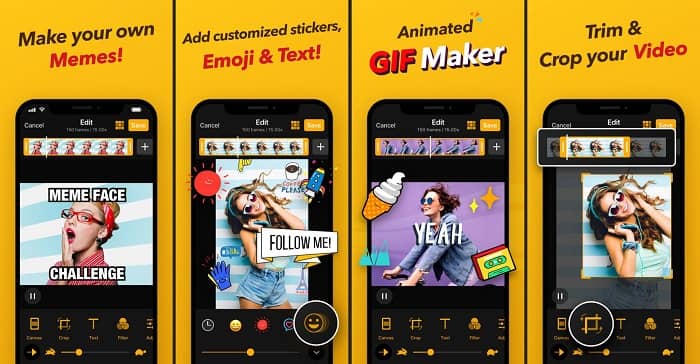
The best and easiest way to create a GIF whether it is a video or images. Imgplay can make your images or videos into a fully functional GIF. This app gives you the best features to make your GIF stand out as possible. If you were to save the final output of your GIF there will be a watermark at the bottom right side of the final GIF. To remove the watermark, you need to pay for the premium version of the tool.
Pros
- És compatible amb dispositius Android i iOS.
- Apliqueu més de 30 filtres al vostre GIF per millorar-lo si compreu la versió premium de l'eina.
- Creeu GIF a partir dels vostres vídeos i imatges amb facilitat.
Contres
- Funciona millor a iOS que a Android. Bàsicament, no podeu ajustar la brillantor, el contrast, la saturació i la velocitat de fotogrames amb altres funcions principals d'Android.
- També espereu anuncis en aquestes aplicacions. Per eliminar-los cal comprar la versió premium. Els seus fps també són molt baixos.
3. GIFX
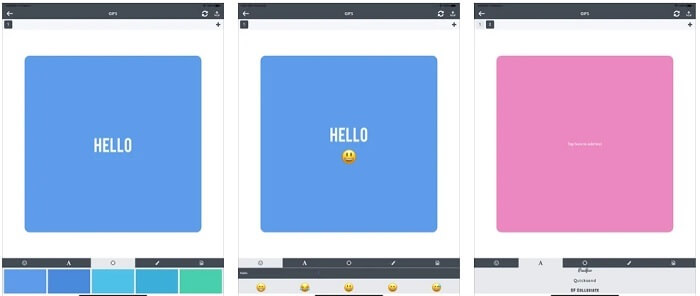
This GIF editor is only available on iOS. GIFX can do the work on making the best GIF you want to have. It also supports images and videos to become a GIF format. You can also share it via your mms and emails. Also, it provides adding emoji to your own GIF to express your emotion better with text as well.
Pros
- Crea el teu propi GIF animat amb aquesta aplicació a iOS.
- També és compatible amb diferents productes d'Apple com iPad, iPhone, iPod touch i Mac.
- Ajusteu la velocitat del vostre GIF amb aquesta eina.
Contres
- L'eina diu que admet vídeos, però no us permet afegir vídeos al vostre GIF.
- La qualificació de l'aplicació és només d'1 estrella i només rep 2 ressenyes, la qual cosa és molt baixa per a una aplicació.
4. GIF Studio
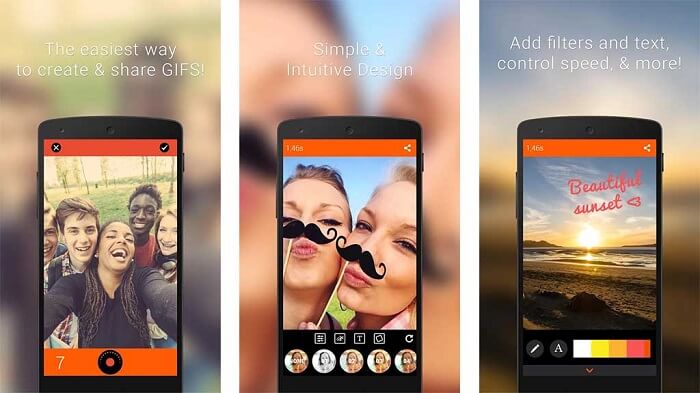
If you're looking for the best GIF editor app then this GIF Studio must be it. It gives you the chance to let your imagination play into your GIFs. Create, edit and play animated GIFs with this app. Also, if you're a user who finds making GIFs a bit troubling making GIFs this tool makes it easier for you. It also provides you with more features to add on to make it more amazing.
Pros
- Combina diversos GIF en un.
- Afegiu text als vostres GIF per fer una targeta de felicitació.
- Comparteix els teus GIF i desa-los amb facilitat.
Contres
- Perquè els desenvolupadors ho fan senzill. La interfície d'usuari és horrorosa. Aprendre a utilitzar aquesta aplicació serà una mica difícil.
- No admet GIF fets amb un altre fabricant de GIF.
Part 4. Preguntes freqüents sobre l'editor GIF
Hi ha altres formats que puguin emmagatzemar imatges en moviment com el GIF?
Després de 30 anys de ser un dels formats d'imatge-vídeo famosos. Ja ha fet un competidor: APNG, AVIF, MNG, WebP i FLIF.
Quina compressió de dades és GIF?
It is a lossless compression, so when you compress the data there will be no loss and it is easy to transfer the format over the internet. If your GIF is large, you can check on How to Compress Animated GIF into Small File Size
Quin gravador GIF puc utilitzar per gravar el format GIF?
Podeu utilitzar FVC Screen Recorder, un enregistrador GIF descarregable disponible a totes les plataformes diferents, que ofereix format GIF i molt més. Amb una qualitat súper alta i moltes més opcions també. Descarregar FVC Free Screen Recorder per a Windows Descarregar FVC Free Screen Recorder per a Mac
Conclusió
I ara que està molt clar que la millor manera de lliurar un gran missatge és utilitzar GIF. Tot i que utilitzar un missatge en brut és bo, afegir un GIF és molt millor. Per tant, triar el millor editor de GIF és imprescindible per oferir el to correcte del missatge que voleu compartir i tenir una declaració clara o afegir un to divertit. Trieu l'eina definitiva per crear un GIF definitiu per donar la millor impressió que vulgueu compartir.
-
 Com convertir vídeos AVI a fitxers GIF animats a Windows / Mac
 Voleu seleccionar els segments AVI interessants per crear memes GIF? Aquest article us explicarà els 2 millors mètodes per retallar els vídeos AVI i convertir AVI a fitxers GIF animats de forma gratuïta.
-
 [Resolt] Com convertir vídeos FLV a fitxers GIF animats de forma gratuïta
 Si voleu crear GIFs des dels segments de vídeo FLV per a un millor enviament, podeu obtenir més informació sobre com convertir vídeos FLV a fitxers GIF fàcilment des d’aquest article.
-
 [2 solucions] Com convertir fitxers SWF a GIF fàcilment de forma gratuïta
 Si no exporteu el format GIF a través del programari Flash, podeu provar de desar els fitxers en format SWF al principi. A continuació, podeu aprendre dues maneres senzilles de convertir fitxers SWF a GIF d’aquest article.
