Començar
FVC Free FLV to Audio Converter és el millor convertidor de vídeo a àudio gratuït. Pot extreure pistes d'àudio del fitxer de vídeo FLV. A més, admet la conversió d’arxius d’àudio entre diferents formats d’àudio.
Baixa i instal·la
Baixeu-vos el paquet d'instal·lació en funció del sistema operatiu de l'ordinador. A continuació, feu doble clic al fitxer de configuració i seguiu les instruccions de la pantalla per instal·lar el programa.
Preferències
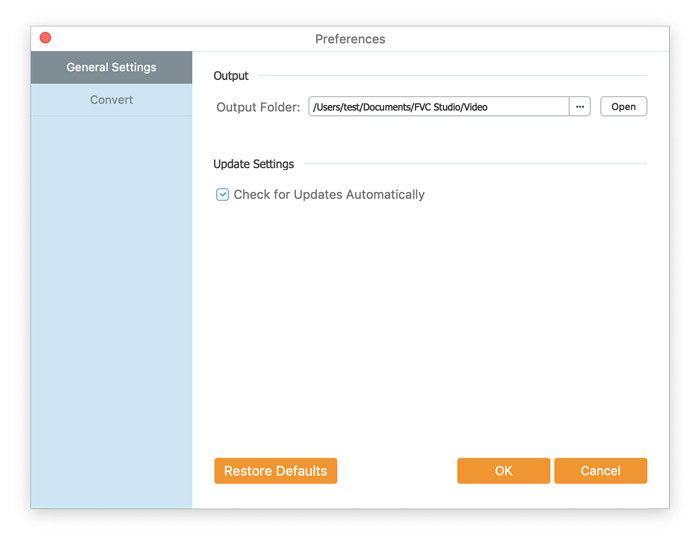
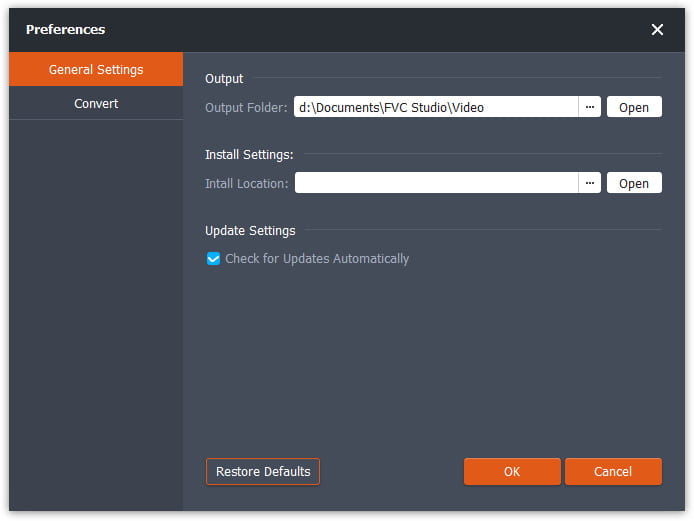
Abans de començar la conversió, es recomana ajustar la configuració per defecte. Pots fer clic a la icona de Menú i després a Preferències… per configurar els paràmetres concrets. Per exemple, pots escollir lliurement la carpeta de sortida on desar els fitxers convertits.
Converteix FLV a àudio
Ara podeu seguir aquests passos per convertir fitxers FLV a formats d'àudio.
Pas 1. Inicia FVC Free FLV to Audio Converter
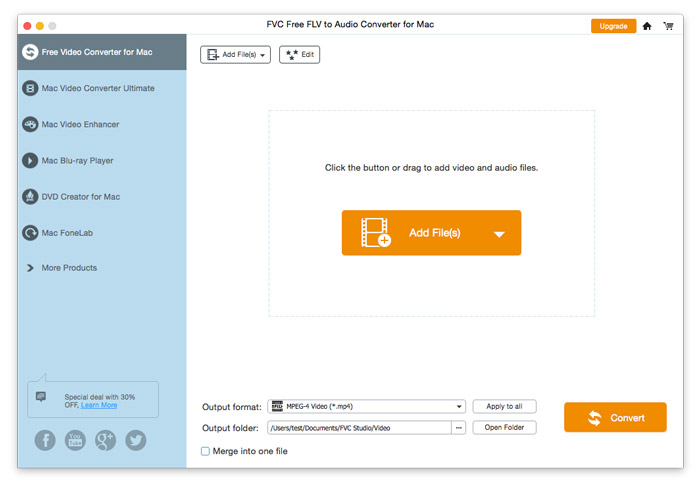
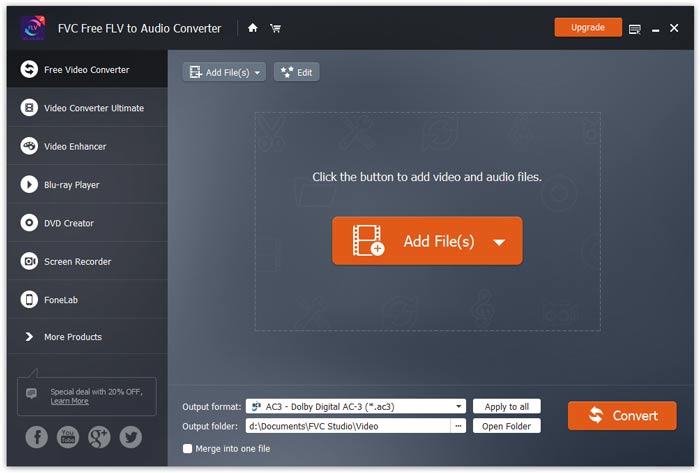
Inicieu FVC Free FLV to Audio Converter i veureu la seva interfície neta.
Pas 2. Afegeix un fitxer FLV al programa
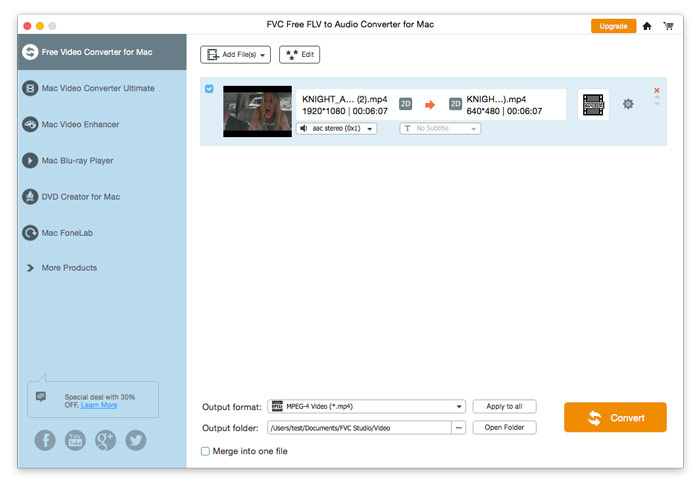
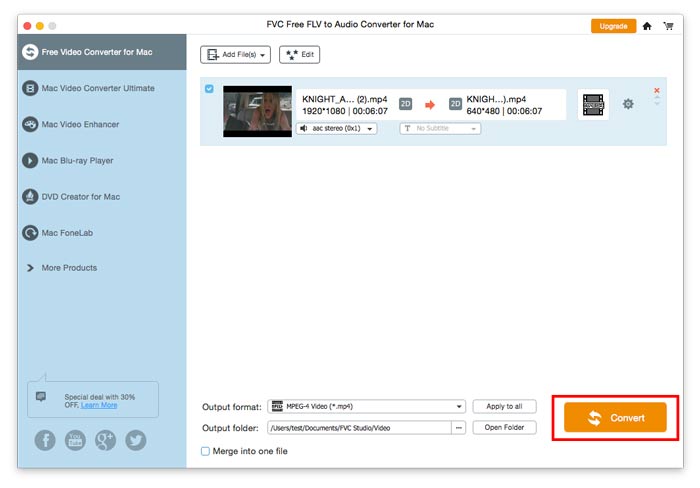
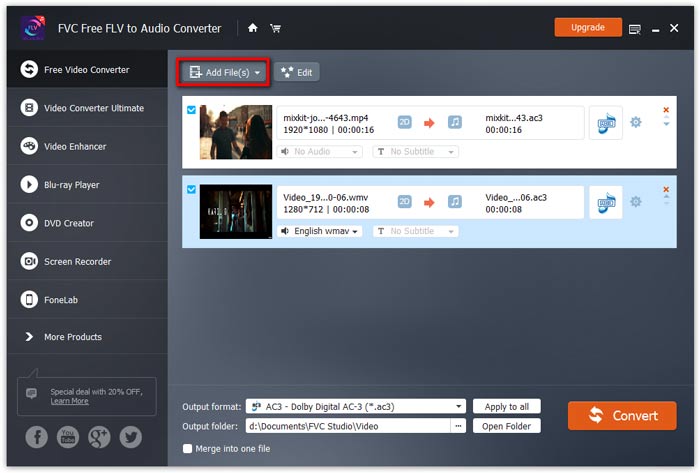
Fes clic al botó Add File(s) i tria els fitxers FLV que vulguis processar al quadre de diàleg que s’obrirà a continuació. Un cop afegits al programa, es mostraran a la llista de fitxers.
Pas 3. Selecciona el format de sortida
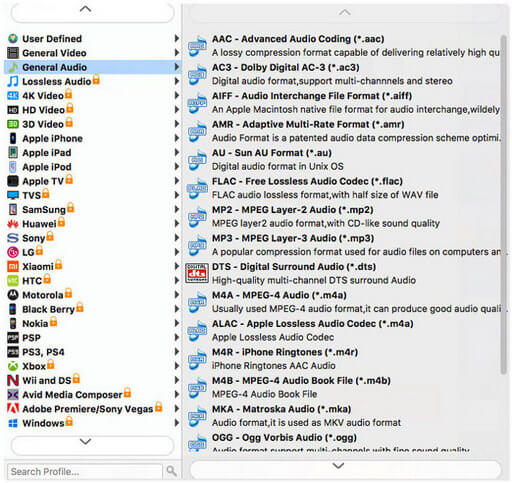
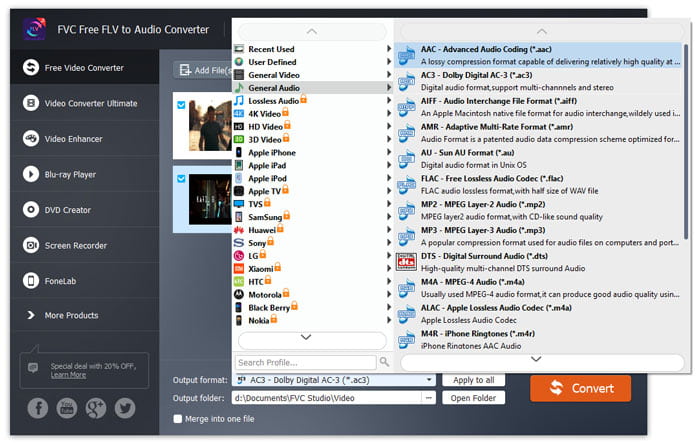
Fes clic per obrir la llista desplegable Output format i després tria el format d’àudio a la llista de perfils General Audio. Pot convertir els teus fitxers FLV a MP3, WMA, AAC, M4A, etc.
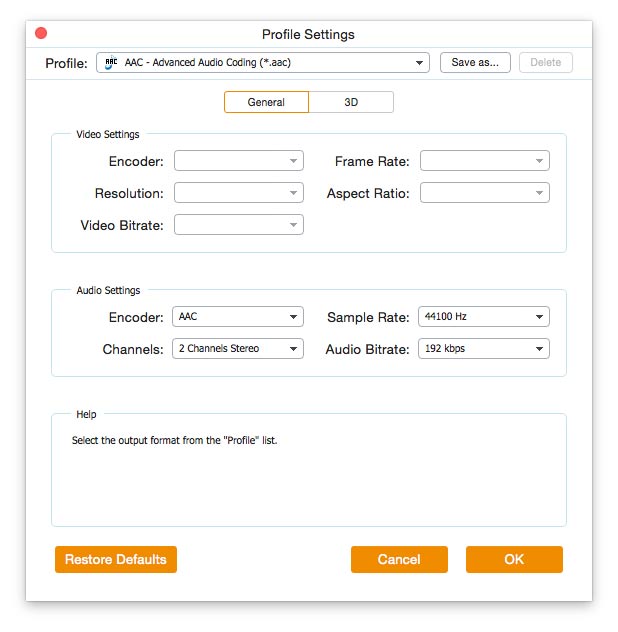
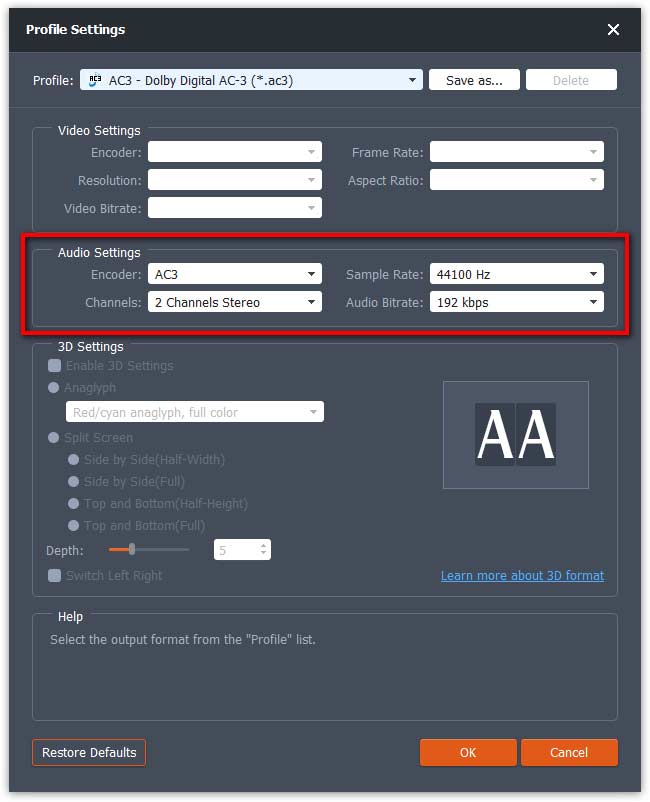
Si no estàs satisfet amb la configuració de paràmetres del perfil original, pots fer clic a la icona de Roda dentada i ajustar el codificador, el canal, la freqüència de mostreig i la taxa de bits d’àudio a la finestra de Profile settings.
Pas 4. Comença a convertir FLV a àudio
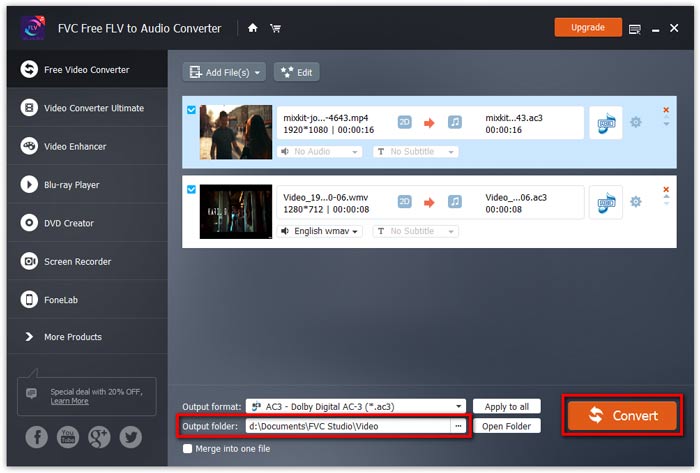
Vés a Output folder per triar la carpeta de destinació on desar els fitxers de sortida i, a continuació, fes clic al botó OK per tornar a la finestra principal. Finalment, fes clic al botó Convert per iniciar la conversió.


 Video Converter Ultimate
 Gravadora de pantalla
 Reparació de vídeo