


 Video Converter Ultimate
 Gravadora de pantalla
 Reparació de vídeo
 Baixada segura
Ezgif Review: l'eina en línia definitiva per a l'edició i creació de GIF
En el món del contingut en línia, els GIFs han esdevingut una part integral de la comunicació, l’entreteniment i la interacció a les xarxes socials. Des de compartir fragments humorístics fins a expressar emocions complexes, els GIFs ofereixen una manera única i atractiva de transmetre missatges. Una plataforma que ha guanyat una atenció significativa per les seves capacitats d’edició i creació de GIFs és Ezgif. En aquesta ressenya, explorarem les funcions, la facilitat d’ús i el rendiment general de l’Ezgif maker.

Part 1. Visió general d'Ezgif i la seva utilitat en l'edició de GIF
Ezgif és una plataforma en línia que ofereix una àmplia gamma d'eines per treballar amb GIF. Tant si voleu crear un GIF a partir d'un vídeo, editar un GIF existent, optimitzar-ne la mida, afegir efectes o realitzar altres tasques relacionades amb GIF, Ezgif us té cobert. La plataforma està totalment basada en web, el que significa que no cal que baixeu ni instal·leu cap programari per utilitzar les seves funcions. Això fa que sigui una opció convenient tant per a usuaris ocasionals com per a professionals que busquen solucions ràpides d'edició de GIF. Per tant, si voleu utilitzar-lo com a creador de vídeo Ezgif a GIF, us pot ajudar amb aquesta necessitat.
Part 2. Característiques d'Ezgif
Creació de GIF: Una de les funcions més destacades d’Ezgif és la seva eina de creació de GIFs. Pots convertir fàcilment vídeos de diversos formats, inclosos MP4, AVI i més, en GIFs. La conversió de MP4 a GIF amb Ezgif és molt senzilla. La plataforma et permet personalitzar la mida, la velocitat de fotogrames i la qualitat del GIF de sortida, donant-te control sobre el producte final.
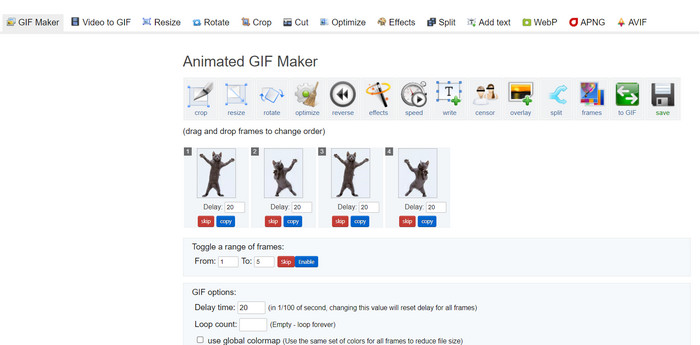
Capacitats d’edició: Ezgif ofereix una gran quantitat d’opcions d’edició per als teus GIFs. Pots retallar, canviar la mida i optimitzar els GIFs per reduir la mida del fitxer sense comprometre massa la qualitat. A més, la plataforma et permet afegir text, imatges, superposicions i efectes per millorar l’atractiu visual dels teus GIFs.
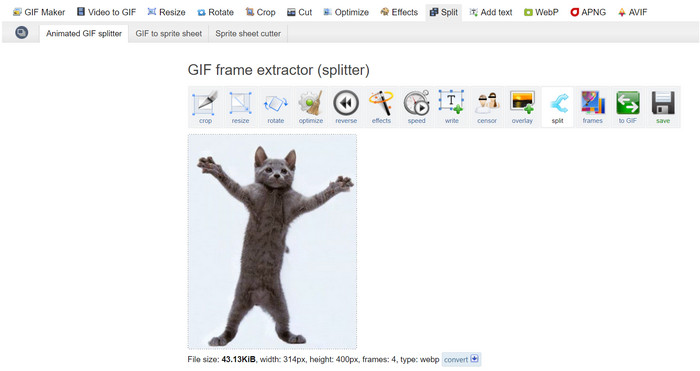
Dividir, fusionar i combinar GIFs: Si necessites dividir un GIF en fotogrames separats o fusionar diversos GIFs en un de sol, Ezgif Maker simplifica el procés. Això és especialment útil quan vols crear un GIF més llarg a partir de segments més curts o combinar GIFs per explicar una història visual més extensa. És tot un alleujament poder combinar GIFs amb Ezgif.
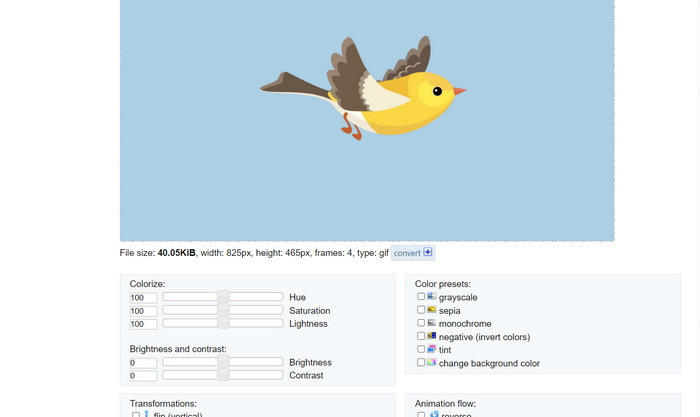
Efectes i filtres: Ezgif ofereix una varietat d’efectes i filtres que es poden aplicar als GIFs. Des d’ajustos de color fins a difuminats, superposicions i més, aquests efectes poden transformar els teus GIFs i afegir-hi un toc artístic.
Velocitat del GIF i reproducció inversa: La plataforma et permet ajustar la velocitat del teu GIF, fent que es reprodueixi més ràpid o més lent. A més, pots invertir la reproducció del GIF, creant efectes visuals divertits i captivadors.
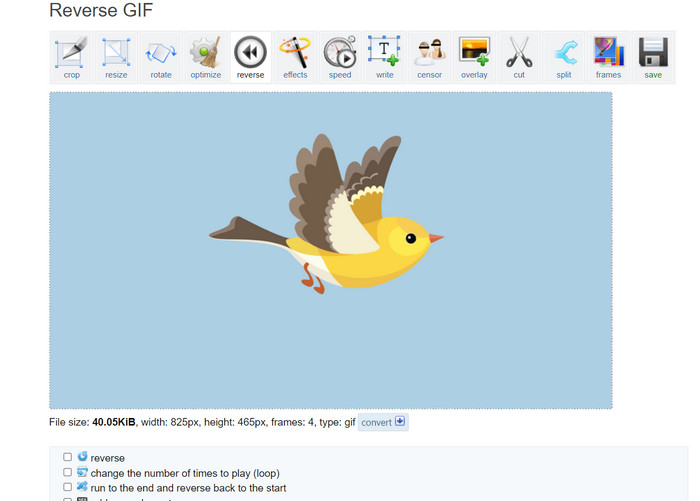
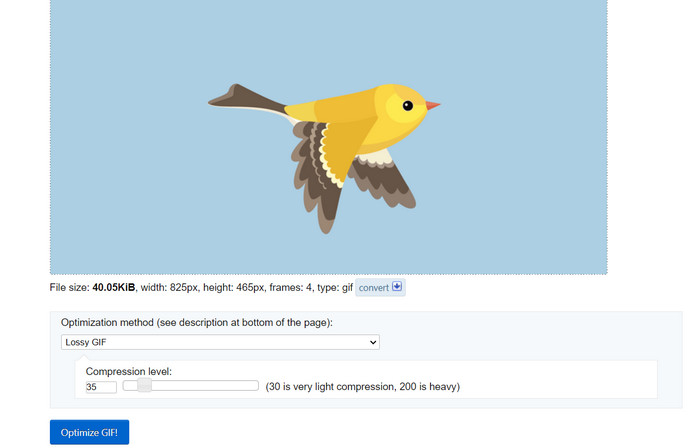
Optimització: Pujar GIFs grans a llocs web o plataformes de xarxes socials pot comportar, de vegades, temps de càrrega lents. Les eines d’optimització de GIF d’Ezgif t’ajuden a reduir la mida dels fitxers dels teus GIFs mantenint una qualitat d’imatge acceptable, garantint una experiència d’usuari més fluida per al teu públic.
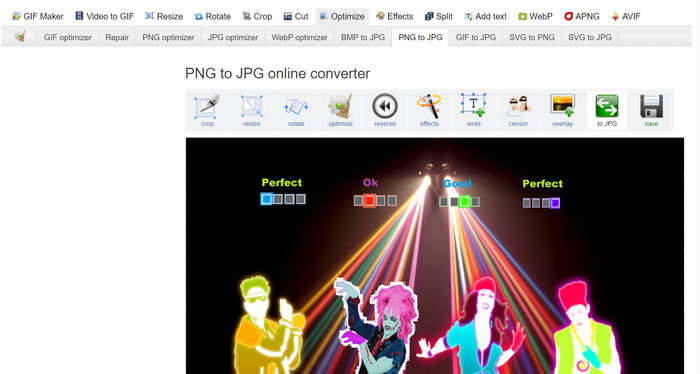
Conversió d’imatges: Ezgif també funciona com a convertidor d’imatges, permetent als usuaris convertir un PNG a GIF i a l’inrevés. Dit això, també pots convertir els teus GIFs a PNG amb Ezgif. No limita el format perquè l’eina admet JPG. La conversió de GIF a JPG amb Ezgif també és possible.
Pros
- Canvieu la mida dels fitxers GIF per adaptar-los a les vostres preferències.
- Retalla la part no desitjada del fitxer GIF.
- Apliqueu múltiples efectes a GIF d'alta resolució.
Contres
- Hi ha alguns retards notables en utilitzar l'eina.
Part 3. Com utilitzar EZGIF
L'ús d'Ezgif és relativament senzill, gràcies a la seva interfície fàcil d'utilitzar i a les eines intuïtives. Aquí teniu una guia pas a pas sobre com utilitzar algunes de les funcions bàsiques d'Ezgif:
Creació de GIF:
Pas 1. Ves al lloc web d’Ezgif (https://ezgif.com/). Fes clic a la pestanya Video to GIF al menú de navegació.
Pas 2. Puja el fitxer de vídeo que vulguis convertir en GIF.
Pas 3. Tria l’hora d’inici i de final per al teu GIF i ajusta la mida del fotograma i la velocitat de fotogrames si cal. A continuació, fes clic al botó Convert to GIF.
Un cop finalitzada la conversió, podeu previsualitzar i descarregar el vostre GIF recent creat.
Edició GIF:
Pas 1. Des de la pàgina inicial d’Ezgif, tria l’eina d’edició que vulguis utilitzar al menú de navegació (per exemple, Crop GIF). Puja el GIF que vols editar.
Pas 2. Utilitza la interfície de l’eina per ajustar la configuració. Per retallar, pots seleccionar l’àrea específica que vols mantenir i ajustar-ne les dimensions.
Pas 3. Després de fer els canvis, fes clic al botó Crop It! (o el botó corresponent a l’eina que estiguis utilitzant). Previsualitza el GIF editat i descarrega’l si n’estàs satisfet.
Part 4. Alternativa EZGIF
Hi ha diverses alternatives excel·lents a Ezgif tant per a usuaris en línia com d'escriptori, cadascuna oferint funcions i capacitats úniques per a l'edició i creació de GIF. Aquí hi ha algunes opcions principals:
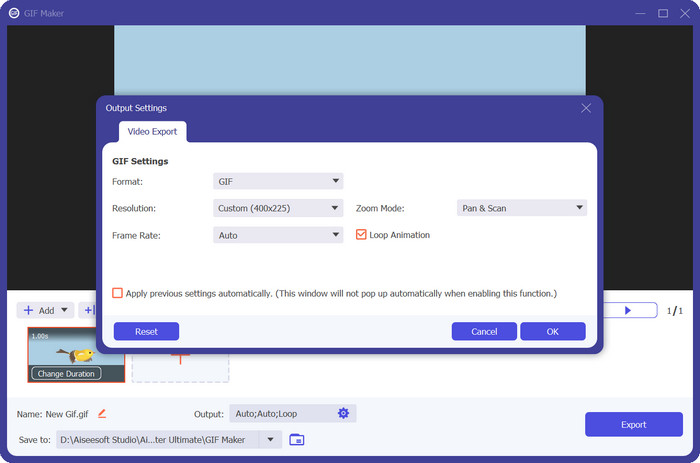
1. Video Converter Ultimate
Video Converter Ultimate no està pensat només per convertir fitxers multimèdia, sinó també per crear i editar GIFs. L’eina incorpora funcions essencials com la conversió de foto a GIF i de vídeo a GIF. Afegir filtres i efectes és qüestió d’un sol toc. Si estàs buscant una alternativa a ez gif.com, Video Converter Ultimate és l’eina adequada.
Baixada gratuïtaPer a Windows 7 o posteriorBaixada segura
Baixada gratuïtaPer a macOS 10.7 o posteriorBaixada segura
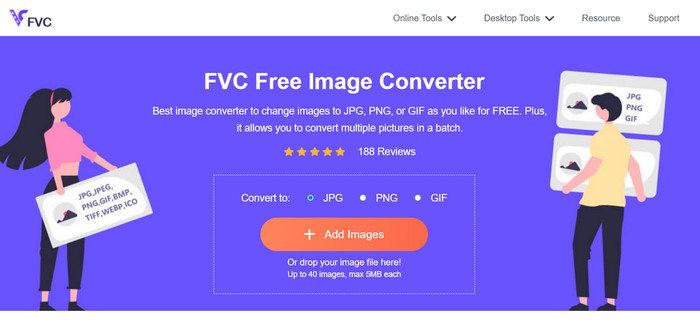
2. FVC Free Image Converter
FVC Free Image Converter és un convertidor d’imatges lleuger que cobreix les teves necessitats de conversió de JPG a GIF, PNG a GIF, GIF a PNG i totes les combinacions intermèdies. A més, l’eina permet als usuaris arrossegar fins a 40 imatges per convertir-les.
Lectures relacionades:
Aprèn 4 maneres de crear GIFs a partir d’imatges [En línia i fora de línia]
Repetir en bucle un GIF amb el millor reproductor de GIF animats per a Windows i Mac
Part 5. Preguntes freqüents sobre EZGIF
Com deso els meus GIF editats a EZGIF?
Per desar els GIF editats a Ezgif, primer utilitzeu les eines d'edició per fer els canvis que vulgueu al GIF. Previsualitzeu les vostres edicions i, a continuació, cerqueu un botó Desa o Baixa a la interfície de l'eina. Feu clic al botó, trieu una ubicació de desar a l'ordinador i, a continuació, descarregueu el GIF editat a aquesta ubicació.
Pot EZGIF gestionar GIF d'alta resolució?
Sí, Ezgif pot gestionar GIF d'alta resolució per a diverses tasques com ara edició, redimensionament i optimització. Tanmateix, el rendiment es pot veure afectat en funció de la complexitat de les edicions i de la mida del GIF. Els temps de processament poden variar i, per a algunes operacions que consumeixen molts recursos, pot haver-hi un retard. Es recomana previsualitzar els canvis abans de finalitzar per garantir el resultat desitjat.
EZGIF admet el processament per lots de GIF?
No, Ezgif no admet el processament per lots de GIF; cada GIF s'ha de penjar i editar individualment.
EZGIF només admet l'edició de GIF?
No, Ezgif ofereix una sèrie d'eines més enllà de l'edició de GIF, com ara la creació de GIF a partir de vídeos, l'optimització de GIF per a mides de fitxers reduïdes, afegir efectes, dividir i combinar GIF i molt més. És una plataforma en línia versàtil per a diverses tasques relacionades amb GIF.
És segur utilitzar EZGIF?
Sí, Ezgif es considera generalment segur d'utilitzar. És una plataforma en línia de bona reputació que fa temps que s'utilitza àmpliament per a l'edició de GIF i tasques relacionades.
Conclusió
Ezgif ha emergit com una eina en línia versàtil i potent per a l’edició i la creació de GIFs. La seva gamma de funcions, des de la conversió de GIFs fins a l’edició, els efectes i l’optimització, la converteixen en una opció de referència per a qualsevol persona que vulgui millorar el seu contingut en format GIF. Tot i que el rendiment pot variar en funció de la complexitat de la tasca, la interfície fàcil d’usar d’Ezgif i el seu conjunt complet d’eines la fan un recurs valuós tant per als aficionats ocasionals als GIFs com per als professionals que volen aprendre com fer un GIF amb Ezgif. Si necessites una solució en línia pràctica per a tot allò relacionat amb els GIFs, Ezgif és sens dubte una opció a tenir en compte.
-
 Els 4 millors ampliadors GIF fora de línia i en línia que no us podeu perdre
 Aquesta publicació és per a tu si esteu buscant els millors ampliadors de GIF. Hem enumerat els ampliadors GIF en línia i fora de línia de millor rendiment per al vostre ordinador.
-
 La millor guia sobre com tallar GIF per donar vida al vostre contingut
 No et perdis aquesta guia de lectura obligatòria. Apreneu a retallar i retallar GIF per captar l'atenció del vostre públic amb grans talladors de GIF en línia i fora de línia.
-
 Com transformar vídeo a GIF per fer GIF atractius
 Descobriu com convertir sense esforç els vostres vídeos en GIF atractius amb els nostres convertidors de vídeo a GIF seleccionats a mà i el procés fàcil de seguir de vídeo a GIF.
