


 Video Converter Ultimate
 Gravadora de pantalla
 Reparació de vídeo
Domineu l'art de convertir GIF a format de vídeo amb passos detallats
Els GIF tenen un paper important a l’hora de millorar els missatges que enviem a algú. A més, si tens GIF en el teu text o al teu lloc web, esdevindrà més interessant. Tot i que els GIF s’han fet populars arreu del món, encara hi ha plataformes que no admeten aquest format. Per tant, la millor manera de compartir o publicar aquest format és convertir el GIF a format de vídeo. Però alguns convertidors no ofereixen una experiència de conversió completa. Per això, hem reunit diferents solucions per resoldre aquest problema principal. En escriure aquest article, només hem presentat i exposat els fets sobre cada eina. Així que, sense més demora, continuem i trobem la millor solució al nostre problema amb els GIF.

Part 1. 3 dels millors convertidors per convertir GIF a vídeo en línia
Ezgif
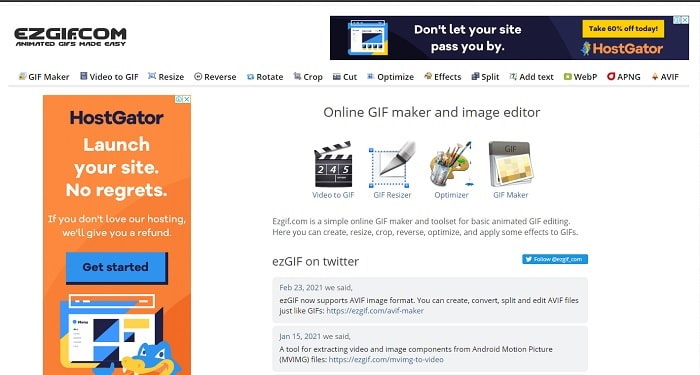
Ezgif ja ajuda moltíssims usuaris en línia a crear GIF. Et proporciona funcions increïbles com retallar, invertir, girar i molt més. Però si el fem servir com a convertidor, el format final que aquesta eina admet és només MP4. Així que, si vols convertir el teu GIF a MOV amb aquesta eina web, bàsicament no ho podràs fer. En canvi, si canvies el GIF a MP4, aquest pot ser el teu convertidor de referència. Tot i que aquest convertidor ja rep molts elogis de molts usuaris, encara hi ha molts altres convertidors que ofereixen més del que Ezgif pot fer.
GIPHY
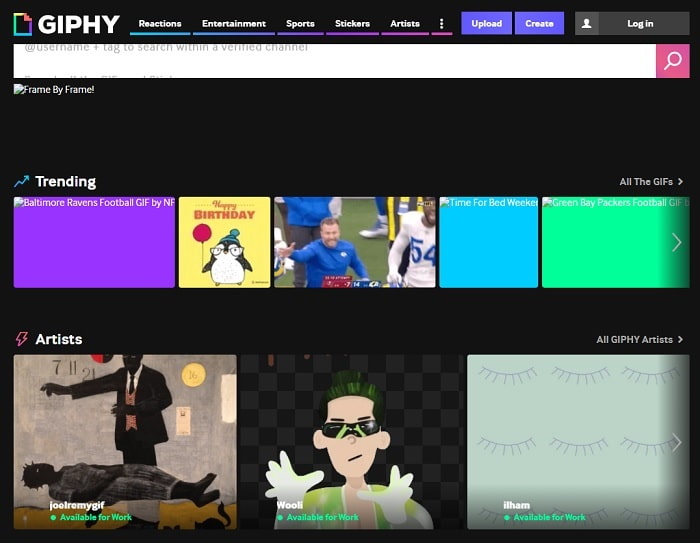
Una altra eina que et permet crear GIF és GIPHY. A més, aquesta eina web genera diferents GIF que pots fer servir i compartir amb algú. I no només això, GIPHY et pot ensenyar com convertir un GIF en vídeo amb una de les seves funcions. Però tot i que la conversió aquí és possible, no val gaire la pena fer-la servir com a convertidor. Malgrat això, aquesta eina en línia és l’única de la llista que té una biblioteca pròpia plena de GIF diferents entre els quals pots triar. Tria el GIF i envia’l a l’altra persona copiant-ne l’enllaç.
Zamzar
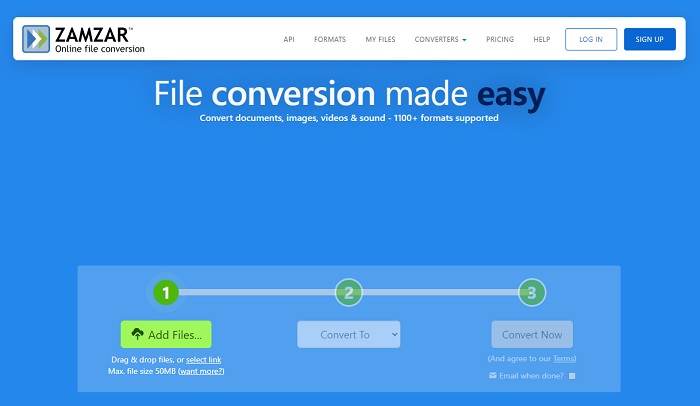
Si parlem de conversió, Zamzar hauria de ser en aquesta llista perquè és un dels millors convertidors en línia que pots fer servir. Si ets principiant en el tema de convertir, prova aquesta eina, ja que mostra instruccions fàcils de seguir. Aquesta eina web té una limitació de mida de fitxer i de quants fitxers pots inserir. Per tant, si vols fer diverses tasques alhora, aquí no podràs, perquè el procés de conversió només s’aplica d’una en una. A més, si no tens connexió a Internet, no podràs accedir a cap de les eines esmentades més amunt, perquè totes depenen d’Internet.
Part 2. Els 3 millors convertidors per canviar GIF a vídeo fora de línia
1. FVC Video Converter Ultimate
El primer de la llista és el FVC Video Converter Ultimate, també conegut com el convertidor fenomenal que pots aconseguir. Tant per a principiants com per a professionals, aquesta eina sempre crea les conversions més sorprenents que puguis desitjar. A més a més, també pots crear el GIF més impressionant gràcies a una de les seves funcions, el GIF Maker. Però, a mesura que avancem, aquesta eina sembla tan bona que els usuaris no volen buscar cap altre programari alternatiu. Si fas servir aquesta eina, podràs aprendre fàcilment com desar un GIF com a vídeo.
Com que ofereix funcions més futuristes, com ara millorar el vídeo, sincronitzar l'àudio i el vídeo, augmentar l'àudio i molt més. Tots els convertidors no proporcionen aquestes característiques, de manera que podem dir que si voleu tenir una funció avançada, aquesta ha de ser-ho. Potser us esteu preguntant que aquesta eina és difícil de gestionar, però per dir-vos la veritat, aquesta eina és molt fàcil d'utilitzar i d'entendre. Com s'indica a la interfície principal què podria fer la configuració. Per tant, per impressionar algú, heu d'aprendre a ser el mestre de tots els convertidors. Seguiu aquests passos senzills però detallats a continuació sobre com acabar la feina d'una manera fàcil i eficaç.
Pas 1. Prem el botó de descàrrega per descarregar el programa al teu disc. A continuació, instal·la el programa i canvia la configuració si ho vols. Si ja està tot preparat, clica a Finalitzar.
Descàrrega gratuïtaPer a Windows 7 o posteriorDescàrrega segura
Descàrrega gratuïtaPer a macOS 10.7 o posteriorDescàrrega segura
Pas 2. Obre l’eina, després clica a Add Files i fes clic a Open per inserir el fitxer GIF que vols convertir.
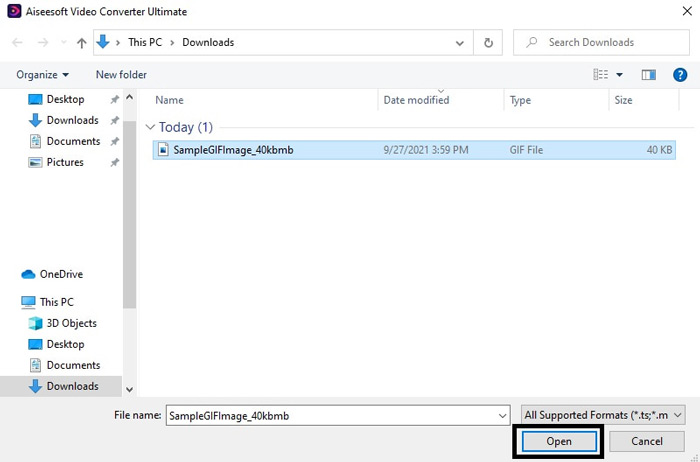
Pas 3. Després d’afegir el fitxer GIF, ves al menú desplegable per convertir el GIF en un vídeo en el format que vulguis.
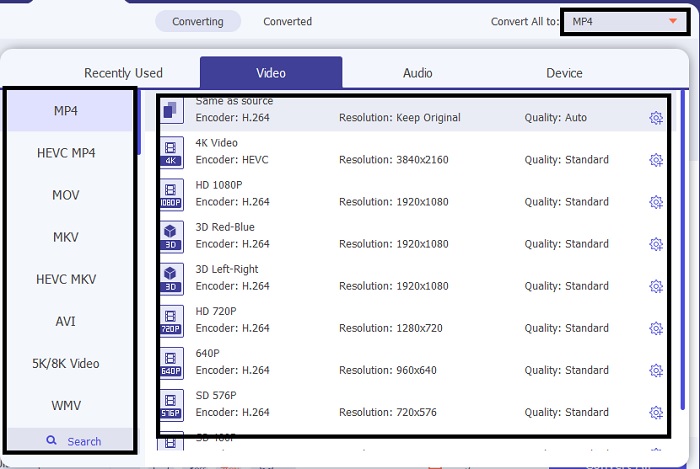
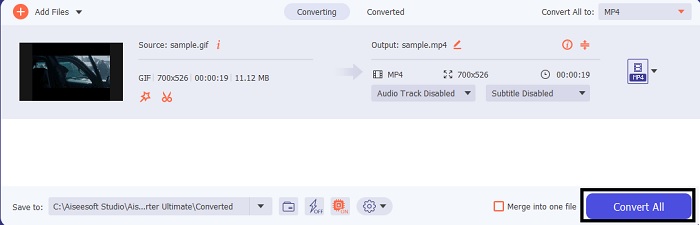
Pas 4. Després de canviar el format del GIF, fes clic al botó Convert All per començar el canvi de format.
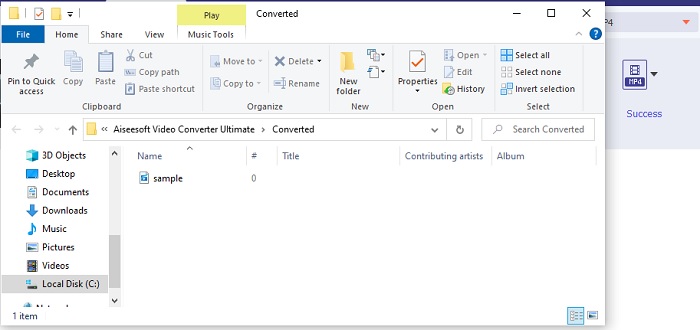
Pas 5. Per veure el GIF convertit, la carpeta del fitxer es mostrarà automàticament a la pantalla. Fes clic al primer fitxer per veure’l i compartir el GIF a totes les plataformes que vulguis.
2. FVC Free Video to GIF Maker
Aquesta és la mostra gratuïta del convertidor definitiu, el FVC Free Video to GIF Maker. A diferència de la primera eina anterior, aquesta no té funcions d’edició ni de millora. És a dir, aquesta eina només té les funcions bàsiques que té el convertidor definitiu. Per tant, no hi pots afegir el teu toc personal, excepte quan crees GIF. Però el procés de conversió aquí és força més ràpid que a les eines basades en web o en programa. Tanmateix, si comparem aquest procés de conversió amb el del convertidor definitiu, aquest programari mai no arribarà a la velocitat de l’eina premium. Tot i així, val la pena provar-lo per convertir, sobretot GIF a vídeos. Segueix el procés indicat a continuació i comencem.
Pas 1. Instal·la l’eina al teu PC o Mac i obre-la.
Descàrrega gratuïtaPer a Windows 7 o posteriorDescàrrega segura
Descàrrega gratuïtaPer a macOS 10.7 o posteriorDescàrrega segura
Pas 2. Fes clic a Add File per buscar el fitxer GIF dins la teva carpeta.
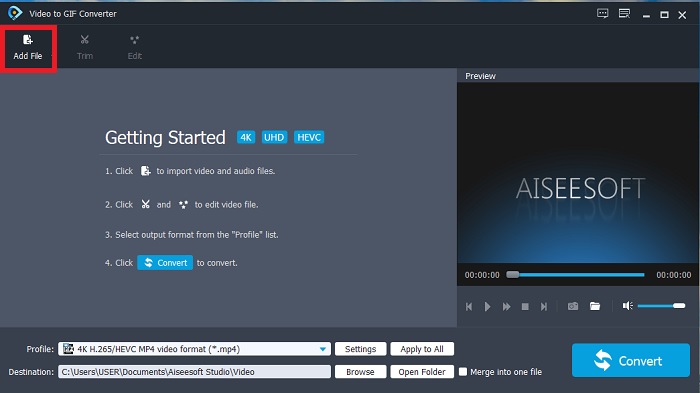
Pas 3. Per canviar el format, fes clic a Profile i tria entre les diferents opcions que hi ha a sota.
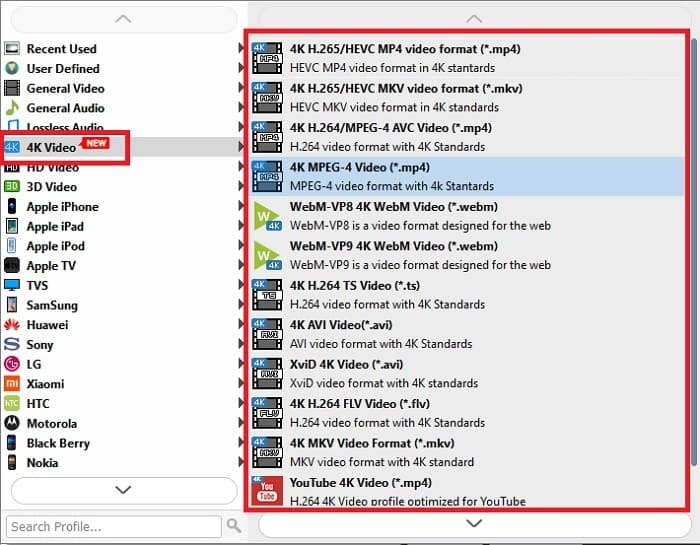
Pas 4. Quan estiguis a punt, fes clic al botó Convert per començar el procés.
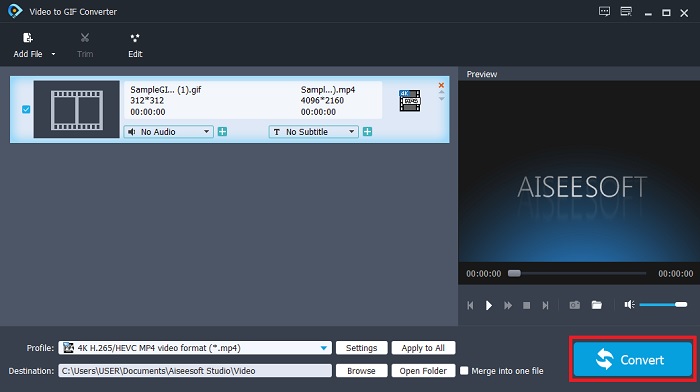
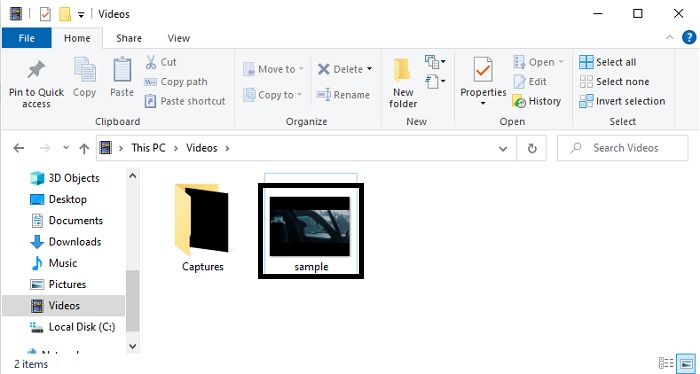
Pas 5. Per tornar a veure el fitxer GIF, ves a l’explorador de fitxers i el podràs localitzar allà.
3. QuickTime Media Player
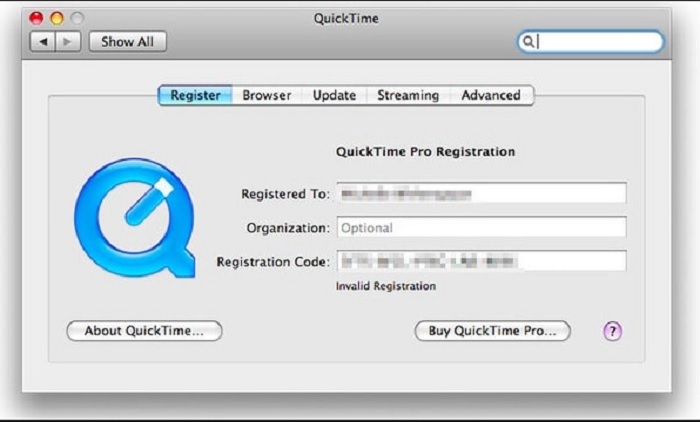
Aquest reproductor multimèdia nadiu s’ha creat només per estar disponible a Mac i també pot fer conversions. QuickTime s’ha fet famós per ser un dels millors reproductors multimèdia perquè produeix contingut d’alta qualitat en tots els formats que hi reprodueix. Però la conversió aquí és una mica rígida, perquè hi ha molts passos abans de poder convertir un sol GIF. A més, aquest programa també té un altre defecte: admet pocs formats si el fas servir com a convertidor. Tot i així, si tens un Mac, encara el pots provar tu mateix i aprendre a convertir GIF en vídeos amb el QuickTime Media Player.
Part 3. Converteix GIF en format de vídeo al programa iOS i Android
GIF Cracker - GIF a vídeo
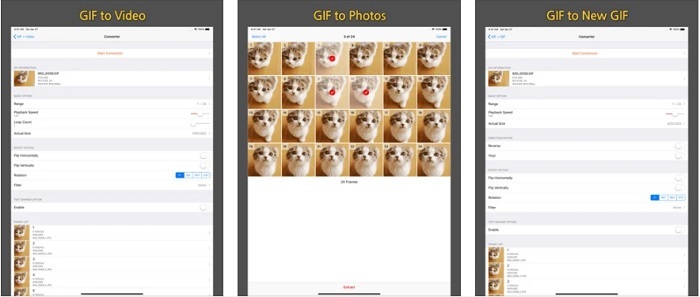
Si vols provar de convertir a iOS per resoldre aquest problema, deixa que t’ajudi el GIF Cracker - GIF to Video. Aquesta eina també només es pot utilitzar a Android, però no és la millor opció pel que fa al programa. Perquè l’app que hi ha a Android és la versió antiga de GIF Cracker. Així que, si descarregues aquesta aplicació al teu telèfon Android, espera’t força errors grans o petits i també alguns anuncis molestos. En canvi, si ets usuari d’iOS, podràs gaudir de l’experiència bàsica de conversió que necessites. Com s’ha dit, l’app no té grans funcions d’edició ni millores.
ImgPlay - Creador de GIF
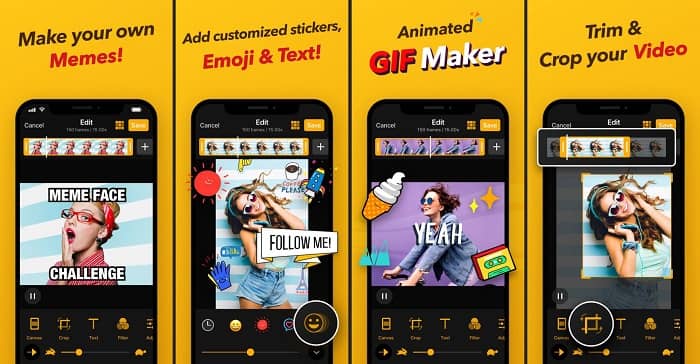
Una altra aplicació per a iOS que et permet convertir GIF a vídeo a l’iPhone és ImgPlay – GIF Maker. La majoria dels usuaris d’iOS fan servir aquesta app, ja que permet fer edicions simples però efectives. Tot i això, malgrat el gran públic que té, encara presenta alguns inconvenients. Per exemple, quan converteixes un GIF a format MP4, la qualitat del vídeo esdevé una mica borrosa. També hi ha alguns errors menors, però si fas servir les aplicacions Img Play, pots esperar una bona conversió i una velocitat acceptable.
GIF a vídeo, GIF a imatge
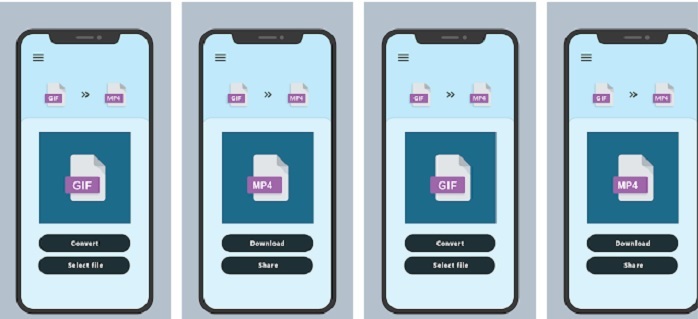
Els usuaris d’Android també poden fer les conversions directament al telèfon. GIF To Video, GIF To Image s’ha fet un nom a Android per ser un dels millors convertidors que pot fer servir un usuari de mòbil. A més, si utilitzes aquesta eina, és molt més fàcil d’entendre que les aplicacions de conversió d’iOS. Però, igual que passa amb els convertidors d’iOS, totes admeten un nombre reduït de formats. Per tant, no pots explorar altres formats que potser voldries fer servir.
Lectura addicional
El millor programari per editar GIF animats
Part 4. Preguntes freqüents sobre GIF a vídeo
Perdo la qualitat quan faig la conversió?
Aquesta idea és certa si fas servir els convertidors equivocats, però ara hi ha una solució. La solució a aquest problema és utilitzar el FVC Ultimate Video Converter. Si uses aquesta eina, no hi ha cap possibilitat de perdre qualitat després de la conversió. Però si trobes que el vídeo és una mica borrosa, pots fer servir el Video Enhancer de la Caixa d’eines.
Quin format és millor que GIF?
APNG és millor que el format GIF perquè admet molts palets de colors, fps, resolució i molt més. Però l'APNG té menys suport, encara que això canviarà en el futur com a nova versió de GIF.
Quin format de vídeo és el millor que pot contenir GIF?
És cert que tots els formats de vídeo poden contenir fitxers GIF convertits. Però el millor és l'MP4 perquè és un format universal que s'ha utilitzat per emmagatzemar vídeo i àudio tot conservant la seva qualitat natural.
Conclusió
Per concloure, totes les solucions presentades en aquesta llista tenen les seves capacitats úniques. Però n’hi ha una que destaca, i és el FVC Video Converter Ultimate. Les eines i aplicacions d’aquest article poden fer conversions, però per obtenir el millor resultat has de fer servir el convertidor definitiu. Tal com s’esmenta més amunt, aquesta eina és coneguda com el convertidor fenomenal. Així que agafa qualsevol GIF, vídeo o fitxer d’àudio i converteix-lo aquí per experimentar la millor versió del fitxer.
-
 Com convertir vídeos AVI a fitxers GIF animats a Windows / Mac
 Voleu seleccionar els segments AVI interessants per crear memes GIF? Aquest article us explicarà els 2 millors mètodes per retallar els vídeos AVI i convertir AVI a fitxers GIF animats de forma gratuïta.
-
 [Resolt] Com convertir vídeos FLV a fitxers GIF animats de forma gratuïta
 Si voleu crear GIFs des dels segments de vídeo FLV per a un millor enviament, podeu obtenir més informació sobre com convertir vídeos FLV a fitxers GIF fàcilment des d’aquest article.
-
 [2 solucions] Com convertir fitxers SWF a GIF fàcilment de forma gratuïta
 Si no exporteu el format GIF a través del programari Flash, podeu provar de desar els fitxers en format SWF al principi. A continuació, podeu aprendre dues maneres senzilles de convertir fitxers SWF a GIF d’aquest article.
