


 Video Converter Ultimate
 Gravadora de pantalla
 Reparació de vídeo
Els 3 millors convertidors ideals per convertir fitxers VOB a format GIF
Els fitxers VOB són fitxers que es veuen amb més freqüència als DVD, que poden contenir gairebé totes les dades, com ara la navegació, el menú, els subtítols, el vídeo, l'àudio, etc. A més, aquest format pot emmagatzemar fàcilment programes de reproducció i encara és difícil desar-hi. el teu escriptori. Per compartir alguns dels vídeos més destacats sobre el format de VOB a les altres plataformes de xarxes socials de manera fàcil i eficaç. El millor format que podeu utilitzar és el format GIF, tot i que aquest format no admet un fitxer d'àudio, és el millor format per compartir a tot el món. Per tant, per tenir més idea de què estem parlant, continuem amb l'eina que podeu utilitzar per convertir un fitxer VOB a GIF perquè pugueu veure'l i compartir-lo amb el món.

Part 1. 3 diferents mètodes sobre com convertir un fitxer VOB en GIF
Mètode 1. Utilitzeu el programari d'escriptori: FVC Free Video Converter
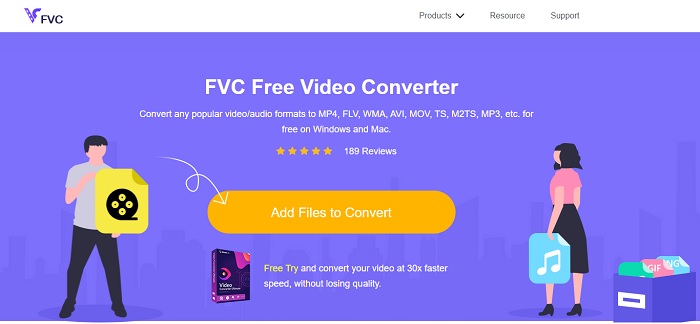
El millor convertidor en línia desenvolupat per convertir un fitxer VOB a GIF és FVC, FVC Free Video Converter. Tot i que aquesta eina és gratuïta, encara li falten alguns formats, però aquí s’hi inclouen els formats bàsics. A més, en aquesta eina web pots canviar el bitrate, els fps i la resolució del fitxer de vídeo. Però funcions d’edició principals com millorar el vídeo i l’àudio, crear GIFs o amplificar l’àudio no hi són disponibles. Tot i així, la conversió és molt més ràpida que amb fConvert i, a més, la pàgina web d’aquesta eina no té anuncis molestos. Per tant, si vols saber com funciona aquesta eina, has de seguir els passos que trobaràs a continuació i aprendre a fer-la servir, un dels millors convertidors en línia gratuïts que pots utilitzar.
Passos sobre com utilitzar FVC Free Video Converter per convertir en línia
Pas 1. Fes clic a l’enllaç de dalt que porta al lloc web principal de FVC Free Video Converter
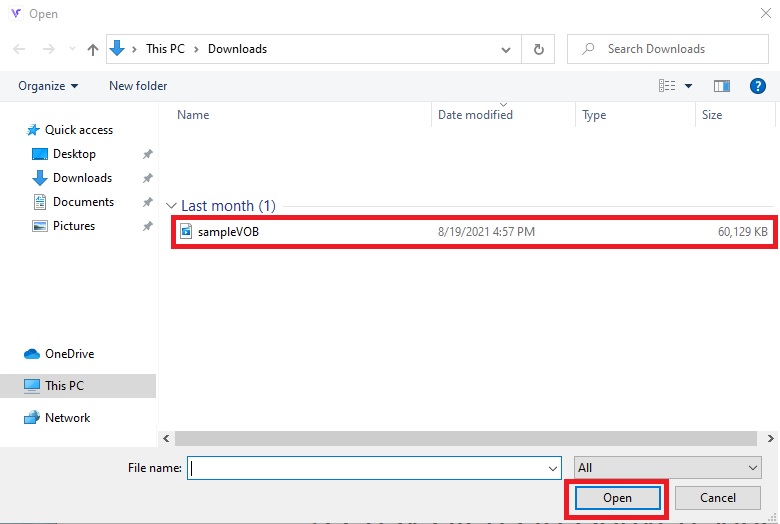
Pas 2. Fes clic a Add Files to Convert, busca el fitxer VOB i fes clic a open.
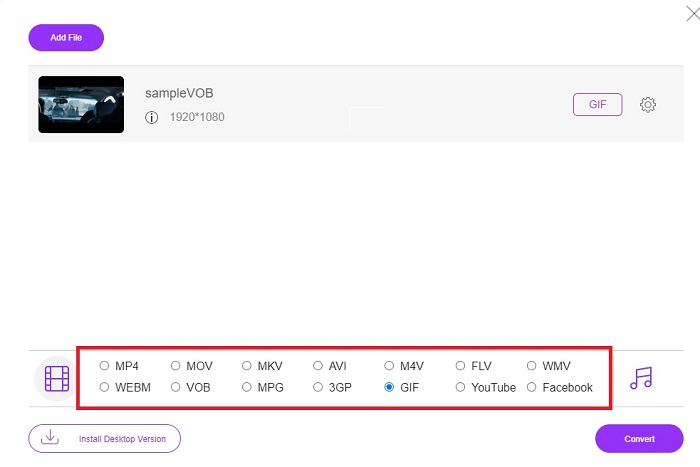
Pas 3. Tria el format que vols per al resultat final a la part inferior i fes-hi clic.
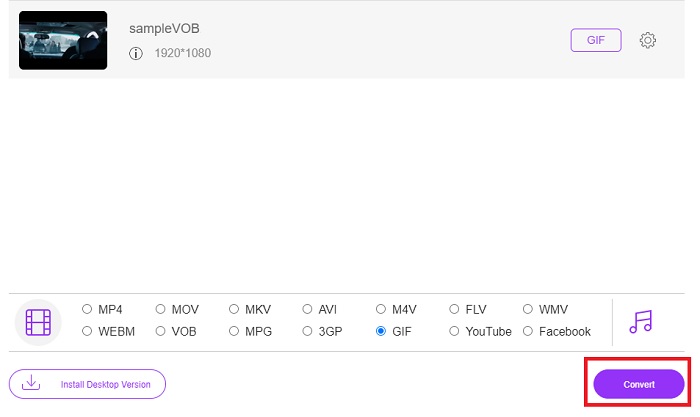
Pas 4. Per iniciar la conversió, fes clic a Convert.
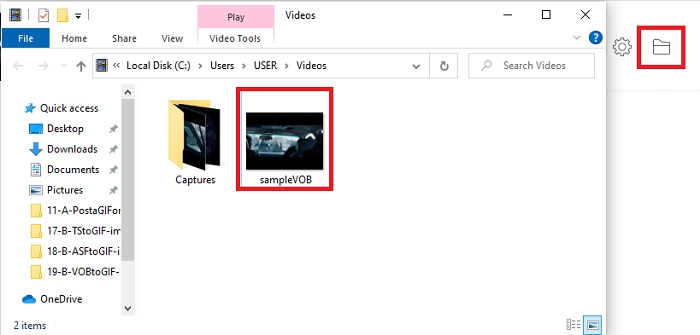
Pas 5. Per trobar el fitxer VOB convertit que has creat abans, fes clic al botó en forma de carpeta per obrir la carpeta on es troba el fitxer convertit.
Mètode 2. Utilitzeu programari gratuït: FVC Free Video to GIF Maker
Si l’eina en línia et sembla increïble, aprèn llavors com convertir un fitxer .vob a GIF amb l’ajuda de FVC Free Video to GIF Maker. Si convertir és el teu problema, el resoldrem amb l’ajuda d’aquesta eina gratuïta descarregable. Admet més formats que l’eina gratuïta en línia, així com funcions bàsiques d’edició. Però aquesta eina no disposa de funcions d’edició avançades com el convertidor definitiu que FVC et pot oferir. Tot i així, a banda del convertidor definitiu, pots continuar utilitzant aquesta eina, ja que s’ha convertit en una de les millors opcions per convertir de manera segura i eficient. A més, és molt més ràpida que qualsevol eina basada en web a la qual puguis accedir en línia. Per tant, si vols una conversió més ràpida i eficaç, segueix els passos indicats a continuació.
Passos sobre com utilitzar el FVC Free Video to GIF Maker per convertir fora de línia
Pas 1. Descarrega FVC Free Video to GIF Maker al disc del teu PC o Mac. Després configura la instal·lació i fes clic a Finish un cop acabi la instal·lació per desar els canvis.
Descàrrega gratuïtaPer a Windows 7 o posteriorDescàrrega segura
Descàrrega gratuïtaPer a macOS 10.7 o posteriorDescàrrega segura
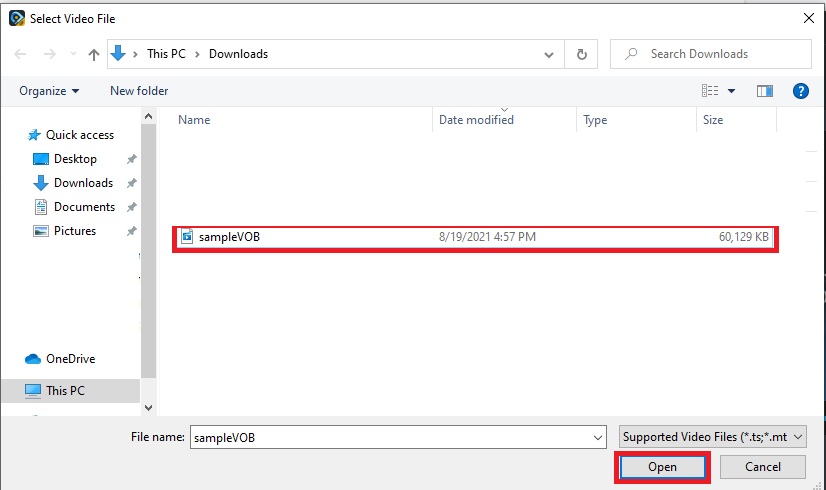
Pas 2. Per inserir els fitxers a la interfície, fes clic al botó Add File a la part superior esquerra de la interfície. Després fes clic a open per afegir el fitxer VOB a la interfície principal.
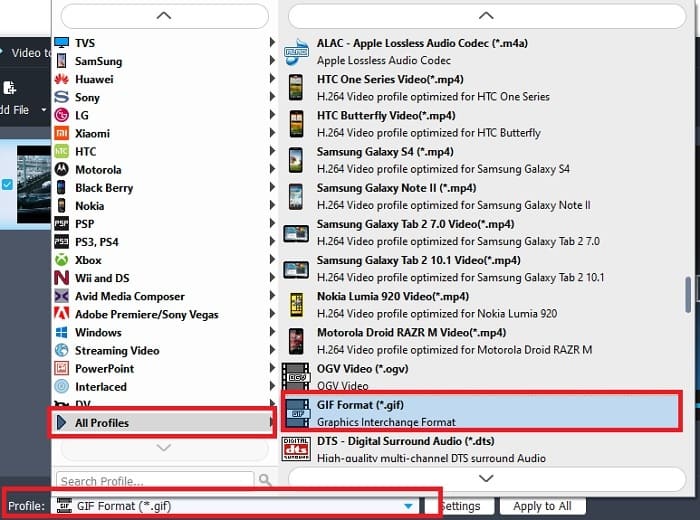
Pas 3. Canvia el format fent clic a Profile i decideix quin vols que sigui el resultat final.
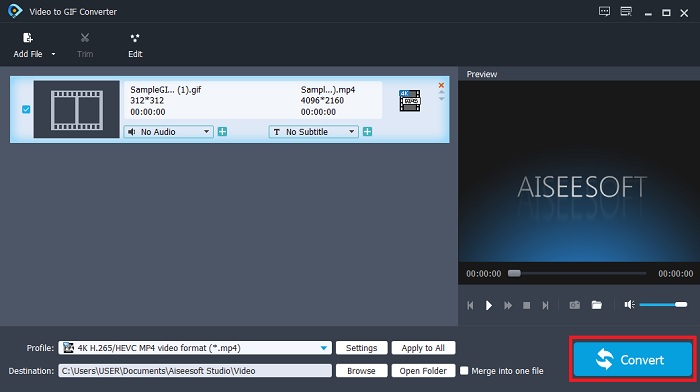
Pas 4. Per començar a convertir els fitxers VOB, prem el botó Convert.
Pas 5. Localitza el fitxer al teu gestor de fitxers i mira el fitxer VOB convertit que has creat abans.
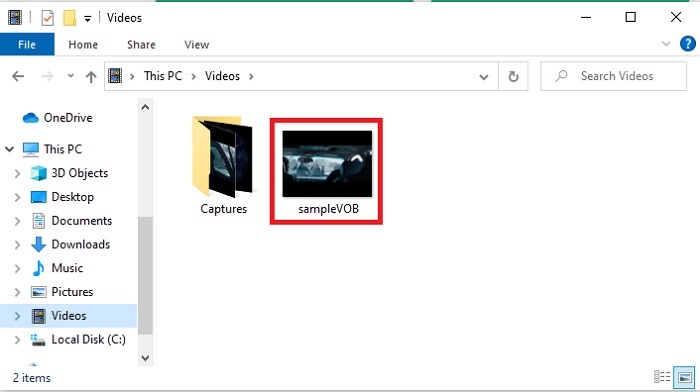
Mètode 3. Utilitzeu una eina en línia: fConvert
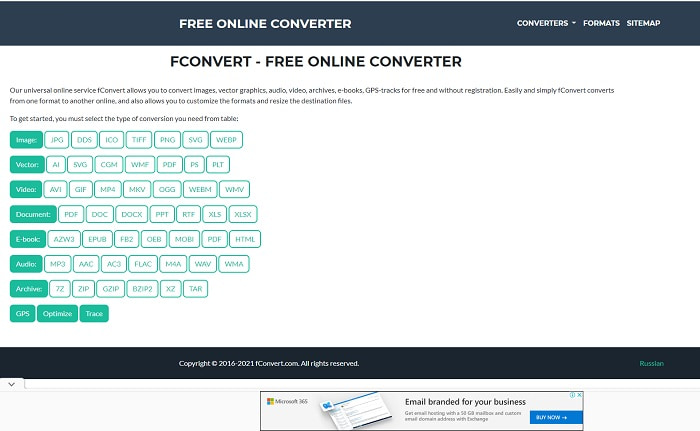
Una altra eina en línia que pots utilitzar per convertir fitxers VOB és fConvert. Aquesta eina web permet a l’usuari convertir qualsevol format de fitxer multimèdia a una versió més nova per poder-la utilitzar. Però el lloc web té alguns anuncis molestos al voltant. Encara que els anuncis són suportables, els que hi ha a la pàgina principal són pesats. Tot i que fConvert admet gairebé totes les conversions que pots necessitar, continua oferint menys formats que FVC Free Video Converter. A més, quan iniciïs el convertidor hi haurà molts més anuncis que al propi lloc web, així que vés amb compte de no acabar redirigit a una altra pàgina.
Pas 1. Obre el teu cercador i busca el lloc web principal de l’eina.
Pas 2. Tria el procés de conversió que vols que es dugui a terme.
Pas 3. A continuació, afegeix el fitxer que s’ha de convertir i espera que acabi.
Part 2. Preguntes freqüents sobre la conversió de VOB a GIF
Què és un fitxer VOB?
VOB pot contenir un formulari de dades de flux múltiplex en DVD i la majoria de les vegades aquest format també està xifrat. Dit això, els fitxers VOB no es poden extreure fàcilment als DVD a causa de la restricció que ofereix aquest format. Si obligueu a extreure el fitxer .vob, hi ha la possibilitat que el resultat tingui moltes dades perdudes o si teniu la sort, les possibilitats de ser arrencat correctament són molt escasses. Però podeu descarregar fitxers VOB a Internet, però no podeu reproduir-los als vostres telèfons o ordinadors de sobretaula si no teniu el fitxer adequat. Hi ha la possibilitat que una notificació com aquest fitxer no sigui compatible o que aquest fitxer estigui encriptat es mostri a la pantalla.
On puc reproduir el meu fitxer VOB sense convertir-lo?
Convertir-lo és una solució ideal per resoldre aquest problema. Però si no vols entretenir-te convertint-lo, també el pots reproduir aquí. Aquest reproductor multimèdia també te’l porta FVC per reproduir tots els formats que fins ara no podies obrir. Blu-ray Player és una de les solucions per reproduir el fitxer VOB que no es pot reproduir, sense necessitat d’un altre programari. Per descarregar aquesta eina, fes clic en l’enllaç de més avall. Descarrega Blu-ray Player per a PC Descarrega Blu-ray Player per a Mac
Què és millor: VOB o MP4?
Si anàvem a emmagatzemar el fitxer en DVD o CD, és més ideal utilitzar fitxers VOB que MP4. Com que aquest fitxer és molt més petit, el que significa que en podeu emmagatzemar més sense perdre la qualitat. Però si voleu emmagatzemar-lo al vostre telèfon o escriptori, llavors MP4 és molt millor que el fitxer VOB. Per convertir MP4 a VOB, o viceversa, podeu aprofitar l'eina de conversió de vídeo, com ara FVC Free Video Converter per aconseguir la conversió de format.
Després de convertir VOB, es perdrà la qualitat?
Això només és possible si fas servir el convertidor equivocat. Encara que convertir pugui semblar fàcil, triar el convertidor és més difícil del que sembla. Si vols experimentar una conversió excepcional, has de descarregar FVC Video Converter Ultimate i provar-lo tu mateix. Descarrega FVC Video Converter Ultimate per a PC Descarrega FVC Video Converter Ultimate per a Mac
Conclusió
Per finalitzar la discussió, si torneu a experimentar els fitxers VOB no reproduïbles, haureu de considerar convertir-los a un format reproduïble. Tot i que el FVC Video Converter Ultimate no s'esmenta aquí, el procés de conversió que ofereix aquesta eina és ràpid, fàcil, eficient i eficaç a diferència d'altres. Per explorar l'eina, haureu de descarregar-la al vostre PC o Mac ara mateix.
-
 [2 solucions] Com convertir fitxers SWF a GIF fàcilment de forma gratuïta
 Si no exporteu el format GIF a través del programari Flash, podeu provar de desar els fitxers en format SWF al principi. A continuació, podeu aprendre dues maneres senzilles de convertir fitxers SWF a GIF d’aquest article.
-
 [2 solucions] Com convertir vídeos WMV a fitxers GIF de forma gratuïta
 Si voleu retallar les meravelloses parts dels vídeos WMV i fer-ne GIF, podeu obtenir informació sobre 2 mètodes senzills per transferir vídeos WMV a GIF en aquest article
-
 MOV a GIF: com convertir MOV a GIF animat a Mac, PC i en línia gratuïtament
 Què és un GIF? Com es converteix el vídeo a GIF? Com es pot canviar MOV a GIF animat en línia? Aquesta publicació explica 3 maneres de convertir MOV a GIF en línia des de Mac / PC.
