


 Video Converter Ultimate
 Gravadora de pantalla
 Reparació de vídeo
Aplicacions de retoc fotogràfic d'IA que no us podeu perdre
Moltes persones tenen un problema perquè tenen una imatge de baixa qualitat, probablement perquè han d’ajustar la configuració de la seva càmera. I si ets entre aquestes persones, tenim una solució per a tu si no saps com ajustar la configuració de la teva càmera. La millor solució que pots fer servir és augmentar la resolució de la teva imatge perquè tingui una qualitat millor. I si vols saber quina és la millor aplicació d’IA per al retoc fotogràfic, aquest article és per a tu. Llegeix a continuació per conèixer les quatre millors aplicacions de retoc fotogràfic amb IA.
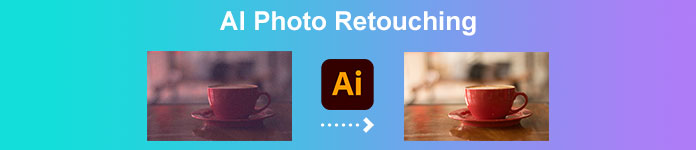
Part 1. Què és AI Photo Retouching
Abans de parlar del retoc fotogràfic d'IA, primer parlem del significat de la intel·ligència artificial o la intel·ligència artificial. La primera vegada que escolteu la paraula IA, pot semblar massa tècnica. Però no et preocupis; aquest terme no és difícil d'entendre un cop ja has entès la idea. La intel·ligència artificial és un terme per a màquines informàtiques dissenyades per realitzar una tasca específica sense les accions d'una persona real. Aquests ordinadors que utilitzen la tecnologia d'IA processen la informació com un cervell humà real.
Però, com s'aplica la IA o la intel·ligència artificial en el retoc fotogràfic?
Quan retoqueu una foto, voleu millorar-ne la qualitat o bé eliminar les taques de la imatge d'una persona. En l'edició de fotografies, la IA detecta automàticament les parts de baixa resolució d'una imatge i prediu què cal fer en una imatge. A més, hi ha dos tipus de tecnologia d'IA: les màquines reactives i la memòria limitada.
Les màquines reactives analitzen els aspectes de la vostra imatge i produeixen els mateixos resultats de manera coherent. D'altra banda, les màquines de memòria limitada aprenen de les vostres activitats anteriors per realitzar una tasca. Ara que coneixeu tota la informació necessària sobre el retoc fotogràfic amb IA, ara avançarem en el coneixement de les aplicacions de retoc fotogràfic més destacats.
Part 2. 4 retocadors fotogràfics definitius que has d'utilitzar
Hi ha moltes aplicacions de retoc fotogràfic que pots trobar a Internet, ja sigui en línia o fora de línia. Tanmateix, no tots tenen les característiques més sorprenents que necessiteu. Per tant, vam buscar les millors aplicacions de retoc fotogràfic i les vam provar per saber què recomanaríem. Aquí teniu les quatre millors aplicacions de retoc d'IA.
FVC Free Image Upscaler
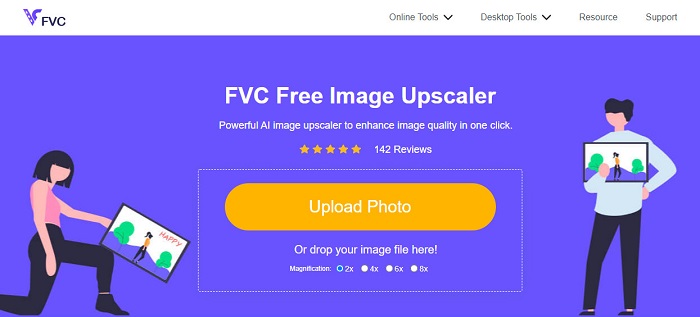
FVC Free Image Upscaler és una de les millors aplicacions de retoc fotogràfic amb IA que pots utilitzar de manera gratuïta. Aquesta eina és accessible en línia i gratis a tots els navegadors web, inclosos Google, Firefox i Safari. A més, fa servir una potent tecnologia d’IA (intel·ligència artificial) per detectar automàticament les parts desenfocades o de baixa qualitat de la teva imatge. Així mateix, pot oferir-te resultats amb ampliacions de 2x, 4x, 6x i 8x. A més a més, FVC Free Image Upscaler produeix resultats amb una resolució d’alta qualitat. També admet formats d’imatge estàndard, com ara PNG, JPG, JPEG i BMP.
El que fins i tot és fantàstic d'aquesta eina és que, tot i que és una aplicació en línia, té un procés d'augment ràpid. I si esteu buscant una aplicació de retoc de pell amb intel·ligència artificial, aquesta eina us ajudarà a millorar la vostra foto per eliminar la taca de la vostra cara a la vostra imatge.
Pros
- Té una interfície de programari fàcil d'utilitzar.
- És segur i d'ús gratuït.
- No requereix cap anunci que us pugui distreure.
- Accessible a tots els navegadors web, inclosos Google, Firefox i Safari.
Contres
- És una eina dependent d'Internet.
ImagenAI
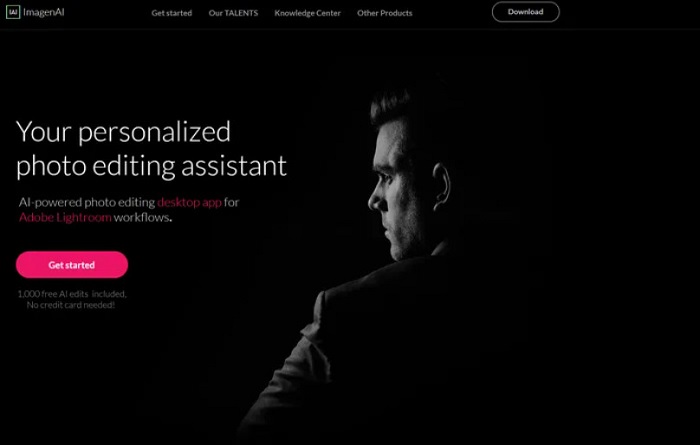
ImagenAI és un programa d’edició amb IA que fan servir molts professionals. Aquesta magnífica aplicació de retoc fotogràfic amb IA té moltes funcions que pots utilitzar per millorar la teva imatge. I, a diferència d’altres aplicacions de retoc amb IA, no decideix de manera independent. En lloc d’això, imita les teves eleccions analitzant els teus projectes o biblioteques anteriors. A més, com que és una eina fora de línia, no requereix que facis servir internet. Tanmateix, té una interfície d’usuari difícil de fer servir, cosa que complica que les persones principiants puguin utilitzar aquesta aplicació. Tot i així, pots cercar maneres d’utilitzar ImagenAI per retocar la teva imatge.
Pros
- Té un procés d'exportació ràpid.
- Té moltes funcions d'edició avançades.
- Es pot descarregar a totes les plataformes multimèdia, com Windows i Mac.
Contres
- No és una aplicació fàcil d'utilitzar.
- No es pot descarregar gratuïtament.
Aurora HDR
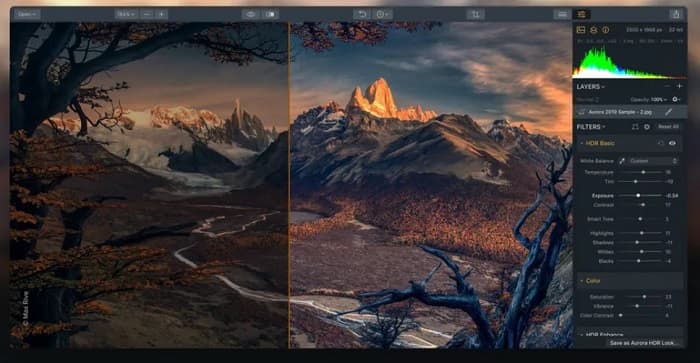
Aurora HDR és un altre retocador fotogràfic amb IA que molts professionals utilitzen. Molts fotògrafs de paisatge i arquitectura fan servir aquesta eina professional perquè utilitza un estil de processament de rang dinàmic ampli (HDR) per mostrar les ombres, les llums i els tons mitjans de la teva imatge. Aurora HDR també és una bona aplicació si vols ajustar el color de la teva imatge. A més, controla la intensitat HDR, creant un resultat excel·lent i d’alta qualitat. Pots fer servir aquesta eina per convertir imatges de baixa resolució en alta resolució.
Pros
- Utilitza un procés de renderització HDR ràpid.
- Produeix imatges d'alta resolució.
- Pot millorar els detalls, les ombres i la nitidesa de la imatge.
Contres
- Heu de comprar l'aplicació a un preu elevat abans d'utilitzar-la.
Corel Paintshop Pro
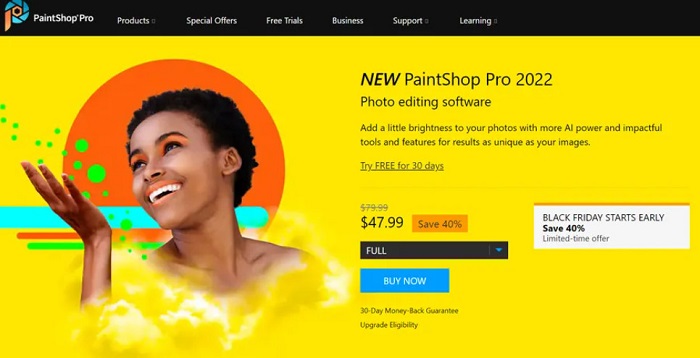
I finalment, però no menys important, hi ha Corel Paintshop Pro. Aquest programa d’edició fotogràfica també val la pena com a aplicació de retoc fotogràfic amb IA. També disposa d’una anàlisi ràpida amb IA, cosa que el fa còmode de fer servir. A més, aquesta aplicació és excel·lent per engrandir fotografies i millorar imatges de baixa resolució. A més a més, pots utilitzar Corel Paintshop Pro si vols fer accions de retoc de pell amb IA a la teva imatge. A més, amb aquesta eina pots transformar les teves fotografies en diversos suports fàcilment. També pots importar imatges en qualsevol format, com ara JPG, PNG i WebP.
Pros
- Produeix sortides d'alta qualitat.
- Us permet reduir el soroll i millorar les imatges.
- Té boniques representacions de pintura.
Contres
- Només exclusiu per a dispositius Windows.
Part 3. Com retocar fotos gratis
Si vols retocar la teva foto, no cal que compres res. Podeu utilitzar FVC Free Image Upscaler, que és gratuït i segur. A més, l'avantatge d'utilitzar una eina en línia és que no cal que baixeu res al vostre ordinador. Aquí teniu una guia senzilla per retocar fotos amb FVC Free Image Upscaler.
Pas 1. Obre el navegador i cerca FVC Free Image Upscaler al quadre de cerca. Pots fer clic a l’enllaç proporcionat per anar directament a la seva pàgina principal.
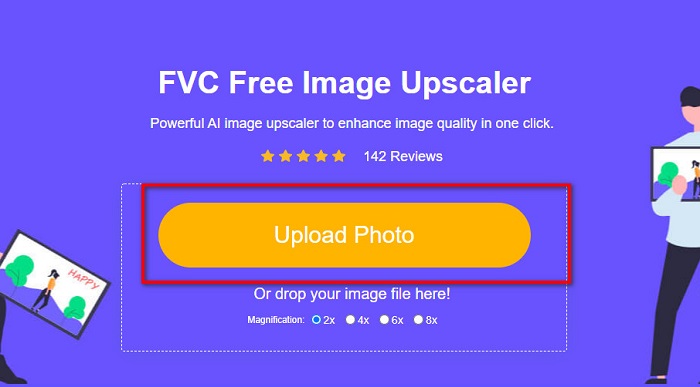
Pas 2. A continuació, a la interfície principal, fes clic al botó Upload Photo per importar la imatge que vols retocar.
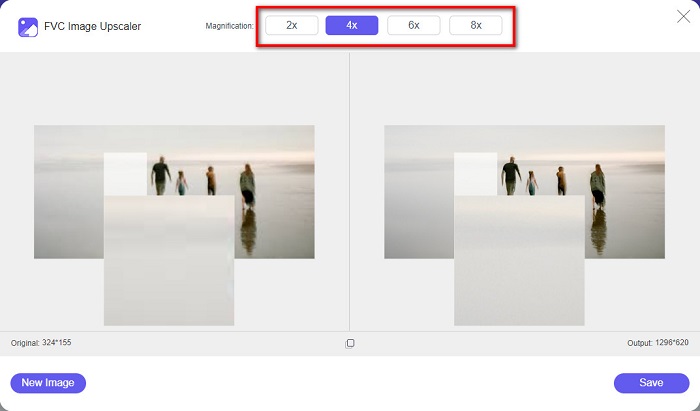
Pas 3. Després, selecciona la magnification que prefereixes per a la teva imatge. Pots triar entre 2x, 4x, 6x i 8x.
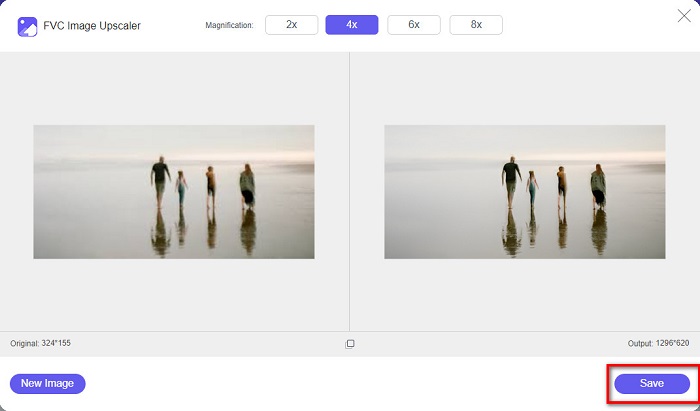
Pas 4. Tot seguit, veuràs la previsualització de la teva imatge i veuràs que la teva imatge de baixa resolució ara s’ha ampliat. Fes clic a Save per millorar la qualitat de la teva imatge i desar-la al teu dispositiu.
Part 4. Preguntes freqüents sobre el retoc fotogràfic amb IA
Pot Luminar AI millorar la teva foto?
Sí. Luminar AI també és una gran aplicació de retoc fotogràfic d'IA que podeu utilitzar si voleu millorar la vostra imatge. Tanmateix, heu de comprar aquesta aplicació abans de poder-la utilitzar.
És possible millorar la foto?
Heu d'utilitzar una eina de millora de fotografies per augmentar la qualitat de la vostra imatge. A més, la millora de la foto pot convertir-la en una imatge d'alta qualitat si teniu una imatge de baixa resolució.
Quina és la resolució més alta d'una imatge?
La resolució fotogràfica més alta que s'ha fet mai és de 717 mil milions de píxels. El museu va dir que la distància entre la càmera i l'objecte era de només cinc micròmetres.
Conclusió
Les aplicacions de retoc fotogràfic amb IA esmentades anteriorment són algunes de les millors eines per retocar la teva imatge. Tanmateix, no totes aquestes eines són gratuïtes. Per tant, si vols retocar les teves fotos de manera gratuïta, fes servir ara FVC Free Image Upscaler.
-
 Com arreglar la qualitat de la imatge en línia i a Adobe Photoshop
 Si teniu una imatge de baixa qualitat, heu d'arreglar la resolució de la vostra foto. Si voleu aprendre a corregir la qualitat de la imatge, llegiu aquest article completament.
-
 Els 6 millors eliminadors de fotos de taques que heu de tenir ara [2022]
 Necessites un removedor de taques fotogràfiques per tenir una pell llisa? No et preocupis més! Aquí, presentarem diferents eines que poden ajudar al vostre dispositiu.
-
 Mètodes fàcils sobre com eliminar la filigrana a prova de trets
 Elimineu la marca d'aigua Shootproof seguint aquests senzills mètodes. Utilitzeu aquests increïbles eliminadors de filigrana per eliminar fàcilment la filigrana Shootproof de la vostra imatge.
