


 Video Converter Ultimate
 Gravadora de pantalla
 Reparació de vídeo
 Baixada segura
Reductors de qualitat d'imatge màxims que heu de tenir aquest 2022
Pujar múltiples imatges i compartir el que ens passa a tot arreu d’internet s’ha tornat fàcil gràcies a les diferents xarxes socials a les quals podem accedir de franc. Malauradament, les imatges perden qualitat quan les publiques en aquests llocs web, sobretot si la qualitat original és més alta que l’estàndard. Potser penses a pujar la imatge directament al web, però atura’t un moment! T’ensenyarem un truc que pots fer per reduir com a mínim la compressió que s’aplica a la imatge, i consisteix a rebaixar-ne la qualitat abans. En aquesta publicació et presentarem els millors redueïdors de qualitat d’imatge que pots fer servir per solucionar aquest problema. Llegeix atentament els detalls següents per triar l’eina que més et convingui.

Part 1. Reductors de qualitat d'imatge que heu de conèixer per reduir la qualitat de la imatge fàcilment [Revisió]
ReduceImages.com
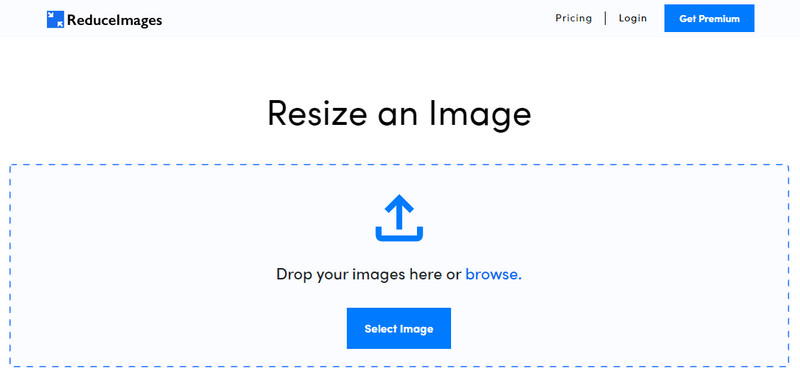
ReduceImages.com és una solució en línia molt popular que pots utilitzar per reduir la qualitat d’una imatge i adaptar-la als estàndards dels llocs web. Per sort, és una eina en línia, de manera que no cal descarregar cap fitxer; pots començar a fer-la servir en qualsevol navegador del teu dispositiu simplement cercant-ne el nom. A més, aquí també pots canviar la mida de les imatges JPG, PNG i GIF que hi puges. Tot i que pots fer servir aquesta eina en línia de franc, té alguns inconvenients que et poden frustrar, sobretot si vols treballar per lots o no t’agraden els anuncis. Si tens algun romanent de pressupost, pots comprar un pla; els preus comencen aproximadament a 3,99.
Pros
- D'ús gratuït i no cal instal·lació.
- Podeu canviar la mida de la imatge aquí si voleu.
- Canvia el fons d'una imatge transparent a blanc i negre.
- Tothom pot esbrinar com utilitzar-ho en molt poc temps.
Contres
- Hi ha alguns anuncis a la versió gratuïta.
- No pot fer processament per lots a la versió gratuïta.
Lunapic
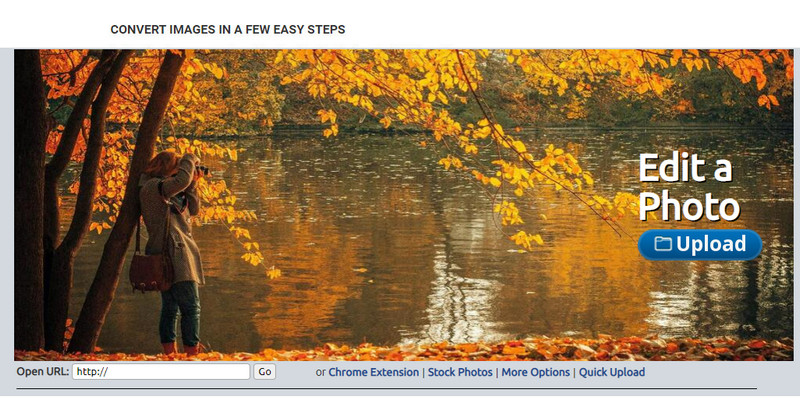
Lunapic és una eina molt senzilla d’utilitzar per disminuir la qualitat d’una imatge fins a la resolució que vulguis, amb una interfície semblant a la del Paint. T’hi pots familiaritzar ràpidament perquè recorda molt el famós Paint dels dispositius Windows. Encara que pots confiar en aquesta eina per optimitzar la qualitat d’imatge que vols, només admet el format JPEG i cap altre. Copiant l’URL de la imatge que vols, la pots pujar aquí per ajustar-la encara que no la tinguis descarregada. Igual que amb la primera eina, no cal descarregar res per utilitzar-la, ja que està disponible al web.
Pros
- Interfície d'usuari intuïtiva que us permet manipular la qualitat fàcilment.
- El panell de vista prèvia és compatible per veure la qualitat de la imatge ajustada.
- Podeu copiar i enganxar l'URL de la imatge que voleu penjar.
- És gratuït i no és compatible amb la versió premium.
Contres
- El format compatible és només JPEG.
- La GUI està obsoleta i necessita algun ajust.
EzGIF
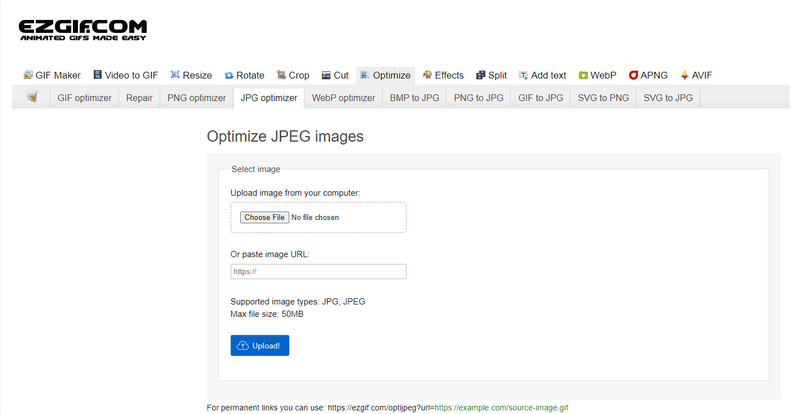
EzGIF pot ser el teu creador d’imatges de baixa qualitat o, dit més clar, pot optimitzar la qualitat de les imatges que hi puges. És conegut per ser un corrector de GIFs, però ara també es pot utilitzar per canviar la qualitat de JPEG, WebP i PNG si cal. Aquesta eina és més popular que les altres dues que hem esmentat abans per la seva eficiència i pel temps que fa que existeix com a servei web a internet. Ofereix una solució pràctica però efectiva, i és molt fàcil de dominar. Tanmateix, no hi pots pujar ni processar diversos fitxers alhora, malgrat ser una eina molt útil. A més, no hi pots pujar imatges que no siguin JPEG o JPG, PNG, WebP i GIF, tant si són estàtiques com animades.
Pros
- Admet moltes funcions com ara ajustar la qualitat, millorar, convertir i moltes més.
- Podeu accedir-hi i utilitzar-lo lliurement en diferents navegadors web.
- Optimitzeu la vostra imatge aquí i vegeu el resultat al panell de vista prèvia abans d'exportar.
- No afegeix una marca d'aigua després de canviar la qualitat de la imatge.
Contres
- La interfície gràfica d'usuari necessita alguns retocs.
- No admet altres formats d'imatge com BMP, SVG, HEIF i altres.
- La càrrega d'imatges per lots no és compatible.
Adobe Photoshop
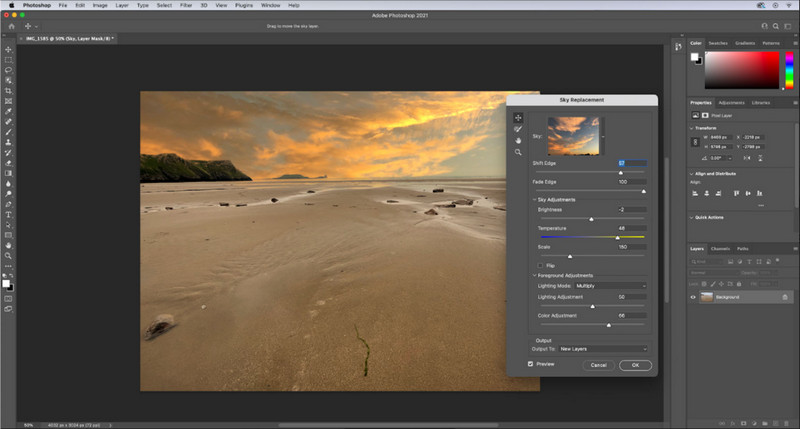
Adobe Photoshop és com un truc infal·lible per rebaixar la qualitat d’una imatge, perquè és el millor per transformar-ne l’aspecte. Amb aquest programa, pots pujar-hi qualsevol foto i ajustar-ne l’algoritme de processament. A tothom li agrada fer servir una eina professional perquè està plena de funcions avançades que no es troben en altres editors, ja siguin comercials o en línia. Hi ha una diferència entre una eina excel·lent i una que simplement està bé, i aquest programa te la deixa molt clara. Ara bé, alguns usuaris tenen dificultats per dominar-lo a causa de la seva interfície potent i carregada. Per tant, si és la primera vegada que fas servir aquest programari, és possible que et costi una mica. En conjunt, és l’editor d’imatges més professional que pots fer servir, amb possibilitats que no ofereixen les tres primeres eines que hem comentat.
Pros
- Proporciona funcions exclusives que l'altre editor d'imatges en línia no té.
- Proporciona funcions exclusives que l'altre editor d'imatges en línia no té.
- És, amb diferència, la millor opció per realitzar una edició professional d'imatges.
- Una eina compacta i amb totes les funcions que podeu descarregar en diferents dispositius.
Contres
- Els usuaris per primera vegada tenen problemes per saber com utilitzar-lo.
- Heu de comprar un pla per continuar utilitzant-lo després de la prova gratuïta.
Part 2. Bonificació: com augmentar la imatge de baixa qualitat amb la imatge superior Upsclaer al web
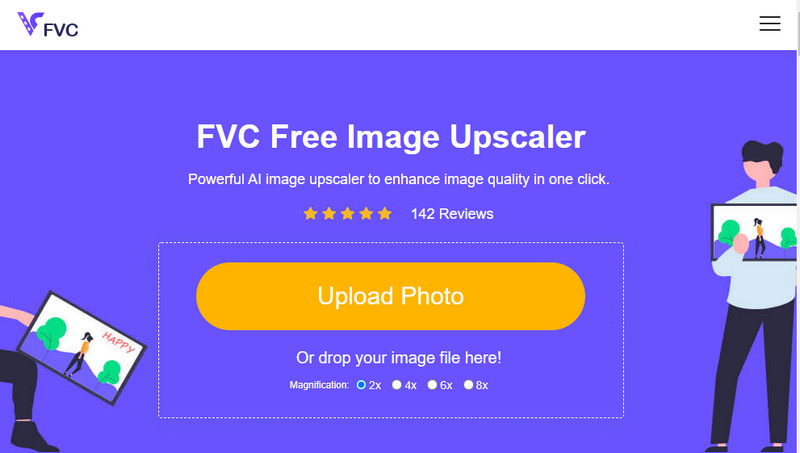
Has creat alguna vegada una imatge de baixa qualitat que ha quedat pixelada o borrosa i vols tornar a la qualitat original? Si és així, pots utilitzar el FVC Free Image Upscaler. Aquesta solució en línia pot fer la feina per tu rastrejant l’algoritme de la imatge, ajustant-ne la qualitat i ampliant-la segons allò que detecta la IA. Pots obtenir diversos avantatges quan facis servir aquesta eina: és excel·lent per fer upscaling, no requereix instal·lació, és segura i fàcil d’utilitzar i disposa d’un servei d’atenció al client les 24 hores per ajudar-te. A més, hi pots pujar JPEG/JPG, PNG, BMP, SVG i molts altres formats per augmentar la resolució de la imatge. D’altra banda, també pots fer servir aquest programari encara que no hagis abaixat prèviament la qualitat i simplement vulguis millorar-ne l’aspecte general. Comença a utilitzar l’eina clicant el seu nom i pujant immediatament la imatge que vols escalar!
Part 3. Preguntes freqüents sobre com fer que una imatge sigui de menor qualitat
Canviar la qualitat fa que la mida del fitxer sigui més petita?
No, no la modificarà. Si has ajustat els píxels de la imatge i els has reduït, l’aspecte visual de la imatge se’n veurà afectat, però no pas la mida del fitxer. Aquí tens alguns dels millors milloradors de píxels que pots provar.
Per què ha canviat la taxa de bits de la meva imatge després de baixar la qualitat?
Després de canviar la qualitat de la imatge, veureu un canvi significatiu en la taxa de bits un cop l'exporteu, de manera significativa quan canvieu la resolució de la imatge.
Per què el GIF animat es converteix en estàtic després de baixar la qualitat?
El programa que utilitzeu per reduir la qualitat us permet pujar el GIF animat però no podeu exportar-ne un, de manera que el resultat es convertirà en un GIF estàtic. L'extensió de la imatge es mantindrà com està, però l'animada no.
Conclusió
Pots triar el teu reductor de qualitat d'imatge amb els quatre programaris que afegim que pots descarregar i accedir a la web. Si us divertiu llegint aquest article, us agrairem molt que puntueu aquestes cinc estrelles.
-
 Els 7 millors ampliadors de fotos en línia i fora de línia
 Voleu conèixer les ampliadores de fotos de millor rendiment per al vostre dispositiu Windows o Mac? Llegiu aquesta publicació per conèixer els millors ampliadors de fotos que val la pena provar.
-
 Els 4 millors ampliadors GIF fora de línia i en línia que no us podeu perdre
 Aquesta publicació és per a tu si esteu buscant els millors ampliadors de GIF. Hem enumerat els ampliadors GIF en línia i fora de línia de millor rendiment per al vostre ordinador.
-
 Les millors aplicacions de redimensionament de fotos en línia i fora de línia per a ordinador
 Cerques les millors aplicacions de redimensionament de fotos per al teu escriptori? Hem enumerat les aplicacions de canvi de mida de fotos en línia i fora de línia amb el millor rendiment que hauríeu de provar.
