


 Video Converter Ultimate
 Gravadora de pantalla
 Reparació de vídeo
 Baixada segura
Increïble eliminador de marques d'aigua de Photobucket [maneres fàcils]
Photobucket és una aplicació que la gent utilitza per allotjar imatges i com a cartera de fotos per a usos personals i professionals. Aquest programari et permet incrustar les teves fotos a qualsevol lloc i afegir filtres, adhesius, anotacions i retallar la imatge. A més, quan deses les teves fotos amb Photobucket, la qualitat de la imatge no es veurà afectada. Tanmateix, com que les imatges de Photobucket són imatges de Shutterstock, no pots descarregar-les sense marca d’aigua. Afortunadament, tenim una eina amb la qual pots eliminar la marca d’aigua de Photobucket de la teva imatge. Llegeix aquest article per conèixer el més destacat Photobucket Watermark Remover.

Part 1. Com eliminar les filigranes de Photobucket amb l'eliminador de marques d'aigua gratuït
Moltes persones tenen dificultats per cercar un eliminador de filigranes que sigui fàcil d'utilitzar. L'ús de l'eliminador de filigrana és complicat; Hem cercat la millor aplicació per eliminar les marques d'aigua de Photobucket de les teves fotos. Aquí teniu l'eina d'ús gratuït per eliminar les filigranes de Photobucket de la vostra imatge sense més preàmbuls.
FVC Free Watermark Remover és una aplicació en línia que et permet eliminar marques d’aigua de les imatges o dels vídeos. Aquest eliminador de marques d’aigua en línia és fàcil d’utilitzar perquè té una interfície d’usuari senzilla i una guia detallada. A més d’això, no només elimina les marques d’aigua de Photobucket de la teva imatge, sinó que també pot eliminar marques d’aigua de qualsevol foto JPEG, JPG, PNG i BMP. A més, quan eliminis la marca d’aigua de la teva imatge amb aquesta eina, es desarà en el mateix format. El sorprenent d’aquest eliminador de marques d’aigua en línia és que pots triar quin tipus d’eina d’eliminació vols utilitzar: poligonal, llaç o pinzell. I si t’equivoques en eliminar la marca d’aigua, pots desfer l’acció.
Pros
- És una eina fàcil d'utilitzar.
- A diferència d'altres eines en línia, no conté anuncis.
- Té una funció d'esborrar quan cometeu un error.
- Accessible a tots els navegadors, inclosos Google, Firefox i Safari.
Contres
- És possible que experimenteu un procés de funcionament lent quan la vostra connexió a Internet és lenta.
Passos per eliminar la marca d’aigua de Photobucket amb FVC Free Watermark Remover:
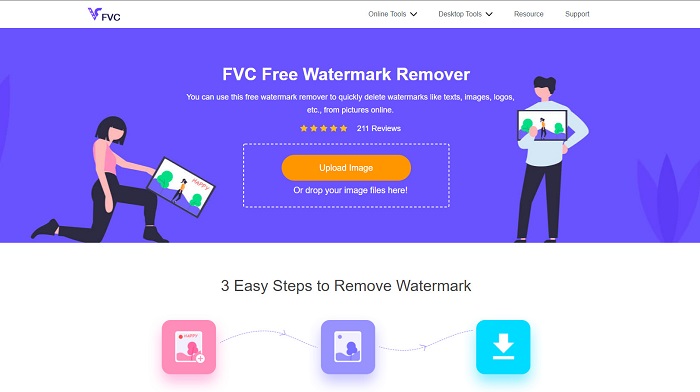
Pas 1. Al navegador, cerca FVC Free Watermark Remover. Després, fes clic a la pàgina que aparegui en primer lloc a la pàgina de resultats de la cerca. La seva pàgina web es veu així:
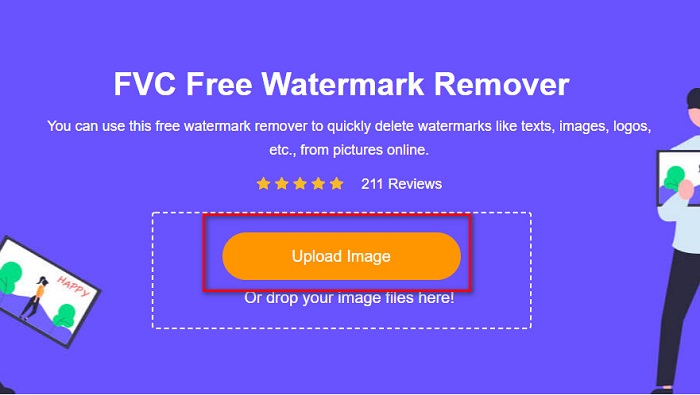
Pas 2. A continuació, a la interfície principal del programari, fes clic al botó Upload Image per pujar la teva imatge de Photobucket. Es mostraran les carpetes de l’ordinador, on seleccionaràs la teva imatge de Photobucket i, després, fes clic a Open.
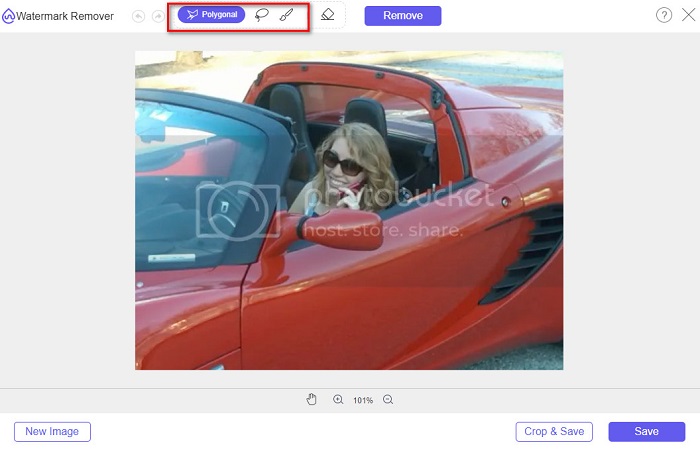
Pas 3. A continuació, selecciona l’eina d’eliminació que vulguis utilitzar entre les opcions de la part superior. Pots triar entre polygonal, lasso, o brush.
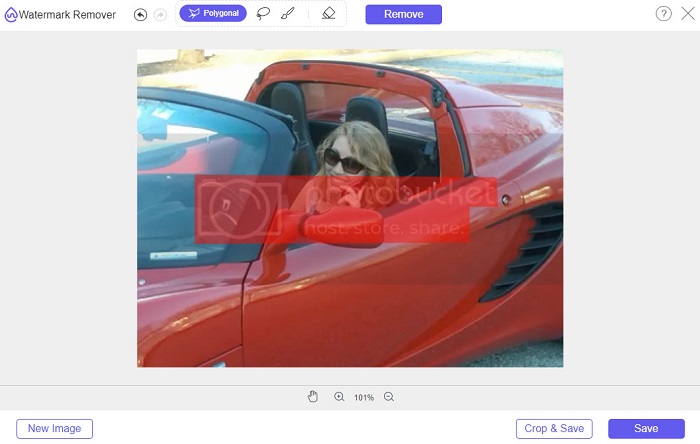
Pas 4. Amb l’opció polygonal, dibuixa la part que vols eliminar i, tot seguit, fes clic a Remove.
Pas 5. Fes clic al botó Save i el fitxer es desarà automàticament a les teves carpetes de l’ordinador.

Fàcil no? Pots eliminar la marca d'aigua de la teva foto de Photobucket en només cinc passos senzills.
Part 2. Com eliminar la filigrana de Photobucket amb Photoshop
Adobe Photoshop és una eina que molta gent utilitza per editar imatges. També pots utilitzar Adobe Photoshop per eliminar la marca d’aigua de la teva imatge. A continuació aprendràs com eliminar la marca d’aigua de les teves imatges de Photobucket amb Photoshop.
Pros
- Té moltes funcions d'edició per utilitzar.
- És l'aplicació d'edició d'imatges més popular.
- Editeu la vostra imatge i elimineu les marques d'aigua de manera professional.
Contres
- No és apte per a principiants.
Pas 1. Instal·la Adobe Photoshop a l’ordinador i executa l’aplicació. Després, obre la imatge a Photoshop.
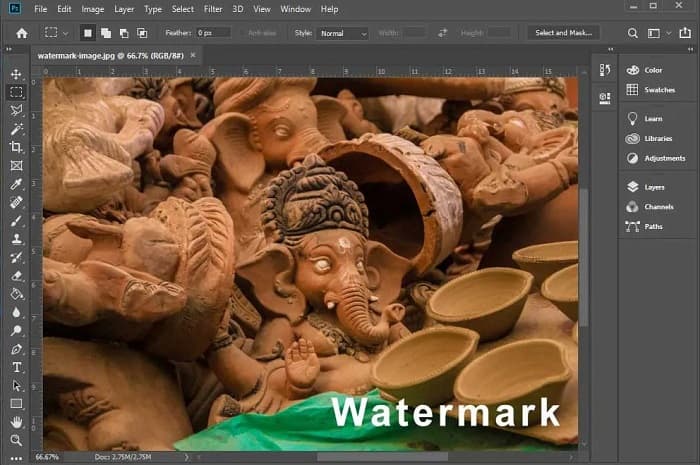
Pas 2. A continuació, fes clic a l’eina Magic Wand Tool (W), després amplia la zona de la marca d’aigua prement CTRL +. Amb la Magic Wand Tool, selecciona la marca d’aigua que vols eliminar.
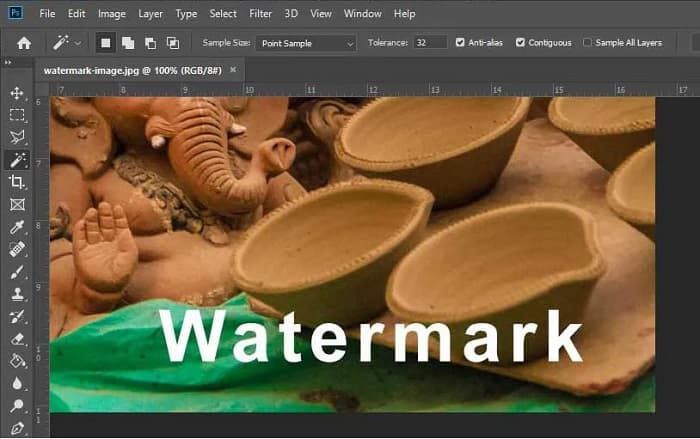
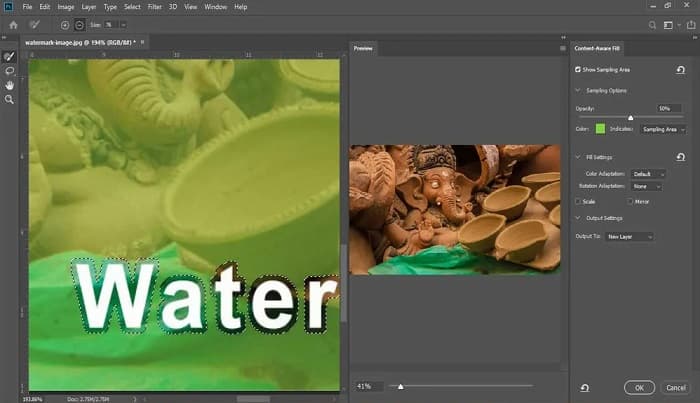
Pas 3. Finalment, ves a l’opció Edit i selecciona Content-Aware Fill. La funció Content-Aware Fill eliminarà la marca d’aigua automàticament.
Part 3. Com eliminar la filigrana de Photobucket amb PixlR
Una altra eina per eliminar la marca d’aigua de Photobucket que pots utilitzar és PixlR. PixlR és un editor de fotos en línia que pots utilitzar de manera gratuïta. Aquesta eina en línia no només serveix per editar fotos; també et permet eliminar marques d’aigua de les teves fotos. Aquest eliminador de marques d’aigua admet molts formats d’imatge, com PSD, PXD, JPEG, PNG, SVG, etc. PixlR té una interfície senzilla, cosa que facilita eliminar la marca d’aigua en pocs clics. A més, pots utilitzar aquesta aplicació en dispositius mòbils.
Pros
- Té una interfície d'usuari senzilla.
- Et permet definir la qualitat i la mida de la teva imatge.
- Podeu accedir-hi gratuïtament.
Contres
- En alguns moments es pot produir un procés de funcionament lent.
Pas 1. Obre l’editor de fotos PixlR. Per pujar la teva foto, fes clic al botó Open Image. També pots utilitzar un URL per pujar la teva foto.
Pas 2. Fes clic a Retouch > Clone Stamp. Després, fes clic sobre la marca d’aigua i arrossega el ratolí per eliminar-la de la teva foto.
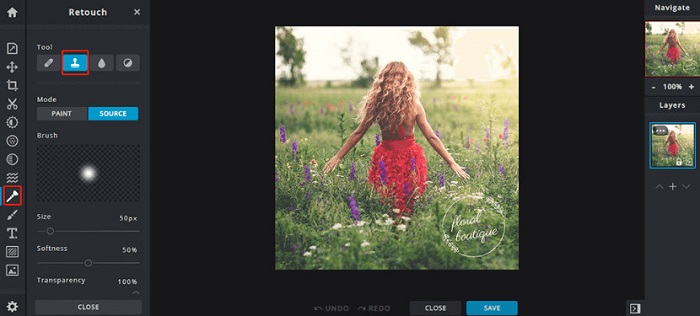
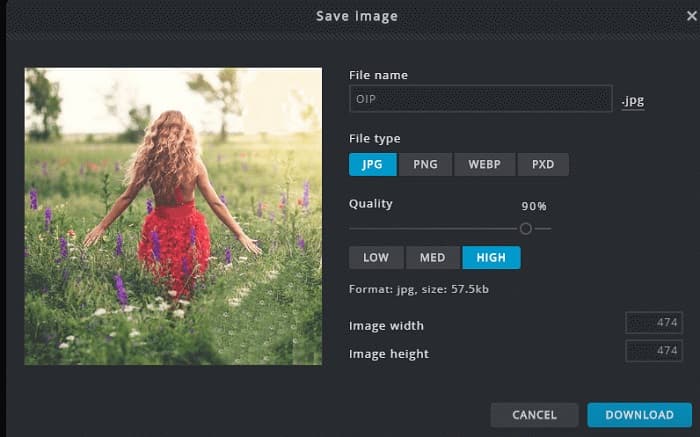
Pas 3. Finalment, marca el botó Save per desar la teva foto al dispositiu. En aquest pas també pots triar la quality i la size de la teva foto.
Part 4. Una altra manera d'eliminar la filigrana de Photobucket en línia.
Hi ha més eliminadors de marques d'aigua en línia que veureu a Internet. Tanmateix, no tots els eliminadors de marques d'aigua en línia són segurs i tenen una interfície d'usuari senzilla. Per tant, busquem una alternativa per eliminar la marca d'aigua de Photobucket.
Media.io
Media.io és un eliminador de marques d’aigua en línia fàcil d’utilitzar. Té una interfície d’usuari senzilla i és segur d’utilitzar. També pots eliminar fàcilment logotips de vídeo, texts i segells. A més, pots eliminar la marca d’aigua de qualsevol format d’imatge, com PNG, JPEG, SVG, etc. Encara és més sorprenent que amb aquesta eina puguis eliminar la marca d’aigua dels teus vídeos en qualsevol format disponible.
Pros
- Et permet eliminar les marques d'aigua de les teves fotos i vídeos.
- És un editor de vídeo en línia.
- No conté anuncis.
Contres
- Depèn d'Internet.
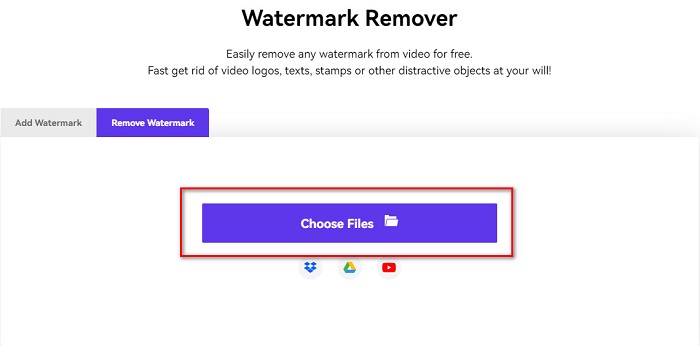
Pas 1. Cerca a l’intèrpret del navegador l’eliminador de marques d’aigua Media.io. Després, fes clic al botó Choose Files a la interfície principal del programari.
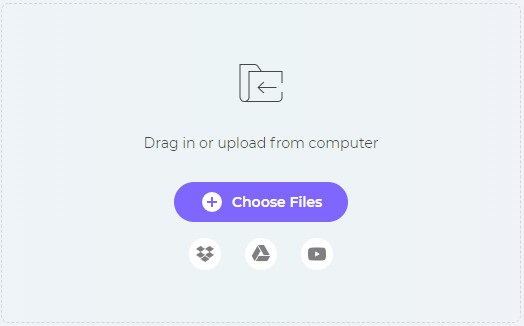
Pas 2. A continuació, arrossega i deixa anar la teva foto a la interfície del programari per pujar-hi la teva imatge de Photobucket.
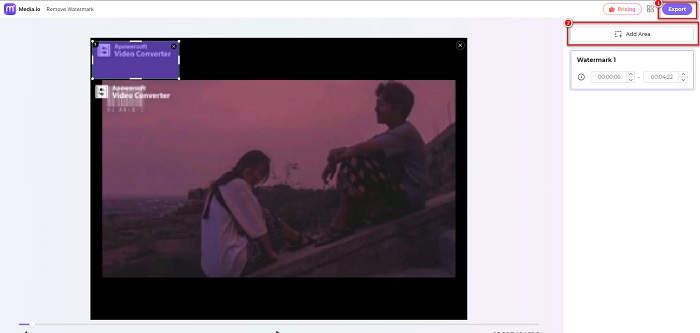
Pas 3. Finalment, fes clic a l’opció Add Area i selecciona la zona de la marca d’aigua. Després, fes clic al botó Export per eliminar la marca d’aigua.
Relacionat:
Afegeix fons a una foto a l’iPhone, Android, ordinador i en línia
Converteix HEIC a JPG amb 6 maneres efectives fora de línia i en línia
Part 5. Preguntes freqüents sobre Photobucket Watermark Remover
Puc eliminar una marca d'aigua de les imatges JPEG?
Sí. Podeu utilitzar l'eliminador de filigranes esmentat anteriorment per eliminar les filigranes de les vostres imatges JPG/JPEG.
Pots eliminar les marques d'aigua dels vídeos?
Per sort, sí. Pots eliminar les marques d'aigua del teu vídeo. Algunes eines us permeten eliminar les marques d'aigua de qualsevol format de vídeo, com ara FVC Video Converter Ultimate.
Hi ha una aplicació per a Android per eliminar les marques d'aigua?
PicLab és una aplicació d'edició que pot eliminar les marques d'aigua de la vostra foto. Aquesta aplicació està disponible a les plataformes Android i iOS.
Conclusió
L’ús de les eines de Photobucket watermark remover esmentades anteriorment t’ajudarà a eliminar fàcilment les marques d’aigua de la teva imatge de Photobucket. Tanmateix, si vols una manera pràctica i senzilla d’eliminar marques d’aigua de la teva foto, fes servir FVC Free Watermark Remover.
-
 Com convertir JPG a HEIC a Mac i Windows
 Vols saber com convertir JPG a HEIC? Aquest article us donarà les millors maneres de convertir JPG a HEIC utilitzant els millors i gratuïts convertidors de JPG a HEIC.
-
 Revisió, característiques i alternatives de CopyTrans HEIC
 Si voleu saber què pot fer CopyTrans HEIC, us oferim les característiques, avantatges i alternatives de l'eina.
-
 Els 5 millors convertidors PNG a HEIC que no us podeu perdre
 Si voleu conèixer els convertidors PNG a HEIC més utilitzats, us oferim els millors convertidors PNG a HEIC en línia. Llegiu aquest article per obtenir més informació.
