


 Video Converter Ultimate
 Gravadora de pantalla
 Reparació de vídeo
 Baixada segura
Augmenta la imatge a 4k utilitzant l'escalador més popular del mercat
Augmentar la imatge a 4K s’ha convertit en una funció molt demandada en molts programes, tant professionals com no professionals. Els usuaris creuen que una resolució més alta, com 4K, farà que la seva imatge sigui més detallada, nítida, clara i millor. Tot i així, realment pots aprofitar les imatges 4K si les fas servir per a publicitat a l’aire lliure, impressió de lones d’alta qualitat, visualització en pantalles digitals grans, la major part de la cinematografia digital, i més. El PPI o la resolució d’imatge té com a objectiu projectar un nombre precís de píxels en funció de l’amplada i l’alçada de la imatge. Vols saber com convertir la teva foto en 3840 x 2160? O prefereixes el DCI 4K, que és 4069 x 2160? Aquest article inclou la informació que necessites per aconseguir la resolució UHD coneguda com a 4K.

Part 1. Com augmentar la imatge a 4k gratuïtament amb la millor solució [servei web]
FVC Free Image Upscaler és l’escalador d’imatges 4K més senzill que pots fer servir per aconseguir la resolució 4K. Aquesta eina no només escala la teva imatge, sinó que també corregeix el PPI de la teva foto perquè coincideixi amb la resolució que triïs. És un escalador, la qual cosa significa que la imatge que hi pugis no s’estirarà ni perdrà qualitat, gràcies a la millor tecnologia d’IA que FVC hi incorpora. Necessites una demostració de com utilitzar-lo? Si és així, segueix els passos complets que t’afegim a continuació i comença a escalar la imatge que vulguis.
Pas 1. Has de fer clic en aquest enllaç per obrir l’eina en una pestanya nova. Et dirigirà a l’eina oficial que faràs servir per canviar l’escala de la imatge que vulguis.
Pas 2. Prem Upload Photo per afegir el JPG, JPEG, PNG, GIF, BMP o SVG que vols escalar a una resolució 4K.
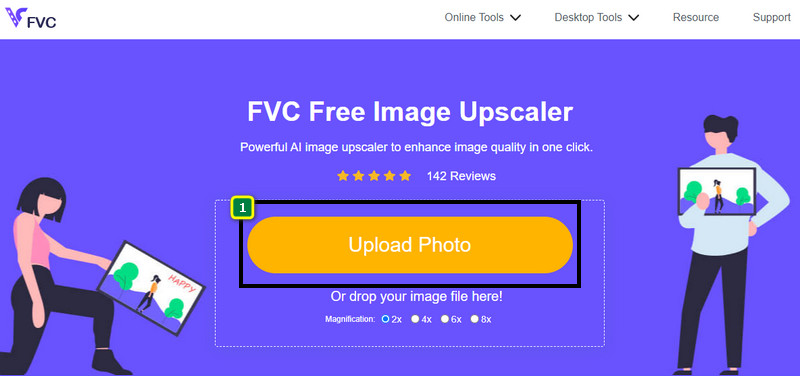
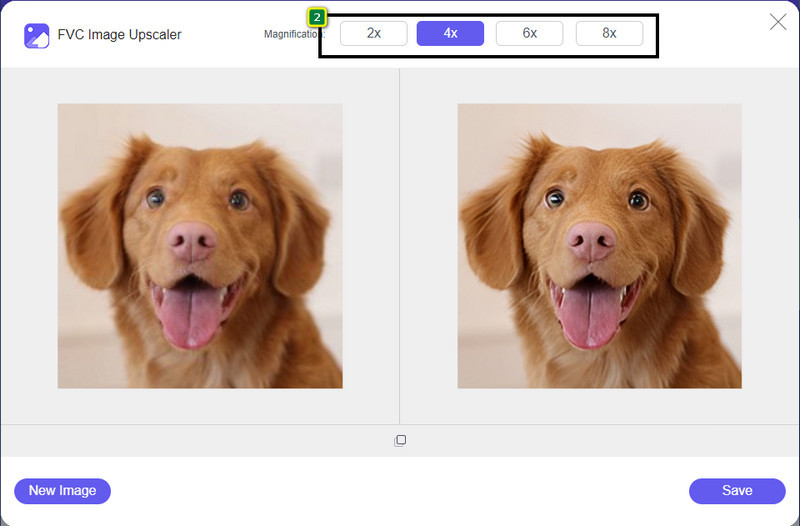
Pas 3. Després d’això, la imatge que puges es carregarà a l’eina. A continuació, tria les opcions 2x, 4x, 6x o 8x a la part superior per aconseguir la resolució 4K.
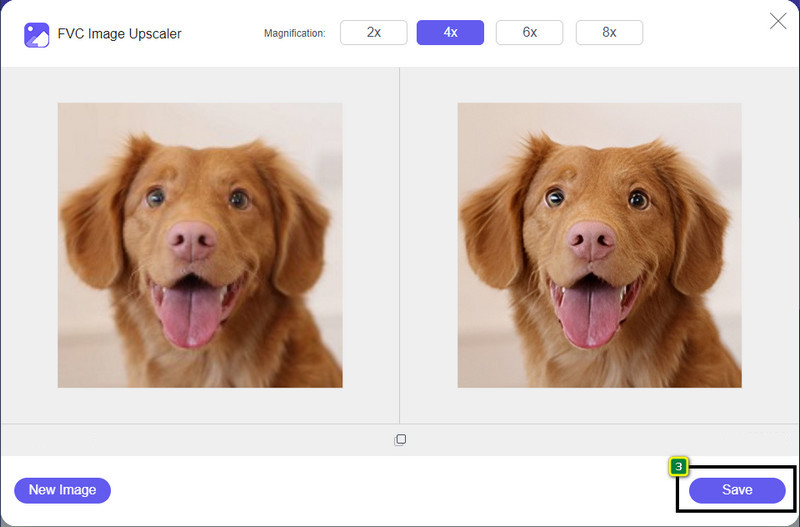
Pas 4. Per exportar la imatge 4K que millores aquí, fes clic al botó Save; se desarà automàticament a la carpeta de fitxers.
Part 2. Com augmentar la imatge a 4k fora de línia a l'editor gràfic predeterminat de Windows [gratuït]
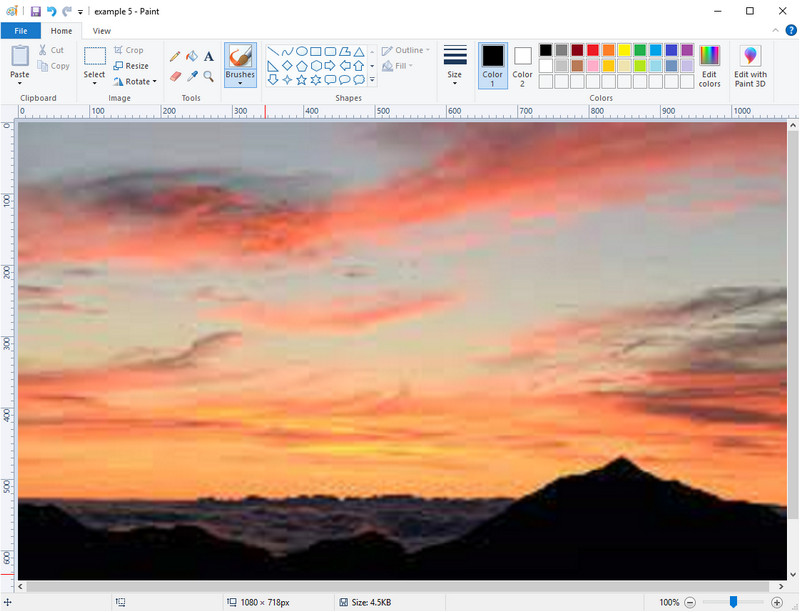
Paint és l’editor gràfic per defecte que pots utilitzar a Windows per escalar una imatge a 4K canviant-ne les dimensions. Aquest programari s’ha fet popular entre molts usuaris de Windows per tot el que hi pots fer. Pots començar amb un llenç en blanc i pintar-hi com ho faries en un llenç normal, però de manera digital. Té una funció de blocatge perquè, quan n’ajustes l’alçada, l’amplada la segueixi, o a l’inrevés. A més, pots utilitzar percentatges per retocar les dimensions de la teva imatge.
Tot i que podeu utilitzar aquesta eina com a editor, encara és insuficient en altres àrees d'edició. Per exemple, no admet el mode en escala de grisos. Per tant, si voleu utilitzar aquesta eina, seguiu els passos que afegim.
Pas 1. Fes clic a la icona de Windows a la pantalla i escriu el nom de l’eina, Paint.
Pas 2. Un cop obert, fes clic a File, després Open, i afegeix-hi el fitxer d’imatge que vols escalar. Si vols, també hi pots arrossegar i deixar anar la imatge.
Pas 3. Ves a l’opció Resize i fes clic a Pixel. Canvia la mesura de l’alçada o de l’amplada al valor estàndard 4K.
És millor si canvieu una sola mesura; no importa si és una alçada o una amplada i marca sempre la relació d'aspecte principal perquè s'ajusti. Algunes imatges s'estenen si les canvieu la mida a 4k.
Pas 4. Fet això, fes clic al botó Save per descarregar la imatge que hi has escalat.
Part 3. Com augmentar la imatge a 4k amb programari professional a Windows i Mac [de pagament]
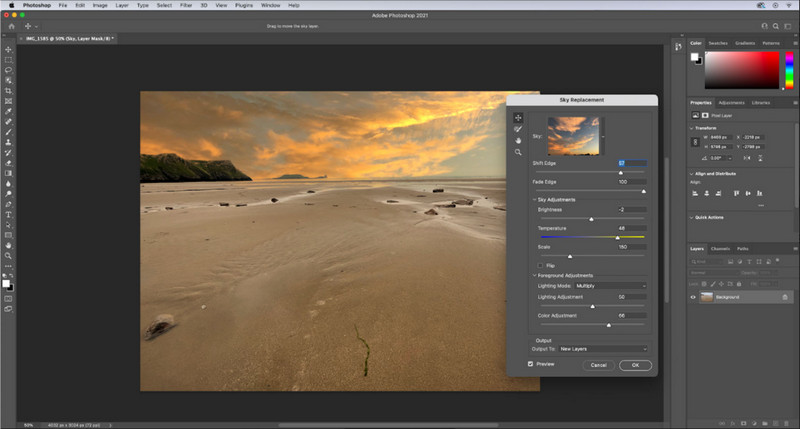
Adobe Photoshop permet a l’usuari experimentar un nivell superior d’edició i escalat d’imatges, però ara ens centrarem més detalladament en la seva funció d’escalat. No es pot negar que és un programari d’elecció professional per com n’és d’immersiu en l’edició d’imatges. A més, aquesta eina crea noves dades de PPI a la imatge un cop l’escales aquí amb l’ajuda de l’algoritme que s’aplica al teu fitxer. Pots canviar la resolució a 4K sense que la imatge quedi estirada ni pixelada.
Tanmateix, haureu de comprar el pla si ja heu consumit la prova gratuïta que ofereix aquesta aplicació. Tot i que haureu de pagar, el conjunt d'aquest programari és excel·lent per ser utilitzat per editors professionals i de nivell mitjà. Per als principiants, podeu aprendre a augmentar la imatge a 4k amb les instruccions següents.
Pas 1. Descarrega la versió oficial d’aquest programari des d’Adobe, però si ja tens l’app, la pots obrir directament per començar a fer-la servir.
Pas 2. Per pujar la imatge que vols escalar, fes clic a File i després Open, i apareixerà una carpeta a la pantalla. Selecciona el nom del fitxer d’imatge i prem Open per pujar-la.
Pas 3. A la part superior, fes clic a l’opció Image i selecciona Image Size.
Pas 4. Apareixerà un quadre de diàleg per ajustar les mesures de l’alçada, l’amplada i la resolució de la teva imatge.
Per obtenir un resultat més suau, hauràs de marcar la casella de Resample i fer clic al botó desplegable. En lloc de seleccionar l’opció automàtica, fes clic a Bicubic Enlargement, ja que és un mètode que permet millorar el resultat de l’ampliació de la imatge. Fes clic a OK per desar els ajustos que has canviat.
Pas 5. Per descarregar la imatge que has escalat a 4K, fes clic a File i ves a Save.
Relacionat:
Guia senzilla sobre com afegir una marca d’aigua a un vídeo amb Photoshop ràpidament
Millora la qualitat de la imatge amb aquests mètodes ràpids i fàcils
Part 4. Preguntes freqüents sobre com augmentar la imatge a 4k
Hi ha restriccions per augmentar les imatges a 4k?
Hi ha restriccions que haureu de seguir. Per exemple, si el vostre monitor només pot processar 1080p, és millor que utilitzeu la mida estàndard de 1080p en lloc del 4k perquè l'augment d'escala que afegireu no estarà en vigor.
La meva imatge millorarà després d'augmentar l'escala a 4k?
No espereu que passi un miracle, però veureu que hi haurà un resultat si obriu la imatge a la pantalla correcta, com els televisors 4k, per exemple.
Per què les meves imatges es tornen borroses després de veure-les al televisor 4k?
Les imatges solen allargar-se quan la dimensió i el PPI no compleixen l'estàndard de televisió digital que utilitzeu, especialment 4k. Ho eviteu si augmenteu la imatge a una resolució de 4k amb l'aplicació que afegim aquí.
Conclusió
En general, necessitareu un escalador d'imatges de 4k per ajustar la imatge a una resolució de 4k. Ho pots fer fàcilment amb les eines que afegim aquí i el tutorial. Podeu començar a utilitzar el servei en línia per millorar la imatge que vulgueu i us sorprendrà el resultat.
-
 Restauració de fotos antigues en línia i fora de línia [Passos fàcils]
 Vols restaurar una foto antiga? Amb aquestes eines, coneixeràs el procés de restauració de fotografies antigues. Llegiu aquesta publicació per aprendre els mètodes més senzills.
-
 Millor 7 Pixels Enhancer per a tots els navegadors web que heu d'utilitzar
 Si voleu conèixer els millors potenciadors de píxels per utilitzar, millor que consulteu aquesta publicació. Aquest article enumera els set millors potenciadors de píxels fotogràfics per a tots els navegadors web.
-
 Millor aplicació Photo Resizer en línia, fora de línia, Android i iPhone
 Quines són les millors aplicacions de redimensionament de fotos? Feu clic a la pàgina per conèixer les cinc aplicacions de redimensionament de fotos més potents que podeu utilitzar per millorar o canviar la mida del vostre fitxer.
