


 Video Converter Ultimate
 Gravadora de pantalla
 Reparació de vídeo
 Baixada segura
Com convertir MP4 a OGG gratuït i en línia
MP4 és un contenidor multimèdia digital que emmagatzema vídeo, àudio i subtítols. OGG és un format de contenidor obert i gratuït per a una transmissió eficient i una compressió de fitxers. De vegades, cal convertir MP4 a format OGG per reproduir-lo en alguns reproductors d'àudio. Aquesta publicació compartirà 3 convertidors gratuïts de MP4 a OGG per convertir MP4 a OGG sense problemes.

Part 1. Forma professional de convertir MP4 a OGG de forma gratuïta
Si vols trobar el millor convertidor de MP4 a OGG, pots provar FVC Free FLV to MP4 Converter. És un programari gratuït i fàcil d’utilitzar per convertir vídeos a Windows i Mac. Pots convertir amb facilitat diversos vídeos com MP4, FLV, MOV, MKV, MTS, M2TS, etc. a OGG. A més, ofereix funcions d’edició per afegir temes, ajustar l’autor, l’hora i el proveïdor a la part inicial/final.

- Converteix vídeos en MP4, MKV, AVI, MOV, MP3, AAC, AIFF, etc. a OGG.
- Exporteu vídeos OGG i fitxers d'àudio sense pèrdues des d'un fitxer MP4 amb un sol clic.
- Permetre als usuaris editar el proveïdor, el títol, l'autor, l'hora i afegir tema.
- Convertiu per lots MP4 a OGG per reproduir-lo en alguns reproductors d'àudio portàtils.
Baixada gratuïtaPer a Windows 7 o posteriorBaixada segura
Baixada gratuïtaPer a MacOS 10.7 o posteriorBaixada segura
Pas 1. Després de descarregar-lo, instal·la i inicia FVC Free FLV to MP4 Converter al teu Windows o Mac. Fes clic al botó Add Files per carregar els fitxers MP4 des de l’ordinador. Si vols convertir diversos fitxers MP4 alhora, simplement puja’ls tots.
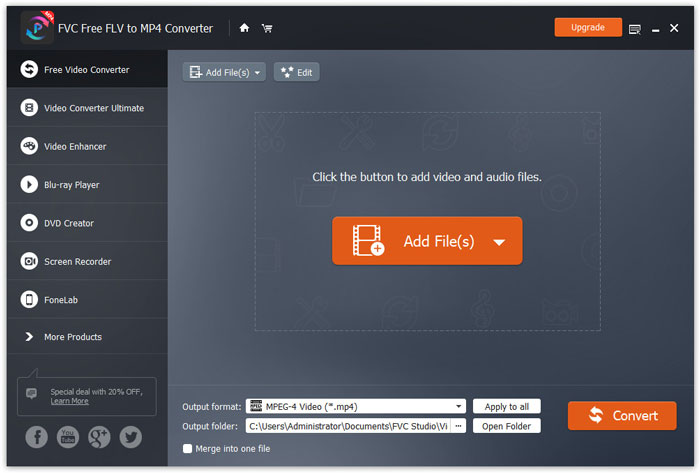
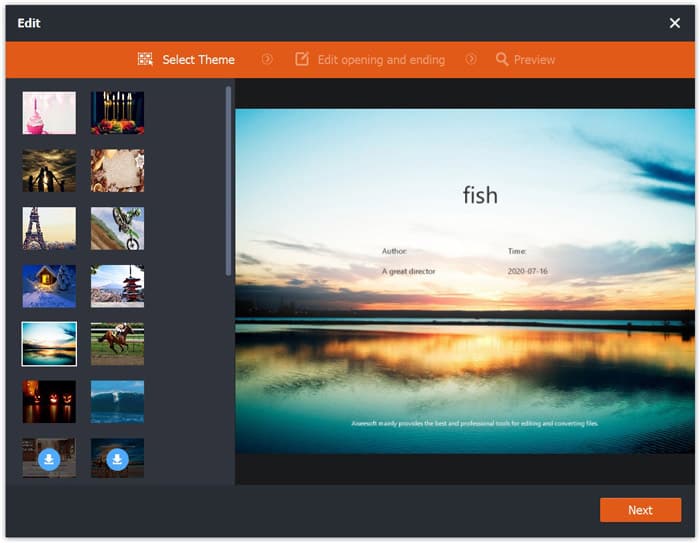
Pas 2. Fes clic al teu fitxer MP4 i, després, al botó Edit. Pots afegir un tema al teu fitxer MP4 i editar-ne el contingut d’inici i de final. Després fes clic a Next per previsualitzar i desar els canvis.
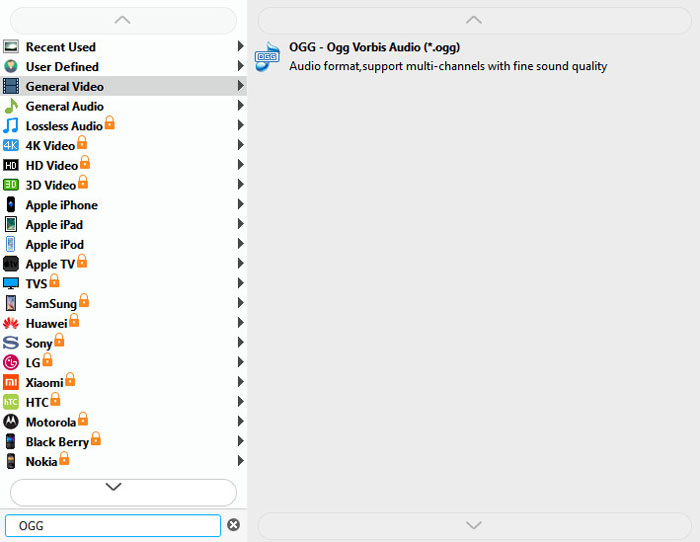
Pas 3. Fes clic al botó desplegable Output format a la part inferior i busca el format OGG a la llista. Pots seleccionar OGG - Ogg Vorbis Audio (*.ogg) com a format de sortida.
Pas 4. Navega fins a la carpeta de sortida al teu ordinador i fes clic al botó Convert per començar a convertir MP4 a OGG.
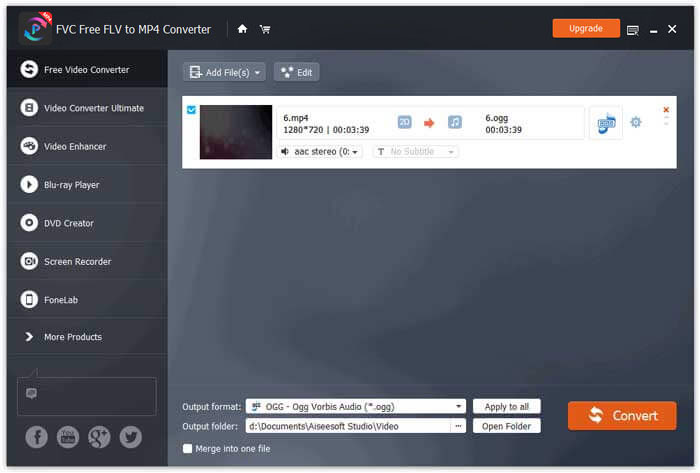
Amb FVC Free FLV to MP4 Converter, també pots combinar diversos fitxers MP4 en un de sol.
Part 2. Com canviar MP4 a OGG en línia
En comparació amb un convertidor d’escriptori, utilitzar un convertidor en línia suposa un mètode d’estalvi de temps per convertir MP4 a OGG. Hi ha molts convertidors en línia de MP4 a OGG que podeu triar. En aquesta part, compartirem 2 convertidors de MP4 a OGG per transformar els vostres fitxers MP4 a OGG en línia gratuïtament.
1. Zamzar
Zamzar és una plataforma en línia multifuncional per a convertidors de vídeo, convertidors d’àudio, convertidors d’imatges i convertidors de llibres electrònics. Amb Zamzar, podeu convertir fàcilment MP4 a altres formats com OGG. Aquí teniu uns passos senzills per convertir MP4 a OGG amb Zamzar en línia.
Pas 1. Ves a www.zamzar.com/convert/mp4-to-ogg/ i fes clic al botó Add Files per pujar els teus fitxers MP4.
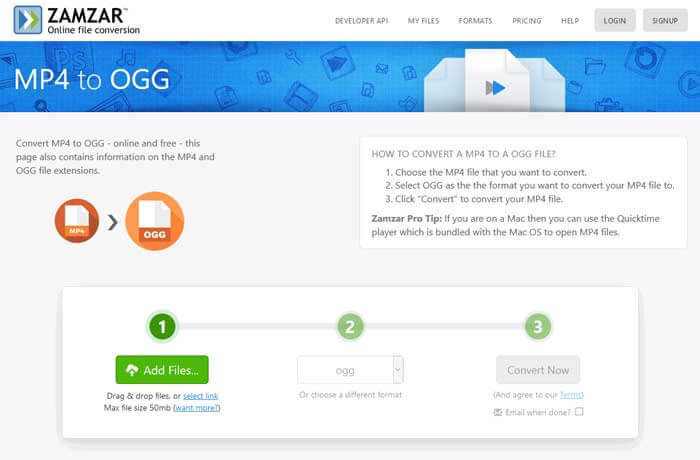
Pas 2. El format de sortida per defecte ja s’ha establert com a ogg. Fes clic al botó Convert Now per començar a convertir MP4 a OGG.
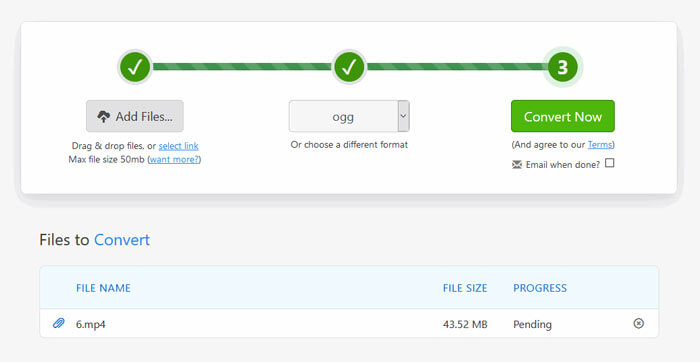
Pas 3. A continuació, es desplaçarà a una altra pàgina. Pots fer clic al botó Download per desar el fitxer OGG convertit a l’ordinador.
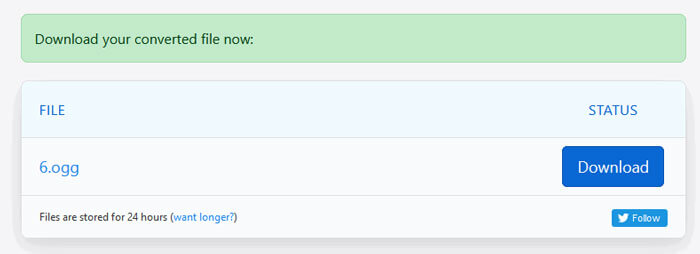
Quan converteixes un fitxer MP4 de mida gran, la conversió es pot quedar penjada amb Zamzar. Has d’actualitzar la pàgina i tornar a convertir. Si vols una conversió fluida, FVC Free FLV to MP4 Converter et pot ajudar molt. (Mira més reproductors MP4 aquí)
2. Convertio
Convertio és una eina fàcil per convertir fitxers de documents, imatges, fulls de càlcul, llibre electrònic, àudio i vídeo. Mitjançant Convertio, els fitxers MP4 es poden convertir a MP3 amb una precisió excel·lent. Seguiu els passos següents per exportar OGG des de MP4 amb Convertio.
Pas 1. Ves al Convertidor de MP4 a OGG de Convertio (convertio.co/mp4-ogg/). Fes clic al botó Choose Files per pujar els teus fitxers MP4. També hi pots afegir fitxers MP4 des de Dropbox, Google Drive o enganxar-ne l’URL.
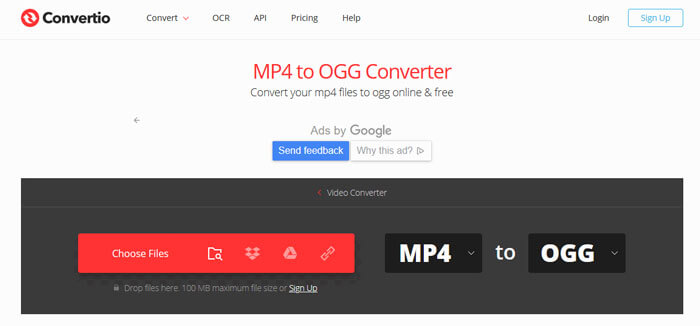
Pas 2. Tria OGG al menú desplegable i, després, fes clic a la icona d’engranatge per configurar el còdec, la qualitat, els canals d’àudio, la freqüència i el volum. Pots retallar el fitxer MP4 a la part que vulguis.
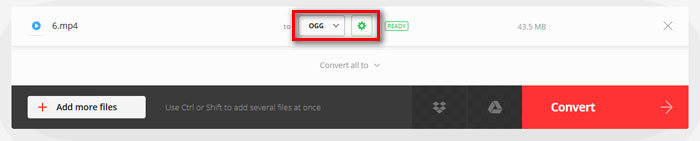
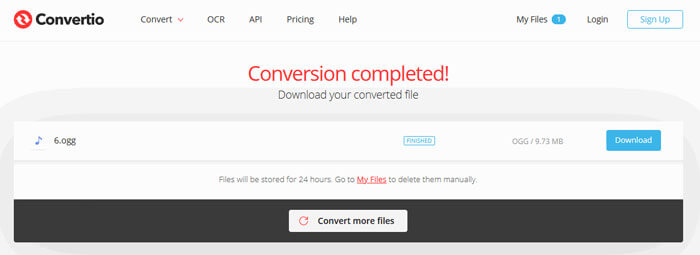
Pas 3. Quan ho tinguis tot configurat, fes clic al botó Convert per convertir MP4 a OGG. Després de la conversió, fes clic al botó Download per desar el fitxer OGG convertit a l’ordinador.
Part 3. Preguntes més freqüents sobre la conversió de MP4 a OGG
1. Què és el format de vídeo OGG?
OGG és un format de contenidor obert i gratuït que pot contenir música, vídeo, text com ara subtítols i metadades.
2. Quin reproductor pot reproduir el fitxer OGG?
Hi ha molts reproductors portàtils que poden reproduir fitxers OGG com VLC, Windows Media Player, Adobe Audition, Audials, MPlayer i molt més.
3. Com puc convertir MP4 a MP3?
Amb l’ajuda de FVC Free Online Video Converter, pots convertir fàcilment MP4 a MP3 en línia. Ves a aquest lloc en línia i fes clic al botó Add Files to Convert per instal·lar el llançador. Després selecciona els fitxers MP4 de l’ordinador i marca MP3 com a format de sortida. Fes clic al botó Convert per convertir MP4 a MP3.
Conclusió
Principalment hem introduït 3 conversions de MP4 a OGG per convertir fitxers MP4 a OGG en línia i fora de línia. Amb el convertidor FVC Free FLV a MP4 d’escriptori, podeu exportar fàcilment el fitxer OGG de codi obert des de MP4. Si teniu millors solucions, no dubteu a deixar un comentari.
-
 WebM a MP4 | Converteix gratis WebM a MP4
 Com veure fitxers WebM sense navegador web? Cal convertir WebM a MP4. Aquests són els 10 principals convertidors gratuïts de WebM a MP4 per canviar WebM a MP4 en línia i en ordinadors Mac i Windows.
-
 MP4 a FLV | Top 3 convertidor gratuït
 Aquesta publicació és la guia detallada de la conversió de MP4 a FLV. Podeu agafar els 3 convertidors gratuïts principals per canviar MP4 a FLV en línia, a l’ordinador Windows o Mac amb facilitat.
-
 6 maneres principals de combinar fitxers MP4 a Windows / Mac / en línia
 Voleu combinar els fitxers MP4 en brut per al vostre projecte? Aquesta publicació recull les 6 maneres principals d’ajudar-vos a combinar fàcilment vídeos MP4 a Windows, Mac i en línia.
