


 Video Converter Ultimate
 Gravadora de pantalla
 Reparació de vídeo
Què significa AVI i com reproduir-lo en dispositius d'escriptori i mòbils
Un dels formats no comprimts coneguts és l’AVI. S’utilitza més habitualment per a la reproducció sincronitzada de vídeos i àudios. Si vols saber més coses sobre l’AVI, has de continuar llegint. L’objectiu d’aquest article és saber què és l’AVI i quin és el reproductor multimèdia que admet aquest tipus d’arxiu. Continua llegint a continuació per tenir més idees sobre el format i el reproductor multimèdia disponible.

Part 1. Què és un fitxer AVI
L’AVI va ser introduït al mercat a finals de 1992 per Microsoft. El significat del nom AVI és Audio Video Interleave. És un dels contenidors d’arxius més populars per la seva simplicitat i compatibilitat amb totes les diferents plataformes. Així que, si vols gravar o descarregar un vídeo o un àudio en format AVI, espera que ocupi molta memòria perquè no està comprimit. Per tenir més idees, aquí tens alguns dels avantatges i inconvenients del format.
Pros
- És un contenidor de fitxers multifuncional que pot contenir qualsevol fitxer.
- Format àmpliament utilitzat per a qualsevol curtmetratge, promocions i publicitat. Per la qualitat que ofereix.
- Les botigues AVI de qualitat són excepcionals.
- No necessitareu un maquinari o programari específic només per reproduir fitxers AVI perquè no té restriccions.
- Comprimiu els fitxers AVI fàcilment perquè admet diferents còdecs com DivX, XviD, MPEG-1, MPEG-4 i més.
Contres
- Si comprimiu el fitxer AVI més enllà del límit, hi ha la possibilitat que el vostre fitxer 4k, HD o 1080 disminueixi la qualitat.
- Els AVI no estan comprimits, així que espereu una mida de fitxer gran si feu servir aquest tipus de format.
- Si utilitzeu còdecs en línia per comprimir AVI, recordeu que cal instal·lar els mateixos còdecs a la vostra unitat. Instal·lar còdecs és molt senzill, però fa una mica de por seleccionar còdecs perquè alguns no són fiables i segurs. Així que aneu amb compte si us descarregueu un.
Ara que ja saps en què consisteix el format, és el moment adequat per saber com reproduir arxius AVI a l’escriptori. Totes les eines esmentades a continuació són els millors reproductors multimèdia amb què ja t’has trobat, o no, mentre navegaves per la xarxa. Cada reproductor AVI inclou una descripció i passos, així que llegeix amb atenció per saber quin és el millor.
Part 2. Com reproduir fitxers AVI a Mac i Windows Media Player
1. Reproductor de vídeo gratuït FVC
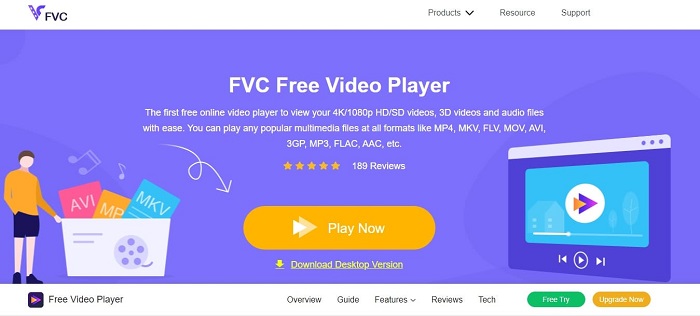
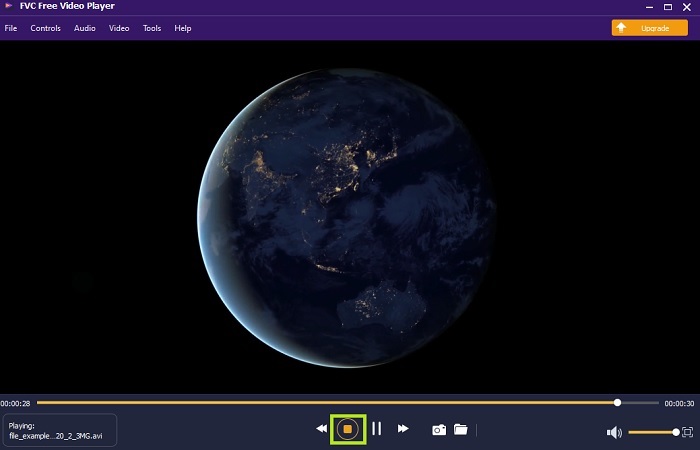
Fes servir aquest FVC Free Video Player per veure qualsevol format de vídeo utilitzant internet. A diferència d’altres reproductors multimèdia esmentats més avall, aquesta eina no necessita fitxers addicionals per funcionar. Per tant, si tens connexió a internet, pots veure vídeos en qualsevol moment i lloc. A més, ofereix una alta qualitat i no presenta errors a l’hora de reproduir AVIs. Però recorda que si la teva connexió a internet s’interromp, aquesta eina es carregarà o es posarà en pausa durant un moment. Cosa molt habitual, ja que depèn d’internet. També hi pots reproduir DVD si ho desitges. No cal que et continuïs preguntant com obrir arxius AVI per poder-los veure, si segueixes els passos següents pensats només per a tu.
Pas 1. Fes clic en aquest hiperenllaç per accedir a la pàgina principal del reproductor de vídeo AVI.
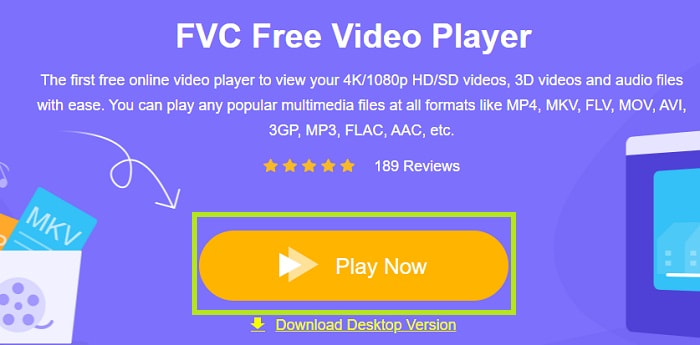
Pas 2. Fes clic a Play Now per iniciar el reproductor AVI en línia.
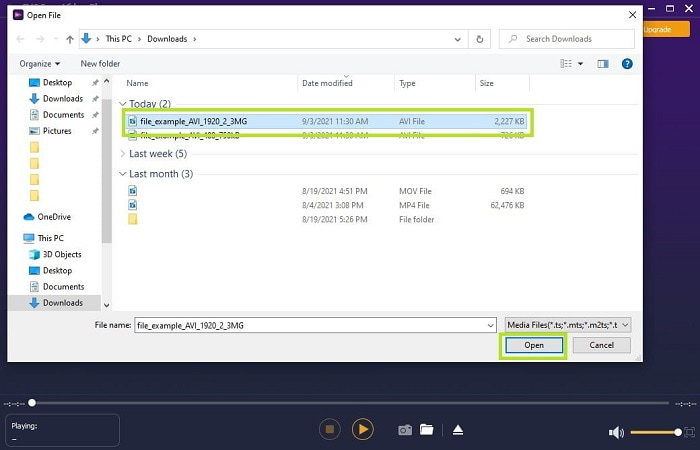
Pas 3. Després fes clic a Open File i selecciona el vídeo AVI que vols veure. Un cop l’hagis seleccionat, fes clic a Open.
Pas 4. Espera uns segons perquè es reprodueixi el vídeo AVI i voilà, ja s’està reproduint. A la interfície també pots fer captures de pantalla gratuïtament mentre mires el vídeo, si ho vols.
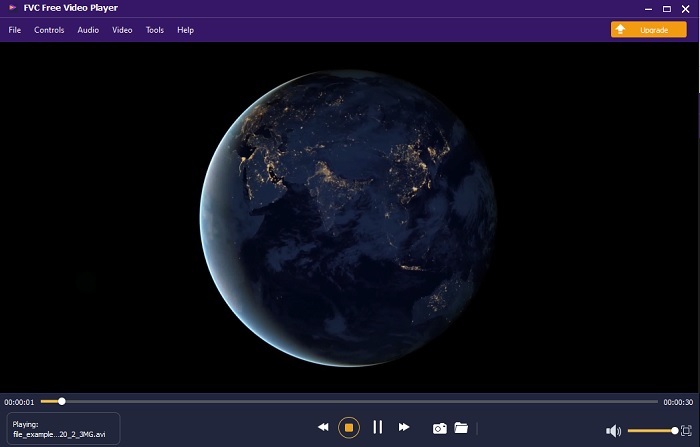
Pas 5. I si vols acabar el vídeo, només cal fer clic al botó en forma de quadrat per aturar-lo. Repeteix el mateix pas si vols reproduir un altre vídeo AVI o un altre format.
Pros
- No cal cap fitxer addicional per iniciar l'eina.
- És més eficient que les altres eines següents.
- Proporciona vibracions en 3D si esteu veient un vídeo 4k.
Contres
- Depèn d'Internet, de manera que si no teniu internet, no hi podreu accedir.
- Algunes de les funcions principals de la versió premium no són visibles aquí.
2. Reproductor de Windows Media
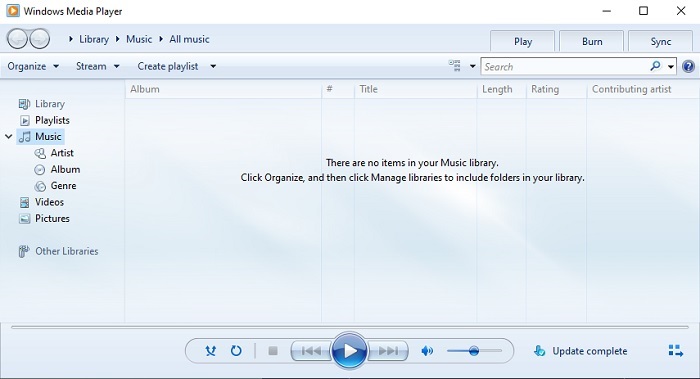
Si vols saber com reproduir arxius AVI a Windows 10 pots utilitzar aquest reproductor multimèdia per defecte desenvolupat per Microsoft per als usuaris de Windows. Però hi ha alguns casos en què hauràs de descarregar un còdec addicional només per poder reproduir AVI en aquest reproductor. Cosa una mica feixuga i de vegades irritant, perquè trobar el còdec adequat pot ser complicat. Per tant, prepara’t per fer proves d’assaig i error si això passa i, de vegades, per descarregar còdecs equivocats. Tot i així, no t’has de preocupar perquè és molt senzill descarregar còdecs a l’ordinador.
Pros
- Reproductor multimèdia integrat per a Windows.
- Admet gairebé tots els formats.
- Fàcil d'usar.
Contres
- En alguns casos, haureu de descarregar còdec addicional que aquesta eina no és compatible.
- No ofereix transmissió en temps real mitjançant connexions DSL lentes.
3. Reproductor multimèdia VLC
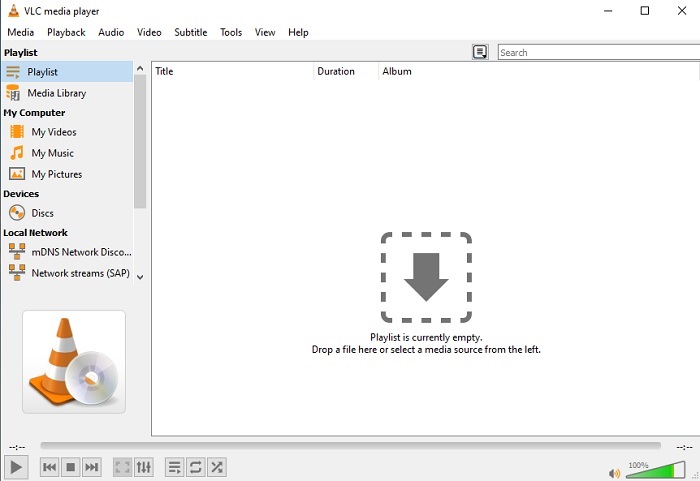
Aquest reproductor multimèdia no requereix descarregar còdecs addicionals per reproduir AVI. Potser t’estàs preguntant com executar un arxiu AVI amb facilitat; VLC Media Player pot ser la resposta. Aquest reproductor multimèdia ajuda milions d’usuaris arreu del món a reproduir els seus fitxers multimèdia només obrint el fitxer i reproduint-lo aquí. Tot i que milions d’usuaris confien en aquesta eina, hi ha alguns errors en aquest programa i alguns fitxers no són compatibles amb aquest programari. Espera alguns errors, però no t’amoïnis perquè només passen molt de tant en tant.
Pros
- Un dels millors reproductors multimèdia per a totes les plataformes.
- Pot reproduir vídeo encara que encara no s'hagi acabat de descarregar. Però no tot el vídeo.
- Flexible en tots els formats.
Contres
- La majoria de les vegades hi ha alguns errors menors que podeu trobar mentre feu servir VLC.
- També té dificultats per reproduir alguns formats de vídeo a causa dels còdecs.
Part 3. Com veure fitxers AVI a l'iPhone
Els reproductors multimèdia anteriors no es poden utilitzar als teus dispositius mòbils. Però hi ha una manera de reproduir AVI a l’iPhone o a l’iPod. A més, sabem que els arxius AVI són grans. Per tant, si els transfereixes al telèfon, segur que ocuparan bona part de l’espai del dispositiu. En comptes de transferir l’arxiu AVI original, l’hauries de convertir a un nou format que sigui reproduïble i que alhora no perdi qualitat. Converteix AVI a un format adequat amb l’ajuda de Video Converter Ultimate. Per obtenir més detalls sobre com convertir, ves a aquest enllaç.
Part 4. Preguntes freqüents sobre AVI
Què és millor, AVI o MP4?
L’AVI és millor en qualitat però no està comprimit, mentre que els fitxers MP4 ocupen menys espai però també tenen una bona qualitat. Si vols saber més sobre quines són les diferències i quin és millor, has de fer clic a AVI vs MP4.
Com convertir AVI a MP4?
Convertir és la millor manera de reduir la mida del fitxer i canviar-lo a un altre format. I la millor manera de convertir AVI a MP4 està explicada aquí en aquest article. T’ensenyarà els passos per convertir i quines són les diferents eines que pots utilitzar per fer la conversió.
Pot QuickTime reproduir AVI?
Tot i que el reproductor multimèdia QuickTime admet diferents formats, hi ha alguns problemes per reproduir AVI al reproductor predeterminat del Mac. A causa de la propietat de Microsoft. Per tant, per saber quina és la millor alternativa per a QuickTime, heu de llegir aquest article i triar quina és la millor alternativa.
Què passa si el fitxer AVI no s'obre?
Hi ha alguns motius pels quals els fitxers AVI no s'obren. El primer és perquè el fitxer està incomplet, tret que perquè no està comprimit, es podria perdre algun fitxer. En segon lloc, el format AVI no és compatible amb el vostre reproductor multimèdia local o de tercers. En tercer lloc, considereu-lo mort, sobretot si el comprimiu massa perquè es pugui convertir en un de no jugable. Finalment, el còdec és incorrecte, de manera que si comprimiu l'AVI amb còdecs diferents alhora, aquest problema és comú.
Conclusió
En conclusió, l’AVI és utilitzat per molts usuaris arreu de la xarxa. Però el fitxer en si no està comprimit, així que és millor que estiguis preparat per disposar de molt espai al disc si graves, descarregues o transfereixes arxius AVI. A dia d’avui, ja no cal preguntar-se què és el format AVI gràcies a la informació donada més amunt i a on el pots reproduir. Pots fer servir lliurement el FVC Free Video Player perquè és de codi obert i s’hi pot accedir des de qualsevol lloc amb connexió a internet. Però també pots optar per fer servir la versió premium de l’eina, que admet més formats que la versió gratuïta i també ofereix moltes més funcions. Si la vols provar, fes clic al botó de descàrrega per instal·lar-la a l’ordinador.
-
 Top 5 de les millors alternatives de reproductor de Windows Media per a mòbils Android
 Com que no podeu descarregar Windows Media Player per a Android, hauríeu de llegir aquest article i conèixer les 5 millors alternatives a Windows Media Player.
-
 Els 5 millors reproductors de vídeo per a iPhone que no hauríeu de perdre el 2025
 Per reproduir vídeos en tots els formats i tenir una millor experiència de visualització al vostre iPhone, heu de llegir aquest article i conèixer els millors 5 reproductors de vídeo per a l'iPhone 12/11 / X / 8/7/6.
-
 Guia excepcional sobre com reproduir fitxers MOV en dispositius mòbils Android
 Teniu un problema per què els vostres fitxers MOV no es reprodueixen al reproductor multimèdia Android? A continuació, llegiu aquest article, us proporcionarà 2 mètodes diferents per arreglar fitxers MOV i fer-los reproduir.
