


 Video Converter Ultimate
 Gravadora de pantalla
 Reparació de vídeo
El millor dels millors convertidors que podeu utilitzar per convertir 3GP a AVI en línia i fora de línia
El format 3GP és un format flexible que transfereix els fluxos d’àudio i vídeo al telèfon mòbil de tercera generació mitjançant GSM. S’ajusta a la connectivitat 3G per a una transmissió més ràpida del fitxer. Aquest format s’utilitza més habitualment a les versions antigues de telèfons perquè és polivalent i es pot transferir ràpidament. Tanmateix, actualment no es poden reproduir fitxers 3GP al reproductor multimèdia local, perquè aquest format no permet als nous reproductors entendre l’estructura del format. Així doncs, la millor manera de veure tots els fitxers 3GP al telèfon o a l’ordinador és convertint-los. En lloc de buscar per internet quin és el millor convertidor que podeu utilitzar, hem reunit quatre convertidors entre els quals podeu triar. Les eines esmentades a continuació són ideals i poden convertir 3GP a AVI sense cap pèrdua de qualitat.
Part 1. Converteix 3GP a AVI fora de línia amb Ultimate Converter
FVC Video Converter Ultimate
Si no voleu complicar-vos gens en convertir els fitxers 3GP, us recomanem fermament que feu servir FVC Video Converter Ultimate. Aquest programari és una de les millors opcions per convertir fitxers, i la conversió es fa molt ràpidament, en pocs segons. A més, molts clients que l’han utilitzat comparteixen la mateixa opinió. En resum, han indicat clarament que aquesta eina els ha ajudat a resoldre el problema de conversió en un obrir i tancar d’ulls.
Explicació addicional, aquesta eina no només és la millor per convertir el fitxer; també té les funcions més avançades que t'agradaria provar. Alguns exemples són l'editor, el creador de GIF, l'augment de volum, la sincronització d'àudio i vídeo, la marxa enrere i molt més. Si compreu aquesta eina, obtindreu totes les eines esmentades anteriorment, i hi ha moltes més per venir. Així que ara, intentem seguir el pas a pas per convertir 3GP a AVI a Mac i PC sense perdre la seva qualitat.
Pas 1. Feu clic al botó de descàrrega i trieu si sou usuari de PC o de Mac, i després instal·leu-lo.
Descàrrega gratuïtaPer a Windows 7 o posteriorDescàrrega segura
Descàrrega gratuïtaPer a macOS 10.7 o posteriorDescàrrega segura
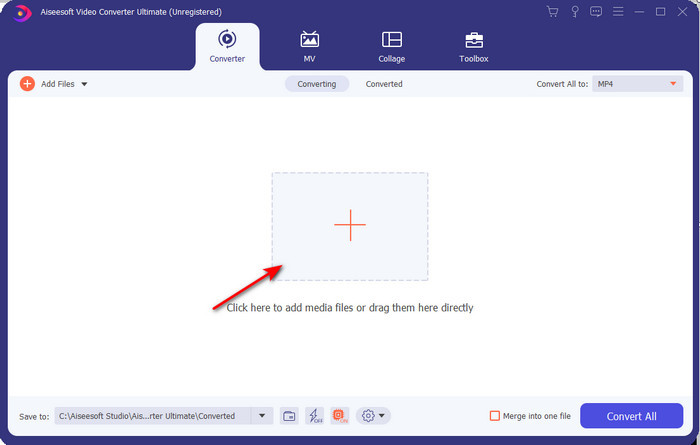
Pas 2. Inicieu l’eina, feu clic al signe + al mig de la interfície, seleccioneu el fitxer .3gp a la vostra carpeta i feu clic a Obre. També podeu fer una conversió per lots aquí si voleu; feu clic a Afegeix fitxers per afegir-ne més.
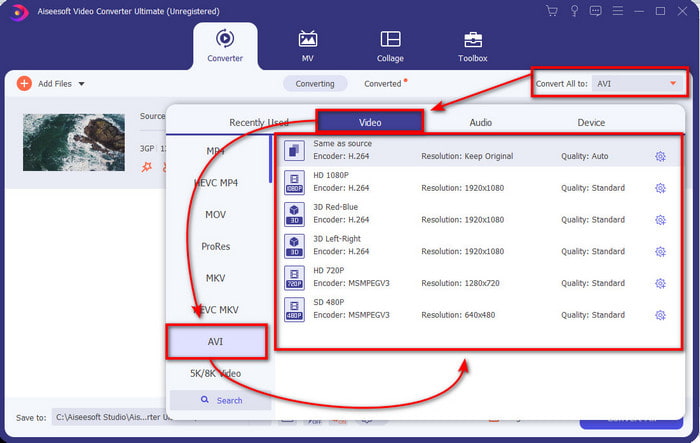
Pas 3. Per canviar el 3GP, feu clic a l’opció Converteix-ho tot a i trieu el format AVI dins la categoria Vídeo.
Pas 4. Per iniciar el procés de conversió, feu clic a Converteix-ho tot, i el procés de convertir els vostres fitxers 3GP començarà ara.

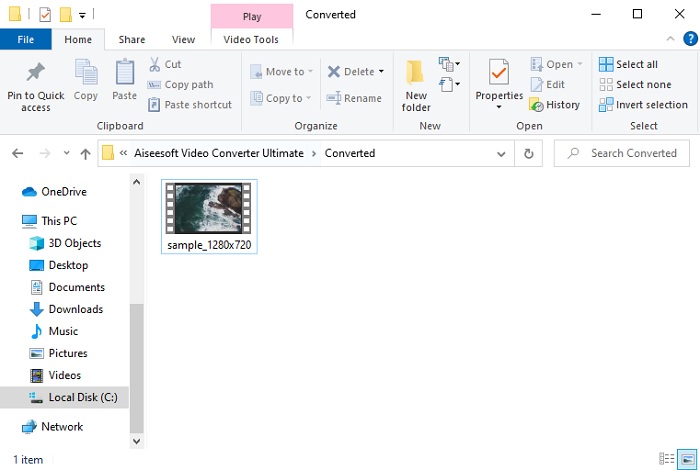
Pas 5. Després de la conversió, apareixerà una carpeta a la pantalla amb el fitxer 3GP convertit. Feu clic al nou AVI que acabeu de crear per veure’l i editar-lo més tard si voleu.
Part 2. 3 convertidors en línia disponibles per convertir 3GP a AVI
1. FVC Free Video Converter Online

Us assegurem que l’eina d’aquesta llista és el millor convertidor en línia de 3GP a AVI, i és el FVC Free Video Converter Online. Totes les funcions que voldríeu veure en un convertidor en línia hi són. És el millor convertidor en línia que mencionem en tots els diferents aspectes. Per exemple, si voleu un convertidor en línia eficient, un procés de conversió segur i cap anunci, aquesta és l’eina web per a vosaltres. Tot i que l’eina web té un bon aspecte i funciona perfectament, només admet un ventall mitjà de formats. Les funcions avançades que podríeu trobar a FVC Video Converter Ultimate no hi són disponibles. Però l’avantatge respecte a la versió d’escriptori és que és gratuïta. Sense més dilacions, anem als passos per convertir el vostre fitxer a una nova versió.
Pas 1. Feu clic en aquest enllaç per anar al lloc web.
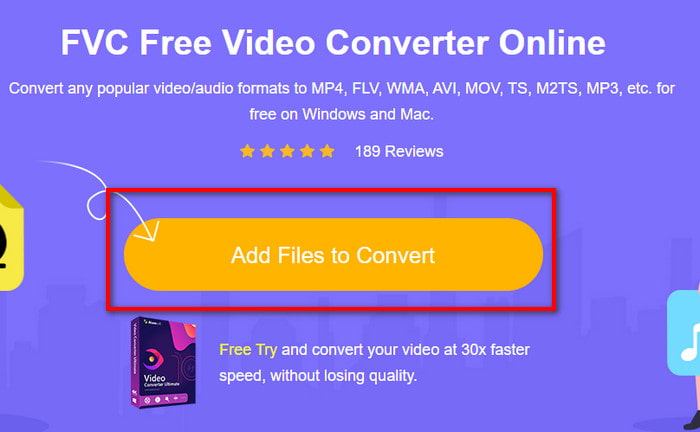
Pas 2. Premeu Add Files to Convert per iniciar l’eina en línia; s’obrirà una carpeta i, a continuació, cerqueu el fitxer .3gp. Si és la primera vegada que utilitzeu aquesta eina, haureu de descarregar el llançador fent clic a Add Files to Convert i tornar-hi a fer clic per iniciar-la.
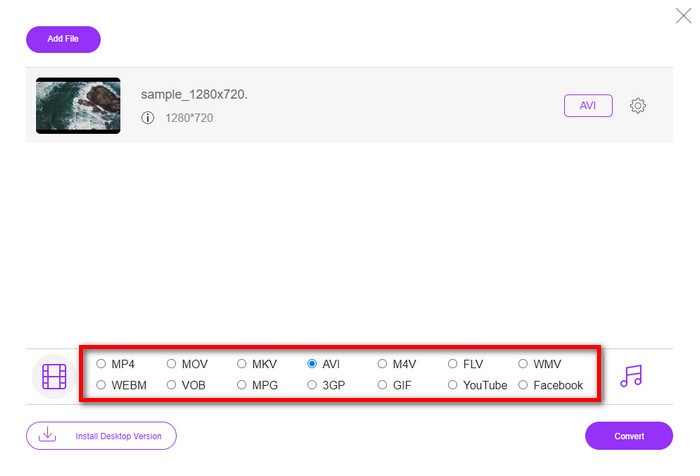
Pas 3. Un cop seleccionat el fitxer, trieu el format AVI a la secció de sota.
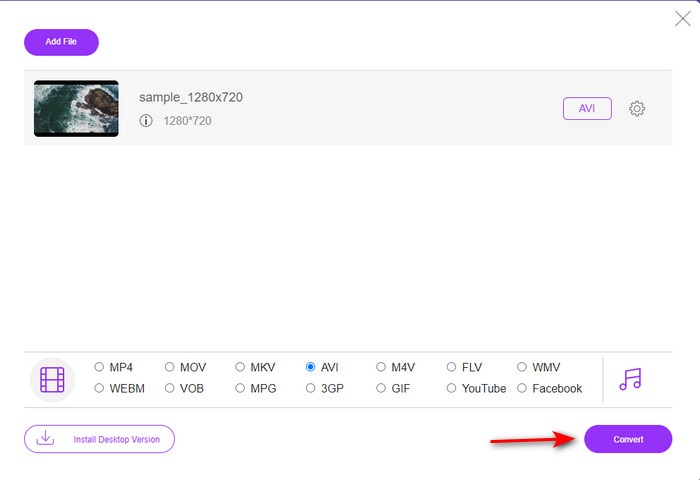
Pas 4. Quan estigueu a punt per convertir el fitxer, feu clic a Convert.
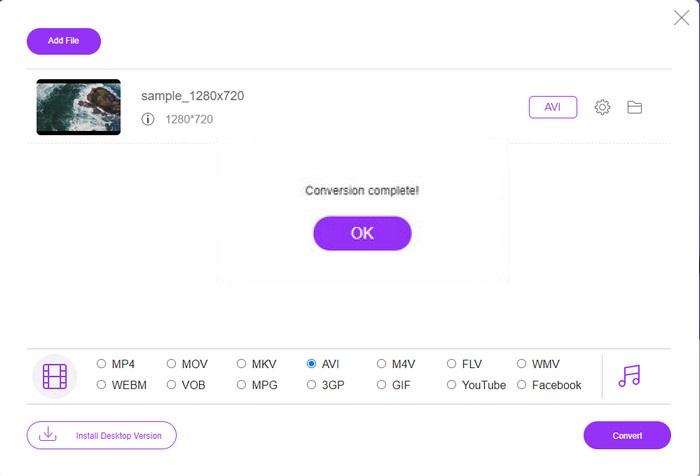
Pas 5. Després de la conversió, tornarà a aparèixer una carpeta, però ara amb el fitxer que heu convertit abans.
2. Fconvert.com
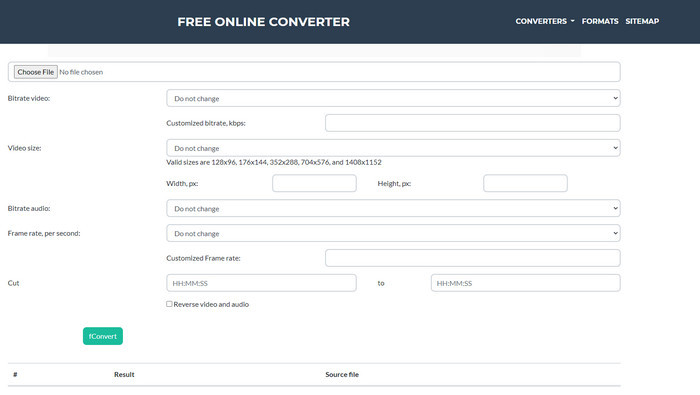
Pel que fa a convertir fitxers, Fconvert.com ha de ser a la llista perquè aquesta eina web és un dels convertidors fantàstics que podeu utilitzar de manera gratuïta. Aquest convertidor pot convertir gairebé tots els formats que coneixeu i, potser, també algun dels vostres fitxers. No obstant això, hi ha un problema amb aquesta eina: els anuncis. Cada vegada que feu clic en alguna cosa del lloc web, abans apareix un anunci i després es fa el que heu clicat. Tot i que els anuncis són pesats, l’aplicació continua tenint un disseny net i ofereix un rendiment excel·lent en la conversió de formats. Si voleu comprovar com n’és de bona, seguiu els passos següents i apreneu a convertir 3GP a AVI gratuïtament.
Pas 1. Cerqueu el lloc web principal d’aquesta eina al navegador.
Pas 2. Feu clic a AVI a l’apartat video, feu clic a Choose File, localitzeu el .3gp, després baixeu amb l’scroll i feu clic a fConvert.
Pas 3. Baixeu amb l’scroll i veureu el Result; feu clic al fitxer per descarregar-lo.
3. Qualsevol conv
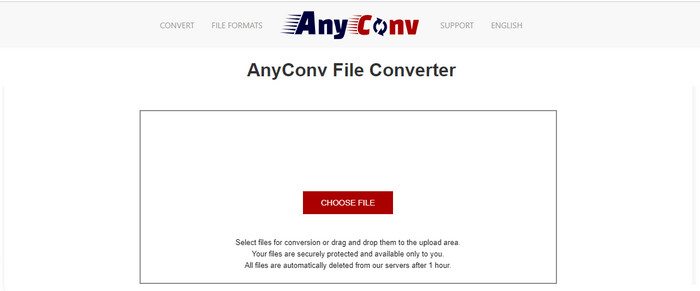
Una altra eina especialitzada a convertir formats és Anyconv. Aquesta eina web és força diferent de Fconvert.com perquè és molt millor i més ràpida. A més, aquesta eina té menys anuncis que l’anterior. Tot i que té menys anuncis, aquests són més grans que els de Fconvert.com, però pel que fa al rendiment, aquesta eina funciona molt bé. Posem-la a prova per veure si realment pot convertir 3GP a AVI gratuïtament, sense més demora.
Pas 1. Obriu el vostre cercador i busqueu el lloc web d’Anyconv.
Pas 2. Premeu Choose File; s’obrirà una carpeta, inseriu el fitxer .3gp a l’eina web i continueu. Per canviar el format, heu de fer clic al botó drop-down i trobar AVI. Per iniciar el procés de conversió, feu clic a Convert.
Pas 3. Espereu que s’acabi el procés i després feu clic a Download AVI per descarregar el fitxer convertit.
Part 3. Quin format és el millor; 3GP o AVI
Si utilitzeu un telèfon de tercera generació i voleu emmagatzemar vídeo d'alta qualitat, transferiu-lo més ràpidament a la tercera generació de telèfons, llavors 3GP és el format per a la feina. Tanmateix, si intenteu enviar el format AVI a telèfons de tercera generació, el fitxer no s'obrirà perquè aquest format no és compatible. Però en el cas actual, AVI és molt millor. Ja ha guanyat molt suport de tots els reproductors i editors multimèdia en comparació amb 3GP. Tot i que el format AVI és la millor opció avui dia, la mida del fitxer és enorme en comparació amb el 3GP, i si estiguéssiu a punt de desar-lo al vostre telèfon, ocuparia molt d'espai. A més, tots dos formats són fantàstics, però tenen diferents finalitats i usos.
Part 4. Preguntes freqüents sobre 3GP i AVI
Puc utilitzar FFmpeg per convertir 3GP a AVI?
Podeu utilitzar FFmpeg per convertir el vostre fitxer 3GP; tanmateix, és difícil de fer, però és manejable si us hi preneu el temps. El primer pas és descarregar el fitxer zip de FFmpeg a l’ordinador i descomprimir-lo. El segon pas és obrir el CDM per comunicar-vos amb l’eina. A continuació, localitzeu el fitxer utilitzant l’indicador d’ordres, ffmpeg -i input.3gp -vn -ar 44100 -ac 2 -b:a 192k output.avi, copieu aquest codi, enganxeu-lo al CDM i premeu Enter per iniciar el procés de conversió.
Es pot reproduir 3GP en telèfons de 4a generació?
Aquest format s’utilitza als telèfons de tercera generació, i encara podeu reproduir vídeos en format 3GP en alguns telèfons de quarta generació, però no en tots. Perquè, com s’ha dit abans, 3GP és per a la tercera generació i no per a alguns telèfons de quarta generació. O bé podeu recórrer a reproductors 3GP professionals per gaudir dels vostres vídeos.
Quin format és millor: 3GP o MP4?
Pel que fa a qualitat i formats més compatibles, MP4 és molt millor en aquest aspecte. Tanmateix, 3GP és molt més petit i funciona millor en xarxes 3G per a una transferència més ràpida d’aquest format de fitxer. Si voleu convertir MP4 a 3GP o a l’inrevés, feu clic aquí per obtenir més detalls.
Conclusió
Cada viatge ha d'arribar a la seva fi, i ara podeu convertir fàcilment 3GP a AVI amb l'ajuda de les eines esmentades anteriorment. A més, totes les eines presentades anteriorment, incloem-hi FFmpeg, funcionen molt bé. Tot i així, la millor opció sempre recau en el FVC Video Converter Ultimate. Aquesta eina supera tots els que els convertidors en línia poden fer en conversió i molts més aspectes. Així que ara, si voleu obtenir el programari, feu clic al botó de descàrrega i feu la conversió ràpidament.
-
 [En línia i gratuït] 3 mètodes per convertir MP4 a 3GP sense problemes
 Voleu convertir MP4 a 3GP d’una manera fàcil i ràpida? Aquí compartirem 3 convertidors MP4 a 3GP per canviar MP4 a 3GP per reproduir-los en diversos telèfons mòbils.
-
 3 maneres lliures de convertir FLV a 3GP a Windows / Mac
 No es poden obrir fitxers FLV al telèfon intel·ligent o a la tauleta? No et preocupis! Aquí compartim tres mètodes per convertir FLV a 3GP sense perdre qualitat per jugar al mòbil.
-
 Excel·lent opció per convertir MKV a un format AVI
 Domineu com convertir vídeos MKV amb passos senzills que us proporcionen exclusivament. Vols saber com? A continuació, feu clic a aquest enllaç per obtenir més informació.
