


 Video Converter Ultimate
 Gravadora de pantalla
 Reparació de vídeo
Comprèn quins són els convertidors que es poden utilitzar fàcilment per convertir DivX a AVI
DivX i AVI no són competidors entre ells, encara que tots dos s’associen habitualment amb fitxers de vídeo, ja que presenten moltes diferències. Per exemple, DivX s’utilitza per comprimir el contenidor de vídeos llargs i fer-los tan petits com sigui possible sense perdre la qualitat del vídeo en si. En canvi, AVI és un exemple de contenidor de vídeo que pots utilitzar per emmagatzemar vídeo d’alta definició, però amb una mida de fitxer més gran. Ara que ja tenim una breu introducció sobre tots dos, aprofundim una mica més per entendre’ls millor i aprendre com convertir DivX a AVI gratis llegint aquest article.
Part 1. DivX vs AVI
Com s'ha dit anteriorment, DivX i AVI no són realment un competidor propi perquè es poden utilitzar tant en un fitxer com en un altre. A més, DivX és un compressor de fitxers desenvolupat per DivX, Inc. Aquest compressor és propietari i es diu que és la propera generació de lloguer de vídeo de DVD. Però ara el DivX s'ha tancat a causa de l'intent fallit de substituir els DVD. Però ara, encara podeu accedir a l'eina i veure-la en alguns reproductors multimèdia antics que admeten el tipus de compressió que ofereix DivX.
AVI és un format de fitxer multimèdia utilitzat per contenir qualsevol fitxer de vídeo i d’àudio amb diferents còdecs. Aquest format va ser desenvolupat per Microsoft perquè es pogués utilitzar per reproduir qualsevol flux de vídeo o d’àudio. A finals de 1992 es va crear AVI per oferir vídeo i àudio avançats i futuristes pensats només per als sistemes operatius Windows. Però avui dia ja pots utilitzar AVI també a Mac o Linux i fins i tot als telèfons. Tanmateix, encara hi ha un aspecte del format AVI que no s’ha millorat prou: la compressió i la mida dels fitxers.
DivX
◆ Compressors utilitzats per reduir la mida del fitxer d'un contenidor sense tocar-ne la qualitat.
◆ És un compressor propietari de DivX Inc.
◆ Es deia que era la millor versió dels DVD, però va fracassar en el seu intent.
◆ La majoria dels nous reproductors multimèdia actuals no admeten DivX.
AVI
◆ És conegut com un dels contenidors de vídeo i àudio revolucionats en aquesta era moderna.
◆ Aquest format és compatible amb la majoria de plataformes i programari.
◆ No té cap compressió exacta suportada perquè no té pèrdues.
I ara que sabem la diferència entre els dos, ara és el moment adequat per conèixer el convertidor de DivX a AVI en línia i fora de línia que podeu utilitzar per veure el fitxer DivX.
Part 2. 4 dels millors convertidors i aprèn a convertir DivX a AVI
Top 1. FVC Video Converter Ultimate
Si el teu problema és convertir fitxers DivX, aleshores FVC Video Converter Ultimate és probablement la solució. A diferència d’altres convertidors, aquest programari s’ha anat perfeccionant al llarg dels anys fins a convertir-se en un dels convertidors més destacats. A més de ser un dels millors, també ofereix un procés de conversió rapidíssim, ja que està impulsat per acceleració per maquinari i conversió ràpida. I gràcies a les seves funcions integrades, ha arribat fàcilment al capdavant. Encara que és de pagament, no caldrà invertir gaire per fer-lo servir. Així doncs, si vols aprendre a convertir DivX a AVI en un Mac o PC, segueix els passos indicats a continuació mentre el provem nosaltres mateixos.
Pas 1. Abans de res, abans de poder utilitzar aquesta eina l’has de descarregar al teu disc. Després instal·la-la, fes la configuració inicial i prem Start Now per continuar.
Descàrrega gratuïtaPer a Windows 7 o posteriorDescàrrega segura
Descàrrega gratuïtaPer a macOS 10.7 o posteriorDescàrrega segura
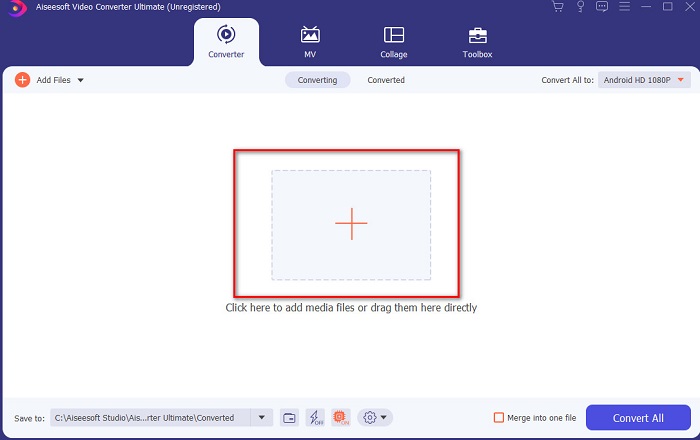
Pas 2. Inicia l’eina per continuar i apareixerà una interfície com aquesta. A la part central, fes clic al botó + i localitza el fitxer DivX que vols afegir, després fes clic a Open.
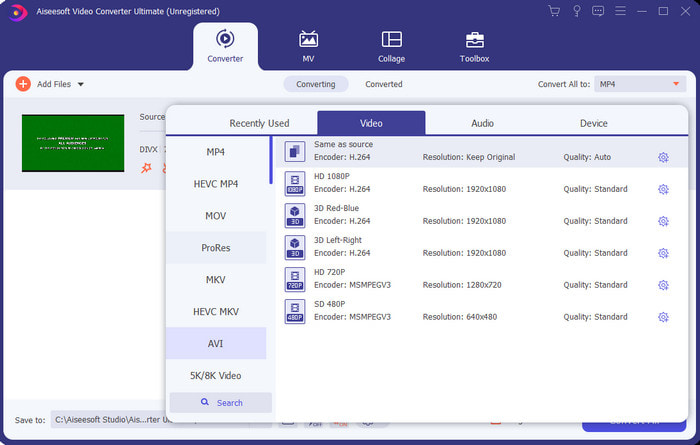
Pas 3. Per canviar el DivX a AVI, fes clic a Convert All to, busca el format AVI i selecciona’l.
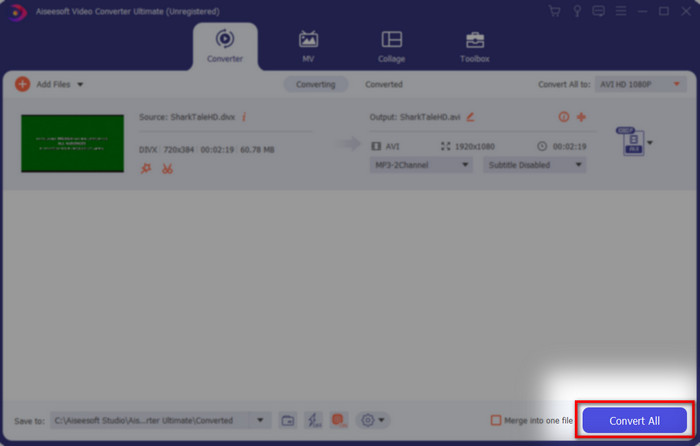
Pas 4. Per començar el procés de conversió, fes clic a Convert All i espera que el procés acabi.
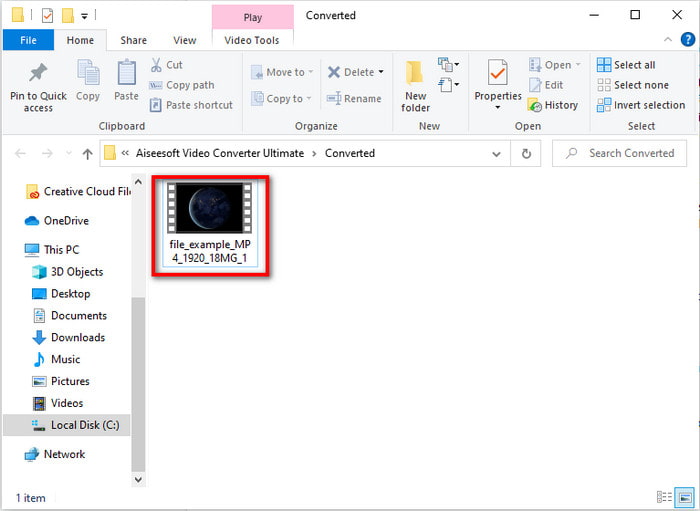
Pas 5. Espera que el procés de conversió finalitzi; quan s’hagi completat, apareixerà una carpeta a la pantalla amb el fitxer convertit. Fes-hi clic per veure’l i gaudir-ne.
Top 2. Freemake Video Converter
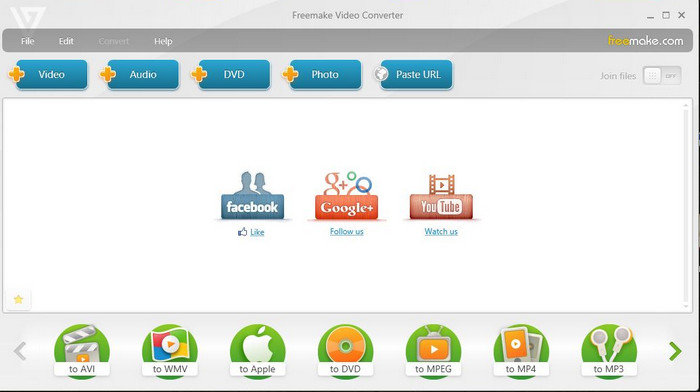
Un altre programari descarregable que pots utilitzar per convertir formats és Freemake Video Converter. Aquesta eina ja ha ajudat molts usuaris a convertir qualsevol fitxer multimèdia a un nou format. A més, és àmpliament considerat com un dels millors programes que pots descarregar i en els quals pots confiar. Tot i que l’eina és bona, encara li falten alguns formats compatibles i el seu procés de conversió és molt lent, perquè no disposa d’acceleració per maquinari com el FVC Video Converter Ultimate. Per tant, si vols convertir DivX a AVI de franc, aquest pot ser el teu programari de referència.
Pros
- Gratuït per descarregar qualsevol programari.
- L'aparença és senzilla.
Contres
- No té acceleració de maquinari.
- Alguns formats no s'admeten aquí.
Top 3. FVC Free Video Converter
I si vols convertir el fitxer multimèdia a un nou format però no vols descarregar res? Aleshores FVC Free Video Converter és aquí per ajudar-te. A diferència de les altres dues eines esmentades més amunt, aquesta es pot utilitzar sense necessitat de descarregar cap programa. Encara que el programari és gratuït, alguns formats encara no hi són compatibles. A més, només tens un nombre limitat d’opcions de format per convertir. No obstant això, el procés de conversió és molt més ràpid si el comparem amb Freemake Video Converter. Així que, si vols saber com convertir DivX a AVI en línia, segueix els passos següents.
Pas 1. Ves al lloc web principal de FVC Free Video Converter fent clic en aquest enllaç.
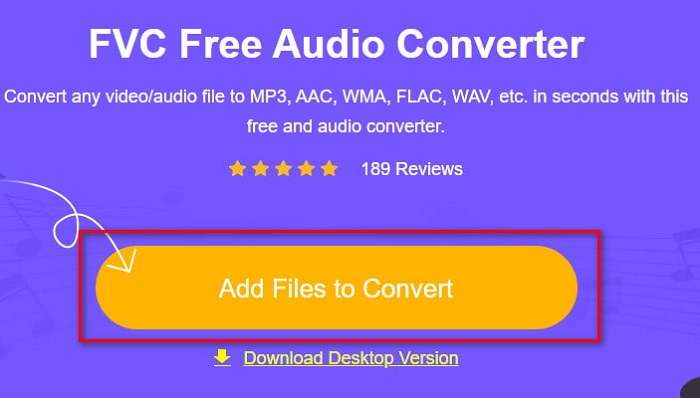
Pas 2. Prem Add Files to Convert per descarregar el llançador si és la primera vegada que l’utilitzes. Si el llançador ja està instal·lat, torna a fer clic a Add Files to Convert, localitza el fitxer a la carpeta, selecciona’l i prem Open.
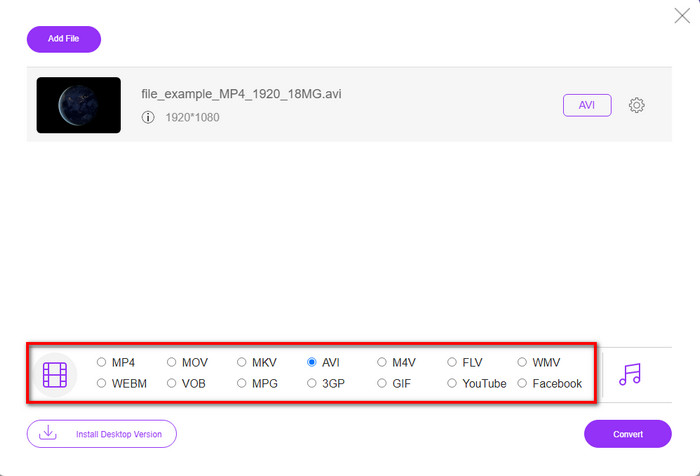
Pas 3. Selecciona el format AVI entre les opcions que apareixen a continuació, o qualsevol altre format en què el vulguis convertir.
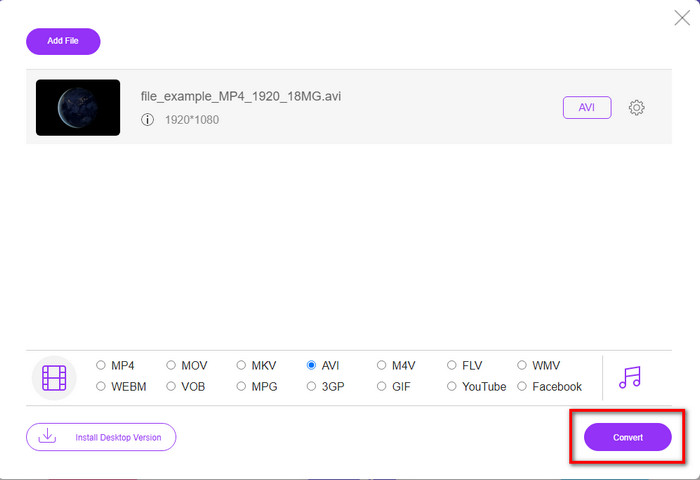
Pas 4. Quan acabis de seleccionar el format, és el moment de desar-lo al teu disc fent clic a Convert.
Pas 5. Quan el procés ja s’hagi completat, espera que aparegui la carpeta del fitxer a la pantalla. Obre el fitxer fent-hi clic i visualitza el fitxer multimèdia convertit.
Top 4. Online-Convert.com
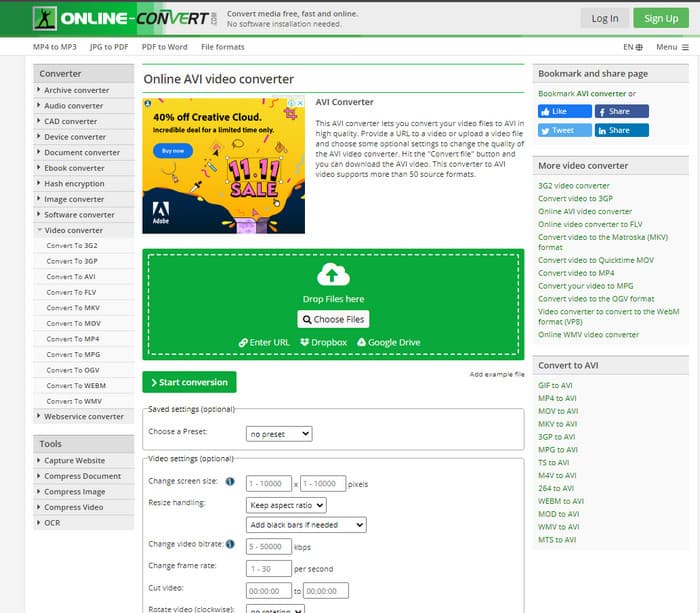
Una altra eina en línia que pots utilitzar per convertir qualsevol fitxer multimèdia és Online-Convert.com. Igual que algunes altres eines en línia, aquest convertidor només admet un ventall reduït de formats. Tot i això, disposa d’un ajustament de vídeo integrat que pots utilitzar, però és difícil de gestionar, especialment si no en tens coneixements previs. A més, la pujada i la baixada de fitxers aquí és molt lenta en comparació amb FVC Free Video Converter.
Pros
- Es pot accedir gratuïtament a la web.
- La interfície de l'eina és fantàstica i té pocs o cap anunci.
- El procés de conversió dependrà de la connexió a Internet.
Contres
- No es pot accedir sense internet.
- El procés d'importació i exportació trigarà molt de temps en comparació amb les altres eines.
Part 3. Quin és el millor per convertir DivX a AVI?
| Característiques | FVC Video Converter Ultimate | Freemake Video Converter | FVC convertidor de vídeo gratuït | Online-Convert.com |
| Converteix vídeo i àudio |  | | | |
| Conversió per lots | |  | | |
| Acceleració de maquinari | | | | |
| Eina basada en programes | Eina basada en escriptori | Eina basada en escriptori | Eina basada en web | Eina basada en web |
| Connectivitat de xarxa | No és obligatori | No és obligatori | Obligatori | Obligatori |
Part 4. Preguntes freqüents sobre els convertidors de DivX a AVI
Quin és millor? DivX i XviD?
DivX és un còdec propietari conegut per al fitxer de contenidors de vídeo i àudio i també s'especialitza en extraure el fitxer del disc mentre el comprimeix sense perdre la qualitat. Mentre que XviD és la versió imitació del DivX i és una mica molt millor que el DivX. A més, no és propietari, el que significa que qualsevol pot utilitzar-lo quan vulgui o el que vulgui.
Què són els còdecs?
S'utilitza un còdec per comprimir un fitxer i distribuir qualsevol dels fitxers d'àudio i vídeo molt més ràpid dins d'una mida de fitxer més petita. A més, s'utilitza per descomprimir un fitxer que està lligat amb l'esmentat còdec per obrir el fitxer comprimit que heu creat sense destruir-ne la credibilitat.
Per tenir una mida de fitxer més petita, és ideal comprimir-lo o convertir-lo?
Si vols mantenir la qualitat d’un vídeo i fer-lo més petit, és ideal comprimir-lo amb l’ajuda d’aquest enllaç. Però si prefereixes una manera molt més senzilla, hauries de considerar convertir els vídeos a MP4 llegint aquest article per fer-te una idea de com fer-ho.
Conclusió
En concloure aquest article, ara ja és més fàcil per a nosaltres saber què és DivX i també què és AVI. A més, ja t’hem presentat 4 eines útils que pots utilitzar per reproduir el teu fitxer DivX convertint-lo a format AVI. Així que, si vols viure una experiència d’èxit al 100%, fes servir FVC Video Converter Ultimate per garantir-ne el resultat.
Descàrrega gratuïtaPer a Windows 7 o posteriorDescàrrega segura
Descàrrega gratuïtaPer a macOS 10.7 o posteriorDescàrrega segura
-
 [Gratis i en línia] 7 maneres de convertir MTS a AVI a un ordinador Mac/Windows
 Com convertir MTS a AVI amb facilitat? En aquesta guia, trobareu 7 maneres fàcils i gratuïtes de convertir fitxers MTS a AVI a Windows o Mac sense pèrdues de qualitat.
-
 Tutorial per convertir fitxers MP4 a AVI amb 7 convertidors de vídeo gratuïts
 Voleu obtenir totes les maneres gratuïtes de convertir vídeos AVI a MP4? No us hauríeu de perdre aquest article. Aquí teniu 7 maneres de convertir fitxers AVI a MP4 de forma gratuïta a Windows, Mac, iPhone, Android i en línia.
-
 3 mètodes fàcils de convertir FLV a AVI a l'escriptori i en línia
 Aquí hi ha tres mètodes per ajudar-vos a convertir eficientment els vostres fitxers de vídeo FLV a format AVI a Windows i Mac, de manera que pugueu veure'ls amb alta qualitat.
