


 Video Converter Ultimate
 Gravadora de pantalla
 Reparació de vídeo
En una revisió detallada sobre els 5 millors convertidors per convertir OGV a WMV
No tens ni idea de com convertir OGV a WMV i reproduir-ho al teu Windows Media Player? Doncs tens sort perquè, avui, volem presentar-te les diferents eines que pots utilitzar per convertir el teu fitxer OGV. Vols saber quines són aquestes cinc eines? A la part final també aprendràs com convertir el teu fitxer OGV a WMV. Així que el millor serà que t’hi preparis, perquè no volem que esperis més, i comencem la nostra expedició de seguida.

Part 1. Els 5 millors convertidors d'OGV a WMV en línia i fora de línia
Top 1. FVC Video Converter Ultimate
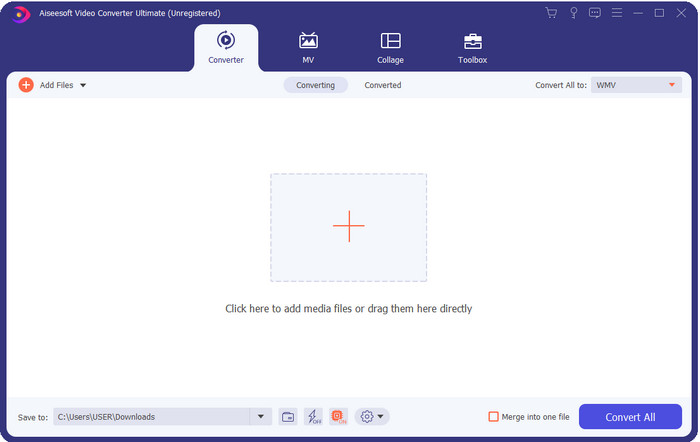
FVC Video Converter Ultimate és un dels millors convertidors d’OGV a WMV que pots descarregar a l’escriptori. Aquesta eina ofereix una velocitat de conversió extraordinària que ja ha impressionat molts dels seus usuaris. A més, la conversió no és l’únic punt fort d’aquesta eina. Pots utilitzar les funcions avançades d’edició per fer que el teu vídeo destaqui, reduir-ne la mida o fusionar clips. En resum, si ets nou en això de canviar de format, aquesta és la millor opció, perquè podràs fer la conversió sense cap esforç i tan fàcil com un‑dos‑tres, i alhora obtenir un resultat professional al final del procés.
Descàrrega gratuïtaPer a Windows 7 o posteriorDescàrrega segura
Descàrrega gratuïtaPer a macOS 10.7 o posteriorDescàrrega segura
Pros
- Converteix el teu OGV a WMV, AVI, MOV, MP4 i més de 200 formats disponibles en menys d'un minut.
- El seu fort és la conversió i les funcions d'edició avançades que necessitareu.
- Un convertidor increïble que qualsevol pot utilitzar fins i tot sense experiència és infal·lible i lleuger.
- Disponible en tots els sistemes operatius per descarregar-lo a Windows i Mac.
Contres
- Per adquirir aquest programari, primer haureu de comprar-lo.
- Baixeu-lo a la unitat de l'ordinador.
Top 2. VLC Media Player
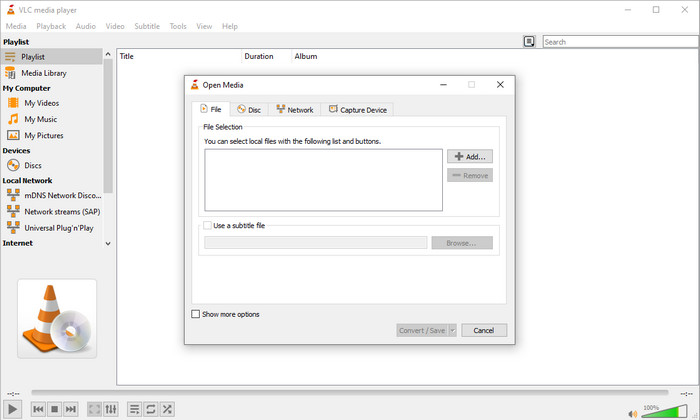
VLC Media Player és el reproductor més descarregat i accessible en tots els dispositius. Aquest reproductor de vídeo també pot convertir el teu OGV a WMV o a la nova versió que vulguis. Tot i que el reproductor pot convertir, encara li falten formats admesos, sobretot quan vols convertir el teu fitxer a un format específic. Però, si ja tens VLC al teu ordinador, per què no proves d’utilitzar aquest reproductor‑convertidor per canviar el format del fitxer?.
Pros
- Descàrrega gratuïta i admet diferents formats per reproduir i convertir.
- Disponible en tots els dispositius a utilitzar.
- Procés ràpid de conversió.
Contres
- Admet un format limitat que podeu triar.
- No és el vostre convertidor típic.
- Es requereixen molts passos abans de poder convertir.
Top 3. Aconvert
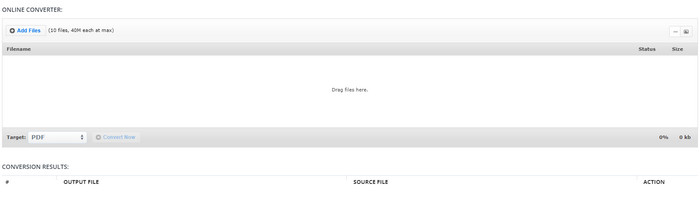
Aconvert t’ajudarà en la tasca de convertir fitxers OGV. Aquest convertidor d’OGV a WMV en línia proporciona un procés de conversió eficient per experimentar menys inconvenients. Tanmateix, aquest convertidor té molts anuncis a la interfície web que poden ser molt molestos de moltes maneres. A més, aquesta eina limita l’experiència de conversió a només deu conversions i restringeix la mida de cada fitxer a 40 MB. Però no cal preocupar‑se, perquè aquesta eina és gratuïta per a tots els usuaris d’internet que vulguin convertir fitxers en línia.
Pros
- Disponible a la web per utilitzar.
- Admet un format conegut que podeu inserir.
- Fàcil d'usar.
Contres
- El format d'opcions per a la sortida final tenia moltes deficiències.
- Hi ha molts anuncis molestos al lloc web.
Top 4. Video2Edit.com
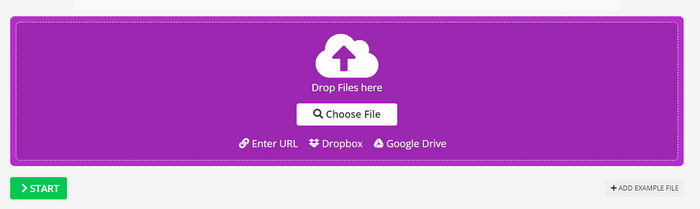
Video2Edit.com és similar a Aconvert, però aquesta eina és encara millor perquè et permet modificar el vídeo abans de convertir OGV a WMV. També pots canviar el còdec de l’àudio amb tres opcions disponibles. A més, hi ha moltes altres coses que pots fer amb aquest convertidor. Però l’inconvenient d’aquesta eina web és que el nombre de formats disponibles és limitat. També té anuncis i el procés de conversió és lent.
Pros
- Convertidor multifuncional.
- Disponible a tota la web per accedir-hi tothom.
- Pot modificar còdecs de vídeo i àudio.
Contres
- Anuncis a la interfície.
- El procés de conversió triga molt de temps.
Top 5. FVC Free Video Converter en línia
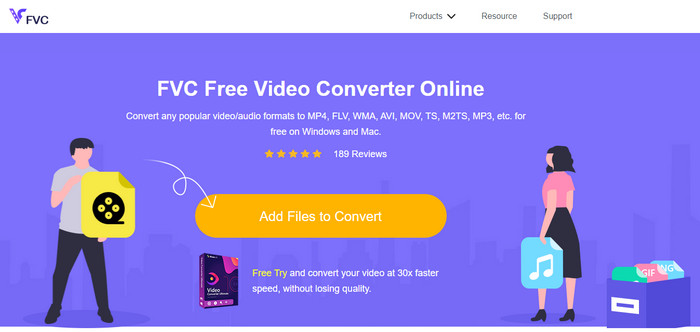
FVC Free Video Converter Online ofereix un procés de conversió d’OGV a WMV millor que VLC, Aconvert i Video2Edit.com. Això és perquè aquesta eina en línia produeix un resultat professional com el de FVC Video Converter Ultimate, encara que no admet tots els formats que admet l’eina Ultimate. A més, pots ajustar la qualitat i establir‑la en alta definició per obtenir un millor resultat. Un altre avantatge és que no hi ha anuncis molestos que t’interrompin mentre converteixes. Així, pots gaudir de la conversió sense finestres emergents i sense cap límit de conversions ni de mida de fitxer.
Pros
- Admet més formats que VLC, Adconvert i Video2Edit.
- Pot modificar les vostres especificacions de vídeo i àudio.
- Fàcil accés al convertidor web en qualsevol moment i en qualsevol lloc amb connexió a Internet.
- No hi ha anuncis a la interfície i sembla més professional.
Contres
- Si no teniu internet, no podeu utilitzar aquest convertidor com els altres dos convertidors en línia.
- Sense funcions d'edició.
Part 2. Com convertir OGV a WMV amb FVC Video Converter Ultimate
Així doncs, si t’han impressionat les altres funcions de FVC Video Converter Ultimate, has de llegir això. Per fer‑te una idea de com convertir OGV a WMV amb aquesta eina definitiva, has de seguir els passos següents.
Passos per convertir OGV a format WMV amb FVC Video Converter Ultimate:
Pas 1. Descarrega el programari convertidor al teu Windows o Mac, segueix les instruccions d’instal·lació i obre el convertidor.
Descàrrega gratuïtaPer a Windows 7 o posteriorDescàrrega segura
Descàrrega gratuïtaPer a macOS 10.7 o posteriorDescàrrega segura
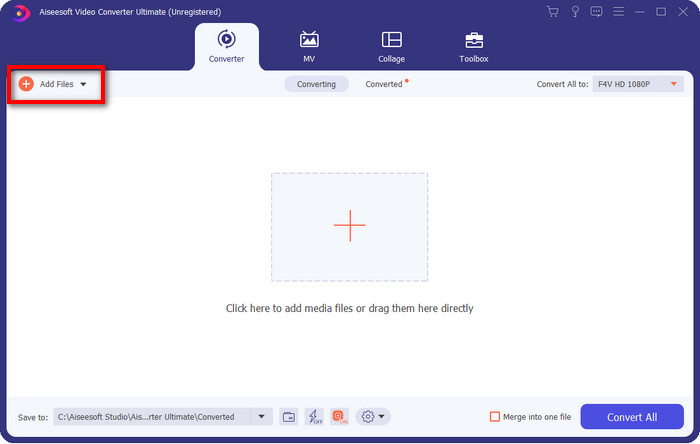
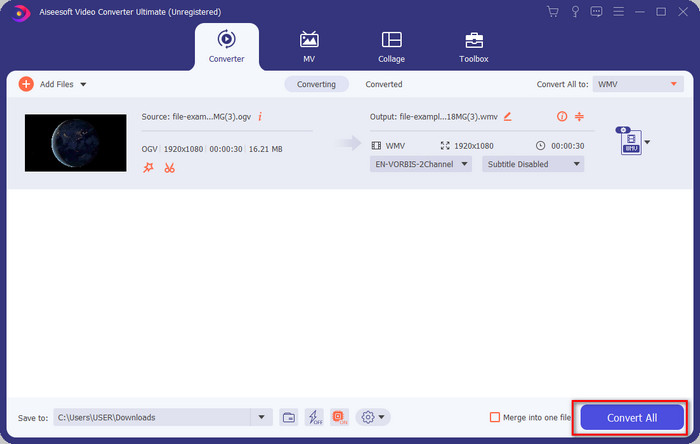
Pas 2. Després d’obrir el convertidor, puja el fitxer OGV fent clic al botó Add Files (Afegeix fitxers) a la part superior esquerra de la interfície i fes clic a Open (Obre).
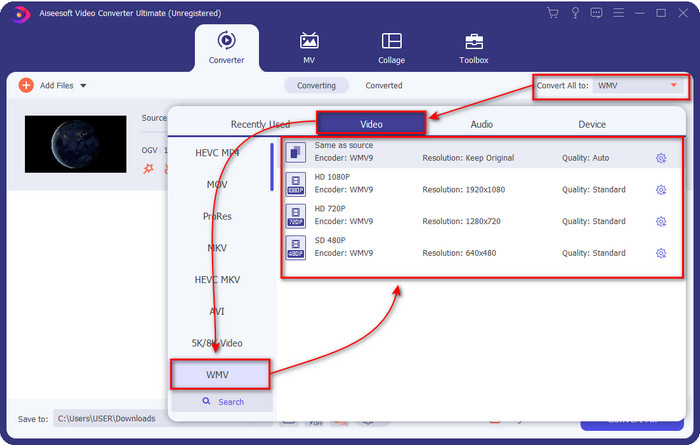
Pas 3. Un cop hagis pujat el fitxer OGV, tria el format WMV que desitgis a l’opció Convert All to (Converteix-ho tot a).
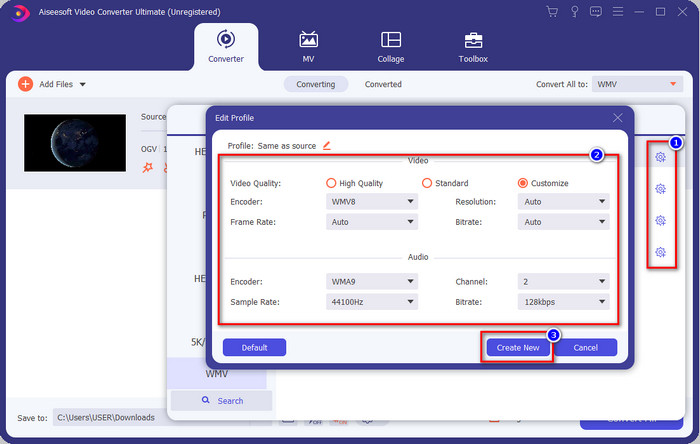
Opcional: Vols modificar el perfil del vídeo? Aleshores fes clic a la icona cog (roda dentada) i ajusta el codificador, la velocitat de fotogrames o la freqüència de mostreig de vídeo i àudio. Per desar els canvis, fes clic a Create New (Crea’n un de nou). Després d’ajustar‑ho, veuràs una icona de roda dentada a la part superior del format que hagis triat.
Pas 4. Fes clic a Convert All (Converteix-ho tot) per iniciar el procés. Quan acabi la conversió, s’obrirà una carpeta de l’ordinador amb el fitxer WMV.
Part 3. Gràfic comparatiu
| Característiques dels convertidors | FVC Video Converter Ultimate | Reproductor multimèdia VLC | Aconvertir | Video2Edit.com | FVC Free Video Converter en línia |
| Conversió de formats |  | | | | |
| Funcions d'edició | |  | | | |
| Modificar la configuració de vídeo i àudio | | | | | |
| Dependent d'Internet | | | | | |
| Anuncis gratuïts | | | | | |
Part 4. Preguntes freqüents sobre la conversió d'OGV a WMV
Puc utilitzar el convertidor FFmpeg OGV a WMV?
Sí, pots utilitzar FFmpeg per convertir OGV a WMV, però aquest convertidor no és tan fàcil d’utilitzar com els convertidors habituals. Així que, si vols fer servir aquesta eina, segueix els passos. Obre l’eina i executa la ruta de FFmpeg.exe al teu sistema. Obre el Command Prompt i navega fins al fitxer OGV que vols convertir al CRM. A continuació, introdueix aquest codi: ffmpeg -i input.ogv -vn -ar 44100 -ac 2 -b:a 192k output.wmv, i prem Enter perquè s’iniciï el procés.
Es pot reproduir OGV a Mac?
No ho podràs fer si vols reproduir fitxers OGV a QuickTime, perquè el codificador del format no és compatible. Però hi ha una manera de fer‑los compatibles al Mac, i aquesta manera és convertir‑los a MOV. Vols saber com transformar els teus fitxers OGV en MOV? Aleshores fes clic en aquest enllaç.
OGV i OGG són el mateix format?
OGV i OGG són els contenidors exactes, però tenen diferències en el que contenen. Per exemple, els fitxers OGG poden emmagatzemar àudio d'alta qualitat, però no amb vídeos. En canvi, OGV pot mantenir contingut d'àudio i vídeo d'alta qualitat.
Conclusió
I ara que ja sabem quins convertidors d’OGV a WMV pots utilitzar, és el moment de triar l’eina que faràs servir. Encara que totes les eines presentades aquí et poden ajudar, hem comprovat que FVC Video Converter Ultimate garanteix l’excel·lència als usuaris que la facin servir. Costa de creure de què és capaç aquesta eina. Per tant, la decisió és a les teves mans, però si encara no t’has decidit, et recomanem escollir FVC Video Converter Ultimate. Vols saber més coses sobre l’eina? Aleshores l’has de descarregar primer i utilitzar‑la sense cap limitació.
-
 Els 2 convertidors més seleccionats accessibles per convertir fitxers OGV a AVI [2021]
 Voleu convertir fitxers OGV a AVI? Aquest article ofereix dues de les millors solucions que podeu utilitzar per fer que la vostra conversió sigui segura i ràpida sense perdre la credibilitat del vídeo.
-
 Excel·lent convertidor OGV a FLV que no us hauríeu de perdre [Provat]
 Si us 'està preguntant com convertir ràpidament fitxers OGV a FLV, aquest article us mostrarà l'únic convertidor que mai necessitareu.
-
 3 maneres de convertir fitxers M2TS a WMV de forma gratuïta al Windows / Mac / en línia
 Aquí hi ha 3 maneres fàcils de convertir vídeos M2TS a WMV. Podeu canviar el format de vídeo de M2TS a WMV gratuïtament a Windows, Mac i en línia. La conversió per lots és compatible.
