


 Video Converter Ultimate
 Gravadora de pantalla
 Reparació de vídeo
Revisió completa sobre com convertir un fitxer SWF a AVI amb els 5 convertidors
Un format creat per la força conjunta de ShockWave Flash i Adobe és el SWF. Aquest format està dissenyat per contenir i reproduir animacions de vídeo al Flash Player o al web amb els connectors de Flash. Tanmateix, és molt difícil veure vídeos animats en format SWF, perquè cap dels reproductors multimèdia, a part del Flash Player, admet aquest format. En aquest cas, necessitareu trobar un convertidor per poder veure el fitxer .swf a l’escriptori. Per això, a continuació us presentem els convertidors que podeu utilitzar per convertir SWF a AVI en línia i fora de línia.
Part 1. SWF vs AVI: quin és millor?
Abans, vam explicar algunes de les dades que vam recopilar durant la nostra recerca sobre els fitxers SWF. Però sabíeu que aquest fitxer utilitza un vector en lloc d'un píxel? Per entendre-ho millor, aprofundim-hi. Els píxels són petites caixes que es mostren a la pantalla. Bàsicament, tot aquest petit quadrat té diferents colors i tots s'uneixen per crear una imatge visual. Tanmateix, els vectors utilitzen equacions matemàtiques per calcular la forma que prendrà part a la pantalla. Per tant, si intentem veure vídeos SWF, esperem una qualitat visual molt millor que qualsevol format.
AVI és un dels formats de fitxer coneguts que té una mida de fitxer enorme en comparació amb els altres formats. I la raó principal per la qual la mida del fitxer de l'AVI és gran és només perquè no està comprimit. I com que no està comprimit, esperem que el fitxer mantingui la qualitat però en una mida molt més gran.
L'únic motiu pel qual haureu d'aprendre a convertir un fitxer SWF a AVI és veure el vídeo que encara es troba sota l'extensió de fitxer .swf. A més, ja facilitem la vostra cerca molt més que mai, ja que compilem diferents eines que podeu triar. A més, totes les eines esmentades a continuació proporcionen una gran conversió que, literalment, us ajudarà a resoldre aquest problema.
Part 2. 5 dels millors convertidors SWF a AVI disponibles a l'escriptori i al web
1. FVC Video Converter Ultimate
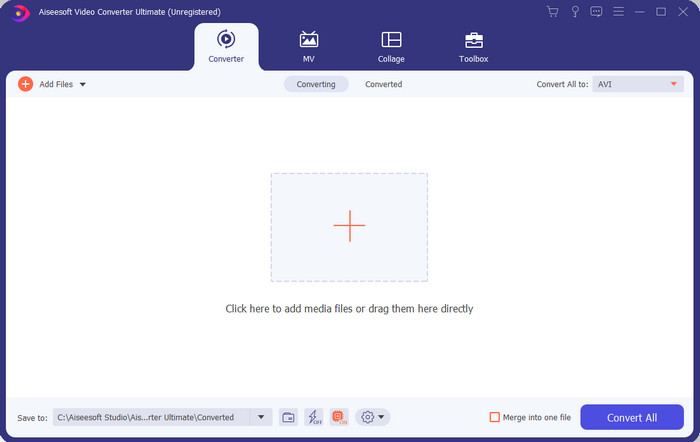
Si busqueu el programari realment extraordinari que necessiteu per convertir fitxers .swf, aleshores el FVC Video Converter Ultimate és l’adequat. No ocuparia el primer lloc si el programa no oferís una conversió excel·lent. A més, és compatible amb més de 200 formats, tant els que ja coneixeu com els que no. A diferència dels convertidors que trobareu més avall, aquest és molt diferent quant a interfície, funcionalitat, funcions avançades, accessibilitat i més aspectes. Si esteu buscant un convertidor esplèndid, podeu dir-vos a vosaltres mateixos que la recerca s’ha acabat perquè ja l’heu trobat. A més, si encara no esteu convençuts de l’eina, comprovem-ho personalment descarregant primer aquest millor convertidor gratuït de SWF a AVI.
Pros
- Admet l'acceleració de maquinari i la conversió ràpida per convertir en un obrir i tancar d'ulls.
- Àmplia gamma de formats de fitxer multimèdia compatibles.
- Les funcions d'edició estan disponibles un cop s'hagi liquidat el pagament.
- La conversió per lots es pot fer fàcilment.
Contres
- S'ha de pagar primer abans de poder utilitzar-lo, però és molt barat.
- Primer cal baixar-lo a la vostra unitat.
2. Reproductor multimèdia VLC
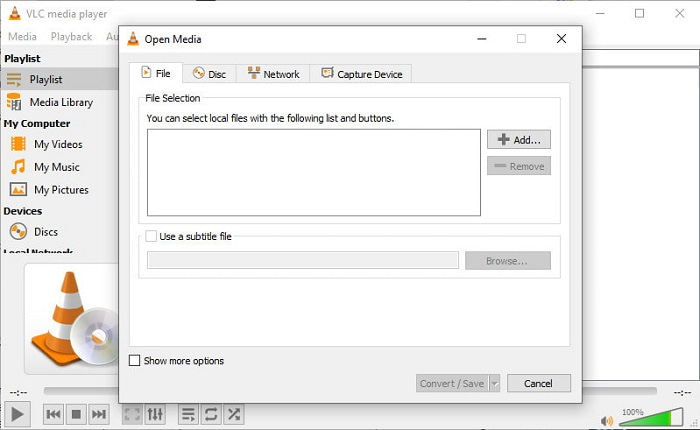
Aquest reproductor multimèdia té una funció oculta que us encantarà. El VLC Media Player no només s’utilitza com a reproductor multimèdia, sinó que també incorpora un convertidor. Tot i això, el nombre de formats admesos pel convertidor integrat és molt reduït i no podeu configurar-hi la resolució. A més, el procés de conversió de format aquí us resultarà sens dubte més complicat que amb altres convertidors. Però si el voleu provar i fer servir aquest convertidor gratuït de SWF a AVI, descarregueu el reproductor multimèdia.
Pros
- Té un convertidor integrat al costat del reproductor multimèdia.
- Descàrrega gratuïta a qualsevol plataforma.
- És segur de descarregar i el procés de conversió també està protegit.
Contres
- Format inferior compatible que els altres convertidors disponibles en aquesta llista.
- El procés de conversió és molt per fer abans de poder fer la conversió.
3. Convertio
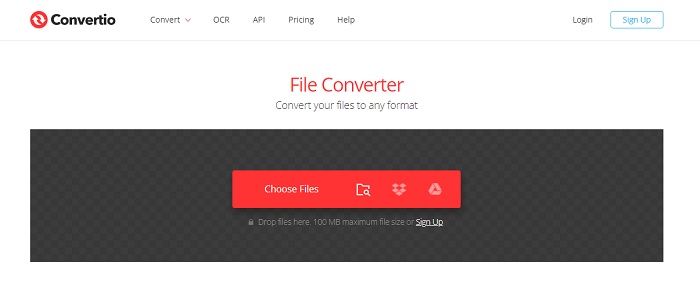
Si voleu convertir SWF a AVI en línia, proveu Convertio, ja que ofereix una conversió senzilla i eficaç. A més, aquesta eina web és segura d’utilitzar i tots els fitxers que s’hi converteixen s’eliminen del lloc web. Una altra funció impressionant d’aquesta eina és que podeu fer conversions per lots si us hi registreu. Tot i això, el procés de pujada i baixada us pot ocupar molt de temps i això resulta una mica feixuc per als usuaris. Si no voleu gastar ni un cèntim en la conversió, proveu d’utilitzar aquesta eina.
Pros
- No cal que baixeu el programari a la vostra unitat abans de poder-lo utilitzar.
- Admet un nivell mitjà de formats que podeu triar.
- Es poden convertir 2 formats de fitxer alhora.
Contres
- La càrrega i la descàrrega del fitxer després de la conversió us requeriria molt de temps.
- Depenent d'Internet, el que significa que si la vostra Internet és lenta, s'espera molt de temps.
4. OnlineConvertFree.com
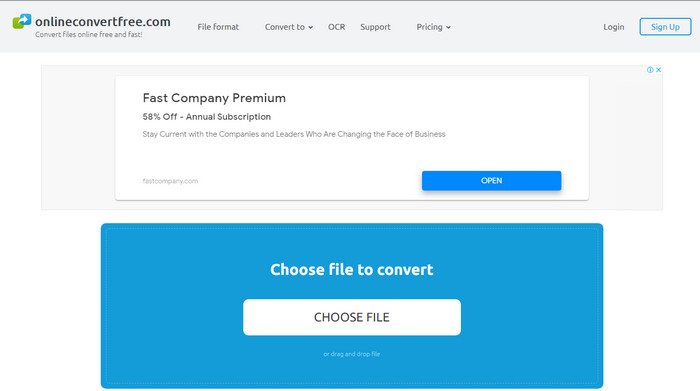
Un altre convertidor de vídeo en línia de SWF a AVI que podeu fer servir és OnlineConvertFree.com. Si la simplicitat és bellesa, aquesta hauria de ser la vostra opció per a la tasca de conversió. A diferència de la primera eina en línia esmentada, aquesta és molt més simple, però admet menys formats entre els quals triar. A més, la mida del fitxer està limitada en aquest programari en línia. Per tant, si teniu un fitxer amb una mida superior a 20 MB, és d’esperar que no el pugueu utilitzar amb aquesta eina. Tanmateix, si voleu utilitzar-la per convertir fitxers i alhora no gastar gaire, feu servir aquesta opció.
Pros
- És d'accés gratuït.
- Aquest convertidor es pot utilitzar si teniu connexió a Internet.
- La interfície en general sembla ordenada.
Contres
- No es pot accedir si no hi ha Internet disponible.
- Els anuncis estan matant el lloc web.
Part 3. 5 passos sobre com convertir SWF a AVI a FVC Video Converter Ultimate
Aquests són els passos detallats sobre com utilitzar el FVC Video Converter Ultimate. Tots els passos proporcionats aquí us garantiran una experiència fàcil i, alhora, fenomenal.
Pas 1. Primer, és imprescindible descarregar l’eina al disc de l’ordinador, triant si és PC o Mac. Després instal·leu el programari al disc, feu la configuració fàcilment i feu clic a Start Now.
Descàrrega gratuïtaPer a Windows 7 o posteriorDescàrrega segura
Descàrrega gratuïtaPer a macOS 10.7 o posteriorDescàrrega segura
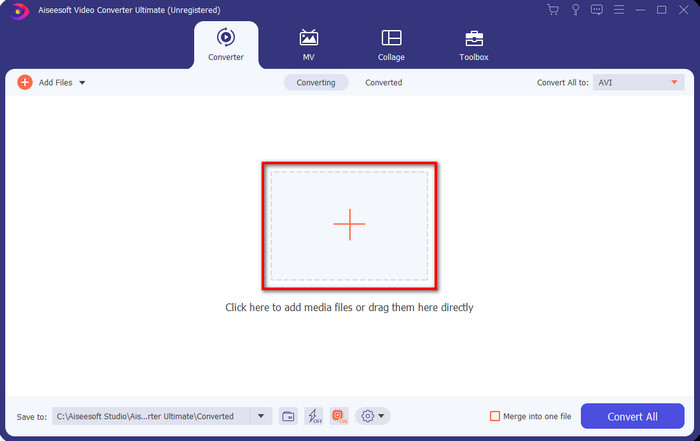
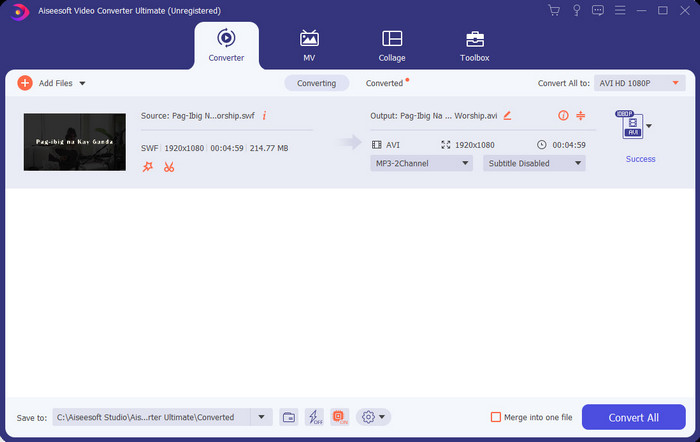
Pas 2. Obriu el programari que heu instal·lat al disc, feu clic al botó + i després localitzeu el fitxer a la carpeta que apareixerà a continuació. Premeu Open per continuar.
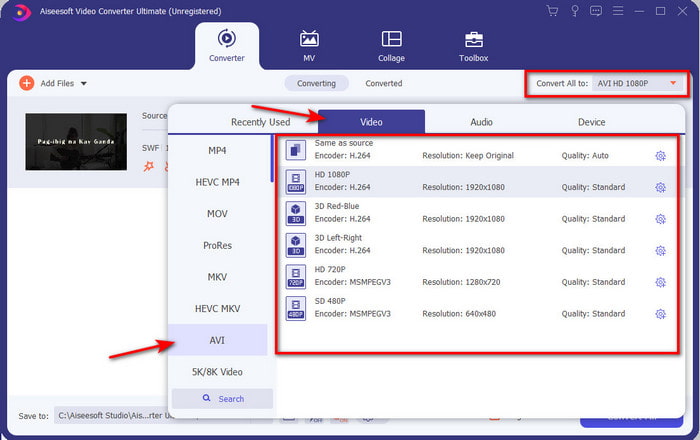
Pas 3. I per canviar el fitxer SWF a format AVI, feu clic al botó desplegable i seleccioneu el format AVI, i després trieu la resolució.
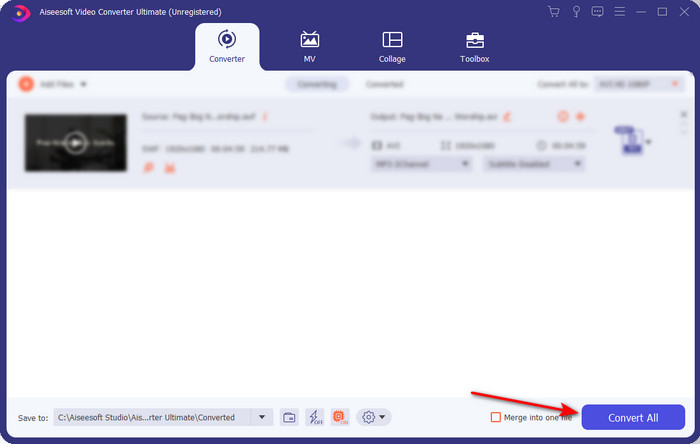
Pas 4. Quan ja hagueu acabat de seleccionar el format, feu clic a Convert All perquè comenci el procés de conversió.
Pas 5. Un cop finalitzada la conversió, apareixerà una carpeta amb el fitxer convertit. Feu clic al nou fitxer AVI per veure’l i, si voleu, transferir-lo més endavant.
Part 4. Preguntes freqüents sobre SWF i AVI
Puc reproduir SWF als altres reproductors multimèdia?
Definitivament no, perquè el format .swf no és compatible amb el vostre reproductor multimèdia, fins i tot si feu servir una aplicació de tercers. I la millor opció per reproduir un fitxer .swf és convertir-lo a un format nou només per poder-lo reproduir. Però si no el voleu convertir, aleshores heu d’utilitzar el Flash Player per tal de reproduir el fitxer en format SWF.
La mida .swf és més petita?
I tant que sí; a banda de ser petit en mida, també es carrega molt més ràpid que altres formats, així com per tota l’estructura del format en si. Podeu provar de comprimir fitxers SWF amb un compressor de vídeo si són massa grans.
El meu fitxer SWF pot ajustar la transparència?
Bé, podeu configurar-lo perquè sigui transparent si voleu o no si no voleu. A més, podeu afegir un canal alfa amb el color de la pantalla o l'escala de grisos per configurar-lo com a transparent.
Conclusió
Quan acabem aquest article, ja vam descobrir què és SWF i l'altre propòsit d'aquest. A més, hem après que no podeu utilitzar el fitxer .swf si no feu servir un Flash Player i, a part d'això, no el podeu reproduir. Així que ara, la millor solució per reproduir el fitxer SWF és convertir-lo en un nou format com l'AVI. A més, totes les eines esmentades anteriorment fan la seva feina com a convertidor. Però no hi ha cap eina que ofereixi una solució molt més ràpida i fàcil que el FVC Video Converter Ultimate.
-
 SWF a MP4: Converteix gratuïtament SWF a MP4 en línia i PC
 Com obrir fitxers SWF sense Adobe Flash Player? Agafeu el convertidor SWF a MP4 superior gratuït per canviar gratuïtament SWF a MP4 en línia i a PC / Mac en 3 passos.
-
 [2 solucions] Com convertir fitxers SWF a GIF fàcilment de forma gratuïta
 Si no exporteu el format GIF a través del programari Flash, podeu provar de desar els fitxers en format SWF al principi. A continuació, podeu aprendre dues maneres senzilles de convertir fitxers SWF a GIF d’aquest article.
-
 Excel·lent opció per convertir MKV a un format AVI
 Domineu com convertir vídeos MKV amb passos senzills que us proporcionen exclusivament. Vols saber com? A continuació, feu clic a aquest enllaç per obtenir més informació.
