


 Video Converter Ultimate
 Gravadora de pantalla
 Reparació de vídeo
En revisions detallades sobre els 3 convertidors web i d'escriptori utilitzats per convertir fitxers WMV a AVI
Hi haurà un moment en què voldràs convertir el teu fitxer en un de nou perquè no es pot reproduir. Un exemple excel·lent en aquesta situació és el format WMV. Si ets usuari de Windows, segur que ja has sentit a parlar d’aquest format. Emmagatzema diferents fitxers de vídeo i d’àudio en un sol contenidor. Tanmateix, aquest format no rep suport de la majoria de reproductors multimèdia. Així que la millor manera de mirar el vídeo amb l’extensió de fitxer .wmv és convertir-lo. Si et planteges la mateixa pregunta que altres, pots convertir WMV a AVI? Aleshores continua llegint, perquè hem reunit diferents eines web que pots utilitzar amb els passos que t’indiquem.
Part 1. Els 3 millors convertidors a Free Convertir WMV a AVI en línia
Top 1. FVC Free Video Converter Online
La conversió es pot fer ràpidament si tens accés a internet i utilitzes aquest FVC Free Video Converter Online. Aquest programari admet una conversió molt més ràpida i millor que altres eines en línia. A més, no hauràs d’esperar que el fitxer es pengi, perquè aquesta eina està pensada perquè no hagis d’esperar gaire. Una altra cosa bona d’aquesta eina web és la biblioteca incorporada de vídeos convertits que proporciona. Així pots accedir als vídeos o àudios que converteixes de manera eficient i efectiva. No obstant això, si no tens connexió a internet, no la podràs utilitzar, igual que passa amb la resta d’eines web de més avall. A més, si vols provar aquesta eina, aquí tens uns passos que pots seguir per convertir WMV a AVI gratis en línia.
Pas 1. Primer, ves al lloc web principal de FVC fent clic en aquest enllaç.
Pas 2. Després fes clic a Add Files to Convert per instal·lar el llançador de l’eina web. No t’has de preocupar, perquè només ocupa uns pocs bytes i també és segur. Si l’instal·lador ja és al teu disc, torna a fer clic a Add Files to Convert, tria el format .wmv a la carpeta i fes clic a Open.
Baixa la versió d’escriptori per convertir fitxers per lots.
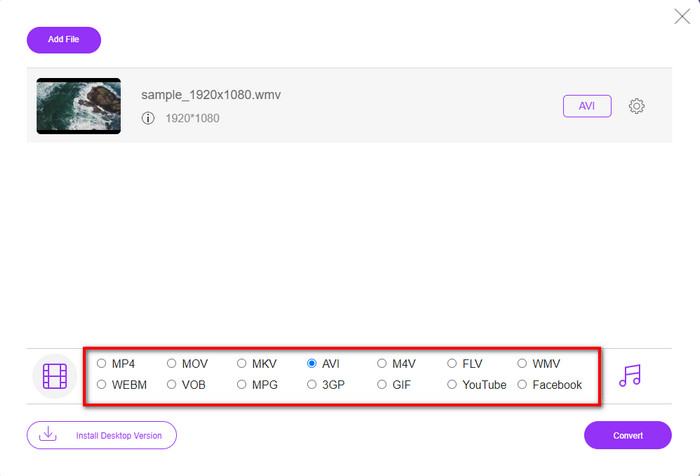
Pas 3. Un cop el fitxer WMV sigui a la interfície, ara has de triar el format AVI entre les opcions disponibles a la part inferior.
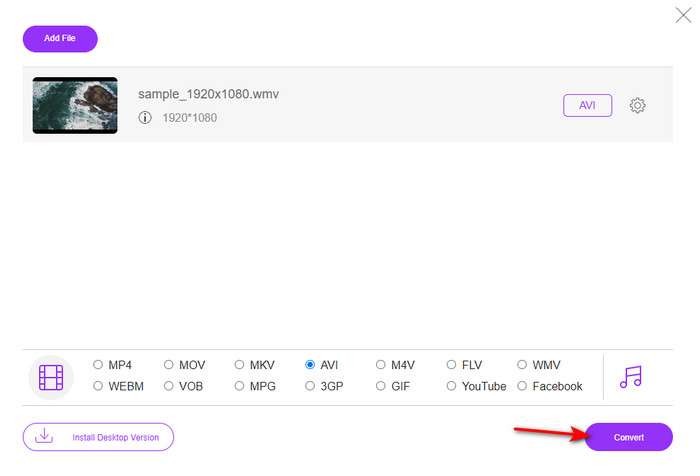
Pas 4. Després de seleccionar el format, ja és el moment adequat per convertir fent clic a Convert.
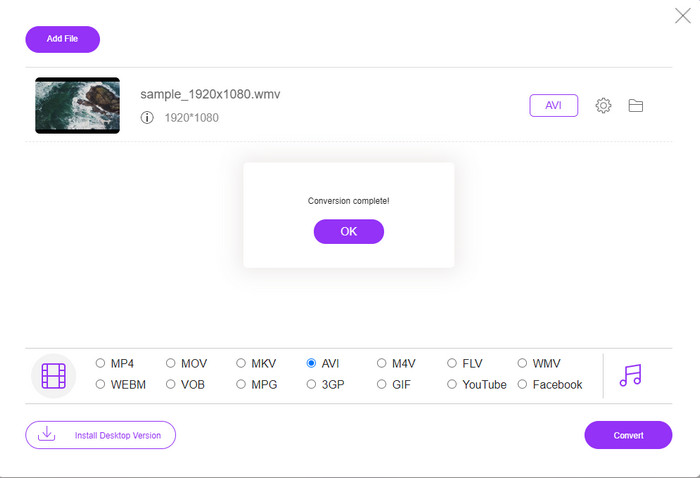
Pas 5. Espera uns minuts que acabi el procés i, quan acabi, apareixerà a la pantalla una carpeta que conté el fitxer convertit. A continuació, fes-hi clic per mirar el nou format WMV que has creat amb aquesta eina.
Top 2. Convertio
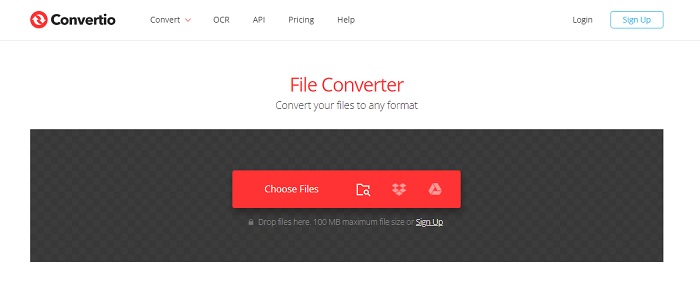
Un altre convertidor en línia que pots utilitzar per convertir fitxers WMV a AVI de manera gratuïta és Convertio. A diferència de la primera eina web esmentada, no necessitaràs cap llançador per fer-la servir. A més, amb aquesta eina també pots convertir PDF, imatges, àudio i més. No obstant això, el principal inconvenient és que la pujada i la baixada dels fitxers et farà perdre força temps. Tampoc no disposa d’una biblioteca integrada amb tots els fitxers que has convertit. Així que, si vols fer servir aquesta eina com a convertidor, segueix aquests passos.
Pas 1. Obre el teu navegador preferit i cerca Convertio.io.
Pas 2. Fes clic a Choose File i localitza a la carpeta el fitxer WMV que vols convertir. Després fes clic al botó drop-down i tria AVI.
Pas 3. El procés de pujada et prendrà temps; quan acabi, fes clic a Download per desar el format convertit.
Top 3. CloudConvert
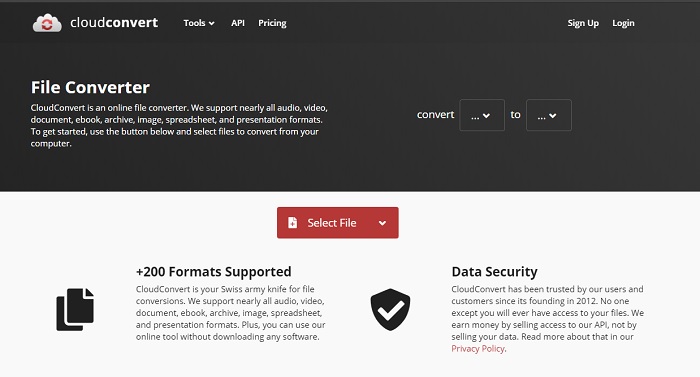
CloudConvert admet formats a petita escala que pots triar per convertir. A més, el procés de conversió aquí és segur i no guarda cap registre del que converteixes. Igual que Convertio, aquesta eina tampoc no té cap biblioteca. I el procés de conversió és molt més lent, perquè no admet acceleració per maquinari per augmentar la velocitat de conversió. Així i tot, si vols provar de convertir WMV a AVI gratis en línia, copia els passos de sota.
Pas 1. Obre el navegador i cerca CloudConvert.
Pas 2. Prem Select File i busca el fitxer .wmv a la carpeta que apareixerà a la pantalla.
Pas 3. Fes clic a Convert to, tria el format AVI, fes clic al botó Convert i, un cop acabada la conversió, fes clic a Download.
Part 2. Com canviar WMV a AVI a Mac i PC amb el Lightning Speed Converter
El programari en línia esmentat més amunt no pot igualar allò que ofereix FVC Video Converter Ultimate als seus usuaris. Si busques una eina multifunció, aquesta és la millor opció. També pots utilitzar aquest programari com a convertidor, editor, creador de GIF i molt més. A més, aquest programa supera les expectatives pel que fa a tot el que pot fer i la rapidesa amb què acaba les tasques. El rendiment global d’aquesta eina ens ha sorprès, i si tu també vols sorprendre’t, descarrega aquest convertidor fenomenal a l’ordinador. I ara, continuem amb la conversió de WMV a AVI en Mac i PC seguint el procediment pas a pas que hem preparat a continuació.
Pas 1. Abans de poder accedir a l’eina, l’has de descarregar i triar en quina plataforma l’utilitzaràs. Després instal·la el programari a l’ordinador; la configuració ràpida triga menys d’un minut.
Descàrrega gratuïtaPer a Windows 7 o posteriorDescàrrega segura
Descàrrega gratuïtaPer a macOS 10.7 o posteriorDescàrrega segura
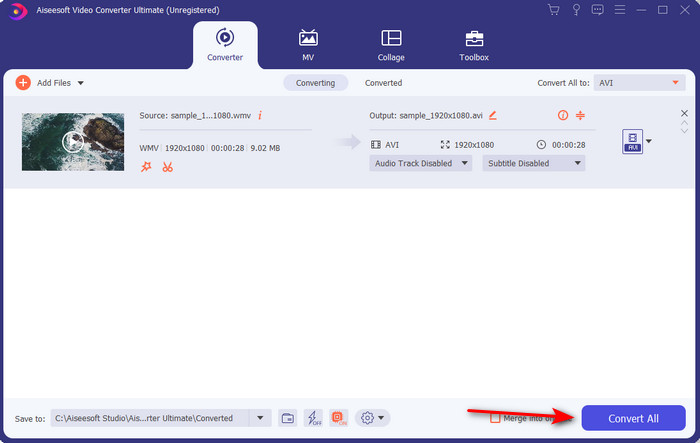
Pas 2. Obre el programari per passar al pas següent; després d’executar-lo, veuràs un signe +; fes-hi clic per afegir els fitxers i, tot seguit, selecciona Open.
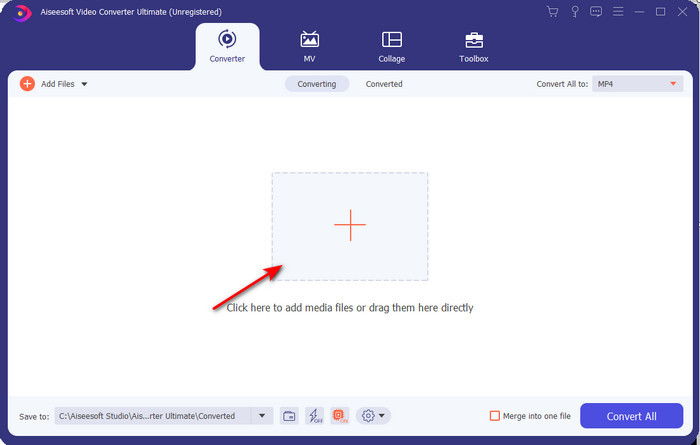
Pas 3. Per canviar el format, fes clic al menú desplegable de Convert All to i tria AVI al submenú.
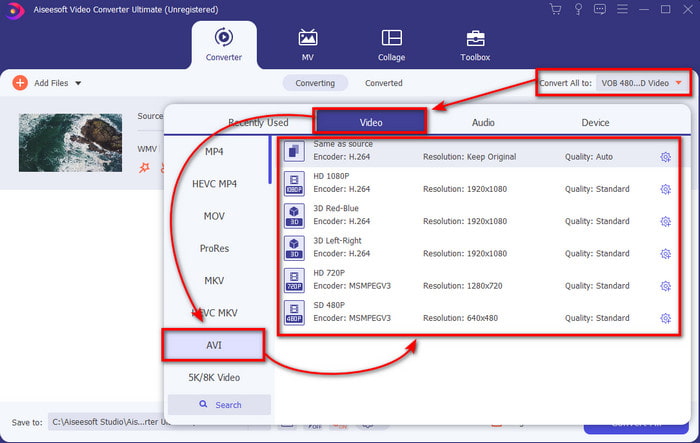
Pas 4. Ara, per convertir correctament el fitxer WMV a AVI, fes clic a Convert All i espera uns segons que acabi el procés.
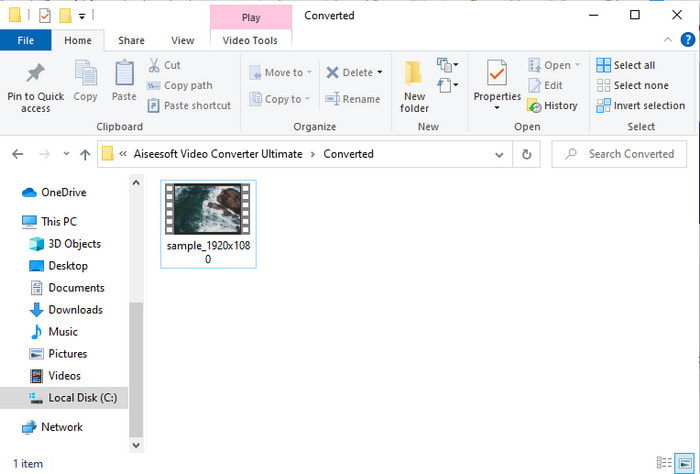
Pas 5. Després de convertir, apareixerà a la pantalla una carpeta amb el fitxer convertit que has creat fa uns segons. Per mirar-lo, fes clic al fitxer de vídeo i gaudeix del teu fitxer WMV convertit sense perdre qualitat.
Part 3. WMV VS AVI; Quin format funciona millor
WMV i AVI són alguns dels contenidors de fitxers de vídeo de primer nivell que us agradaria utilitzar. Els dos formats esmentats poden contenir vídeo i àudio d'alta qualitat, però ara determinem les seves diferències llegint aquest gràfic de comparació.
| WMV | AVI | |
| També conegut com | Vídeo de Windows Media | Interlevància d'àudio i vídeo |
| Millor ús per a | Solia convertir un fitxer gran en un de més petit per a la transmissió de vídeo en línia ben estructurada. | S'utilitza per emmagatzemar vídeo i àudio per separat i reproduir-los simultàniament sense cap demora. |
| Desenvolupat per | Microsoft | Microsoft |
| Inconvenients del format | Guanya menys atenció i suport dels reproductors multimèdia. | Necessita un còdec per comprimir aquest fitxer gran en un fitxer molt més petit però dins d'un límit. |
WMV vs. AVI
Produït per Microsoft, WMV era un dels formats de vídeo més comuns als anys 2000. Es pot veure a la xarxa i reproduir-lo per diversos reproductors multimèdia a Windows. I també és el format de fitxer de vídeo predeterminat de Windows Media Player. Però recentment ha estat assumit per altres formats.
Basat en el format de fitxer d'intercanvi de recursos (RIFF), el format AVI va ser introduït per Microsoft l'any 1992. Pot estalviar vídeo/àudio d'alta qualitat ja que utilitza menys compressió. Però això també provoca la gran mida del fitxer d'un fitxer AVI, que pot ser un problema quan hi ha espai limitat.
Part 4. Preguntes freqüents sobre el format WMV i AVI
Convertir WMV a AVI afecta la qualitat?
La qualitat del fitxer WMV quan el converteixes en AVI no ha de canviar. Tanmateix, suposem que el vostre WMV canvia i la qualitat baixa. En aquest cas, el convertidor que utilitzeu no admet un píxel d'alta qualitat del vostre vídeo.
La mida del meu WMV canvia després de la conversió?
La mida del fitxer del WMV pot ser una mica diferent de la mida del fitxer original. Hi ha un motiu pel qual canvia. Un dels motius és que el fitxer comprimit es torna sense comprimir, de manera que la mida del fitxer canvia. Però els canvis han d'estar a prop de la mida del fitxer original i no han de ser tan grans ni tan grans.
Puc utilitzar WMV per adjuntar un vídeo a un correu electrònic?
Sí, és ideal utilitzar el format WMV i adjuntar el vídeo a un correu electrònic perquè admet una compressió millor i més ràpida que el MPEG-4, segons Microsoft. A més, es coneix com a format en miniatura a causa de la petita mida que podria ser la mida del fitxer. Tanmateix, la qualitat del vídeo es manté.
Conclusió
A mesura que acabem, ens és més fàcil entendre que no totes les plataformes i programari admeten WMV. A més, l'eina web funciona bé, però hi ha una eina que pot convertir fitxers per lots molt més ràpid i senzill: FVC Video Converter Ultimate. Suposem que voleu experimentar la conversió fenomenal que ofereix aquest programari. En aquest cas, heu de descarregar-ho ara al vostre escriptori i utilitzar-lo.
-
 Com convertir WMV a MP4 gratis i en línia [Resolt]
 Com convertir fitxers WMV a MP4? Aquí hi ha les 4 maneres fàcils de convertir WMV a MP4 a Mac i Windows amb senzills passos.
-
 WMV a MP3: com convertir vídeo a àudio de forma gratuïta [escriptori/en línia]
 Mentre mireu un vídeo WMV, trobeu fascinant la part d'àudio. Per tant, voleu reproduir-lo al vostre reproductor de MP3. Però és evident que el vostre reproductor no admet el format WMV. Això fa que us pregunteu si hi ha una manera de convertir WMV a MP3.
-
 2 maneres més fàcils de convertir fitxers WMV a FLV en PC / Mac
 Com es pot convertir WMV a FLV? En primer lloc, heu de llegir la nostra recomanació i trobar el vostre mètode preferit, i després seguir la nostra guia per fer la feina ràpidament.

