


 Video Converter Ultimate
 Gravadora de pantalla
 Reparació de vídeo
 Baixada segura
Tutorial sobre com editar metadades MKV a l'escriptori de la manera més fàcil
MKV is an extension that is very popular for the Matroska multimedia container formats. What makes the MKV popular over other formats? Many users thought that the MKV is a video compression used on audio and video, which isn't. This format became popular because of its flexibility in adapting codecs for audio, video, and subtitle while storing them on a single file. With these features, the format became future-proof, which implies that the file format will never be outdated, even the metadata stored here. So, if you want to add, remove, or edit the metadata on your MKV file, you must continue reading this article and learn how to edit MKV metadata more quickly.

Part 1. Com editar les metadades del fitxer MKV amb els 3 millors programes a l'escriptori
FVC Video Converter Ultimate: l'editor d'etiquetes MKV més potent a Windows i Mac
FVC Video Converter Ultimate is the best MKV metadata editor you can download on both operating systems to finish the job like a pro. The ultimate software can handle the MKV file easily and open them to change their metadata if you want it to be changed. With its wide video and audio format support, uploading any media format like the MKV has never been a pain in the butt. While using the software, you will experience easy progress on learning how to grasp the whole idea of using it. Do you want to use the tool but don't have any tutorial you can depend on? Fortunately, the information we provided below will help you take the task like a pro; read the details below to know how to change the title of the MKV file in less than a minute.
Step 1. Firstly, clicking the download button will immediately download the software on your desktop and choose which software you are currently using. Then, install it on your desktop and launch it to add the metadata on your MKV files.
Descàrrega gratuïtaPer a Windows 7 o posteriorDescàrrega segura
Descàrrega gratuïtaPer a macOS 10.7 o posteriorDescàrrega segura
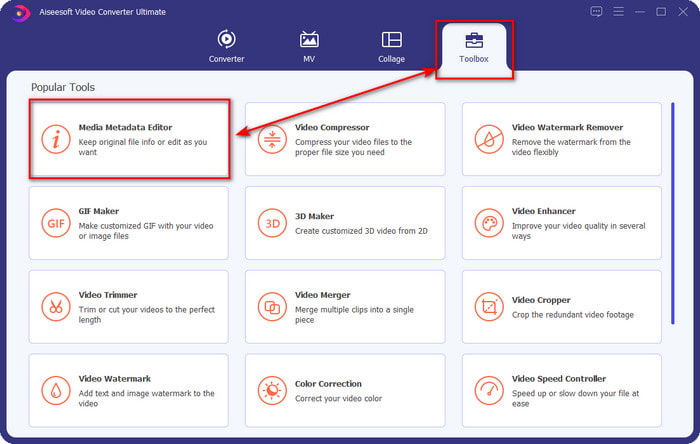
Step 2. Now that you've launched the tool, you must go to the Toolbox section and look for the Media Metadata Editor on the setlist below.
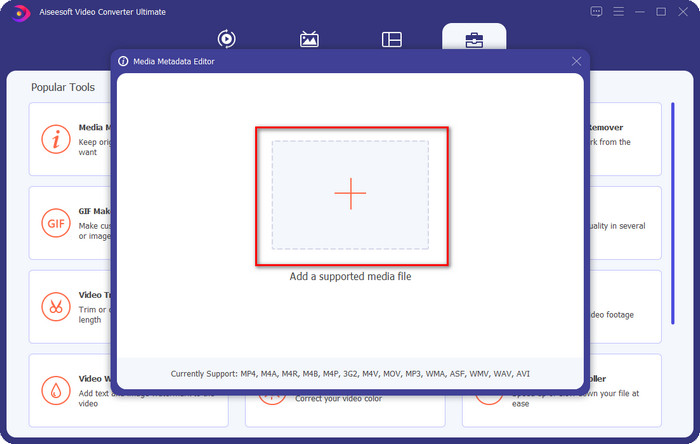
Step 3. To add the MKV file, click the + button that will show on your screen, find the .mkv file on the folder and click Open to proceed to the next step.
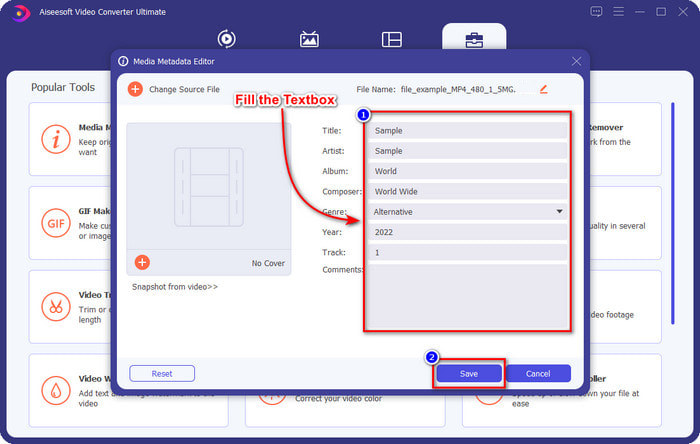
Step 4. In this part, you can now add the metadata you need on your MKV, fill them in according to your wants, and click Save if you've done it all and are ready to apply this. With that, you have added the tags on your MKV file to determine what's in the file quickly.
VLC Media Player: editor de metadades MKV gratuït
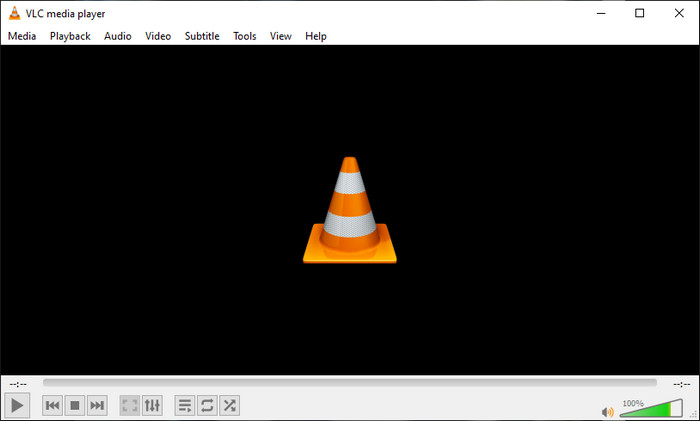
VLC Media Player can play and edit the tags of your MKV easily. This tool is open-source, so there is no need to worry if you download the software on your desktop because you can avail of the tool's full potential for free, but you can donate if you want. Although the tool is not as good as the other metadata editor on this list, it is still considered a dependable tool you can use on your device. In addition to that, you are free to add the basic information on your MKV file, whether the author's name, title, artist, album, etc. Follow the steps and learn how to edit MKV metadata using the media player as a metadata editor.
Step 1. Download, then open the VLC on your desktop.
Step 2. Go to Tools and click Media Information. If you want an easier way, you can use a hotkey instead by pressing CTRL + I. No matter what way you choose, their functions are the same.
Step 3. Type the information you need, and click Close to save the metadata automatically.
MKVToolNix GUI - Editor d'etiquetes MKV dedicat
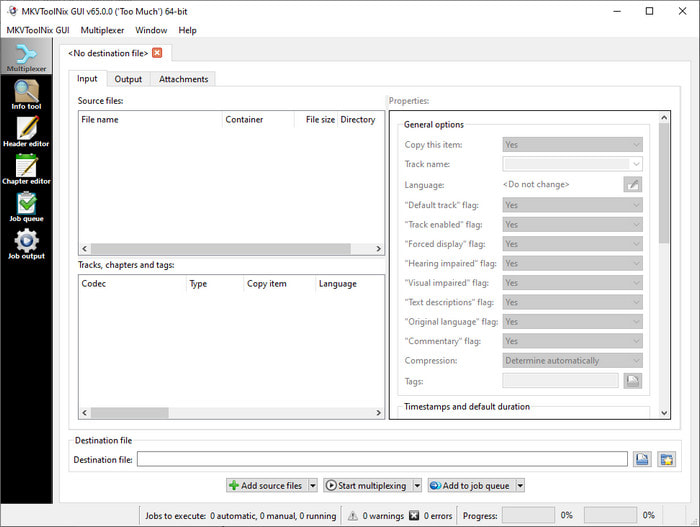
MKVToolNix GUI is a dedicated MKV file solution; although you can upload other formats, the software will change its format to MKV. The tool became known as a one-stop solution regarding MKV as it supports a toolset, which means you can have functions other than metadata editing. With its straightforward GUI, there isn't much to learn on how to use it; basically, you can learn how to use it within a few minutes. Even though the tool is straightforward, some users who already use an on-point metadata editor compared its GUI to others and said that the tool is not intuitive enough for them. After everything they said, it is still no doubt that the tool can teach us how to change the title of the MKV file.
Step 1. Download the software on your desktop, open it, click Add Source File, and locate the MKV file on the folder.
Step 2. Press Output and change the metadata here.
Step 3. If you've done all of these, you may now save it by clicking the Start Multiplexing.
Part 2. Preguntes freqüents sobre l'Editor de metadades MKV
Puc convertir VOB a MKV?
You can easily convert VOB to MKV by clicking this link, and a new tab will be opened that will directly help you convert VOB to MKV. If you want more information about the VOB and MKV, this is the right article for you.
Per què els meus fitxers MKV tenen una mida més gran?
The reason why your MKV files are big is that the format contains not only video and audio. It also contains multiple elements such as subtitles, metadata, variable bit rate, and many more. So what should you do if you want to compress the MKV file to make it smaller without destroying the quality? There aren't many reliable video compressors, and because of that, we did some research to help you compress MKV without losing the quality at ease.
Quins són els desavantatges del format MKV?
Tot i que es coneix el format del fitxer, alguns reproductors i editors multimèdia encara poden gestionar el format a causa del problema del còdec i els elements. A més, el format té una mida enorme i no tot el programari admet la càrrega d'un fitxer de mida gran perquè importar-lo i exportar-lo consumiria molt de temps. La mida del fitxer també augmentarà perquè forma part del fitxer, igual que l'altre format que heu afegit metadades. Encara que tingui la seva debilitat, segueix sent competitiu pel que fa a emmagatzemar el fitxer multimèdia i mantenir-los segurs per a propòsits futurs.
Conclusió
No és sorprenent? Què us poden oferir aquests tres programaris d'escriptori? L'altre és un reproductor multimèdia, mentre que l'altre és un editor dedicat per a MKV, però quina eina hauríeu d'utilitzar? Si voleu el millor, us oferim l'eina definitiva amb molt de gust. Aprendre a editar metadades MKV amb FVC Video Converter Ultimate es va fer fàcil i eficaç. Aleshores, a què esperes? Teniu l'eina al vostre abast i utilitzeu-la per corregir les metadades dels vostres fitxers MKV com un professional amb uns quants clics de distància.
-
 2 millors maneres d'editar les metadades OGG que hauríeu de provar gratuïtament
 Necessites editar les metadades OGG? Bé, podeu gestionar fàcilment l'edició de les etiquetes utilitzant el programari correcte. Si no en teniu cap, és imprescindible llegir aquest article.
-
 Una visió general absoluta sobre l'editor de metadades de Pentaho [Actualitzat el 2022]
 No troba cap article fiable sobre l'editor de metadades de Pentaho? Afortunadament, vam revisar l'eina nosaltres mateixos per proporcionar els fets que coneixeu sobre l'eina.
-
 Consells i trucs sobre l'editor de metadades de VLC que heu de conèixer el 2022
 Voleu utilitzar el VLC com a editor de metadades? En aquest cas, podeu llegir aquest article ja que oferim una revisió imparcial de l'editor de metadades de VLC.
