


 Video Converter Ultimate
 Gravadora de pantalla
 Reparació de vídeo
Com reproduir un vídeo MP4 amb eines en línia per a la reproducció contínua
Sabies que els vídeos curts amb moments interessants o divertits que es repeteixen una vegada i una altra poden ser una recepta d’èxit a les xarxes socials? Els anomenem vídeos en bucle. Aquests vídeos en bucle poden mantenir els espectadors mirant durant més temps, cosa que es tradueix en més “m’agrada”, més comparticions i més interacció en general. En general, hi ha diferents maneres de crear aquests bucles, i la bona notícia és que es pot fer amb la majoria de vídeos. Això és especialment cert en formats populars com l’MP4, que funciona en gairebé qualsevol dispositiu. Per tant, si alguna vegada t’has preguntat si pots afegir aquest efecte de bucle als teus vídeos o si pots posar en bucle un MP4, sens dubte que ho pots fer!
Afortunadament, hi ha molts llocs web en línia fàcils d'utilitzar disponibles per ajudar-vos a crear vídeos en bucle en molt poc temps. Coneix-los a mesura que aprofundeixis en aquesta publicació.

Part 1. Aiseesoft Free Video Looper Online
Com que esteu buscant una gran eina en línia per repetir un videoclip, Aiseesoft Video Looper és una eina útil. Us permet reproduir tot el vídeo MP4 o només una secció curta. A més, us permet triar exactament quantes vegades voleu que es repeteixi mentre seleccioneu quant de temps durarà el vídeo final abans de crear-lo. A més, també hi ha una funció de vista prèvia integrada perquè pugueu comprovar si sembla correcte. També té una configuració especial per reproduir MP4 en línia, específicament per a plataformes populars de xarxes socials, de manera que és fàcil compartir els vostres clips divertits. A més, podeu ajustar la qualitat del vídeo i la configuració del so per obtenir exactament els resultats que voleu. Què més? Fins i tot hi ha un mode de vista prèvia a pantalla completa perquè us assegureu que tot sembla perfecte abans de desar els vostres vídeos en bucle!
Pros
- Passa els vídeos ràpidament.
- El vídeo en bucle exportat no té filigranes.
- Reprodueix tot el vídeo MP4 o clips específics o estableix un nombre personalitzat de repeticions.
- Permet ajustar la configuració de vídeo i àudio com el format, la qualitat i la taxa de bits.
- La seva vista prèvia integrada us permet comprovar el vostre vídeo en bucle abans de desar-lo.
Contres
- Li falten funcions com retallar, tallar o afegir efectes.
- Requereix una xarxa estable per funcionar.
Com posar en bucle un MP4 amb Aiseesoft
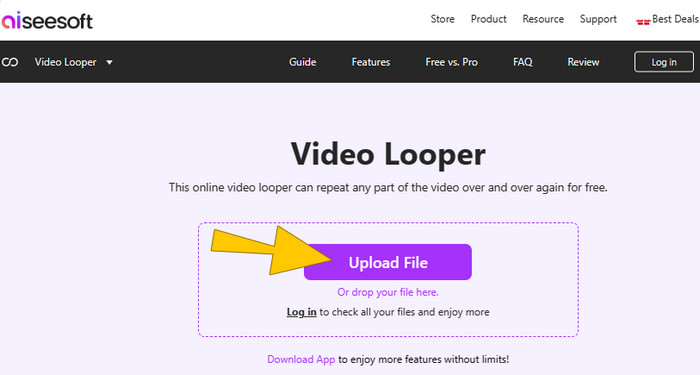
Pas 1. Al lloc web, fes clic directament al botó Upload File per importar l’MP4 que vols posar en bucle.
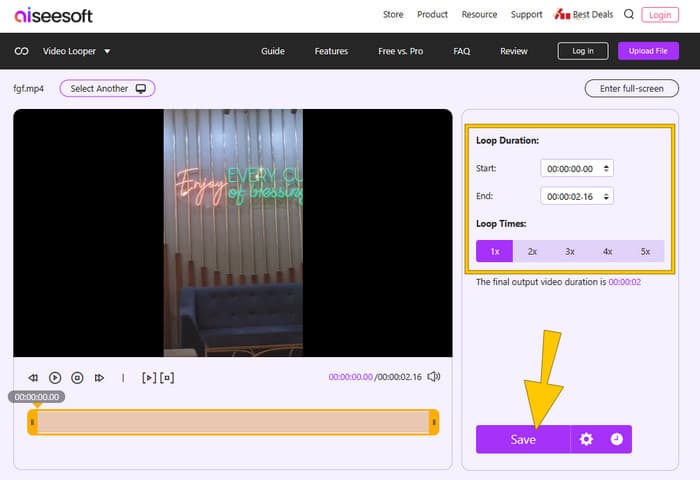
Pas 2. Un cop el vídeo sigui dins, ajusta’l segons convingui, com ara les vegades que es repetirà el bucle i la durada, i retalla’l si vols. Després, prem el botó Save per aplicar els canvis.
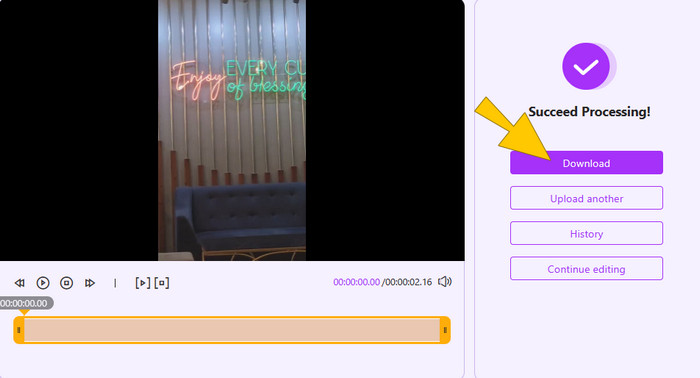
Pas 3. Després de posar el vídeo en bucle, ja el pots exportar fent clic al botó Download.
Part 2. Clideo
El següent a la llista és Clideo, una plataforma en línia que inclou diversos editors de vídeo, entre ells un reproductor en bucle que et permet repetir fàcilment clips de vídeo de manera gratuïta. Aquesta eina és ideal si vols que un vídeo divertit es reprodueixi una vegada i una altra o crear una petita animació en bucle. A més, Clideo funciona en qualsevol dispositiu amb un navegador web, de manera que no cal descarregar cap programari. També admet diferents formats de vídeo i et permet canviar el format del vídeo en bucle abans de desar-lo. Per mantenir la seva similitud amb l’eina anterior, amb Clideo pots triar posar en bucle tot el vídeo o només una part específica i fins i tot configurar-lo perquè es repeteixi infinitament, igual que si haguessis convertit un MP4 en GIF, però amb so.
Pros
- Reprodueix vídeos ràpidament i funciona en qualsevol dispositiu amb un navegador web.
- És fàcil d'utilitzar sense descàrregues ni comissions.
- Admet diversos formats de vídeo.
Contres
- Requereix una xarxa estable per utilitzar-lo.
- Ofereix una funcionalitat bàsica de bucle.
- Produeix sortides amb filigrana de forma gratuïta.
Com posar en bucle un MP4 en línia amb Clideo
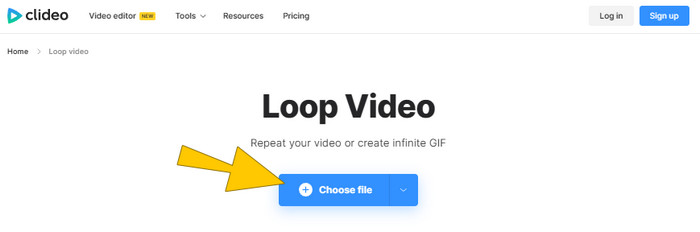
Pas 1. Carrega el vídeo MP4 quan facis clic al botó Choose file.
Pas 2. Després de pujar-lo, estableix el temps de bucle a l’espai de treball. A continuació, fes clic al botó Export.
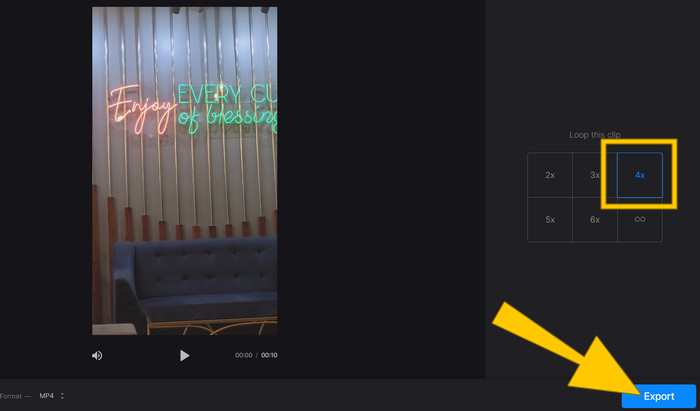
Pas 3. Després, descarrega el vídeo per desar-lo a l’ordinador.
Part 3. Tallador de vídeo en línia-Looper de vídeo
A continuació tenim Online Video Cutter - Video Looper. Aquesta eina en línia et permet posar en bucle vídeos en qüestió de segons directament al navegador. Funciona amb gairebé tots els formats de vídeo habituals, com ara MP4 i AVI. A més, amb aquest reproductor en bucle també pots retallar, escalar i canviar la velocitat del vídeo, tant des del telèfon com des de l’ordinador. Ja no cal una estació de treball d’edició avançada!
Pros
- Ofereix la flexibilitat de descarregar el vídeo en bucle en diversos formats.
- Podeu utilitzar-lo en telèfons intel·ligents per a l'edició de vídeo en moviment.
- Ofereix un bucle de vídeo ràpid en segons.
Contres
- Es basa en la potència de processament del servei en línia.
- El seu servei en línia té funcions d'edició limitades.
Com fer un bucle d'un MP4 amb el tallador de vídeo en línia
Pas 1. Fes clic al botó Open file per importar el vídeo MP4 que vols posar en bucle.

Pas 2. Tria les vegades que vols que es repeteixi el bucle i després fes clic al botó Save.
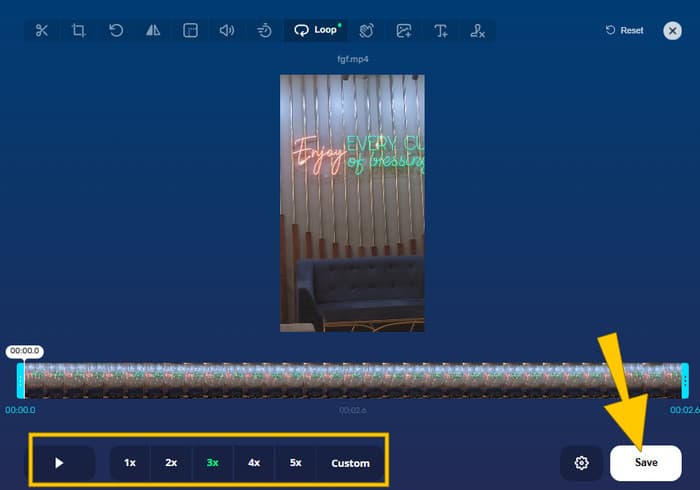
Pas 3. Per descarregar el vídeo en bucle, fes clic al botó Save a la finestra següent.
Part 4. Flixier MP4 Looper
Finalment, la parada de la nostra llista per reproduir un vídeo d'un projecte o per veure un clip divertit en repetició és el Looper MP4 de Flixier. És una opció fantàstica que fa que reproduir vídeos MP4 sigui molt fàcil. De la mateixa manera, la línia de temps de Flixier us permet reproduir, retallar i editar vídeos fàcilment. Pots arrossegar les vores del vídeo per escurçar-lo o eliminar-ne les parts no desitjades. La bona notícia és que fins i tot la versió gratuïta de Flixier té moltes eines per ajudar-vos a crear bucles. Tanmateix, només heu d'assegurar-vos que el vostre vídeo final no duri més de 10 minuts.
Pros
- Funciona directament al vostre navegador web.
- Té una eina de línia de temps integrada que us permet retallar parts no desitjades del vostre vídeo.
- Té una interfície intuïtiva que permet fer un bucle de vídeo fàcil.
Contres
- La seva versió gratuïta té un límit de 10 minuts per als vídeos exportats.
- Heu de crear un compte de Flixier per accedir a totes les seves funcions.
- Necessita una connexió estable a Internet.
Com utilitzar el reproductor de MP4 en bucle de Flixier
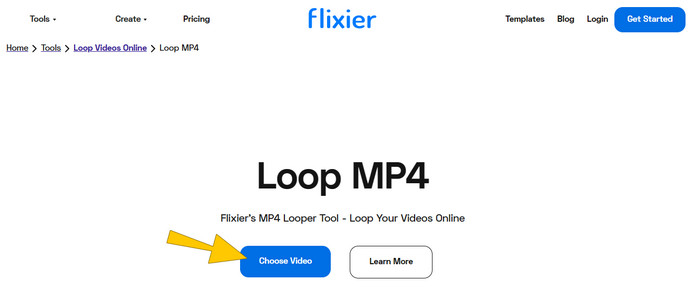
Pas 1. Fes clic al botó Choose Video, selecciona el vídeo MP4 que necessites posar en bucle i, a continuació, fes clic al botó Import All.
Pas 2. Un cop pujat, arrossega el vídeo a la línia de temps. Després, ves a la secció Loop Video per triar el nombre de repeticions que prefereixis.
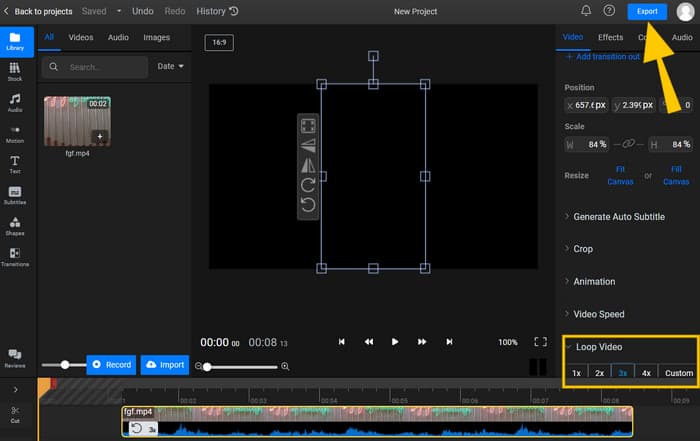
Pas 3. Després, fes clic al botó Export i descarrega el vídeo en bucle per desar-lo al teu dispositiu.
Part 5. Preguntes freqüents sobre MP4 Video Loop
Per què cal fer un bucle de vídeos MP4?
Hi ha diversos motius pels quals necessiteu reproduir vídeos. Tanmateix, els motius habituals són aprendre a centrar-se i repetir vídeos divertits.
Quins són els desavantatges del vídeo en bucle?
Un dels inconvenients del bucle d'un vídeo és fer que el vídeo sigui més gran.
És difícil reproduir un vídeo?
El bucle depèn de l'editor de vídeo que utilitzeu. En general, l'ús d'un looper en línia facilita el procés de bucle.
Conclusió
Ja està! Aquestes són les eines en línia fàcils per posar en bucle un MP4 i aconseguir una reproducció contínua. Aquests mètodes t’estalvien molt de temps en la tasca, ja que la majoria només requereixen 3 passos senzills. Així que fes que el teu MP4 es reprodueixi en bucle quan vulguis i on vulguis!
-
 Maneres més fàcils d'accelerar els vídeos en format MP4 [fora de línia i en línia]
 Vols accelerar el teu vídeo en format MP4? Aquest article us pot ajudar a conèixer les diferències en com accelerar el vostre vídeo en línia o fora de línia.
-
 Una guia pas a pas sobre la conversió de MP4 a GIF a l’escriptori o en línia
 Esteu buscant la millor manera de convertir MP4 en GIF? Aquí teniu una guia detallada per seguir a Photoshop, Windows Movie Maker, convertidor de vídeo en línia i molt més.
-
 Bucle GIF amb el millor Looper GIF animat a Windows i Mac
 Vols conèixer el secret del millor GIF de bucle i fer-ne un? Si és així, esteu al lloc correcte. Apreneu a crear un bucle amb el millor looper disponible.
