


 Video Converter Ultimate
 Gravadora de pantalla
 Reparació de vídeo
 Baixada segura
Maneres fàcils d'eliminar la filigrana de Coub en línia i fora de línia
Coub és un lloc web que s’utilitza per compartir vídeos en línia. És un lloc molt popular que els usuaris fan servir per crear i compartir vídeos de fins a deu segons. A diferència dels GIF, els vídeos de Coub tenen so d’alta qualitat, cosa que els fa populars entre moltes persones. Tanmateix, quan deses o baixes vídeos de Coub, el vídeo conté una marca d’aigua. Per tant, si vols eliminar la marca d’aigua de Coub, has d’utilitzar una eina que pugui eliminar marques d’aigua. Aquest article et proporcionarà les eines més sorprenents per eliminar fàcilment les marques d’aigua de Coub dels teus vídeos.

Part 1. 4 maneres d'eliminar la marca d'aigua de Coub
Molta gent ara està interessada a veure i baixar vídeos de Coub en línia. Però quan baixeu vídeos de Coub, conté una marca d'aigua. Sabreu com eliminar la marca d'aigua de Coub mitjançant aquestes quatre maneres senzilles.
FVC Video Converter Ultimate
FVC Video Converter Ultimate és una aplicació d’escriptori que pot eliminar qualsevol marca d’aigua dels teus vídeos. Aquesta eina és fàcil d’utilitzar perquè té una interfície d’usuari senzilla i és fàcil de descarregar. A més, no tindràs cap problema amb els formats de fitxer que admet, perquè és compatible amb nombrosos formats, com MP4, MKV, AVI, MOV, M4V, WEBM, FLV i més de 1000 formats.
També té funcions d'edició avançades, com ara un editor de metadades multimèdia, una fusió de vídeo, un compressor de vídeo i molt més de la caixa d'eines. I quan elimineu la marca d'aigua del vostre vídeo, us permet definir la mida de l'àrea d'eliminació. També veureu un vídeo de vista prèvia del vostre fitxer perquè pugueu comprovar la sortida del vostre vídeo. Si voleu utilitzar aquest convertidor per eliminar la marca d'aigua de Coub, seguiu els passos següents.
Pas 1. Descarrega FVC Video Converter Ultimate a l’ordinador fent clic al botó Download de sota. Segueix el procés d’instal·lació i, a continuació, executa l’aplicació.
Descàrrega gratuïtaPer a Windows 7 o posteriorDescàrrega segura
Descàrrega gratuïtaPer a macOS 10.7 o posteriorDescàrrega segura
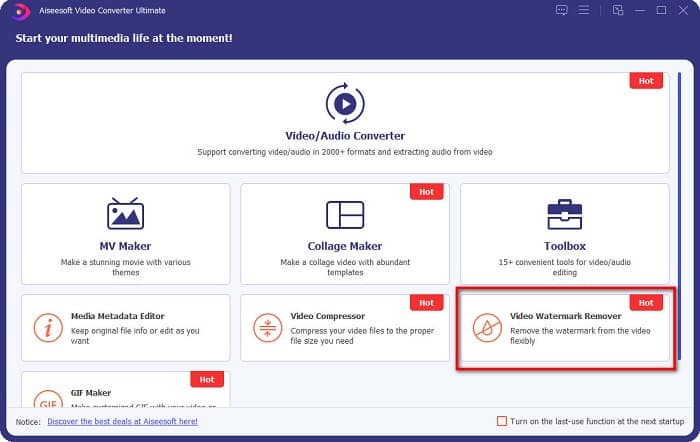
Pas 2. Després, a la primera interfície del programa, ves a Video Watermark Remover. Si no el trobes a la primera interfície, fes clic a Toolbox.
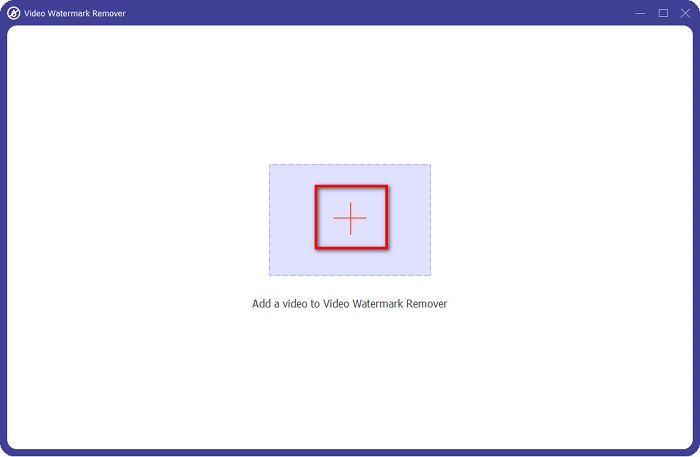
Pas 3. Fes clic al botó amb el signe + per pujar el vídeo de Coub a la següent interfície. Es mostraran els fitxers de l’ordinador, on seleccionaràs el vídeo i faràs clic a Open.
Pas 4. A continuació, fes clic al botó Add watermark removing area perquè aparegui la zona de supressió. Després, mou el quadre de la zona de supressió fins a la marca d’aigua de Coub. Veureu que l’àrea que hagis triat quedarà desenfocada.
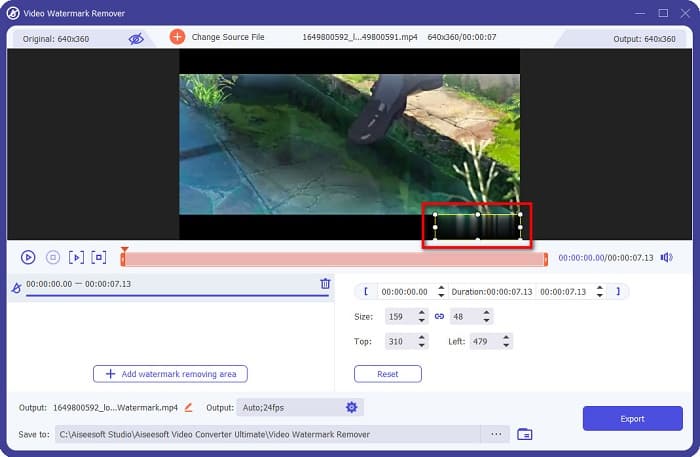
Pas 5. Finalment, fes clic al botó Export per eliminar la marca d’aigua de Coub; a continuació, el resultat es desarà automàticament a les carpetes del teu ordinador.

Fàcil, oi? Seguint els senzills passos anteriors, pots eliminar la marca d’aigua de Coub del teu vídeo. Fes clic aquí per aprendre a eliminar la marca d’aigua de TikTok.
Eliminador de filigrana Hitpaw
Hitpaw Watermark Remover és un dels eliminadors de marques d’aigua descarregables més populars que et permet eliminar fàcilment la marca d’aigua de Coub del teu vídeo. Si vols tenir un vídeo de Coub sense marca d’aigua, pots utilitzar aquesta eina per treure-la. A més, aquesta eina té una interfície senzilla, cosa que la fa molt fàcil d’usar.
També us serà fàcil eliminar una marca d'aigua en una part determinada del vídeo movent els controls lliscants. A més, us permet tenir un farcit suau en treure la filigrana. També es pot descarregar gratuïtament a gairebé tots els dispositius multimèdia.
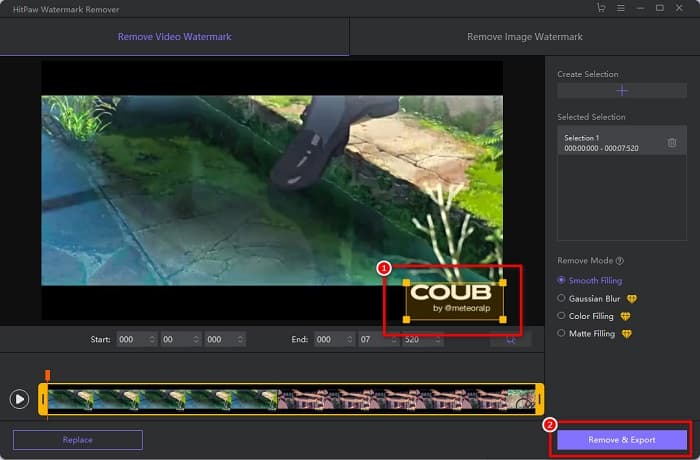
Pas 1. Primer, descarrega Hitpaw Watermark Remover, segueix el procés d’instal·lació i executa l’aplicació.
Pas 2. Després, fes clic al botó Choose File a la interfície principal del programa per pujar el teu vídeo de Coub. Es mostraran els fitxers de l’ordinador, on obriràs el teu vídeo de Coub.
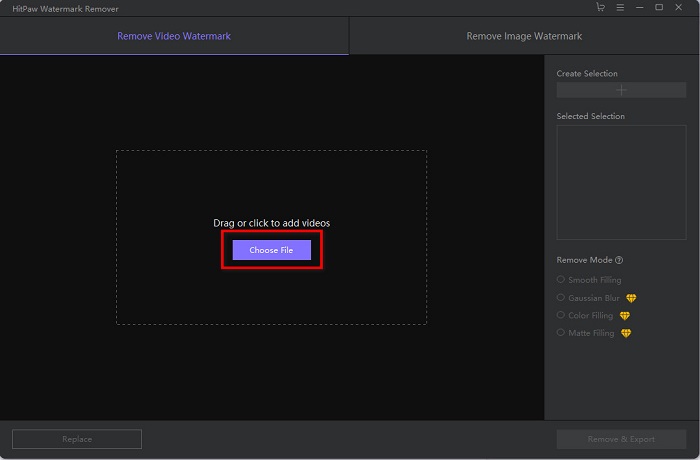
Pas 3. Mou l’àrea de supressió fins a la marca d’aigua de Coub, i després fes clic al botó Remove & Export a la part inferior dreta de la interfície per eliminar definitivament la marca d’aigua.
Media.io
Media.io és un eliminador de marques d’aigua en línia per a vídeos. Aquesta eina en línia pot eliminar marques d’aigua com logotips, textos i segells. Si és la primera vegada que fas servir un eliminador de marques d’aigua, no et costarà utilitzar aquesta eina en línia perquè és molt senzilla. A més, admet els formats de vídeo més comuns, com MP4, MKV, AVI, FLV, MOV i altres. També pots triar fitxers de vídeo des del teu Dropbox, Google Drive i YouTube. A més, és segura d’utilitzar i gratuïta. Media.io és accessible en tots els navegadors web, incloent-hi Google, Firefox i Safari.
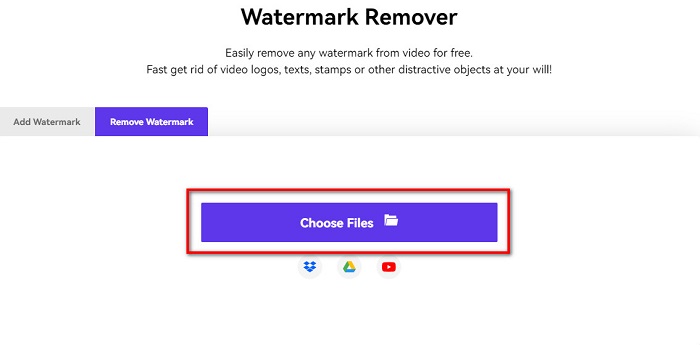
Pas 1. Al navegador que utilitzis, cerca Media.io i ves a la seva pàgina web. A la interfície principal del programa, fes clic al botó Choose Files.
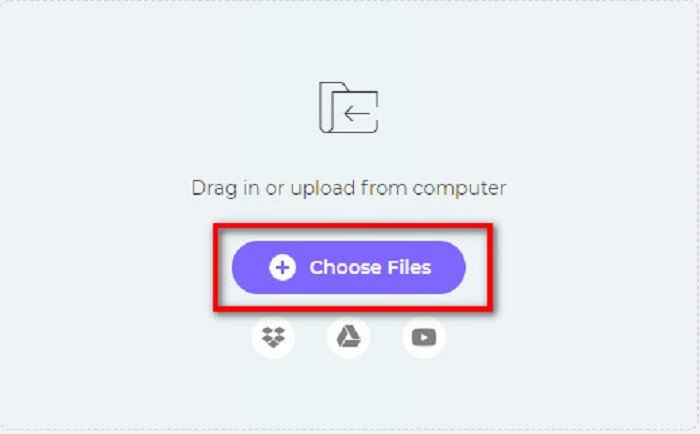
Pas 2. Apareixerà una nova interfície on faràs clic al botó Choose Files o arrossegaràs i deixaràs anar el teu vídeo de Coub a la interfície del programa. Espera que el vídeo es pugi i, després, passa al següent pas.
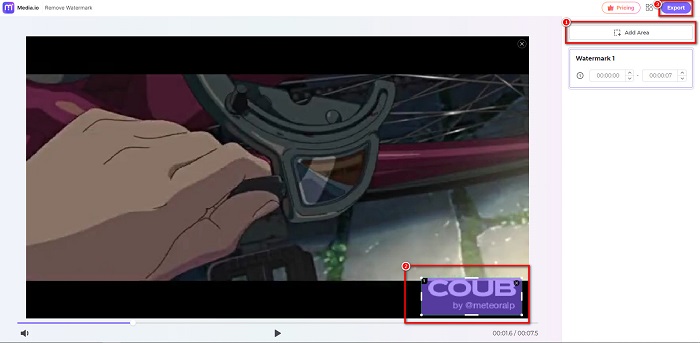
Pas 3. A continuació, fes clic a Add Area a la cantonada esquerra de la interfície i mou l’àrea de supressió fins a la marca d’aigua de Coub. Fes clic al botó Export per eliminar la marca d’aigua, i el teu fitxer es desarà automàticament al dispositiu. També pots utilitzar aquest mètode per eliminar la marca d’aigua d’un vídeo.
BeeCut
BeeCut és una altra manera d’eliminar marques d’aigua de Coub en línia. Aquesta eina és molt pràctica perquè no cal descarregar res al dispositiu. A més, és gratuïta i segura d’utilitzar. Curiosament, aquesta eina és compatible amb nombrosos formats de fitxer, incloent-hi MP4, AVI, MKV, FLV i altres formats habituals.
A més, és una eina amigable per a principiants perquè té una interfície d'usuari fàcil d'utilitzar. Tanmateix, és possible que experimenteu un procés de funcionament lent quan la vostra connexió a Internet és lenta perquè depèn d'Internet. Per eliminar la marca d'aigua de Coub amb BeeCut, seguiu la guia senzilla que apareix a continuació.
Pas 1. Cerca BeeCut al navegador i després fes clic a Remove Watermark from Video a la interfície principal del programa. Puja el teu vídeo obrint-lo des dels fitxers de l’ordinador.
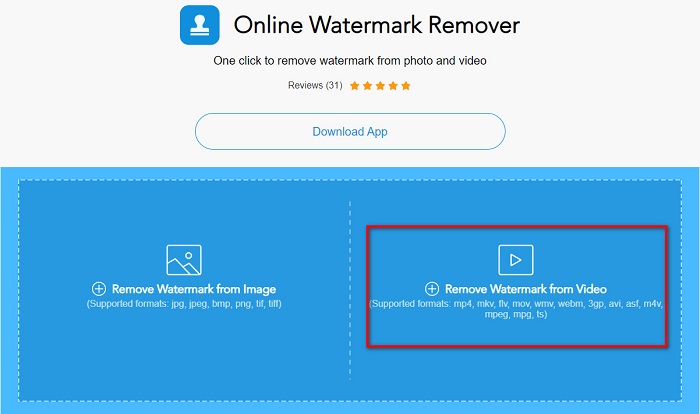
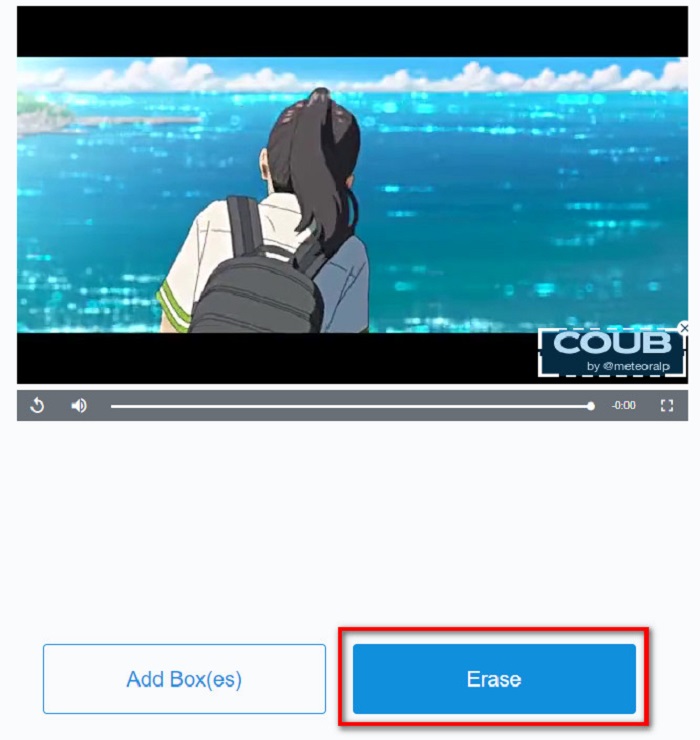
Pas 2. Mou l’àrea de supressió fins a la marca d’aigua de Coub que vols eliminar a la següent interfície. I si tens altres marques d’aigua, logotips o segells al vídeo, pots afegir un altre quadre de supressió fent clic a Add Box(es).
Pas 3. Finalment, fes clic al botó Erase per eliminar la marca d’aigua de Coub del teu vídeo. Veureu el resultat a les carpetes del vostre ordinador.
Part 2. Preguntes freqüents sobre l'eliminació de la filigrana de Coub
Podeu obtenir vídeos de coub sense una marca d'aigua?
Malauradament, no hi ha maneres ni eines específiques per descarregar un vídeo de Coub sense una marca d'aigua. Tanmateix, els eliminadors de filigranes us ajudaran a tenir un vídeo de coub sense filigrana.
L'eliminació de la marca d'aigua redueix la mida del fitxer del vostre vídeo?
No. L'eliminació de la marca d'aigua del vídeo no afecta la mida del fitxer.
Per què hi ha un desenfocament a l'àrea de la marca d'aigua després de treure-la?
Tenir un desenfocament a l'àrea de la marca d'aigua que heu eliminat perquè és així com les eines eliminen la marca d'aigua de les vostres imatges o vídeos.
Conclusió
Eliminar la marca d’aigua de Coub dels vídeos pot semblar complicat. Però quan utilitzes les eines presentades anteriorment, pots eliminar fàcilment les marques d’aigua de Coub del teu vídeo. Tanmateix, si vols utilitzar un eliminador de marques d’aigua amb processament ràpid i amb moltes funcions, descarrega FVC Video Converter Ultimate.
-
 4 millors maneres d'eliminar la marca d'aigua del GIF [en línia i fora de línia]
 Necessites eliminar la marca d'aigua del GIF? Amb l'eina d'aquest article, aprendràs els diferents estils amb els diferents eliminadors de filigranes disponibles a la teva plataforma.
-
 Excel·lent eliminador de filigrana de Photobucket en línia i fora de línia
 Apreneu a treure la filigrana de Photobucket de les vostres fotos amb aquest increïble eliminador de filigrana de Photobucket. Llegiu aquest article per conèixer les maneres.
-
 Elimina fàcilment la marca d'aigua del PDF amb passos senzills
 Elimineu la marca d'aigua del PDF seguint aquests senzills passos. Apreneu a eliminar fàcilment les marques d'aigua del vostre fitxer PDF amb aquestes increïbles eines.
