


 Video Converter Ultimate
 Gravadora de pantalla
 Reparació de vídeo
 Baixada segura
Completa el tutorial sobre com eliminar la marca d'aigua de Weibo que hauràs de saber
Weibo és una plataforma de xarxes socials coneguda que s'utilitza per compartir, difondre i obtenir informació com Twitter que sovint podeu utilitzar a la Xina. També podeu publicar i descarregar miniatures, fotos i vídeos aquí. Tanmateix, hi haurà una marca d'aigua un cop l'exporteu. Molts usuaris volen eliminar-lo perquè altera les imatges del contingut.
Tot i que hi ha milers d’eines per eliminar marques d’aigua, poques poden fer-ho de manera realment eficaç. Per tant, si no t’agrada la marca d’aigua al contingut visual que descarregues, aquest article reuneix les millors eines que pots fer servir. Les hem provades per demostrar que són funcionals i pràctiques a l’hora d’eliminar marques d’aigua. Per ensenyar-te com eliminar la marca d’aigua de Weibo, has de seguir el ritme de lectura d’aquest article.

Part 1. Com eliminar la filigrana del vídeo de Weibo amb l'eliminador de filigrana definitiu
La marca d’aigua de Weibo pot ser un problema amb altres eines, perquè la majoria deixen un rastre o taca de la marca d’aigua. Però si fas servir FVC Video Converter Ultimate, no hi quedarà cap marca ni taca. Sigui gran o petita, aquesta eina pot esborrar la marca d’aigua de manera efectiva sense deixar-ne cap rastre. Així podràs gaudir de veure el vídeo que exportes des de Weibo. En altres paraules, eliminar la marca d’aigua amb l’ajuda d’aquesta eina és bufar i fer ampolles.
A més, també podeu utilitzar aquesta eina per a altres coses, com tallar, fusionar, comprimir, retallar, crear GIF i molt més. I si voleu afegir una marca d'aigua al vostre vídeo perquè ningú us la pugui robar, podeu utilitzar aquest programari per fer-ho. És el programari tot en un necessari al vostre escriptori. Vols saber com eliminar la marca d'aigua del vídeo de Weibo? Podeu seguir els passos següents mentre us expliquem com fer-ho pas a pas.
Descàrrega gratuïtaPer a Windows 7 o posteriorDescàrrega segura
Descàrrega gratuïtaPer a macOS 10.7 o posteriorDescàrrega segura
': Abans de seguir els passos següents, assegureu-vos que heu exportat el vídeo de Weibo del qual voleu eliminar la marca d'aigua perquè pugueu trobar-lo fàcilment a la carpeta.
Pas 1. Primer de tot, has de descarregar el programari a l’ordinador i triar la versió segons el sistema operatiu. Després d’instal·lar el programari, segueix el procés de configuració de WinRAR que apareixerà a la pantalla, fes clic a Start Now per iniciar-lo i continua.
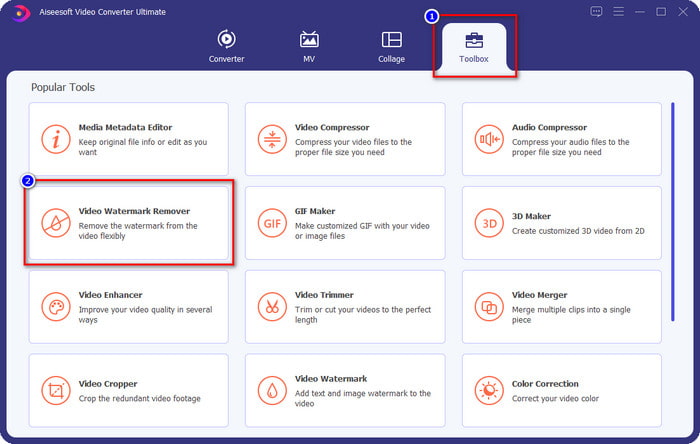
Pas 2. Ves a la secció Toolbox i cerca Video Watermark Remover; fes-hi clic.
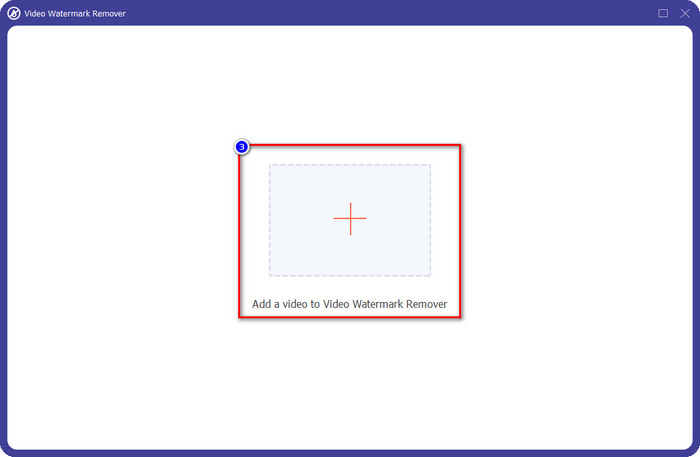
Pas 3. Fes clic al botó + i localitza a la carpeta el vídeo de Weibo amb la marca d’aigua que has descarregat abans, fes clic al fitxer i prem Open per pujar-lo ara.
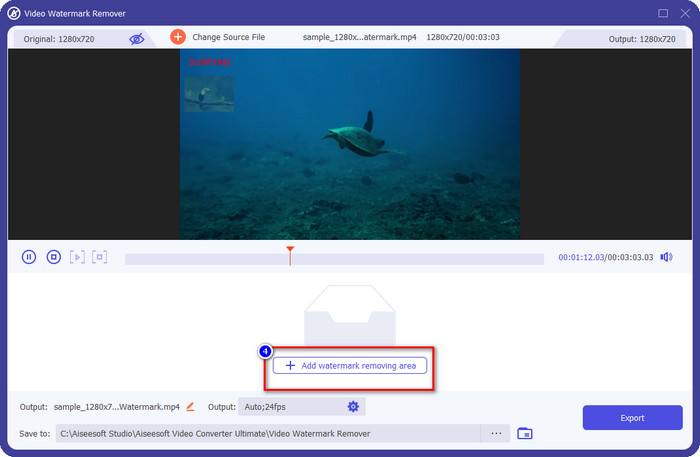
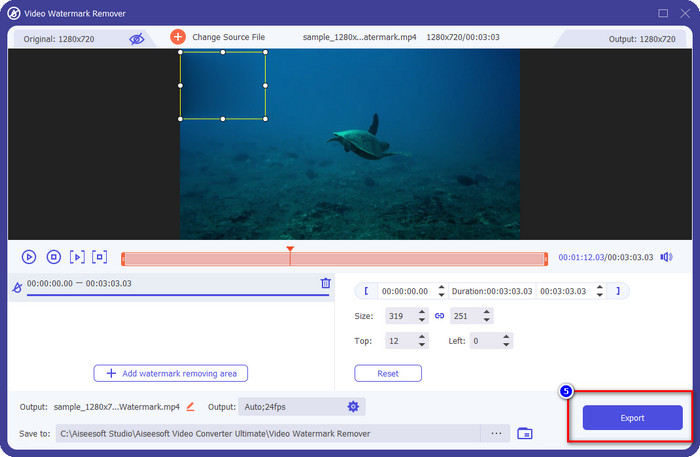
Pas 4. A la nova finestra que apareixerà, fes clic a Add Watermark Removing Area per continuar amb l’eliminació de la marca d’aigua.
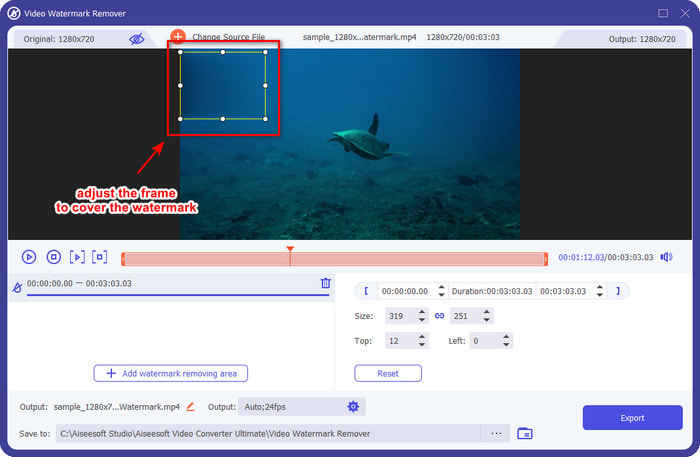
Pas 5. Arrossega i mantén premut el quadre de selecció per cobrir la marca d’aigua; també el pots ampliar o reduir segons les teves necessitats i cobrir-la abans d’exportar.
Pas 6. Després de col·locar el quadre de selecció sobre la marca d’aigua, fes clic a Export per eliminar la marca d’aigua del vídeo que has pujat. No cal esperar, perquè admet un procés ultraràpid; tindràs el vídeo de Weibo sense marca d’aigua en pocs segons.
Part 2. Com eliminar la filigrana de Weibo Photo utilitzant la versió gratuïta al web
Com desar fotos de Weibo sense marca d’aigua? No pots desar una imatge sense marca d’aigua si l’exportes directament des de Weibo. Però pots fer servir FVC Free Watermark Remover per esborrar la marca d’aigua de les imatges. És el teu eliminador de marques d’aigua complet per a imatges amb marca d’aigua. Pel que fa a funcionalitat, podem dir que aquesta eina és molt millor que altres llevadors de marques d’aigua que pots trobar al web. Així que, si vols eliminar la marca d’aigua d’una imatge, aquesta és la primera opció que voldries provar. Tot i que pot eliminar la marca d’aigua d’una imatge, no és capaç de treure-la dels vídeos, com sí que pot fer l’eina Ultimate per a tu.
No obstant això, és gratuït d'utilitzar i la seva interfície web és neta, de manera que ni tan sols veureu cap anunci que us pugui molestar. Vols saber com utilitzar aquesta eina web? A continuació, seguiu els passos indicats a continuació per provar-ho vosaltres mateixos.
Nota: Igual que el vídeo, assegureu-vos de descarregar la imatge de Weibo que voleu tenir i assegureu-vos que la col·loqueu en una carpeta visible i de fàcil accés.
Pas 1. Per accedir a l’eliminador de marques d’aigua en línia, fes clic en aquest enllaç per obrir-lo.
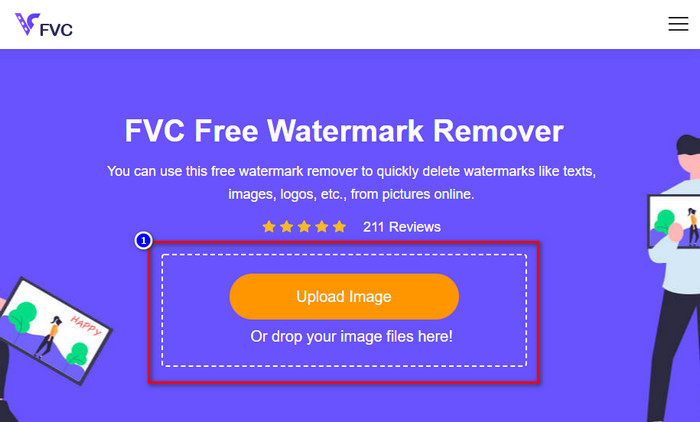
Pas 2. A la interfície web, fes clic a Upload Image, després s’obrirà una carpeta a la pantalla; cerca la imatge i prem Open per pujar-la.
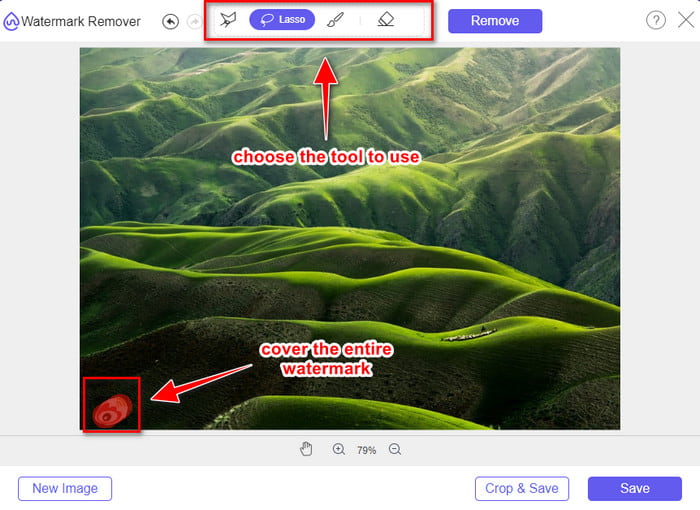
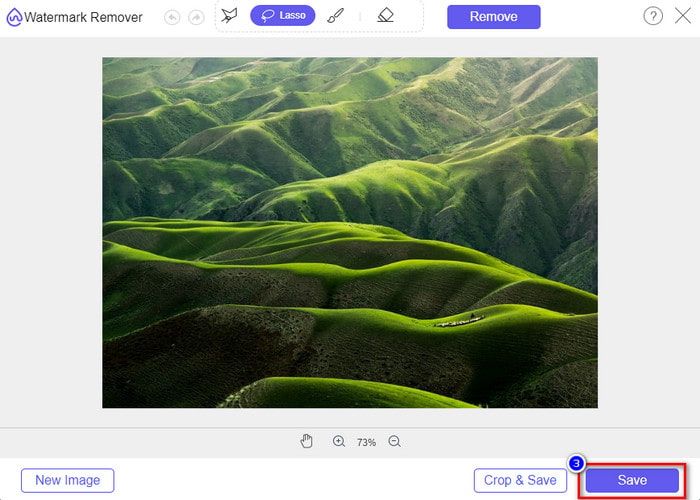
Pas 3. Aquí pots resseguir la marca d’aigua per eliminar-la i assegurar-te que cada mil·límetre de la marca d’aigua quedi dins del traçat que has fet.
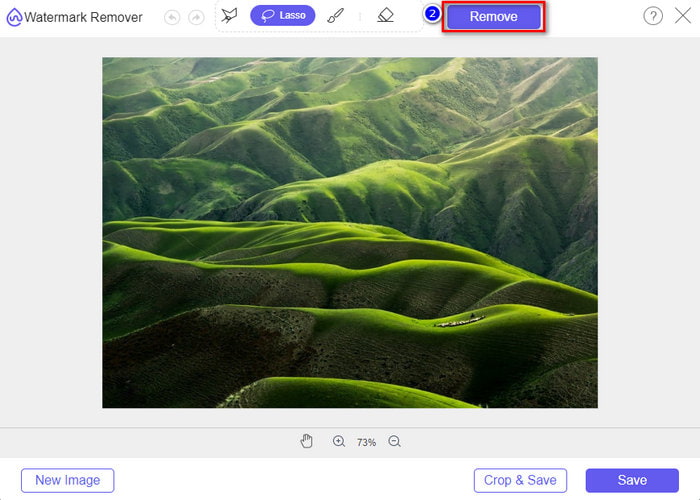
Pas 4. Prem Remove per esborrar la marca d’aigua que hi ha a la teva imatge.
Pas 5. Després d’eliminar la marca d’aigua de la imatge de Weibo, fes clic a Save per descarregar la imatge de Weibo sense marca d’aigua.
Relacionat:
Com eliminar la marca d’aigua de TikTok
Com afegir una marca d’aigua a un vídeo
Part 3. Preguntes freqüents sobre com eliminar la marca d'aigua de Weibo
Per què la marca d'aigua de Weibo es va tornar borrosa després d'exportar-la?
Algunes eines difuminen la marca d'aigua de manera que no es pot veure als mitjans visuals que han exportat a Weibo. Però no totes les eines difuminen les filigranes; alguns eliminen la marca d'aigua dels mitjans visuals sense cap rastre. Per tant, si voleu eliminar la marca d'aigua de Weibo sense desenfocar-la, heu de conèixer l'eina que esmentem anteriorment per ajudar-vos a eliminar-la.
Puc tapar el logotip de Weibo al fitxer exportat?
Si, tu pots. D'aquesta manera, no veureu la marca d'aigua de Weibo a l'arxiu. Tanmateix, manipular-lo cobriria algunes parts del fitxer, de manera que en lloc d'ajudar-vos, podria empitjorar el fitxer. Per tant, es necessita un eliminador de filigrana per esborrar la marca d'aigua del fitxer.
Tots els fitxers exportats a Weibo tenen una marca d'aigua?
Exportar qualsevol tipus de fitxer en aquesta plataforma de microblogging deixarà una marca. Sigui quina sigui, s'afegeixen marques d'aigua al fitxer. Tot i així, podeu eliminar-lo amb l'eina que hem esmentat anteriorment en aquest article.
Conclusió
Sorprenent, oi? FVC disposa de l’eina que necessites per eliminar immediatament la marca d’aigua de Weibo de vídeos i imatges. Encara que no tinguis experiència ni siguis professional en aquest tipus d’edició, l’edició és possible amb l’eina esmentada. Així que, si vols eliminar la marca d’aigua d’una imatge, tant si s’ha exportat des de Weibo com si no, FVC Free Watermark Remover és l’eina que sempre necessitaràs. Però per a vídeos i GIF, has de fer servir un programari professional fàcil d’utilitzar i assequible, com FVC Video Converter Ultimate. Què esperes? Elimina la marca d’aigua del teu contingut visual per gaudir-lo sense cap rastre de marca.
-
 La millor manera d'afegir una marca d'aigua a un vídeo a Photoshop a Windows i Mac
 Voleu saber com afegir una marca d'aigua a un vídeo a Photoshop? En aquest cas, aquest article us proporcionarà una o dues coses que haureu de saber.
-
 3 millors solucions sobre com eliminar la filigrana dels vídeos fàcilment
 Vols eliminar la molesta marca d'aigua del vídeo? Amb aquest bloc, podeu aprendre les diferents idees per eliminar la marca d'aigua d'un vídeo.
-
 4 millors maneres d'eliminar la marca d'aigua del GIF [en línia i fora de línia]
 Necessites eliminar la marca d'aigua del GIF? Amb l'eina d'aquest article, aprendràs els diferents estils amb els diferents eliminadors de filigranes disponibles a la teva plataforma.
