


 Video Converter Ultimate
 Gravadora de pantalla
 Reparació de vídeo
Els 6 millors programes inversors que podeu utilitzar per invertir el vídeo a Windows i Mac
Revertir un vídeo pot crear un missatge nou que pot fer pensar o sorprendre el seu públic. Aquest efecte de vídeo s'ha utilitzat per fer que un vídeo sigui interessant i lliurar un missatge d'una manera diferent. S'han penjat molts vídeos musicals com Breezeblock de l'Aljt en vídeo invers a YouTube. Per tant, per saber més sobre com invertir vídeos, seguiu aquesta guia. Ja que t'ajuda a fer la marxa enrere del vídeo més fàcil que mai.

Part 1. Programari fora de línia 1 i 2 i aprèn a invertir un vídeo a Windows i Mac
Top 1. Video Converter Ultimate
Hi ha moltes eines d’edició de vídeo que volen dominar el mercat, però el convertidor fenomenal continua sent la millor tria. Video Converter Ultimate ja ha estat utilitzat i ha ajudat a milions d’usuaris amb problemes com ara com invertir un vídeo. Aquesta eina et permet fer l’edició tu mateix, però amb un toc professional. Encara que no tinguis experiència en edició, aquesta eina és la millor per a tu, i també ho és si ja tens experiència. A més, molts editors no disposen de les mateixes funcions avançades que aquest programari et pot oferir. Per tant, si vols saber-ne més, anem a veure els passos següents i seguim-los correctament.
Pas 1. Primer descarrega el programari al disc dur, després instal·la’l i segueix el procés de configuració.
Descàrrega gratuïtaPer a Windows 7 o posteriorDescàrrega segura
Descàrrega gratuïtaPer a macOS 10.7 o posteriorDescàrrega segura
Pas 2. A continuació, obre l’eina i, dins la Caixa d’eines, busca el Video Reverser.
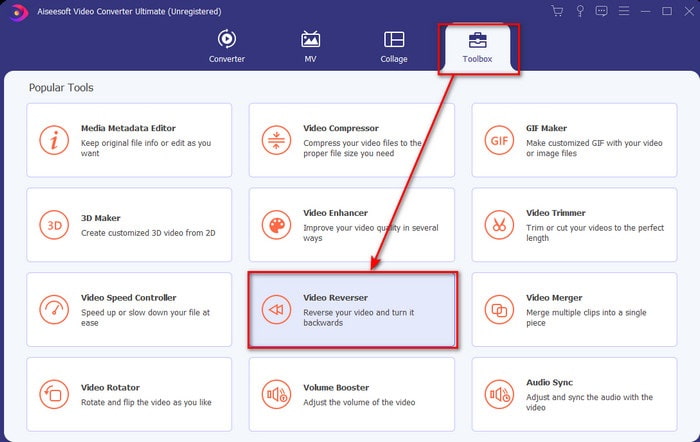
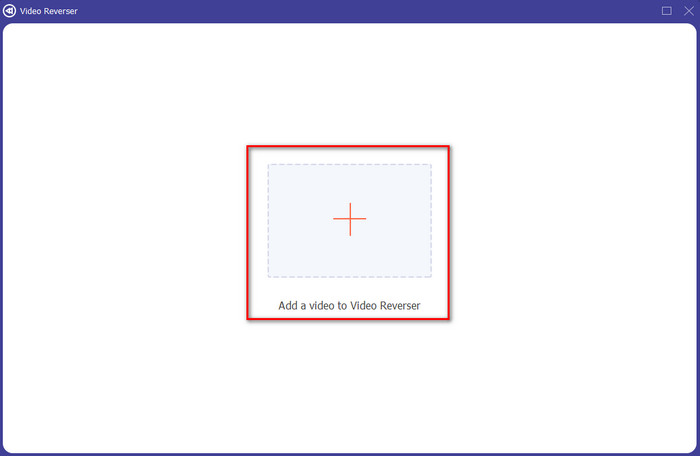
Pas 3. Fes clic al signe + i tria, a la carpeta, el vídeo que vols invertir. Després fes clic a Obrir per passar al pas següent.
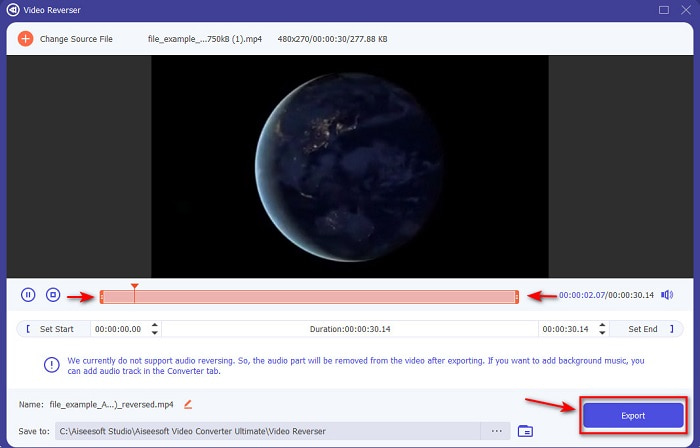
Pas 4. Ajusta la durada del vídeo movent el límit de reproducció inicial i final. Per descarregar el vídeo invertit, fes clic a Exporta.
Pas 5. Espera uns segons fins que acabi l’exportació; un cop finalitzada, ja pots tornar a veure el vídeo fent clic al fitxer invertit dins la carpeta. Gaudeix del vídeo invertit sense retards que t’ofereix el fantàstic Video Converter Ultimate.
Pros
- La sortida final professional es pot executar fàcilment si utilitzeu aquesta eina.
- Té moltes funcions sorprenents per fer que el vostre vídeo sigui fenomenal.
- Amb aquesta eina es pot fer marxa enrere il·limitada.
Contres
- Primer cal descarregar-lo abans de poder-lo utilitzar.
- No és gratuït, però val la pena si compreu aquesta eina professional fenomenal.
Relacionat:
Top 2. Easy Video Maker
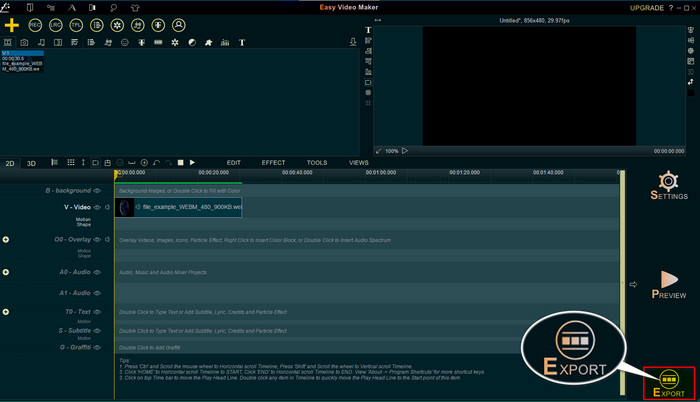
Easy Video Maker és una eina pràctica que pots utilitzar i que incorpora funcions d’edició de vídeo de nivell mitjà que et poden fer servei. També la pots usar per millorar l’aspecte visual del teu vídeo, ja que admet transicions, efectes, unir vídeos i molt més. Tanmateix, la interfície sembla treta dels anys noranta, perquè es veu molt antiga. A més, és una eina difícil d’utilitzar per crear i editar vídeos, tot i que el seu rendiment és bo. El format que admet per al resultat final és MP4. Així doncs, si vols fer servir aquesta eina, segueix els passos següents.
Pas 1. Descarrega l’Easy Video Maker oficial des d’internet.
Pas 2. Després obre l’eina, fes clic al botó Afegir i a Importa/Afegeix vídeo. Arrossega el fitxer a la Línia de temps i fes-hi clic dret. Fes clic a Reverse Playback per invertir el vídeo.
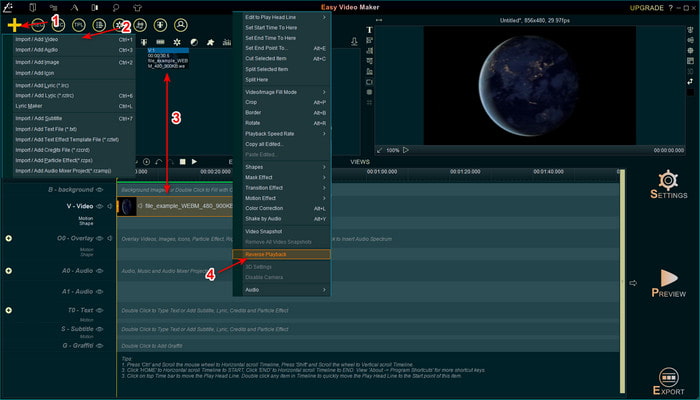
Pas 3. Prem Exporta per desar el fitxer al teu disc.
Pros
- L'eina es pot descarregar gratuïtament.
- Admet l'edició de nivell mitjà que necessitareu.
- Aprendre a utilitzar-ho necessitarà una mica de temps, però us hi acostumareu.
Contres
- L'inici de l'eina es carrega molt més del que s'esperava i la interfície sembla massa antiga. No és retro, sinó literalment vell.
- No podeu exportar més de 5 minuts de vídeo a la seva versió gratuïta.
Part 2. Eina en línia dels 3 i 4 principals per revertir un vídeo
Top 3. Ezgif
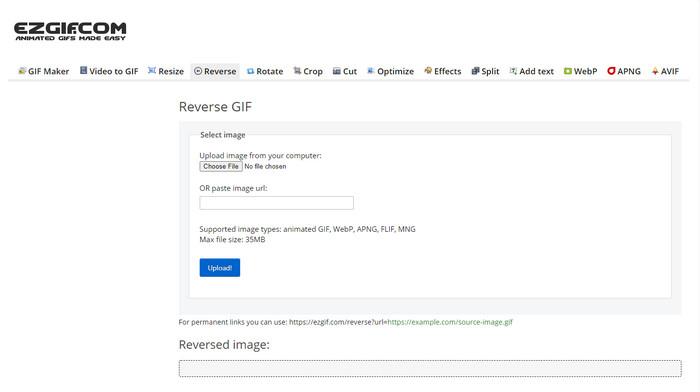
Ezgif disposa d’una funció que pots utilitzar per invertir clips gratuïtament en línia. També té altres funcions d’edició, com crear GIFs, canviar la mida, retallar, optimitzar i més. Tanmateix, si intentes pujar-hi un fitxer de mida superior a 35 MB, l’eina no et permetrà invertir-lo perquè és massa gran. Per tant, si tens la intenció d’invertir un vídeo llarg, aquesta no és la millor opció, ja que té limitacions. Ara bé, el rendiment del seu inversor és excel·lent per invertir clips de manera gratuïta.
Pros
- No cal descarregar-lo al vostre escriptori.
- Flexible i eficient.
- Fàcil d'usar.
Contres
- Limita la vostra marxa enrere només a 35 MB, que és molt petit per utilitzar-lo.
- Descarregar el fitxer invers a la vostra unitat triga molt més temps del que s'esperava.
Top 4. Clideo
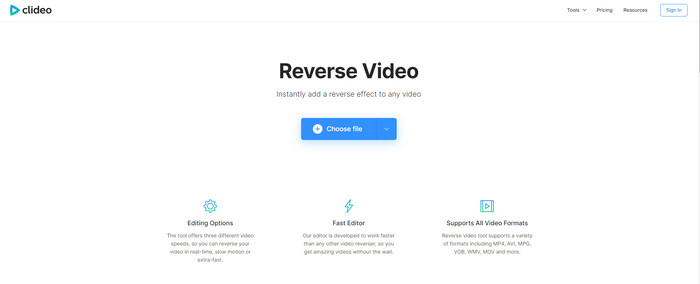
Una altra eina en línia que pots utilitzar per rebobinar vídeos és Clideo. L’aspecte visual de l’eina és molt minimalista, però està molt ben aconseguit. El conjunt es veu més net que Ezgif i té un aire més professional. Però, com es diu sovint, no et deixis enganyar per l’aparença: la pujada dels fitxers aquí és molt lenta, sobretot si el fitxer supera els 40 MB. Per això, assegura’t de tenir temps i paciència per esperar fins i tot només a completar la pujada. Tot i així, ofereix moltes funcions d’edició que pots utilitzar per millorar el teu vídeo de forma gratuïta.
Pros
- Gratuït per ser utilitzat per qualsevol persona que tingui connexió a Internet.
- La interfície d'usuari web és generalment fantàstica.
- Hi ha disponibles funcions d'edició increïbles.
Contres
- Penjar i descarregar el vídeo per revertir trigarà molt de temps del previst.
- S'inclou una gran marca d'aigua després d'exportar el vídeo invers.
Part 3. Les 5 i 6 millors aplicacions per revertir un vídeo a iPhone/Android
Top 5. Vídeo invers: reprodueix cap enrere 4+
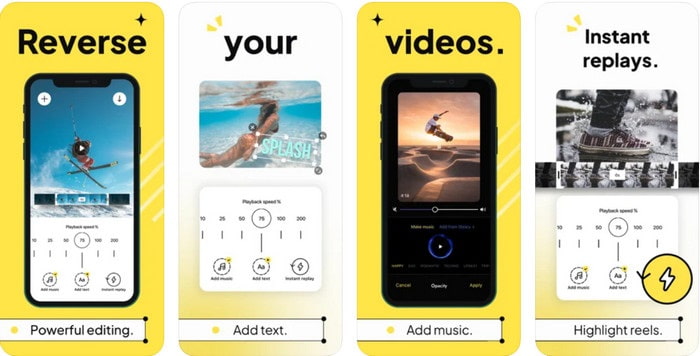
Reverse Video: Play Backwards 4+ només està disponible per als usuaris d’iOS, i s’utilitza per editar vídeos cap enrere. La interfície d’aquesta aplicació és fàcil d’entendre, i també hi pots afegir text i música de fons. Encara que la puguis descarregar gratuïtament, moltes ressenyes afirmen que és una estafa per treure diners. També expliquen que se’ls obliga a deixar una valoració de 5 estrelles per poder accedir a totes les funcions. Tanmateix, si ho vols provar tu mateix, no n’esperis grans coses, perquè no és la millor opció per invertir vídeos.
Pros
- Ja aconsegueix 4,5 estrelles en qualificació.
- La marxa enrere de vídeo aquí és bona per utilitzar-la.
Contres
- La majoria de les ressenyes aquí no parlen de l'aplicació. I la majoria són repetitius que parlen de tonteries.
- Es necessita una eternitat per carregar un sol fitxer.
- La qualitat del vídeo exportat gratuïtament és dolenta.
Top 6. Reverse Movie FX - vídeo màgic
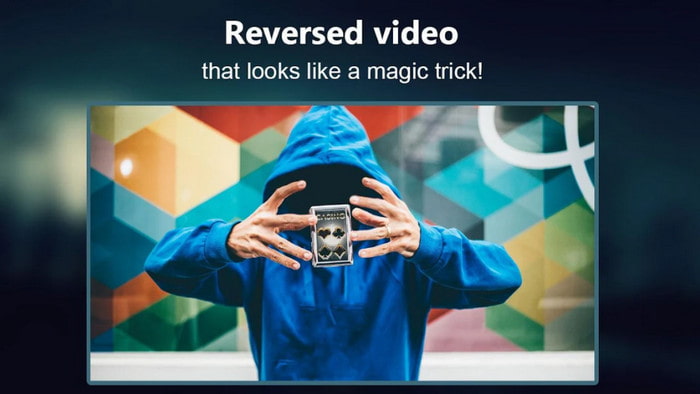
Invertir pel·lícules és molt fàcil amb aquesta aplicació per a Android que pots descarregar a Play Store, Reverse Movie FX - magic video. Ja l’han utilitzada molts usuaris que gaudeixen creant pel·lícules en revers, i també admet bucles i música de fons. Encara que l’eina sembli perfecta, la qualitat del vídeo de sortida disminueix. Bàsicament, si inverteixes un vídeo en 1080, espera’t obtenir-ne un a 720 o menys. A més, conté anuncis, així que vés amb compte, perquè alguns apareixen de sobte. Tot i això, invertir vídeos aquí és fàcil i millor que a Reverse Video: Play Backwards 4+.
Pros
- És fantàstic crear un clip invers, una pel·lícula o un vídeo al telèfon.
- Interfície d'usuari fàcil d'entendre.
- 4,5 estrelles a les ressenyes d'aplicacions.
Contres
- L'aplicació té molts anuncis que apareixen del no-res.
- Els errors menors i importants encara es troben a l'aplicació. Per exemple, si intentes revertir un vídeo de vegades diu error.
Part 4. Preguntes freqüents sobre el vídeo invers
Quina diferència hi ha entre invertir i invers?
Invertir el focus en convertir alguna cosa en un costat o una altra posició diferent; podria estar al revés o al revés. Per exemple, si inverteix el número 12, el resultat serà 21. Mentre que la marxa enrere és d'una direcció tornant a la direcció original. Per exemple, si el rellotge està al revés, comptarà fins a 12, 11, 10, 9, 8, 7, 6, etc.
Es pot utilitzar l'efecte de vídeo de rebobinat com a transicions?
Sí, en comptes d'utilitzar una bona transició animada antiga, per què no proves d'explorar l'art de rebobinar el vídeo? Només afegir-hi el revés pot ser molt eficaç, sobretot si no teniu tanta experiència en l'edició de vídeo. I només amb això com a transició, podeu fer un gran vídeo que pot sorprendre a altres persones, fins i tot a vosaltres. A continuació, afegiu música de fons com a toc final per fer-lo més fabulós.
Puc veure un vídeo al revés a VLC?
Sí, ja podeu veure clips inversos, pel·lícules o qualsevol tipus de vídeo a VLC. Però si no està prefabricat o hem de dir que ja no està al revés quan el toques allà. Llavors és trist dir que no és compatible amb la reproducció de vídeos al revés. Per tant, abans de jugar-lo a VLC, invertiu-lo amb l'ajuda de l'eina de la llista.
Conclusió
Com a resultat de la teva paciència llegint i seguint amb atenció els passos d’aquest article sobre com invertir un vídeo, ara tens el coneixement i la capacitat per fer les teves pròpies inversions. Ara has de triar el millor programari inversor per aconseguir el millor efecte i fer que el teu vídeo sigui excepcional. I, abans de res, el millor inversor d’aquesta llista és, sens dubte, el fenomenal Video Converter Ultimate. Així doncs, ara és el moment adequat per descarregar-lo, provar-lo i crear tu mateix l’efecte d’inversió aquí.
Descàrrega gratuïtaPer a Windows 7 o posteriorDescàrrega segura
Descàrrega gratuïtaPer a macOS 10.7 o posteriorDescàrrega segura
-
 Com unir-se a vídeos VOB de DVD a Windows i Mac
 Com unir vídeos VOB de DVD a Windows i Mac? Aquí hi ha 2 mètodes eficients per combinar els fitxers VOB extrets i combinar-los directament des d’un DVD.
-
 6 millors fusions AVI: Com unir fitxers de vídeo AVI a Windows i Mac
 Quan vulgueu unir vídeos AVI per a un DVD, podeu obtenir informació sobre les funcions dels 6 millors fitxers AVI, incloses les eines en línia gratuïtes, així com els programes d'escriptori de l'article.
-
 [Guia] 2 mètodes definitius per unir-se a vídeos MXF de Sony X70
 Si heu pres alguns vídeos MXF de Sony X70, quins són els millors mètodes per unir fitxers MXF? Aquests són els 2 mètodes eficients per combinar els vídeos amb alta qualitat.
