


 Video Converter Ultimate
 Gravadora de pantalla
 Reparació de vídeo
[Revisió completa] Quins són els millors editors de metadades de vídeo a l'escriptori
Video metadata can help you in many ways; an excellent example is arranging your file according to the time and date, authors, file size, and many more; basically, to organize. Although metadata is on every media file, we need to edit them for particular reasons. However, picking out which you should use might be a difficult task for you because there are a bunch of metadata editors you can find on the market. So, to lessen this burden of yours, let us help you review different editors for your data that you can find on the market that only provides excellence. All the details and tools check out thoroughly to offer you an honest review of each software. Let's dig into more information about the top five video metadata editors you can depend on.

Part 1. 5 dels millors editors de metadades de vídeo disponibles a l'escriptori fora de línia
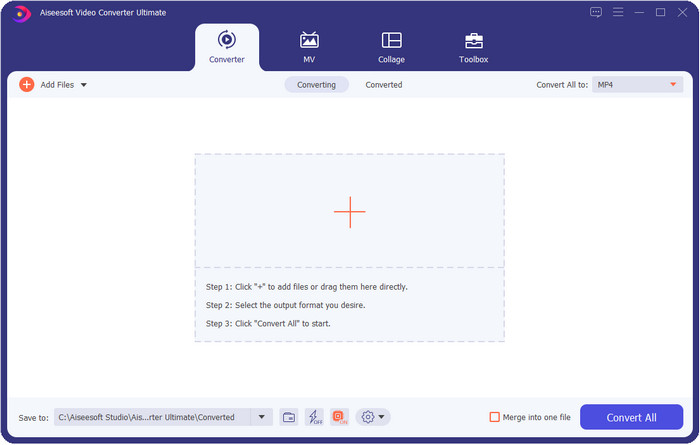
Video Converter Ultimate [Molt suggerit]
Descàrrega gratuïtaPer a Windows 7 o posteriorDescàrrega segura
Descàrrega gratuïtaPer a macOS 10.7 o posteriorDescàrrega segura
Compatible OS: Windows, Mac and Linux
Video Converter Ultimate is the best video metadata editor for viewing, removing, and editing the metadata on your file. This metadata editor isn't the usual editor you can use because it is a full pact of features you can quickly master in a short period. With this tool, you can add many amazing things to your metadata, like comments, image cover, year, genre if it is music, and many more in less than a second. Do you want to know what amazes us with the tool? Unlike the other software, they create a copy of the file you've edited, which is not space-friendly. But if you use this tool, the file you upload on the ultimate tool doesn't create a copy and will apply the metadata you add to the same file you've added; it is space-friendly. Moreover, if you need an all-out tool, this is the perfect choice for all users who need a metadata viewer on Mac and Windows.
Pros
- Admet diversos formats on podeu pujar, com ara MP4, MKV, AVI, FLV, MP3 i més de 1000 formats multimèdia per canviar o eliminar les metadades fàcilment.
- Permet a qualsevol usuari tenir una experiència fàcil d'editar les metadades.
- És la millor opció per als usuaris de Windows i Mac per descarregar aquest editor de metadades a la seva unitat.
- Elimina fàcilment les metadades de diversos fitxers amb uns quants clics.
Contres
- Comprar l'eina i descarregar-la és essencial, però valdrà la pena cada cèntim i unitat d'ordinador.
ExifTool
Compatible OS: Windows, Mac, & Unix
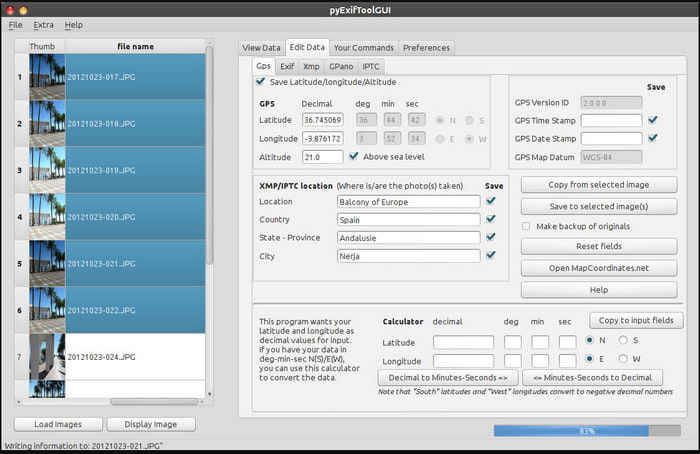
ExifTool is a well-known video metadata editor on Windows, Mac, and Unix you can easily access for free. It supports several video and image formats to change or remove the metadata. Also, this tool allows you to edit multiple metadata on different files simultaneously. Unlike other editors on this list, we can see that many things are going on with this tool; so if you're new to editing the metadata, you will need time to grasp the tool.
Pros
- Descàrrega gratuïta.
- Pot editar i veure les metadades fàcilment.
Contres
- La interfície i les opcions són confuses d'utilitzar.
Metadades++
Compatible OS: Windows
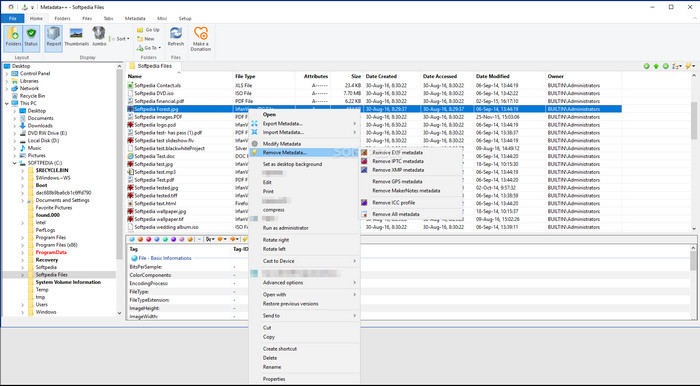
If you want to depend on an open-source video metadata editor on Windows, you might use Metadata++. This tool helps you quickly add or remove the metadata on the file by using hotkeys, to avoid using the mouse often. However, the editor is not as effective as the others in this list, but you can still depend on this tool if you want to use it.
Pros
- Les tecles d'accés directe estan disponibles per al procés ràpid d'edició de metadades.
- Afegiu fàcilment metadades als fitxers que no ho han fet.
- Descàrrega gratuïta a Windows.
Contres
- La GUI està obsoleta.
- S'han d'entendre massa funcions abans d'utilitzar-les.
MyMeta
Compatible OS: Windows
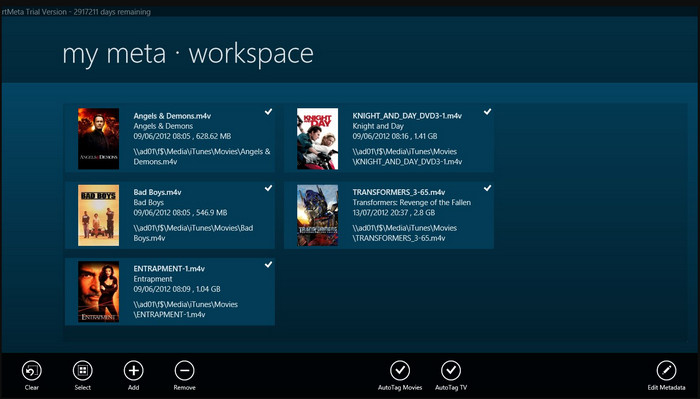
MyMeta is a video metadata editor you can instantly edit the MP4, M4V, and MOV. This tool has a feature to automatically create metadata and cover based on the result on the internet. Also, you can use this tool to tag the files according to the information. Although the tool is great, the format this tool supports is only MP4, M4v, and MOV only.
Pros
- Fàcil d'usar.
- L'etiqueta automàtica us permet copiar les metadades d'un fitxer concret en uns quants clics.
- GUI ordenada.
Contres
- Només és compatible amb MP4, M4V i MOV. Per tant, si esteu provant de penjar un altre format aquí, no és compatible.
- Algunes funcions no s'ajusten als requisits de l'usuari.
Reproductor multimèdia VLC
Compatible OS: Windows, Mac, Linux
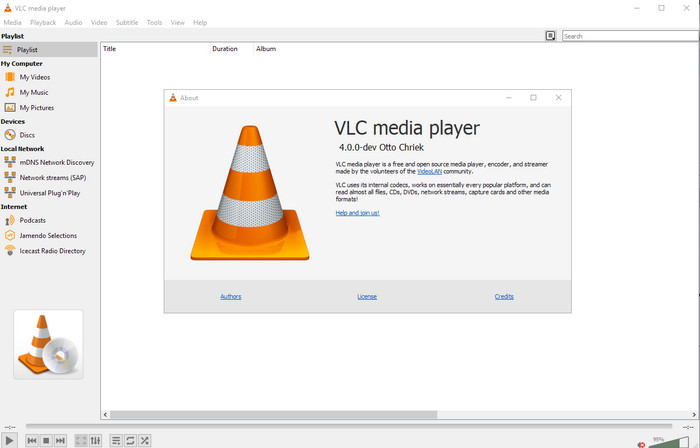
VLC Media Player is made for playing media files, but you can also use this open-source video metadata editor to edit the file's metadata. As we said, it can play a wide variation of formats easily with different codecs on every platform you can think of because it is a top-notch video player. Although it can play other file formats, the file supported on editing the metadata is limited and not as wide as the other tool mentioned.
Pros
- Editor de metadades de codi obert per descarregar.
- Fàcil d'utilitzar.
- Disponible en tots els sistemes operatius.
Contres
- Admet el format mitjà per carregar-lo.
- La GUI de l'eina està obsoleta.
Part 2. Quadre de comparació sobre l'editor de metadades de vídeo
| Característiques | Video Converter Ultimate [Molt suggerit] | ExifTool | Metadades++ | MyMeta | Reproductor multimèdia VLC |
| Afegeix i elimina metadades |  | | | | |
| Fàcil d'usar | | | | | |
| Admet formats d'ampli ventall | |  | | | |
| La millor opció per a principiants | | | | | |
| Edita les metadades del lot | | | | | |
Part 3. Com afegir, eliminar i editar metadades amb l'editor de metadades molt suggerit
If you've chosen to use the Video Converter Ultimate as your video metadata editor, we suggest you follow the indicated steps below. Without further ado, let's keep up our pace and start using the ultimate tool for this ultimate task.
Step 1. Download the tool by clicking the download button presented below; choose whether you use a Windows or Mac. After the downloading process, you must click the file to install it immediately, then launch it if it is all done.
Descàrrega gratuïtaPer a Windows 7 o posteriorDescàrrega segura
Descàrrega gratuïtaPer a macOS 10.7 o posteriorDescàrrega segura
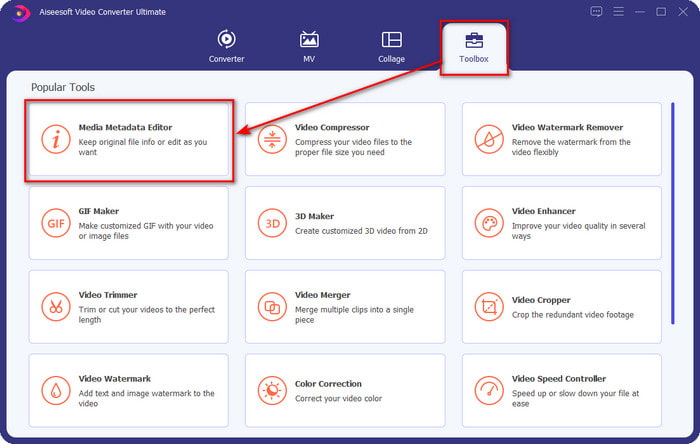
Step 2. After you've launched the tool, click the Toolbox section, and under it, look for the Media Metadata Editor; click it before proceeding to the next step.
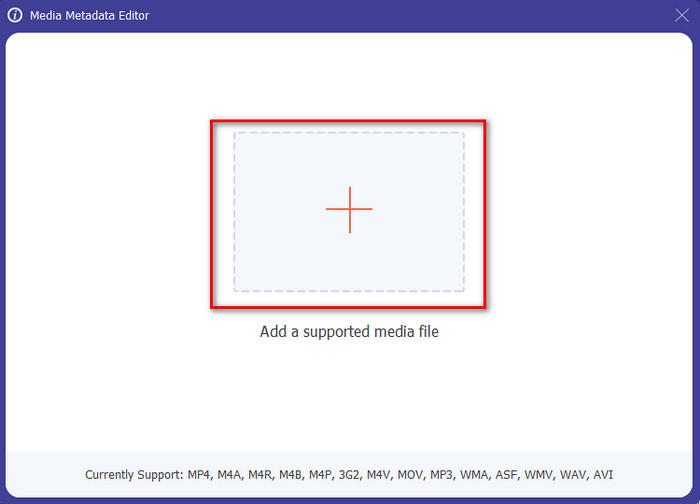
Step 3. Insert the file by clicking the + icon, and a folder will show on your screen, select the media file you want to edit the metadata on, and press Open.
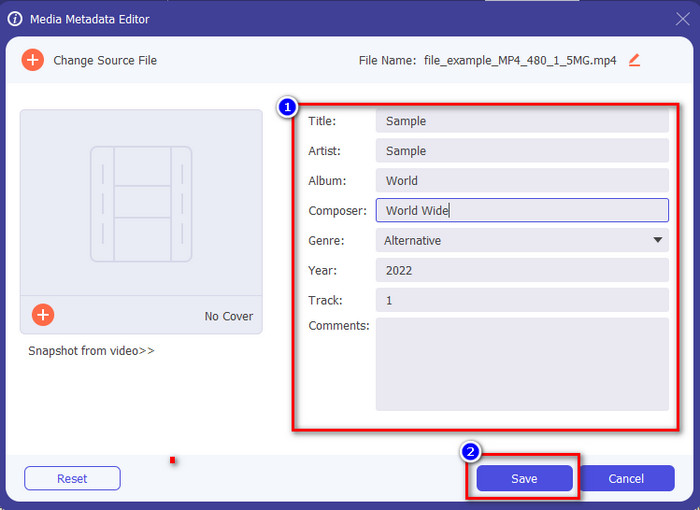
Step 4. On the new window that will show on your display, you can now edit, remove, and add metadata on the text boxes presented. If you are now satisfied with the metadata click Save to apply the metadata on the file. Easy peasy, isn't it? Well, that is what the ultimate can do.
Part 4. Preguntes freqüents sobre l'editor de metadades de vídeo
Puc veure metadades en línia?
Yes, you can use FVC Free Video Converter Online to view the metadata on video online; follow the steps below to know how to view it. First, click the link to open a new tab on your browser; this link will automatically go to the official website of the FVC converter online. Next, click Add Files to Convert; if this is your first time using it, you'll need to download the launcher and click the file to install it. Click it again, and this time a computer folder will show, select the file you want to view the metadata, and press Open to continue. A new window will show on the screen; click the i icon with you can now see the metadata on a video.
Quines són les parts de les metadades?
Metadata includes different types of information about the media file: the author's name, composition, location, settings, a device used, date, time, genre if it is music, image, and many more. But most of the time, metadata depends on what the file is about; if the file is an audiobook, it is different from a video file.
ID3 és una mostra de metadades?
ID3 és un contenidor de metadades que es veu als fitxers multimèdia MP3; bàsicament, en fitxers d'àudio.
Conclusió
The software we present in this article can help you view, edit, add or remove the video's metadata, even if you don't have enough knowledge on metadata. Now that you have the top 5 editors on the market, it is now the time to choose which tool you should depend on regarding this task. If you feel that you are undecided, we would recommend that you use the Video Converter Ultimate for many reasons. Unlike the other tools, this software can take this task within a few seconds. If you still do not believe what we are saying, you must download the tool to try it out and see the other things this tool offers.
-
 4 dels millors visualitzadors de metadades en línia i fora de línia [Actualitzat el 2025]
 Puc comprovar les metadades del meu fitxer? Sí, pots, amb l'ajuda d'aquesta publicació et presentarem els diferents visualitzadors de metadades que pots utilitzar.
-
 Els 5 millors extractors de metadades disponibles en línia i fora de línia [2025]
 Podeu trobar diversos extractors de metadades al mercat, però avui escollim només els cinc extractors d'etiquetes més escollits segons el públic.
-
 7 editors d'etiquetes de música populars a Windows, Mac i dispositius mòbils
 Les etiquetes de música són populars per a l'ordenació de la música a la biblioteca segons les dades que hi ha a l'interior. Què passa si el vols canviar? Llegiu els detalls a continuació per saber-ne més.
