


 Video Converter Ultimate
 Gravadora de pantalla
 Reparació de vídeo
Editor de metadades VLC i les seves millors alternatives per editar metadades amb facilitat
VLC Media Player s’ha convertit en un dels reproductors de vídeo més coneguts que pots descarregar en qualsevol dispositiu, com ara Windows, Mac, Android i iOS. Gràcies als formats i còdecs que admet, reproduir vídeos aquí és molt àgil. A més de la seva capacitat per reproduir múltiples formats, aquesta eina disposa de diverses funcions i característiques que t’agradarà utilitzar. Una d’elles és l’edició de metadades. Continua llegint aquest article per saber-ne més sobre l’editor de metadades de VLC i altres alternatives competitives.

Part 1. Revisió de l'editor de metadades de VLC/Pros i contres/ Millors alternatives per a l'editor de metadades de VLC
Introducció a la funció d'edició de metadades de VLC Media Player
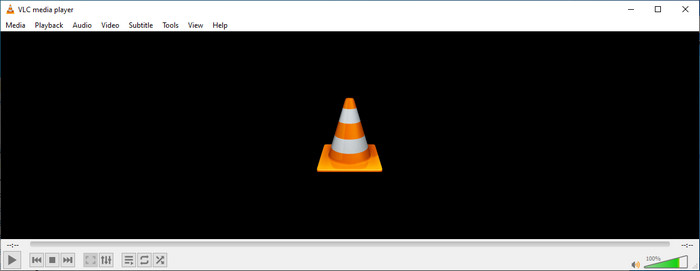
L'objectiu principal de l'editor de metadades de VLC no és com a editor sinó com a reproductor. Aquesta eina reprodueix un format ampli que el nostre reproductor multimèdia natiu no és compatible. En lloc de descarregar còdecs al vostre fitxer, aquesta eina facilita la feina afegint el fitxer i gaudint de veure'l. Després del seu llançament inicial l'any 2001, el seu desenvolupador va millorar la funció general del reproductor multimèdia i les característiques per competir amb l'altre programari. Tot i que s'afegeixen moltes característiques i funcions a l'eina, encara no n'hi ha prou per competir amb l'altre editor de metadades dedicat.
Pros Contres
Ara que tenim una idea sobre la capacitat d'editor de metadades de VLC, vegem si és un editor d'etiquetes ideal que hauríeu d'utilitzar. Si voleu saber més sobre l'editor de metadades VLC a Android, iOS, Windows i macOS, el millor és seguir llegint els seus pros i contres.
Pros
- És un programari gratuït, la qual cosa significa que no haureu de comprar l'eina per descarregar-la.
- Admet un format ampli per editar les vostres metadades amb facilitat.
- Pot optimitzar la reproducció de vídeo i àudio del vostre dispositiu de selecció.
- Ampliable amb complements, si es pot.
Contres
- L'editor de metadades de vídeo VLC no és el millor per editar les metadades del fitxer.
- L'eina no està feta per a l'edició, de manera que no la podeu considerar especialment com un editor de vídeo professional.
- Els bloquejos i la congelació es produeixen amb freqüència mentre s'utilitza el programari.
- Poca actualització de la seva GUI.
Tot i que no és la millor opció per editar metadades, encara creiem que aquest és el millor reproductor multimèdia que podeu descarregar gratuïtament, que pot superar els altres reproductors multimèdia integrats al vostre dispositiu. Els detalls següents us ajudaran a determinar les millors alternatives per editar les etiquetes que VLC.
Part 2. 3 de l'editor de metadades de VLC competitius i millors alternatives
Video Converter Ultimate
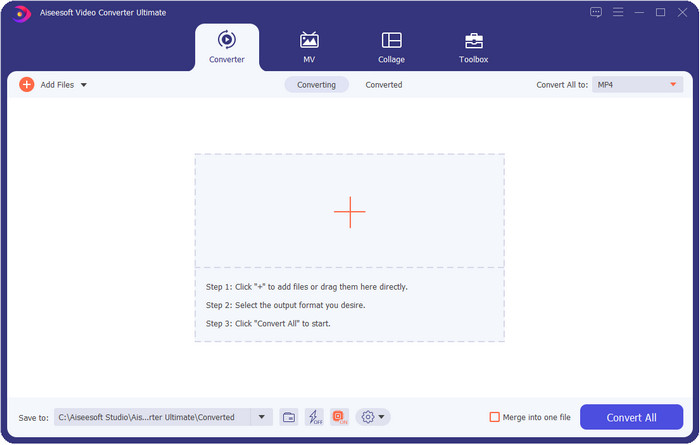
Video Converter Ultimate és l’eina més competitiva a l’hora d’editar etiquetes; és millor del que pot oferir l’editor de metadades de VLC. Amb aquesta eina, pots manipular fàcilment totes les etiquetes dels teus fitxers MP4, MOV, M4V, AVI, WMV i de més de 1000 formats diferents. Afegir etiquetes mai no ha estat fàcil per a la majoria, però si utilitzes aquesta eina podràs afegir títols, nom de l’artista, àlbum, comentaris, altra informació i fins i tot imatges al fitxer com a part de les metadades. Encara que amb VLC pots fer una edició bàsica de les etiquetes, no és suficient, i si vols fer-ne més, has de triar l’eina definitiva. Per ajudar-te a afegir les etiquetes necessàries que VLC o altres editors de metadades del mercat no poden proporcionar-te amb tanta facilitat. Si vols saber què pots obtenir en descarregar aquesta eina definitiva, a continuació t’esmentarem algunes de les característiques que ofereix.

Video Converter Ultimate
Més de 5.689.200 descàrregues- Pot editar les etiquetes dels vostres fitxers multimèdia com ara MP4, AVI, FLV, RMVB i molt més.
- Té un procés de conversió ultra ràpid i una acceleració de maquinari.
- Les funcions i funcions avançades addicionals es troben a Toolbox.
- Admet la conversió per lots per acabar la tasca simultàniament
- Disponible tant a Windows com a macOS per descarregar.
Descàrrega gratuïtaPer a Windows 7 o posteriorDescàrrega segura
Descàrrega gratuïtaPer a macOS 10.7 o posteriorDescàrrega segura
MetaZ
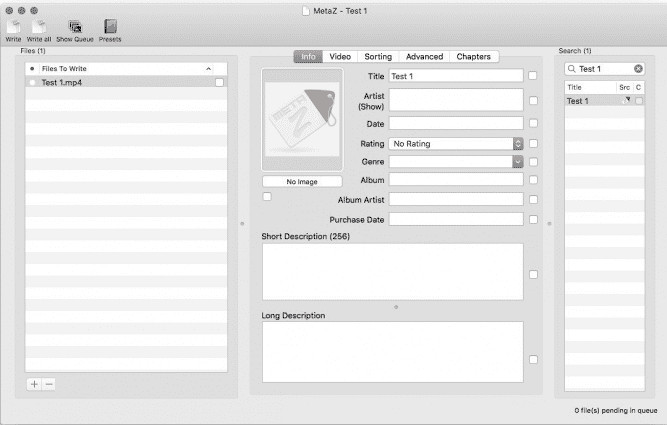
Si vols disposar d’un editor gratuït de metadades de vídeo VLC per a Mac, aleshores MetaZ és una eina que has de fer servir. Aquesta eina és un etiquetador de metadades dedicat que pots descarregar al Mac, i el seu propòsit principal és afegir o editar etiquetes dels fitxers multimèdia. A més, si la utilitzes, pots cercar automàticament les etiquetes i afegir-les sempre que tinguis connexió a Internet. Amb aquesta eina també pots transferir les etiquetes mitjançant la funció d’exportació d’arxius, que només està disponible a MetaZ. Tot i que l’eina és prometedora, la seva compatibilitat amb altres sistemes operatius, com Windows, suposa un problema. A més, només admet un nombre mitjà de formats, de manera que, abans d’utilitzar-la, has de saber que aquí hi ha restriccions a l’hora d’afegir fitxers. A part d’això, no hi ha cap altre problema rellevant en utilitzar l’eina.
Escàner d'etiquetes
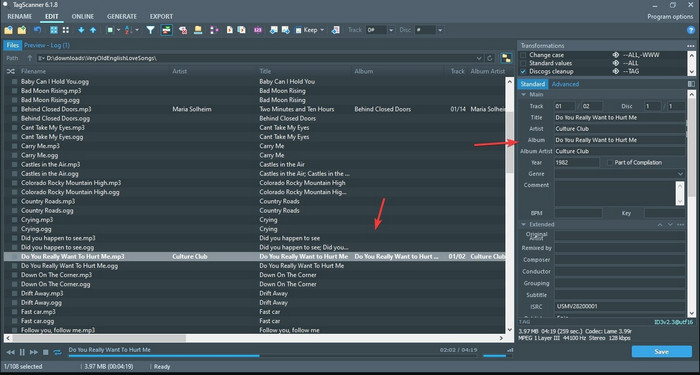
Tag Scanner és una versió millorada de l’editor de metadades MKV de VLC. Aquesta eina pot editar i organitzar les etiquetes dels fitxers multimèdia amb facilitat. Quan la facis servir, notaràs que té una interfície gràfica molt més detallada que VLC pel que fa a l’edició d’etiquetes, cosa que significa que pots afegir més detalls a les dades del teu fitxer. Igual que MetaZ, aquesta eina pot cercar les etiquetes que necessites per al teu fitxer consultant diferents bases de dades. A causa de la seva interfície carregada, utilitzar-la és una mica diferent del que seria amb un editor de metadades habitual, la qual cosa implica que hauràs de dedicar-hi temps per acostumar-t’hi. Tot i això, és fàcil veure que aquesta eina és molt millor que VLC i altres competidors, però no és tan fàcil d’utilitzar com altres opcions del mercat.
Part 3. Preguntes freqüents sobre VLC Metadata Editor
On puc descarregar VLC?
Podeu descarregar el VLC oficial a videolan.org. Assegureu-vos de descarregar-lo al lloc web oficial per evitar circumstàncies com ara virus a l'escriptori.
Puc editar el vídeo amb VLC?
Doncs sí, pots editar amb VLC. Tot i això, no és un editor professional que et serveixi per fer edicions de vídeo complexes. Si ets un vlogger o creador de contingut novell i busques el millor editor de vídeo per a Windows, fes clic en aquest enllaç; però si ets usuari de Mac, fes clic en aquest enllaç per conèixer el millor editor de vídeo per a Mac.
Com solucionar el retard d'àudio a VLC?
Fes clic en aquest enllaç per veure la millor solució per corregir el desfasament d’àudio a VLC amb passos detallats.
Conclusió
VLC és una eina fantàstica que pots tenir gratuïtament. Amb aquesta eina pots reproduir qualsevol tipus de vídeo i àudio o fins i tot editar-ne les etiquetes. Però, pel que fa a editar etiquetes amb VLC, podem dir que no és tan bo com altres editors d’etiquetes dedicats disponibles al mercat, tot i que és capaç de fer-ho. Si la teva tasca és editar o arreglar les etiquetes dels fitxers multimèdia, VLC és una opció, però no la millor. Aleshores, què hauries de fer? Bé, hem fet una llista de les millors alternatives que pots utilitzar per editar etiquetes millor que amb VLC, i una d’elles és Video Converter Ultimate. A diferència d’altres alternatives i de l’editor de metadades de VLC, aquesta eina ofereix moltes funcions avançades, així que descarrega-la ara per tenir-les totes.
-
 Com editar i arreglar les metadades MP4 d'una manera molt intel·ligent
 Voleu saber com arreglar les metadades MP4? En aquest cas, llegiu tot el contingut d'aquest article per conèixer els trucs sobre com arreglar fàcilment les etiquetes MP4.
-
 4 millors mètodes per arreglar i editar metadades MP3 a Windows i Mac
 Vols conèixer els secrets de l'edició de metadades MP3 amb facilitat? Aquest bloc t'ensenyarà diferents tècniques amb les diferents eines a les que accedeixes fàcilment.
-
 2 millors maneres d'editar les metadades OGG que hauríeu de provar gratuïtament
 Necessites editar les metadades OGG? Bé, podeu gestionar fàcilment l'edició de les etiquetes utilitzant el programari correcte. Si no en teniu cap, és imprescindible llegir aquest article.
