


 Video Converter Ultimate
 Screen Recorder
 Oprava videa
V podrobných recenzích o 5 nejlepších dostupných aplikacích pro zesilovač zvuku
Všichni lidé v celém vesmíru milují hudbu, ať už jde o pop, metal, rock, jazz a tak dále. Ne všechny reproduktory však dokážou vytvořit tak skvělý zvukový výstup, že nám z něj běhá mráz po kůži. Pořízení zesilovačů navíc stojí víc než sto dolarů, v horším případě i přes tisíc. Není to drahé, že? Tomu všemu se ale můžeme vyhnout, pokud vyzkoušíme tyto nejlepší zesilovače dostupné na všech platformách. A teď, pokud chcete používat aplikaci zvukového zesilovače, podívejte se na seznam níže – budou vás stát méně než částky uvedené výše a přesto dosáhnete skvělého zesílení zvuku.

Část 1. Fenomenální zesilovač zvuku K dispozici na PC a Mac
Pokud chcete dosáhnout 8D nebo 16D efektu bez toho, abyste utratili mnoho peněz za hardwarové zvukové zesilovače, zkuste použít Video Converter Ultimate. Na rozdíl od klasických zesilovačů s tímto nástrojem utratíte méně a nemusíte nic složitě nastavovat ani číst obsáhlý návod, jak ho používat. Tento desktopový software je navíc skvělý na vylepšování videa, audia, GIFů a mnoha dalšího. I když je nástroj placený, stále se skvěle používá bez komplikací a nabízí pokročilé funkce, které na svém videu a zvuku snadno provedete. Pokud tedy chcete vědět, jak software používat, je nutné postupovat podle kroků uvedených níže.
Postup, jak použít zesilovač hlasitosti ve Video Converter Ultimate:
Krok 1. Nejprve si stáhněte software na disk svého PC nebo Macu. Poté jej nainstalujte do počítače a proveďte jednoduché ruční nastavení.
Zdarma ke staženíPro Windows 7 nebo novějšíBezpečné stažení
Zdarma ke staženíPro MacOS 10.7 nebo novějšíBezpečné stažení
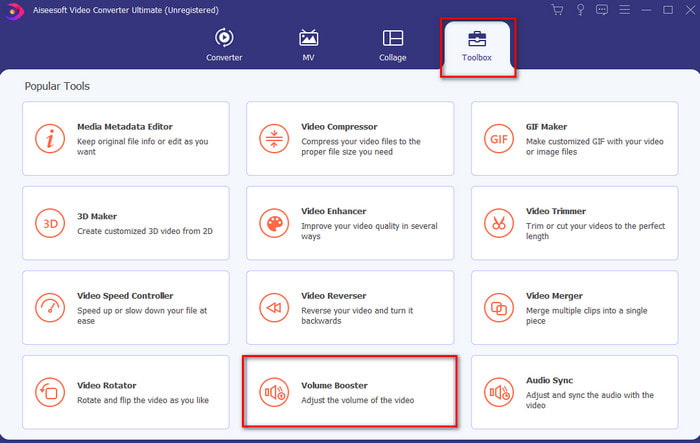
Krok 2. V sekci Toolbox klikněte na Volume Booster.
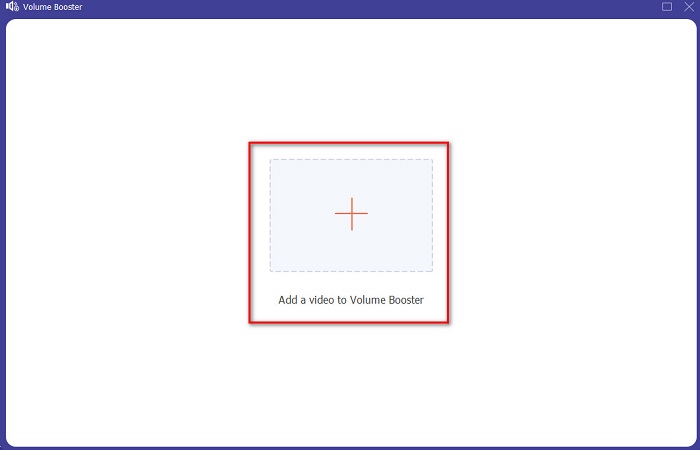
Krok 3. Klikněte na tlačítko + a vyberte soubor, kterému chcete zesílit zvuk. Poté stiskněte Open pro pokračování.
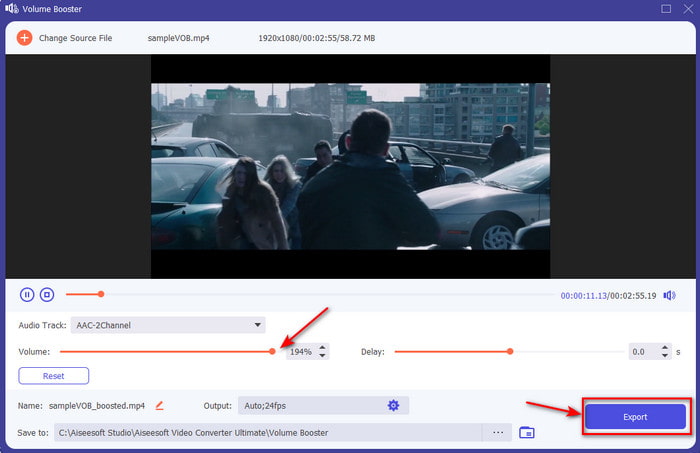
Krok 4. V rozhraní nyní můžete posunout posuvník hlasitosti, abyste udělali zvuk hlasitější a čistší. Jakmile úpravu audia dokončíte, klikněte na Export.
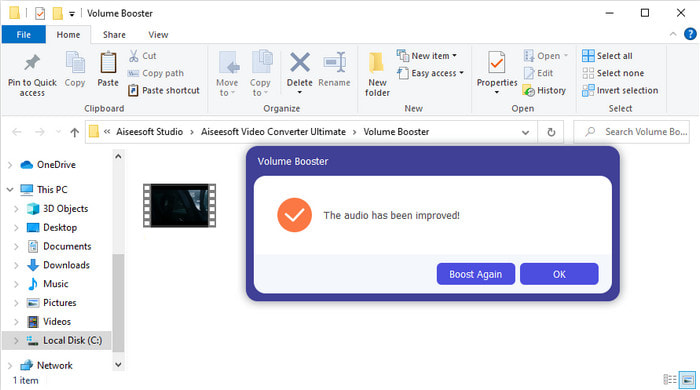
Krok 5. Počkejte několik sekund, než se proces dokončí. Jakmile je hotovo, na obrazovce se objeví správce souborů se souborem, který jste zesílili – klikněte na něj a poslechněte si ho.
Klady
- Tento software se snadno používá a váš zvuk může být fenomenální.
- Výkon softwaru jeho zákazníci velmi oceňují.
- Je k dispozici a lze jej snadno stáhnout na PC a Mac.
Nevýhody
- Tento software nepodporuje mobilní zařízení.
- Tento nástroj je placený, ale není tak drahý ve srovnání s ostatními desktopovými nástroji.
Související:
Jak zvýšit hlasitost MP4 videa
Jak opravit zpoždění zvuku ve VLC
Část 2. 4 nejlepší aplikace pro zesilovač zvuku dostupná pro mobilní telefony iOS a Android
1. Zvýšení hlasitosti – Zesilovač zvuku 4+ (iOS)
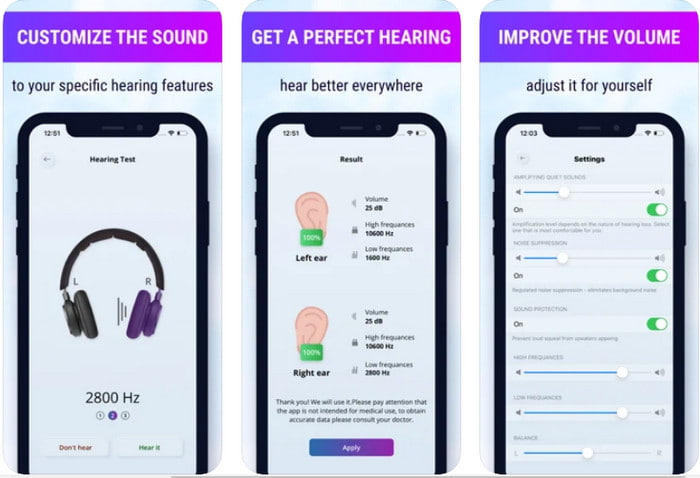
Uživatelé iOS si mohou zdarma stáhnout aplikaci Volume Boost- Sound Amplifier 4+. Tato aplikace dokáže snadno zesílit zvuk bez jakýchkoli potíží díky automatickému nastavení, ale můžete provést i ruční zásah. Aplikace je navíc skvělá jako zvukový zesilovač, nicméně nefunguje s Bluetooth reproduktory ani bezdrátovými sluchátky či AirPody. Také se musíte připravit na častější pády aplikace a nevyhnutelné reklamy při jejím používání. Přestože je aplikace ke stažení zdarma, je v ní nákup v aplikaci, kterým odstraníte reklamy a odemknete další funkce.
Klady
- Zdarma ke stažení na libovolném zařízení iOS.
- Snadno zesilte zvuk reproduktoru až na 30 dB.
- Intuitivní rozhraní a nastavení.
Nevýhody
- Zažijte v této aplikaci mnoho pádů, zamrznutí a chyb.
- Reklamy je třeba se hodně vyhnout.
2. Extra Volume Booster – hlasitý reproduktor (Android)
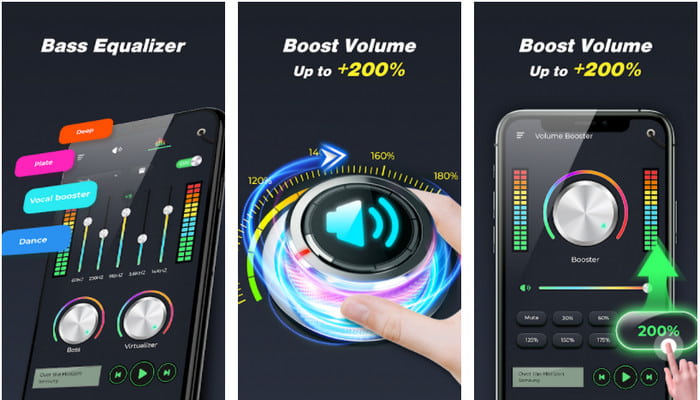
Pokud mají uživatelé iOS k dispozici aplikaci pro zesílení zvuku telefonu, měli by mít něco podobného i uživatelé Androidu – například Extra Volume Booster. Mnoho uživatelů je s výkonem aplikace spokojeno, protože skvěle zesiluje a boostuje zvuk. Pokud ji ale zapnete, zesílí se všechny zvuky v telefonu – vyzvánění, budíky, oznámení a další. To znamená, že pro tyto prvky nemá samostatná nastavení. I když je nástroj zdarma, je v jistém smyslu lepší než jiné placené aplikace na Androidu i iOS. Pokud však hlasitost vyženete až na 200%, počítejte s tím, že může dojít k poškození vestavěných reproduktorů nebo Bluetooth reproduktorů, které tak vysokou hlasitost 200% nezvládnou.
Klady
- Zjednodušenou verzi zesilovače si můžete stáhnout na zařízení Android.
- I když rozhraní aplikace není nic moc, je skvělé.
- V této aplikaci jsou k dispozici různé zesílení a zesílení.
Nevýhody
- Očekávejte, že při používání aplikace narazíte na nespočet reklam.
- Při používání nástroje existuje šance, že se CPU nebo telefon zahřeje.
3. Speaker Boost: Volume Booster & Sound Amplifier 3D (Android)
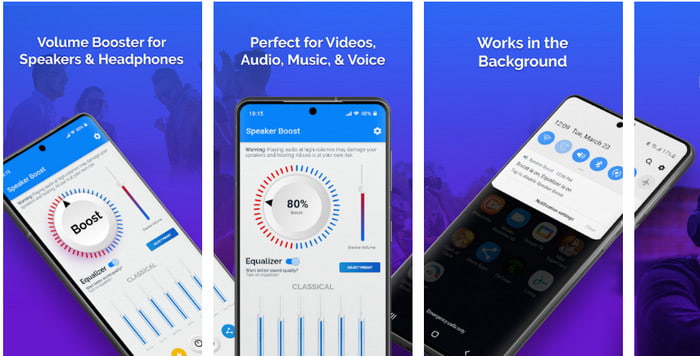
Další androidovou aplikací, se kterou získáte skvělý prostorový zvukový zesilovač, je Speaker Boost. Podobně jako Extra Volume Booster je tato aplikace velmi přímočará a snadno se používá, i když s tím nemáte žádné zkušenosti. Nástroj si můžete stáhnout zdarma, ale nabízí nákupy v aplikaci, které se vám mohou zalíbit – například odstranění otravných reklam a další. Ačkoli se aplikace zdá být k používání v pořádku, nákupy v ní vás mohou vyjít dráž než u jiného softwaru v tomto seznamu. Další obavou mnoha uživatelů je, že aplikace funguje i přes ad‑blocker a je tu šance, že může fungovat jako spyware.
Klady
- On-point pro snadné zesílení zvuku a přesto je výkonný.
- Stáhněte si nástroj zdarma, aniž byste se museli obtěžovat zesilováním zvuků.
- Proveďte ruční přepsání na ekvalizéru.
Nevýhody
- Tento nástroj je neúplný, což v podstatě znamená, že je ve fázi experimentu.
- Když zvýšíte zvuk, uslyšíte určité zkreslení.
4. Boom: Bass Booster & Equalizer 4+ (iOS)
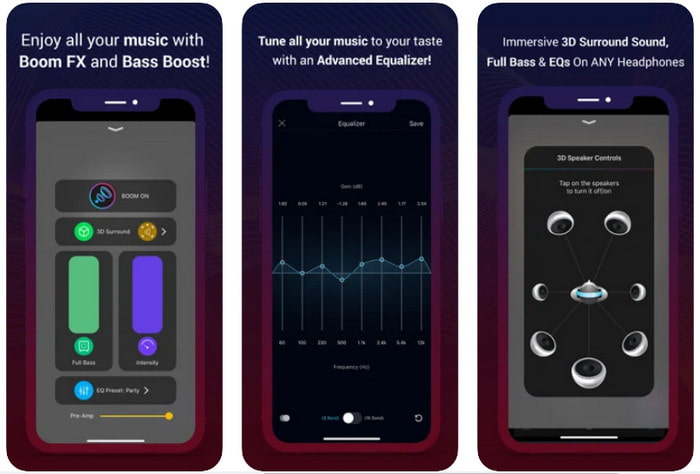
Pokud hledáte pokročilou aplikaci zvukového zesilovače, pak je Boom: Bass Booster skvělá volba. Tato aplikace je však dostupná pouze pro zařízení s iOS a na Androidu ji nenajdete. Nástroj už získal mnoho pochval od uživatelů, ale některé formáty nelze zesílit. Také počítejte s tím, že při používání aplikace se mohou objevit chyby a pády. Aplikace je navíc pro nové uživatele poněkud matoucí. Přestože je výkon této aplikace celkem slušný, stále potřebuje vylepšit, aby byla ještě lepší.
Klady
- Některé pokročilé funkce jsou k dispozici zde.
- Přenosné zesilovače, které můžete snadno používat.
- Aplikace získává 4,1 hvězdičky z 5.
Nevýhody
- Není to nejlepší volba pro začátečníky kvůli matoucí struktuře rozhraní.
- Většina zvukových formátů není podporována pro zesílení pomocí této aplikace.
- Problémy s chybami a zpožděními se s aplikací stále vyskytují.
Část 3. Časté dotazy o zesilovačích zvuku
Co je db?
Db znamená decibely a to je jednotka měření pro vyjádření hlasitosti nebo síly zvukové vlny. Také pomocí decibelů můžeme snadno určit, jaký zvuk bezpečně uslyšíme po dlouhou dobu. A všech 85 decibelů níže je velmi bezpečné slyšet.
Jaké jsou nevýhody hlasitého zvuku?
Je nám velmi běžné, že když jsme vystaveni hlasitým zvukům, může dojít k poškození sluchu. Věděli jste ale, že to může mít za následek nevolnost, bolesti hlavy, stres, únavu a další. Pokud se tedy chystáte použít zesilovač, používejte jej správně a nepřehánějte jej, abyste se vyhnuli nevyhnutelným škodlivým účinkům.
Proč slyším nějaké praskání v reproduktorech?
Tento problém je velmi obvyklý u reproduktorů s velmi omezeným Hz. Pokud tedy zvýšíte zvuk, ujistěte se, že to reproduktor zvládne. A pokud uslyšíte nějaké praskání, musíte okamžitě snížit zvuk. Pokud však uslyšíte nějaké praskání, i když zvuk snížíte, je příliš pozdě.
Závěr
Všechny zde uvedené aplikace a programy se skvěle hodí jako zesilovače. I když mají jednotlivé programy výše uvedené rozdíly, jejich funkce jsou si podobné. Pokud však hledáte nejlepší zvukový zesilovač pro PC a Mac, pak by to měl být Video Converter Ultimate. Nabízí totiž fenomenální pokročilé funkce, které můžete snadno používat. Pokud tedy zvažujete, zda je to ta nejlepší volba, stáhněte si jej nejprve na disk svého počítače a postupujte podle kroků uvedených výše.
Zdarma ke staženíPro Windows 7 nebo novějšíBezpečné stažení
Zdarma ke staženíPro MacOS 10.7 nebo novějšíBezpečné stažení
-
 [Snadné] Jak opravit nesynchronizovaný zvuk a video
 Předpokládejme, že se chystáte naplánovat stream na zítra, ale když zkontrolujete nastavení, zvuk a video nejsou synchronizované. Přečtěte si tento článek, abyste se o tomto problému dozvěděli více.
-
 7 snadných kroků, jak opravit problémy se zpožděním zvuku OBS [Vyřešeno]
 Máte potíže se sledováním videoklipu po nahrávání kvůli zpoždění zvuku při používání OBS Studio? Přečtěte si článek níže, kde se dozvíte, jak efektivně opravit nesynchronizovaný zvuk.
-
 Jak přidat zvuk a hudbu do videa zdarma na počítači / telefonu
 Tento článek ukazuje 4 snadné způsoby, jak přidat zvuk do videa zdarma. Bez ohledu na to, kterou zvukovou stopu chcete do videa přidat, můžete zde získat uspokojivé výsledky.
