


 Video Converter Ultimate
 Screen Recorder
 Oprava videa
Vynikající metody k uznání při převodu TRP na AVI [2021]
Soubory videa ve vysokém rozlišení uložené v přenosovém formátu MPEG‑2 Part 1 jsou známy jako soubory TRP. Pomocí tohoto softwaru se provádí multiplexování digitálních video a audio streamů a jejich synchronizovaný výstup. Zahrnuje také funkce pro opravu chyb. TRP je pojem, který se často objevuje v digitálním televizním vysílání. Soubory TRP často obsahují video a audio data ve formátech H.264 a AC3. Lze je zobrazit a přehrávat pomocí různých aplikací pro přehrávání videa. U tohoto nového video formátu, který může některým uživatelům znít nezvykle, vás možná napadne, jak tento nový soubor převést do jiného formátu, například TRP do AVI? Pokračujte ve čtení tohoto článku, protože představíme možné řešení, které by mohlo vyřešit problém, se kterým se potýkáte.
Část 1. Úvod do podrobností o video formátech TRP a AVI
Formát souboru TRP je typ souboru digitálního videa, který odpovídá požadavkům na kódování videa MPEG-2. Pro soubory TRP se používá přípona souboru .trp. Alternativně se tyto soubory TRP označují jako video soubory MPEG-2 s vysokým rozlišením. Kromě toho soubor TRP obsahuje digitální zvuk kódovaný A3C. Tyto soubory .trp zahrnují přenosové protokoly s vysokým rozlišením pro toky DVD (digitální vysílání videa). Konkrétní set-top televizní zařízení a digitální videorekordéry využívají tyto soubory TRP k vysílání obsahu DVD. Tyto soubory .trp lze prohlížet a přehrávat pomocí přehrávačů videa a multimediálních nástrojů, jako je přehrávač médií VLC týmu Video LAN Project Team. Další převodníky digitálního videa a nástroje pro úpravy mohou vytvářet, otevírat, upravovat a převádět soubory TRP do jiných standardních formátů digitálního videa.
Naprotitomu AVI (Audio and Video Interleaved, AVI) je souborový formát, ve kterém lze digitálně ukládat informace o zvuku a videu pro jejich přehrávání. Všechny platformy Microsoft Windows mají vestavěnou podporu formátu AVI. Pro identifikaci souborů AVI se používá přípona .avi. Formát AVI podporují všechny hlavní operační systémy. Video- a audiosoubory vytvořené pomocí různých kodeků, jako je DivX nebo XviD, lze ukládat do kontejneru AVI. Zde jsme probrali výhody a nevýhody formátu AVI, stručnou historii, strukturu a možnosti převodu tohoto formátu.
Část 2. Jak převést TRP na AVI offline
Začněme převodem TRP do AVI offline – tento špičkový nástroj je spolehlivý při obnově a převodu široké škály formátů. Video Converter Ultimate dokáže převést TRP do AVI nejrychlejším možným způsobem. Navíc můžete změnit výstupní kvalitu videa ještě před nahráním souboru. Tento konvertor má také různé nástroje, které vám pomohou posunout vaše video na vyšší úroveň. Protože podporuje mnoho video formátů, nemusíte se obávat převodu neznámých video formátů na požadovaný formát. Jakmile se seznámíte s tímto nejlepším konvertorem, můžete se podívat na níže uvedený postup:
Krok 1. Nejprve klikněte na tlačítko Free Download (Stáhnout zdarma) níže a spusťte stahování. Po dokončení si můžete vybrat verzi pro Windows nebo Mac, podle toho, co preferujete. Než program jednoduše spustíte, musíte jej nainstalovat na plochu svého počítače a kliknout na Start Now (Spustit nyní), abyste začali.
Zdarma ke staženíPro Windows 7 nebo novějšíBezpečné stažení
Zdarma ke staženíPro MacOS 10.7 nebo novějšíBezpečné stažení
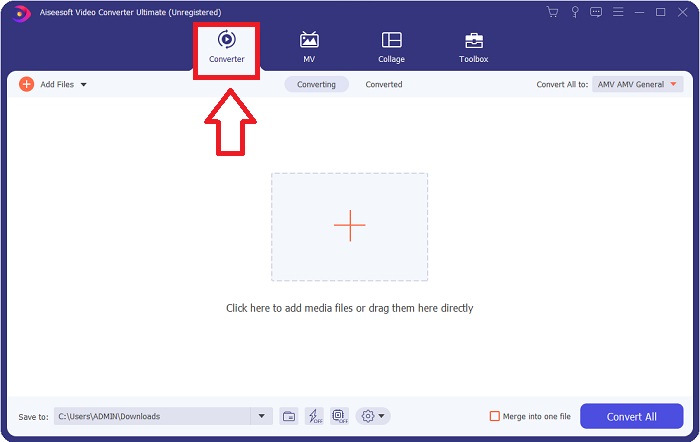
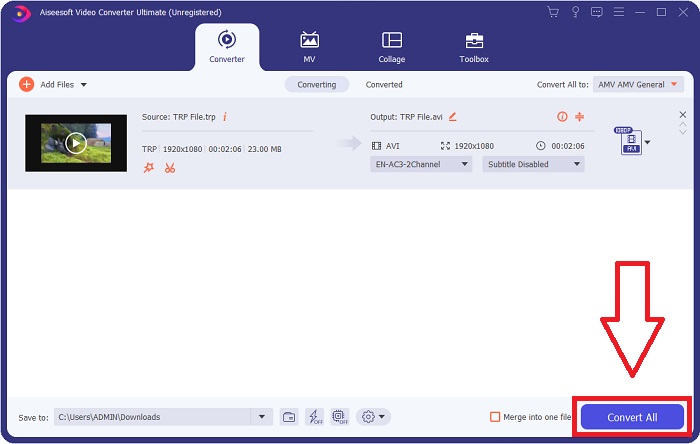
Krok 2. Spusťte staženou aplikaci. Při prvním spuštění se zobrazí okno s rozhraním Converter (Převodník). Zde vložíte svůj video soubor a začnete s převodem.
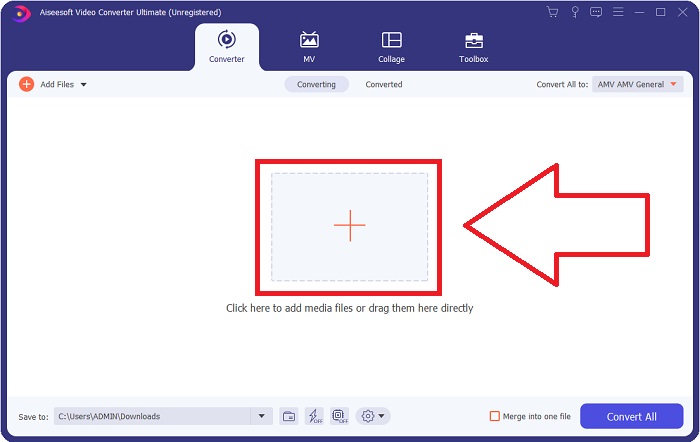
Krok 3. Importujte své soubory do softwaru přetažením video souboru nebo kliknutím na ikonu +.
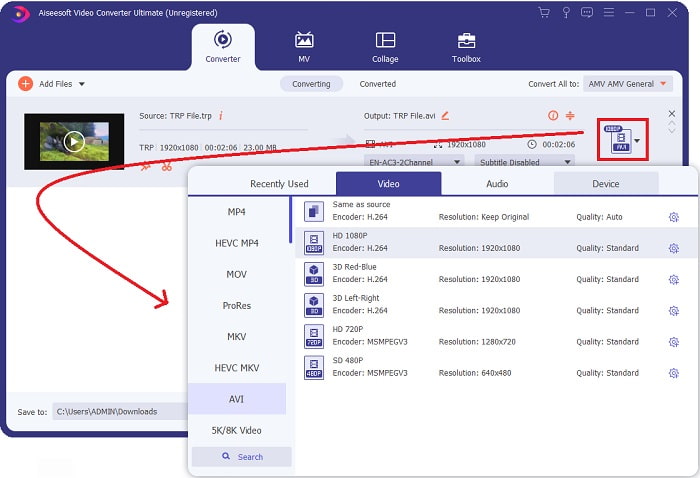
Krok 4: Vpravo nahoře klikněte na ikonu šipky dolů vedle možnosti Convert All to, aby se otevřel panel. Poté přejděte do seznamu kategorií Video a vyberte video formát AVI. Pokud však vámi preferovaný výstupní video formát není v seznamu, můžete změnit nastavení kvality tak, aby vyhovovalo vašim potřebám. Kliknutím na ikonu ozubeného kola můžete upravit rozlišení, snímkovou frekvenci a dokonce i kvalitu zvuku. Pro uložení změn klikněte na tlačítko Create New.
Krok 5. Jakmile dokončíte úpravy videa a je připraveno k převodu, klikněte na Convert All (Převést vše) a spusťte proces převodu a uložení do počítače.
Část 3. Jak převést TRP do AVI online
Pokud nemáte čas stahovat Video Converter Ultimate, můžete použít i tuto online verzi softwaru. Free Video Converter Online je nejlepší online webový nástroj, který můžete na internetu použít k rychlému převodu široké škály formátů. Na rozdíl od jiných online konvertorů tento nástroj neomezuje formáty, které dokáže podporovat, a proto je doporučován začínajícím uživatelům. Abyste se o tomto online nástroji dozvěděli více, podívejte se na postup uvedený níže.
Krok 1. Přejděte na hlavní webovou stránku konvertoru FVC kliknutím na tento odkaz.
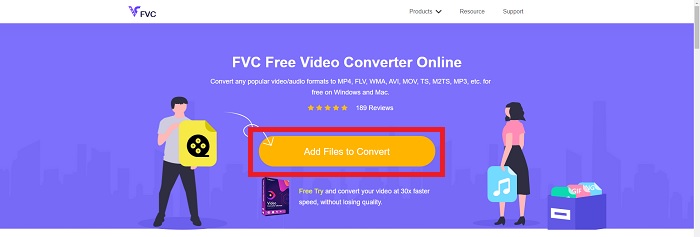
Krok 2. Pokud jej používáte poprvé, klikněte na tlačítko Add Files to Convert, abyste do počítače stáhli spouštěč. Po stažení se automaticky spustí. Zvolte soubor ze své složky a po opětovném stažení klikněte na Open.
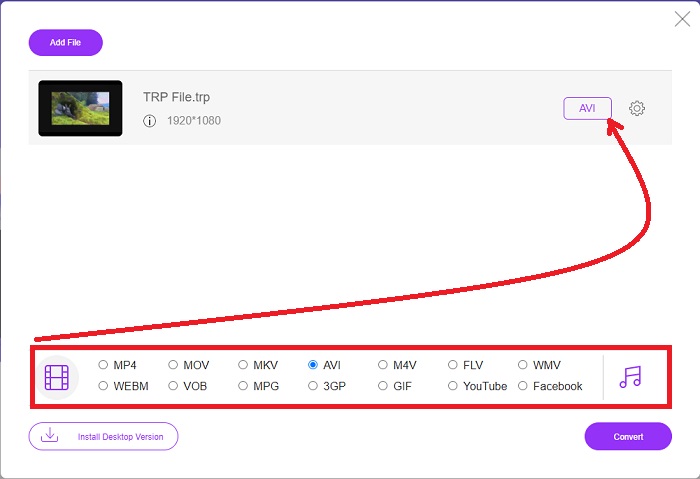
Krok 3. Než začne převodní proces, vyberte z rozevírací nabídky dole formát AVI kliknutím na něj.
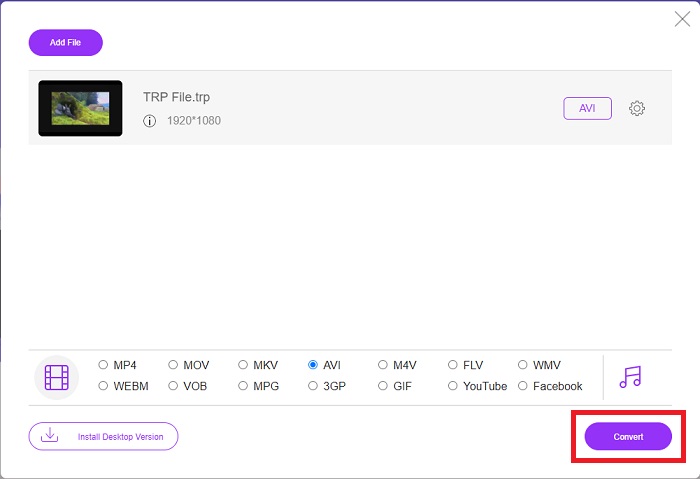
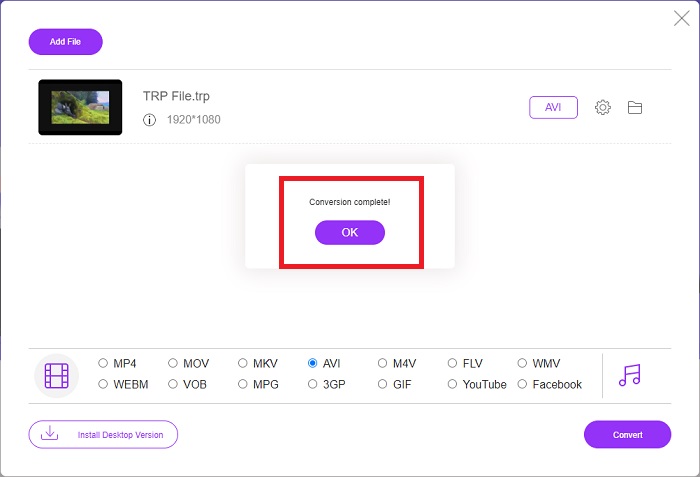
Krok 4. Po výběru formátu klikněte na Convert a spusťte proces převodu formátu na jiný.
Krok 5. Po několika minutách se zobrazí složka obsahující převedený soubor; jednoduše na ni klikněte a můžete začít sledovat.
Část 4. Srovnání mezi TRP a AVI
| Funkce/y | FVC Video Converter Ultimate | FVC Free Video Converter |
| Dávková konverze |  |  |
| Hardware a zrychlení konverze | | |
| Připojení k internetu | | |
| Vylepšení nebo úprava videa | | |
| Program podporován | Webový nástroj | Desktop Based Tool |
Část 5. Nejčastější dotazy o převodu TRP na AVI
Jaké je použití AVI?
AVI je zkratka pro Audio Video Interleaved. AVI je video a audio souborový formát, který se používá k digitálnímu ukládání zvukových a obrazových informací pro jejich přehrávání. Používá se také k ukládání video informací. Formát AVI je ve výchozím nastavení podporován ve všech verzích operačního systému Microsoft Windows. Přípona souborů AVI je .avi.
Jaké jsou nevýhody AVI?
Nejčastějšími problémy, se kterými se uživatelé formátu AVI potýkají, jsou slabá komprese a ztráta poměru stran při zvětšení okna přehrávače. Je možné převést soubor AVI na soubor MP4. Pokud tedy pracujete se soubory AVI, měli byste znát význam tohoto převodu.
Jaká je výhoda TRP?
Popularita TRP kanálu umožňuje podnikům zacílit na publikum na základě jeho popularity a měřit návratnost investic. Pomocí této metody mohou vysílací společnosti účtovat inzerentům vynikající sazby, když jsou ve vysílání populárnější pořady.
Závěr
S ohledem na uvedené jsme zjistili, že Video Converter Ultimate je nejlepší konvertor, který byste měli zvažovat oproti jiným online nástrojům. Protože má rychlý proces převodu a podporuje různé formáty, je považován za doporučený nástroj či software pro převod neznámých video formátů, jako je TRP.
-
 Jak převést TS na AVI / MKV / MOV / WMV online a zdarma na Win / Mac
 Chcete rychle převést soubory TS na AVI / MKV / MOV / WMV? Tento článek ukazuje online a offline převaděče videa s kompletním průvodcem. Možná zde získáte nejlepší bezplatný převodník TS.
-
 [Zdarma a online] 7 způsobů, jak převést MTS do AVI na počítači Mac/Windows
 Jak snadno převést MTS na AVI? V této příručce najdete 7 bezplatných a snadných způsobů převodu souborů MTS do formátu AVI ve Windows nebo Mac bez ztráty kvality.
-
 Výukový program pro převod souborů MP4 na AVI se 7 bezplatnými převaděči videa
 Chcete získat všechny bezplatné způsoby, jak převést AVI na MP4 video? Tento článek byste si neměli nechat ujít. Zde je 7 způsobů, jak zdarma převést soubory AVI na MP4 na Windows, Mac, iPhone, Android a online.
