


 Video Converter Ultimate
 Screen Recorder
 Oprava videa
 Bezpečné stažení
Jak odstranit vodoznak v SmartDraw 2 možnými způsoby
Pokud potřebujete snadný a výkonný způsob, jak vytvářet grafy, nákresy a mapy a poté je prezentovat v podnikové kvalitě, použijte SmartDraw. Se SmartDraw můžete využít svou představivost a proměnit ji ve skutečnost. Je tento nástroj zdarma? Můžete využít sedmidenní bezplatnou zkušební verzi, během které můžete nástroj používat zdarma, ale s vodoznakem. Práce se souborem s vodoznakem při exportu pro vás může být nepříjemná. Proto vám představujeme tento blogový příspěvek, ve kterém uvádíme jen ty nejlepší nástroje na trhu, které efektivně odstraňují vodoznaky. Pokračujte ve čtení informací níže a zjistěte, jak odstranit vodoznak ve SmartDraw dvěma účinnými způsoby.

Část 1. Jak odstranit vodoznak ve Smart Draw zakoupením licenčního klíče [oficiální verze]
Jak odstranit vodoznak ze SmartDraw? Je to první způsob, který vám představíme, a to zakoupením licenčního klíče k tomuto nástroji. Tato platforma vám nabízí různé typy plánů, které můžete získat a které budou přínosem pro váš konec. Navíc si nemůžete zakoupit měsíční přístup k tomuto nástroji, takže pokud plánujete zakoupit jeho licenční klíč, bude vám účtováno měsíčně, ale celková částka, kterou zaplatíte, je v jeho roční verzi. Pokud oceňujete výkon tohoto nástroje a chcete si jej zakoupit, můžete postupovat podle kroků, které přidáme níže.
Kroky, jak odstranit vodoznak v SmartDraw pomocí licenčního klíče:
Krok 1. Otevřete oficiální web SmartDraw a ujistěte se, že přistupujete na správné stránky, abyste měli zajištěnou bezpečnou transakci.
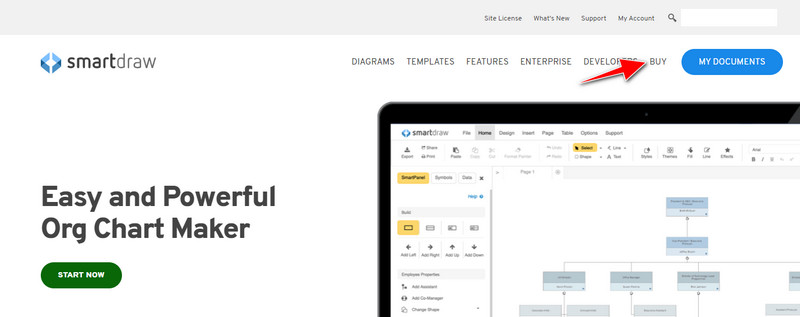
Krok 2. Na webu klikněte na Buy (Koupit), abyste viděli dostupné tarify.
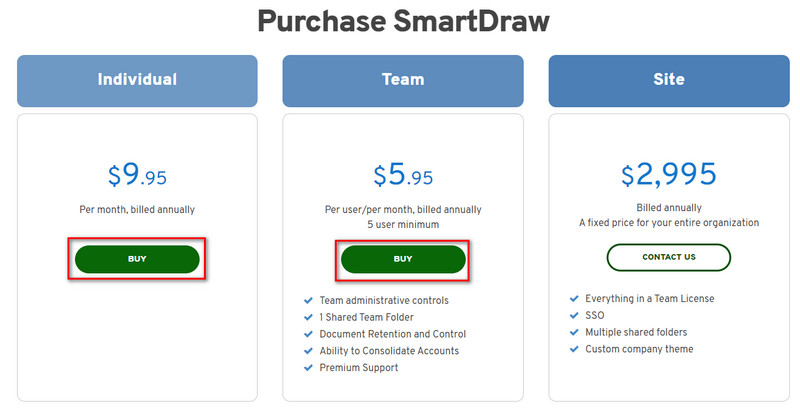
Krok 3. SmartDraw si můžete zakoupit jako Individual, Team nebo Site (Jednotlivec, Tým nebo Pro celou firmu). Klikněte na Buy Now (Koupit nyní), pokud budete kupovat verzi Individual nebo Team.
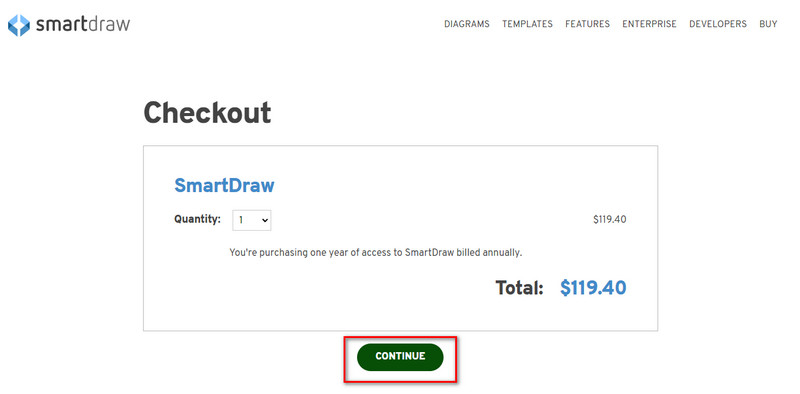
Krok 4. Na pravé straně uvidíte celkovou částku za nástroj po roční platbě; klikněte na Continue (Pokračovat) pro další postup.
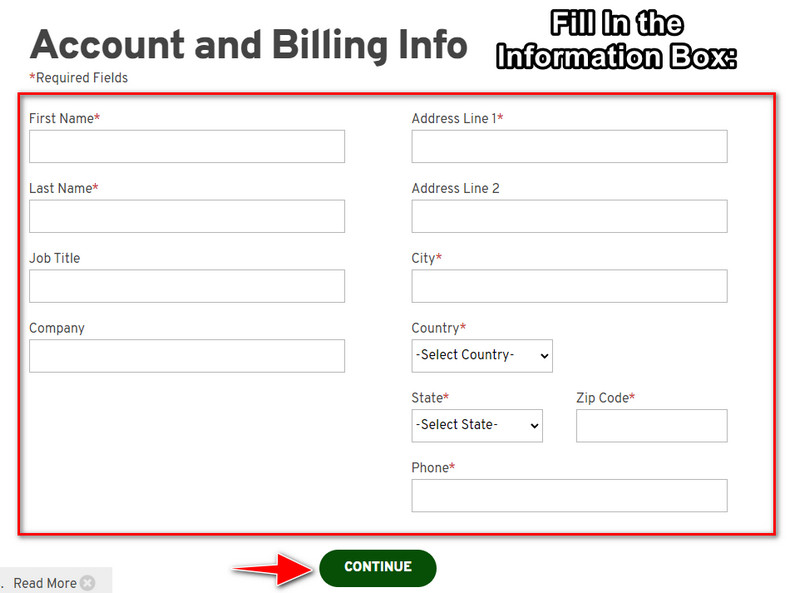
Krok 5. Přidejte údaje o svém účtu a fakturační informace, které je potřeba vyplnit, a poté stiskněte Continue (Pokračovat), abyste získali licenční klíč.
Část 2. Jak odstranit vodoznak ve Smart Draw zdarma pomocí webové služby [bez nákladů]
Jak odstranit vodoznak ze zkušební verze SmartDraw bez nákupu? Budete muset použít FVC Free Watermark Remover Online. Tento odstraňovač vodoznaků je připraven k okamžitému použití. K odstranění vodoznaku z obrázku nemusíte být odborník, protože práce s tímto nástrojem není složitá. I když jste expert, můžete tento software použít k odstranění nežádoucích vodoznaků nebo objektů z obrázku. Díky tomuto odstraňovači vodoznaků nezůstane na vašem obrázku žádná „skvrna“, kterou by nedokázal odstranit. Chcete si tento software vyzkoušet místo zakoupení licenčního klíče? Pokud ano, držte se návodu níže, kde vysvětlujeme, jak účinně odstranit vodoznak z obrázků.
Kroky, jak zdarma odstranit vodoznak SmartDraw na grafu nebo diagramu:
Krok 1. Místo toho, abyste webový nástroj hledali v prohlížeči, můžete kliknout na tento odkaz, který jej otevře v nové kartě vašeho prohlížeče.
Krok 2. Pomocí myši přetáhněte obrázek grafu nebo diagramu, který jste vytvořili ve SmartDraw, abyste jej nahráli.
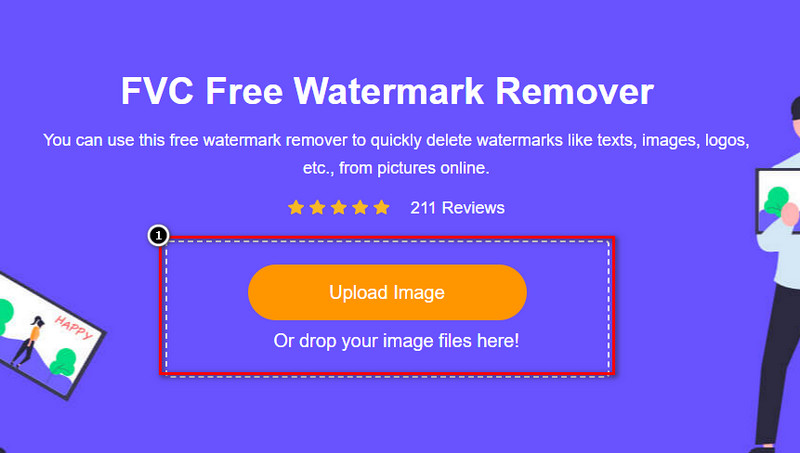
Krok 3. Jakmile je online odstraňovač vodoznaků spuštěn, zvolte nástroj, kterým označíte vodoznak na obrázku.
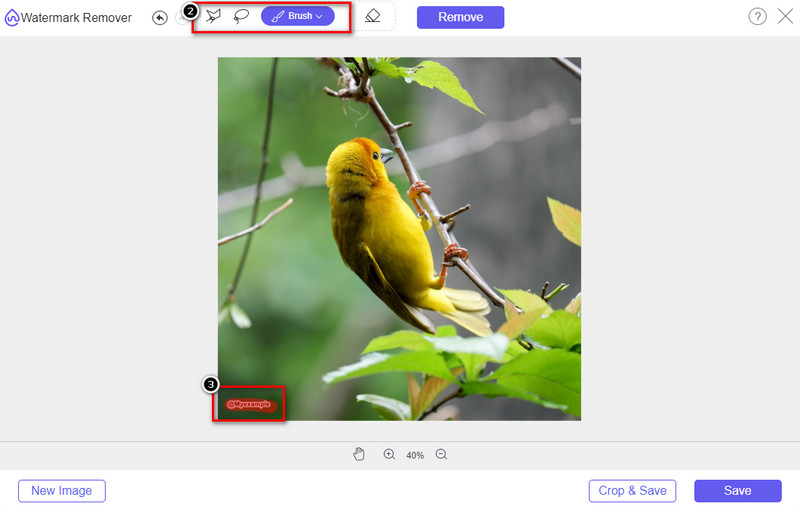
Krok 4. Po zvýraznění vodoznaku nebo loga na nahraném obrázku stiskněte Remove (Odstranit).
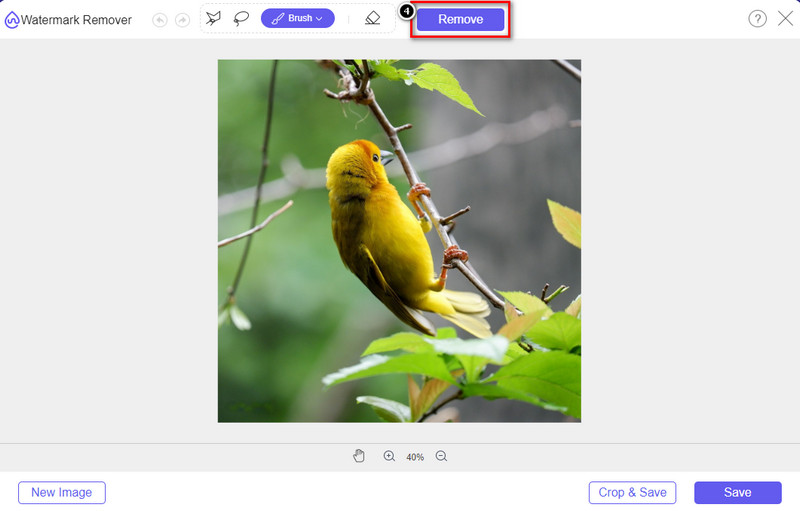
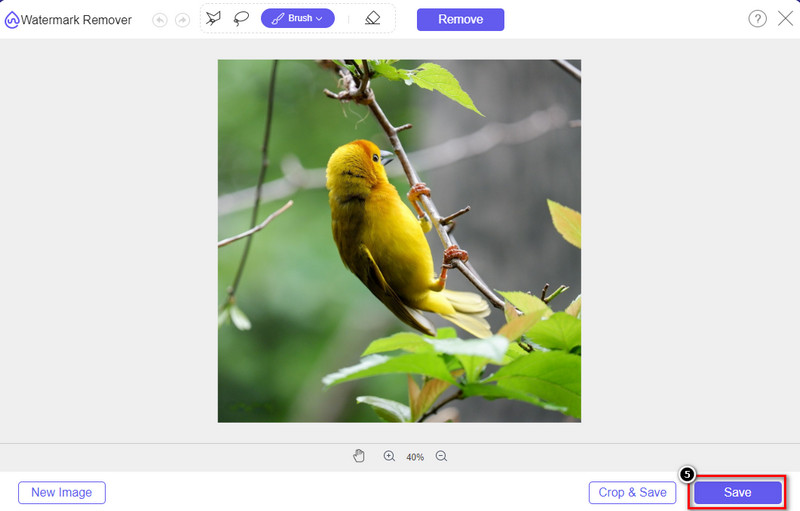
Krok 5. Počkejte, až se proces odstranění vodoznaku dokončí, a klikněte na Save (Uložit) pro stažení grafu nebo diagramu, který jste nahráli. Na obrazovce se objeví složka; nyní zkontrolujte verzi grafu nebo diagramu, který jste vytvořili, již bez vodoznaku.
Výhody používání FVC Free Watermark Remover Online:
◆ Stahování aplikace není nutné, protože je dostupná na webu.
◆ Podporuje širokou škálu obrázků a dokáže účinně odstraňovat vodoznaky.
◆ Jedná se o speciální odstraňovač vodoznaků, který produkuje vysoce kvalitní výstup.
◆ Po exportu není do konečného výstupu přidán žádný vodoznak.
◆ Bez omezení počtu použití a velikosti souboru.
Část 3. Další část – Jak vytvořit graf, graf nebo diagram na SmartDraw s podrobnými kroky
Předchozí část vás naučí, jak se zbavit vodoznaku SmartDraw. V této části vás naučíme, jak vytvořit tabulku, graf a diagram pomocí SmartDraw; můžete postupovat podle kroků, které přidáme níže, abyste věděli, jak na to.
Krok 1. Přejděte na jeho oficiální web a vytvořte graf, diagram nebo schéma.
Krok 2. Jakmile otevřete oficiální web, klikněte na Start Now (Začít nyní) a přihlaste se ke svému účtu.
Krok 3. Na levé straně si vyberte, jaký typ šablony chcete použít nebo vytvořit.
Krok 4. Přidejte informace do každého bloku vývojového diagramu. Na levé straně stránky budou k dispozici další možnosti, které můžete využít.
Krok 5. Klikněte na tlačítko Export, vyberte formát, který chcete, a klikněte na něj pro zahájení exportu. Pokud používáte bezplatnou verzi, bude na výstupu vodoznak; můžete zopakovat kroky v části 2, abyste vodoznak odstranili.
Další čtení:
Jak odstranit vodoznak B612 z vašich obrázků
Jak zdarma odstranit vodoznak WOW Slider
Část 4. Často kladené otázky o tom, jak odstranit vodoznak SmartDraw
Může SmartDraw exportovat obrázky PNG?
Ano, můžete mít průhledný graf ve formátu PNG. Pokud však používáte bezplatnou verzi, přidá vodoznak. Můžete si zakoupit oficiální verzi, takže na exportovaném obrázku bude vodoznak.
Kolik stojí SmartDraw?
Pokud se chystáte zakoupit plán na SmartDraw, můžete si zakoupit jeho plán od $ 5.95. Další ceny, které poskytuje, si můžete prohlédnout na oficiálních stránkách.
Jaká je výhoda nákupu prémiové verze SmartDraw?
Můžete získat kontrolu správce týmu, týmovou složku, prémiovou podporu a exportovat obrázky bez vodoznaku pro individuální plány. Pro další prémiové výhody, které můžete získat, navštivte oficiální webovou stránku a podívejte se, jaké vlastnosti a funkce můžete získat.
Závěr
Nyní, když víte, jak uložit SmartDraw bez vodoznaku dvěma způsoby, které přidáme. Buď si jej zakoupíte, nebo použijete nástroj k odstranění vodoznaku z exportovaného souboru. Pokud nechcete nástroj kupovat, musíte jej použít, protože je to nejúčinnější webový nástroj k odstranění vodoznaku. Pokud si myslíte, že vám tento článek pomohl vyřešit problém, ohodnoťte nás 5 hvězdičkami.
-
 4 nejlepší způsoby, jak odstranit vodoznak z GIF [online a offline]
 Potřebujete odstranit vodoznak z GIF? S nástrojem v tomto článku se naučíte různé styly s různým odstraňovačem vodoznaku dostupným na vaší platformě.
-
 5 nejjednodušších způsobů, jak odstranit metadata z jakéhokoli mediálního souboru
 Jak odstranit metadata? Je těžké to udělat? Musím si zakoupit nebo použít bezplatný nástroj k odstranění štítků? Na všechny tyto otázky najdete odpovědi v tomto článku.
-
 Vynikající odstraňovač vodoznaků Photobucket online a offline
 Naučte se, jak odstranit vodoznak Photobucket z vašich fotografií pomocí tohoto úžasného odstraňovače vodoznaků Photobucket. Přečtěte si tento článek a zjistěte způsoby.
