


 Video Converter Ultimate
 Screen Recorder
 Oprava videa
 Bezpečné stažení
Recenze nejlepších 5 bezplatných DVD přehrávačů pro Mac
Jednotka DVD je jedním ze starých funkcí, které většina moderních počítačů včetně počítačů Mac opustila. Kromě MacBooku Pro bez displeje Retina již všechny nové Macy nemají fyzické DVD SuperDrives. Budete se tedy cítit obtížně přehrávat DVD nebo CD na Macu.
In that case, it’s quite necessary to find reliable DVD player to play DVD or Blu-rays movies for free on Mac. Is there any free DVD player software for Mac?

Here in this article, we pick up 5 best DVD players for Mac free download. You can get key features of each DVD player software and then select your preferred one to watch DVDs on your Mac.
Část 1. Oficiální DVD přehrávač pro Mac - DVD přehrávač Apple
Apple DVD Player is the default and official free DVD player software for Mac. It has the capability to automatically play your DVD movie as soon as you insert the disc into Mac. Considering that your Mac doesn’t have a DVD drive. You need to connect an external DVD drive Like Super DVD drive. It is Apple’s optical disc reading and writing technology.
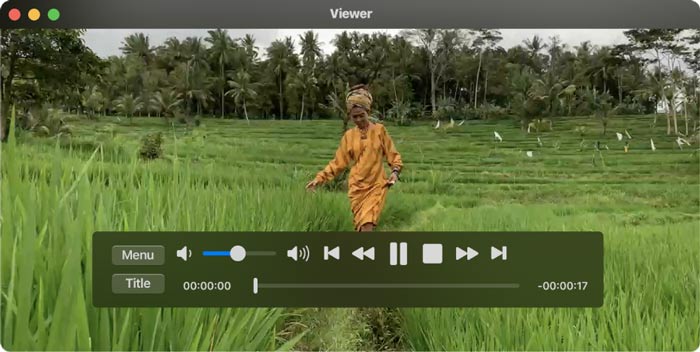
Generally, Apple DVD Player app will automatically start playing the disc after you insert the DVD disc. If not, you can press the Space bar after the disc is recognized. This free DVD player for Mac can also play DVD folders. You can click File on the top menu bar, choose Open DVD Media option and then select the VIDEO_TS folder which contains the DVD movie you want to play. While the DVD playing, you can use on-screen controls to control the whole playback.
Část 2. DVD přehrávač zdarma pro Mac a Windows 10/8/7 PC
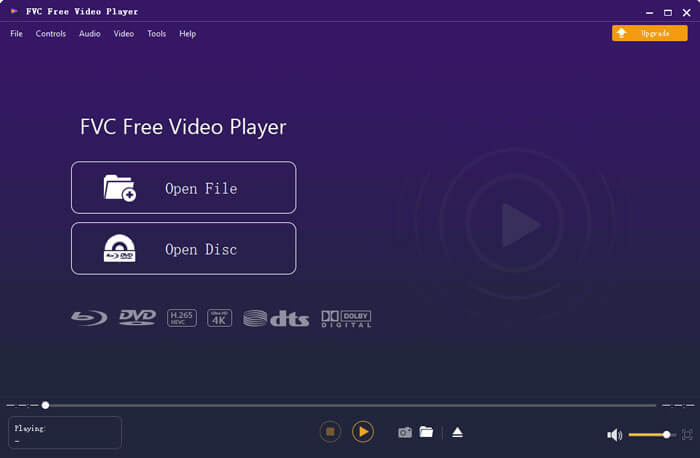
FVC Free DVD Player is the free online DVD player software which allows you to watch any DVD discs, DVD folders, and ISO image files on your Mac and Windows PC. When you want to play DVD movies, you can navigate to the free DVD player site and start the playing. It is compatible with all frequently-used web browsers including Safari, Chrome, IE and Firefox.

This free DVD player software for Mac is equipped with the advanced video encoding technology that ensure you have high-quality DVD playback. Moreover, it supports both DTS-HD and Dolby TrueHD to give you lossless sound. To play a DVD folder, you can directly click on the Play Now button and free download a small launcher file. After that, you can handily enjoy your DVD movies. For DVD discs, you also need to connect an external DVD drive.
Část 3. Přehrávač DVD s otevřeným zdrojovým kódem pro Mac Stažení zdarma - Přehrávač VLC Media Player
VLC media player is a very popular video and audio playing tool that also carries the DVD playing feature. As a free DVD player, it offers different versions to watch DVD movies on Mac, Windows and Linux computer. You can navigate to its official site, select a right version based on your system, and then free install it on your computer. VLC media player is able to play DVDs, VCDs and Audio CDs on your Mac.
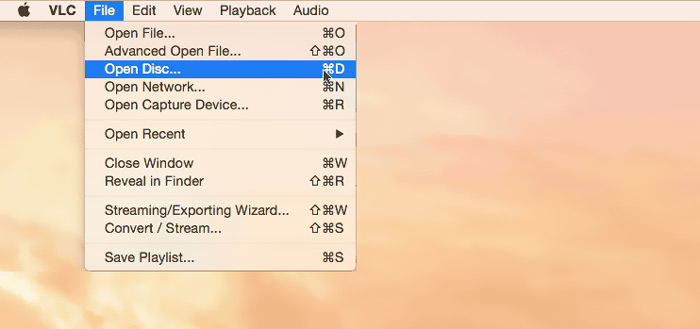
This free DVD player software for Mac can easily access DVD menus, chapters, and other related contents. It gives you all controls of the DVD playing. Moreover, VLC media player allows you to take screenshot to save the specific moment as an image file. More than just a free DVD player, VLC also plays Blu-ray discs.
Část 4. Bezplatný software pro DVD přehrávače pro Mac - KMPlayer
KMPlayer is another open-source multimedia player that can play DVDs on Mac. This free DVD player for Mac is designed with the multi-core decoding feature to play any DVD movie with high quality and cost low CPU memory. It also has a 3D format playback function to offer you 3D home cinema entertainment.
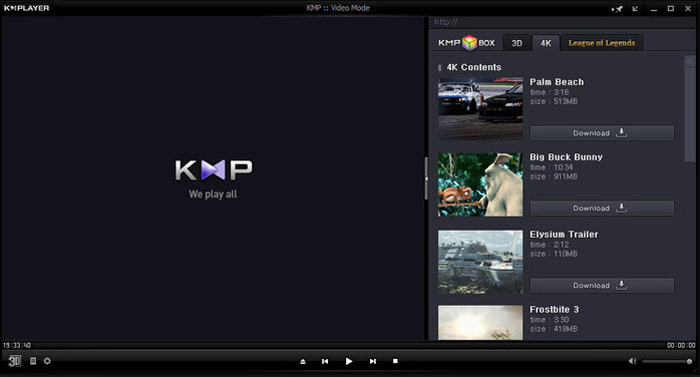
KMPlayer vám pomůže snadno spravovat vaši sbírku DVD. Během přehrávání filmu DVD v systému Mac umožňuje upravovat nabídky DVD, vybírat zvukové stopy a titulky, vlastní video efekty a provádět další nastavení. Jedna věc, kterou byste měli vědět, je, že při používání tohoto bezplatného softwaru pro přehrávání DVD můžete snadno vidět některé vyskakovací reklamy.
Část 5. Regionální DVD přehrávač pro Mac - PowerDVD
PowerDVD is an all-in-one, premium multimedia player that allows you to play various media files, DVDs and Blu-ray movies with high quality. This DVD player for Mac is designed with the powerful TrueTheater technology which can offer sharper details and seamless playback. It allows you to Ultra HD Blu-ray discs and HDR contents on your Mac.
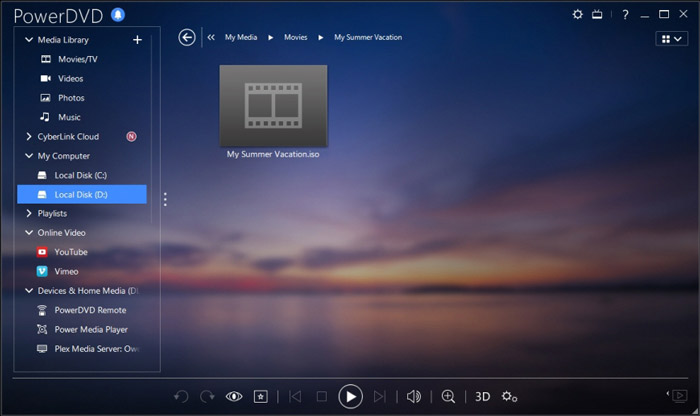
PowerDVD je dodáván s disky HD a režimem úspory energie pro váš počítač. Měli byste však vědět, že nejde o zcela bezplatný nástroj hráče. Některé funkce jsou v bezplatné zkušební verzi omezené. Přesto je PowerDVD dobrou volbou pro přehrávání DVD na počítačích Mac.
Část 6. Časté dotazy k softwaru DVD Player pro Mac zdarma
Otázka 1. Jak používat externí přehrávač DVD s počítačem Mac?
Stačí připojit externí disk k počítači Mac a můžete jej používat stejně jako vestavěnou optickou jednotku. Chcete-li přehrát disk DVD, můžete jej vložit do externí jednotky. Příslušná aplikace pro přehrávání médií se automaticky spustí a přehraje DVD.
Otázka 2. Můžete připojit starý DVD přehrávač k novému televizoru?
Chcete-li připojit starý DVD přehrávač k novému televizoru, měli byste zkontrolovat porty HDMI. Pokud je nový televizor vybaven správným portem HDMI, můžete snadno vytvořit spojení mezi DVD přehrávačem a televizorem.
Otázka 3. Jak zkopírovat DVD na digitální video MP4?
If you want to rip DVD to digital MP4 or MOV video, you can download DVD converter to convert your DVD to video file without any quality loss.
Otázka 4. Jak změnit oblast jednotky DVD v přehrávači DVD v systému Mac?
Pokud kód regionu DVD neodpovídá aktuálnímu kódu regionu vaší jednotky DVD, budete požádáni o změnu kódu pro přehrávání DVD. Můžete vybrat vhodnou oblast, která odpovídá oblasti DVD. Měli byste vědět, že Region 0 je hratelný ve všech regionech a Region 1 je hratelný v Kanadě, Spojených státech a na území USA.
Závěr
We have mainly talked about free DVD player for Mac in this post. We have recommended 5 great DVD players for you to watch DVD movies on your Mac. You can pick your preferred one to get the DVD playback. If you have any better DVD player software recommendation, please share it in the comment with other readers.
-
 Recenze 10 nejlepších přehrávačů videa WMV v roce 2025 (počítač a telefon)
 Jak mohu přehrát video WMV? Hraje VLC WMV? Jaká aplikace přehrává soubory WMV? Tento příspěvek obsahuje seznam 10 nejlepších přehrávačů videa WMV, ze kterých můžete hrát WMV na počítačích Mac, Windows PC, Android a iPhone.
-
 Nejlepší 10 přehrávačů HD ke sledování filmů ve vysokém rozlišení na Windows / Mac / iOS / Android
 Toto je vaše nejnovější recenze přehrávače HD videa. Můžete získat nezaujaté výhody a nevýhody nejlepších 10 přehrávačů HD na trhu. Stačí si přečíst a vybrat si nejlepší přehrávač HD s podporou všech formátů.
-
 DivX Player - Recenze 5 nejlepších přehrávačů kodeků DivX v roce 2025
 Na co se používá přehrávač DivX? Jaký je nejlepší přehrávač DivX pro Android? Získejte recenzi 5 nejlepších hráčů DivX z tohoto příspěvku.
