


 Video Converter Ultimate
 Screen Recorder
 Oprava videa
 Bezpečné stažení
Špičkový rekordér M4B s nástroji, kroky a úplnými detaily
Formát M4B se používá k ukládání mluvených knih stažených z obchodu Apple iTunes Store. Také vám umožňuje vytvářet záložky v průběhu nahraného zvuku a podle potřeby přehrávání pozastavit, spustit či zastavit. Protože některé audioknihy trvají hodinu až dvě, je mít tuto funkci ideální. Další úžasnou funkcí je možnost rozdělit audioknihu na různé kapitoly, podobně jako u běžných knih. V takové situaci je to pro uživatele nejlepší příležitost, jak se o tomto formátu souboru dozvědět víc. Pokud hledáte rekordér M4B, pak je to přesně pro vás. V následujícím seznamu najdete nejlepší audio rekordéry, které splní vaše požadavky jakožto uživatele a možná v budoucnu i jako zákazníka. Takže bez dalšího vysvětlování pokračujme níže a zjistěme, jaké nástroje můžete použít.
Část 1. Nejlepší rekordér M4B pro Windows a Mac
FVC bezplatný zvukový záznamník

Jedno z nejlepších online nahrávacích řešení, které uživatelům umožňuje pořizovat audio záznamy maximálně kvalitně. FVC Free Audio Recorder je nejlepší online rekordér, který můžete použít. Je k dispozici na všech různých platformách. Míra úspěšnosti tohoto nástroje je velmi vysoká, takže od něj očekávejte jen to nejlepší. Pokud hledáte nejlepší online audio rekordér, je to volba pro vás. Bez dalšího vysvětlování tedy přejděme k níže uvedeným krokům. Je nutné je pečlivě přečíst a řídit se pokyny.
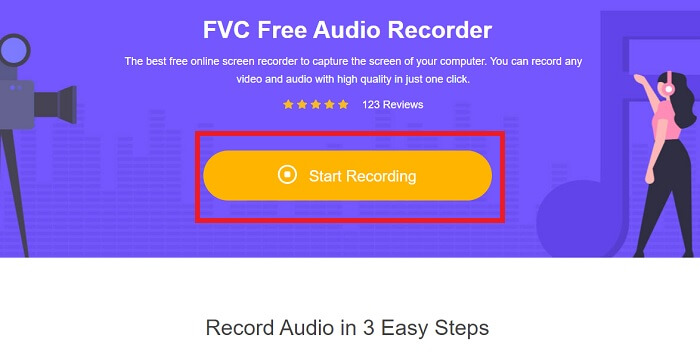
Krok 1. Klikněte na tento odkaz, abyste přešli na webovou stránku. Klikněte na Start Recording pro spuštění nástroje.
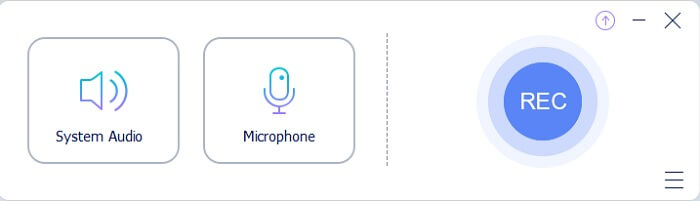
Krok 2. Na obrazovce se zobrazí takováto lišta nástrojů.
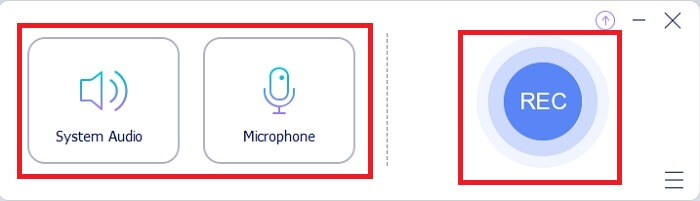
Krok 3. Kliknutím na Speaker a Microphone přidáte svůj hlas a zvuk.
Krok 4. Kliknutím na kulaté tlačítko spustíte nahrávání.
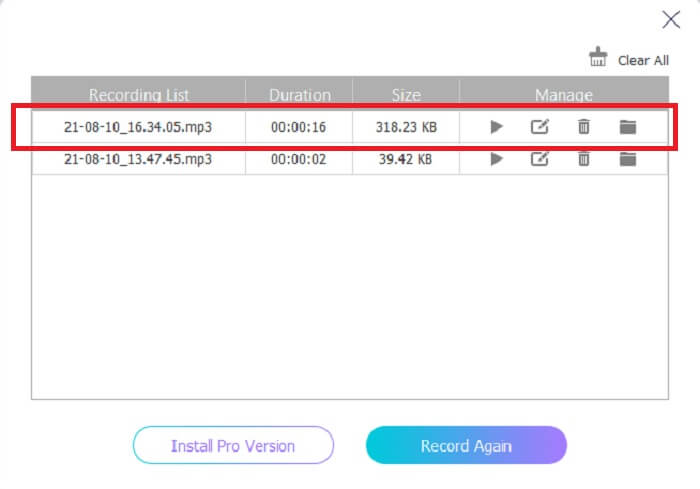
Krok 5. Po nahrávání klikněte na čtvercové tlačítko pro zastavení. Poté se záznam automaticky uloží do vašeho počítače. Chcete-li si nahrávku zkontrolovat, můžete ji najít v seznamu označeném paralelními čarami, kde úplně nahoře je nejnovější záznam.
Část 2. Další 4 doporučené rekordéry M4B pro Windows a Mac
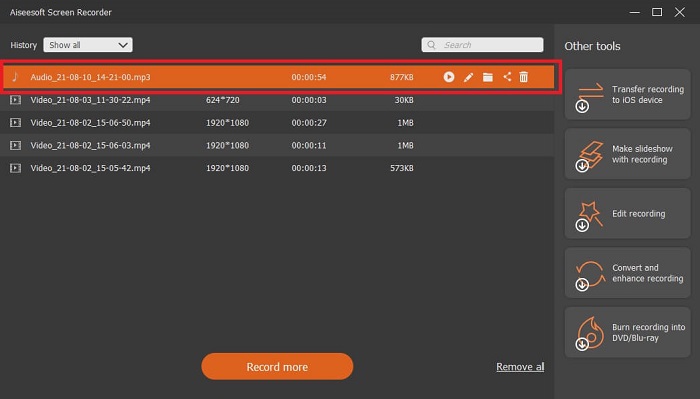
1. FVC Screen Recorder
Pokud jste spokojeni s bezplatným nástrojem, pak vás FVC Screen Recorder dovede k nejlepším výsledkům, o jakých jste kdy snili. Tento nástroj umožňuje uživateli být kreativnější a díky několika „kouzlům“ vytvořit co nejlepší výstup. Pokud chcete, aby váš digitální rekordér Sony přehrával v M4B formátu, je to pro vás ta nejlepší volba. Důsledně postupujte podle těchto kroků a řekněte si, že nahrávání je hračka.
Krok 1. Klikněte na tlačítko pro stažení, které odpovídá programu, jenž aktuálně používáte. Po stažení nástroj nainstalujte. Změňte Preference podle svých požadavků a klikněte na Finish pro pokračování.
Zdarma ke staženíPro Windows 7 nebo novějšíBezpečné stažení
Zdarma ke staženíPro macOS 10.7 nebo novějšíBezpečné stažení
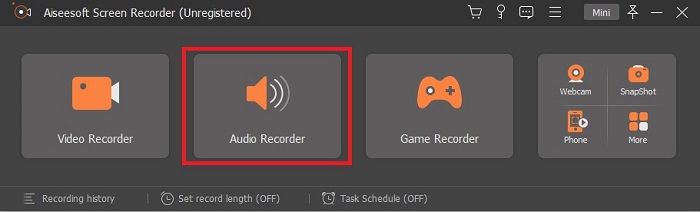
Krok 2. Na obrazovce se zobrazí plovoucí lišta nástrojů. Klikněte na Audio Recorder a pokračujte.
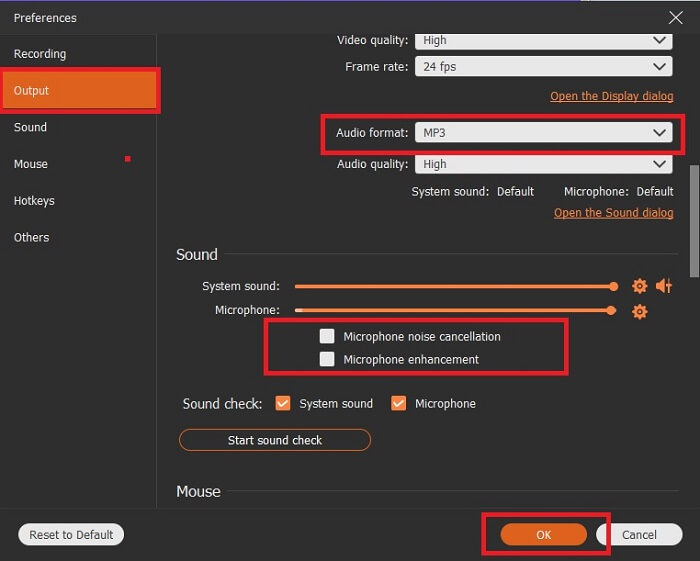
Krok 3. V horní střední části lišty si všimnete ikony cog (ozubené kolečko), na kterou klikněte. Poté upravte nastavení Output podle svých potřeb. Kliknutím na OK je uložíte.
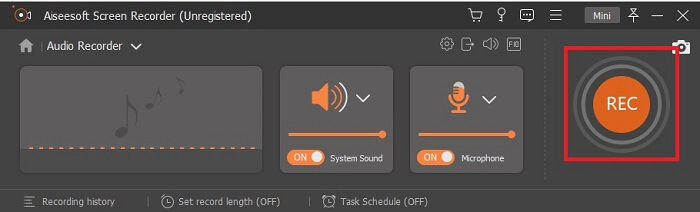
Krok 4. Klikněte na ikonu Speaker pro přidání systémového zvuku a na Mic pro přidání vašeho hlasu. Pokud je vše nastaveno, klikněte na disk-shape (ikonu ve tvaru disku) pro zahájení nahrávání.
Krok 5. Po dokončení nahrávání klikněte na tlačítko Square pro zastavení. Klikněte na Save a Next pro pokračování. Poté se na obrazovce zobrazí seznam historie a kliknutím na první výstup si můžete svou nahrávku poslechnout.
2. Audio Boo
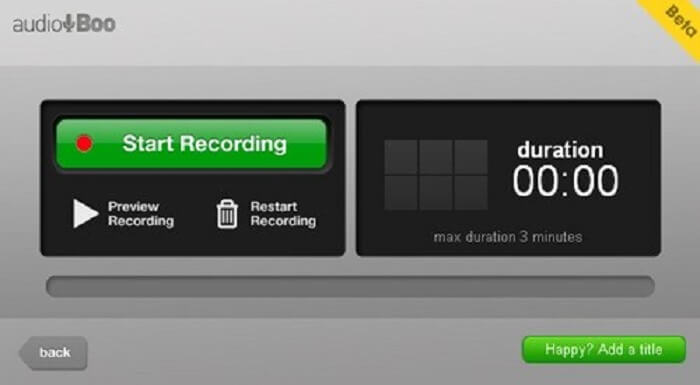
Dalším skvělým nástrojem, který umožňuje nahrávání, je tento. Audio Boo umožňuje uživateli nahrát jakýkoli zvukový záznam, který potřebuje podle svých požadavků. Nahrávání se však automaticky zastaví, protože je časově omezené. Pokud tedy nahráváte krátkou písničku pro někoho blízkého, tento nástroj by se vám mohl hodit.
3. Wavepad
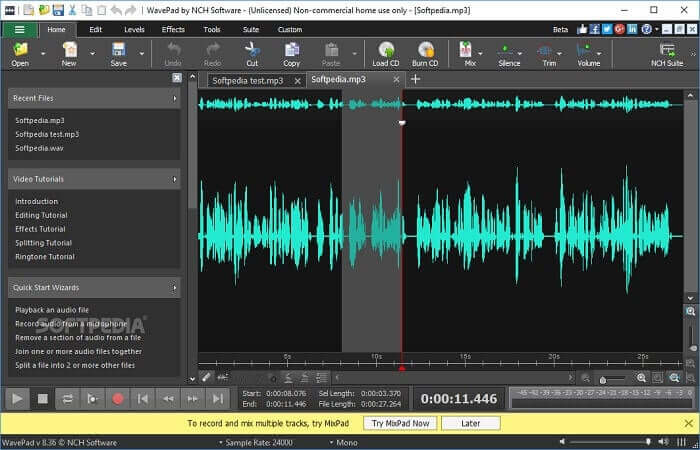
Jeden z nejlepších audio nástrojů, které můžete použít k nahrání působivého hudebního záznamu. Wavepad se nejčastěji používá pro náročnější úpravy zvuku. Můžete v něm mimo jiné měnit hlasitost (panovat), měnit tempo a upravovat nahrávku. V liště nástrojů jsou k dispozici návody.
4. RoseGarden
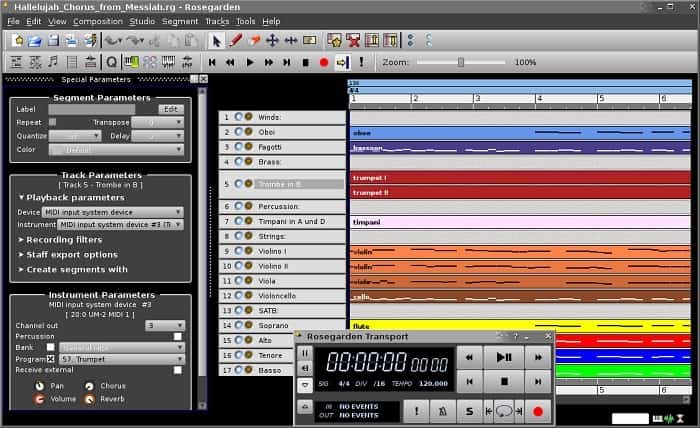
Je digitální audio rekordér s MIDI a editací. Tento nástroj je další volbou, pokud jste hudebník a rád děláte zvukové nahrávky. Je to jednoduchý nástroj, který můžete použít také k nahrávání a hudební kompozici.
Další čtení
Část 3. Srovnávací tabulka
| Funkce nástroje | FVC bezplatný zvukový záznamník | Záznamník obrazovky FVC | Audio Boo | WavePad | Růžová zahrada |
| Nahrávání zvuku |  | | | | |
| Potlačení hluku |  | | | | |
| Editační nástroje | | | | | |
| Vylepšení mikrofonu | | | | | |
| Dostupný software | Všechny platformy | Všechny platformy | iPhone, iPod touch a iPad. | Zařízení Mac, Windows, Android a iOS | Linux |
| Dostupné formáty | MP3 a M4B | MP3, WMA, AAC, M4B, M4A FLAC, OGG, Opus a mnoho dalších. | MP3 | AAC, M4A, MP4, DCT | WAV, OGG, FLAC a MP3 |
| Cenové rozpětí | Zdarma online nástroj | Po dobu 1 měsíce: $25,00 Za rok: $31.20 Doživotní licence: $55.20 | Software ke stažení zdarma | $3,88 za měsíc na uživatele $69,95 za rok na uživatele Pro nekomerční práce je zdarma. | Zdarma digitální software |
Část 4. Časté dotazy k rekordéru M4B
Proč nemohu na svém Androidu přehrát soubor M4B?
Soubory M4B nelze přehrávat na zařízeních s Androidem ani v některých přehrávačích médií na PC. Můžete však použít tento M4B Player Online, který podporuje různé formáty, včetně M4B a mnoha dalších. Stačí soubor jednoduše přetáhnout myší, nebo jej vyhledat v průzkumníku souborů.
Který je lepší? MP3 nebo M4B?
Oba jsou dobré, ale M4B produkuje kvalitnější zvuk. Kromě zvuků ukládá informace, značky kapitol, obrázky a hypertextové odkazy, ale není to nejlepší pro nahrávání.
Co je audiokniha? Jaký to má účel?
Zvukové knihy jsou hlasové záznamy učebnice. Místo tichého čtení čte každé slovo nahlas. To umožňuje druhému uživateli dělat jiné věci při poslechu. Součástí je také správná výslovnost, plynulá, fonematická informovanost a další.
Závěr
V konečném důsledku chápeme, co je rekordér M4B a co je v tomto formátu. Pokud vás nebaví číst a jste mnohem více posluchači, pak je tento typ formátu souboru pro vás nejlepší. Jak se říká, poslech je jedním z nejlepších způsobů, jak se věci naučit, a to díky zvukovému výstupu.
Jak už bylo vysvětleno, všechny nástroje uvedené v seznamu zvládnou požadovanou práci, ale jeden z nich zřetelně vyčnívá. Uhodnete který? Malá nápověda: tento nástroj je nejvíc komerčně propagovaný ze všech a jde o placený nástroj, ale není drahý. Tento nástroj je nejjednodušší způsob, jak nahrávat kdykoli a kdekoli. Pokud vám tato nápověda nestačí, prozraďme si to. Je to FVC Screen Recorder, který vám umožní nahrávat tím nejlepším možným způsobem a zároveň poskytuje přesné instrukce, takže se nemusíte bát, i když jste úplný začátečník – a profesionálové jej mohou využít také díky některým jeho funkcím.
-
 Nejlepší 4 nejlepší videorekordéry AMV pro počítače Windows/Mac
 Zjistěte více o souborech AMV a dozvíte se o nejpraktičtějších způsobech nahrávání videa na AMV a jiné formáty videa.
-
 Jak nahrávat obrazovku pomocí AirShou: Podrobný přehled a alternativy Airshou
 Tento článek je podrobným přehledem AirShou a výhod, které z něj můžete mít. Při čtení také najdete některé z nejlepších alternativ k Airshou.
-
 Top 5 rekordérů MOV pro Windows PC a Mac
 Pokud potřebujete nahrávat videa MOV v menších velikostech souborů, které jsou kompatibilní se zařízeními iOS, pokračujte ve čtení článku.
