


 Video Converter Ultimate
 Screen Recorder
 Oprava videa
Zjistěte 4 nejlepší offline a online převaděče SWF do FLV pro Windows a Mac
Momentálně hledám řešení, jak nahrát své soubory SWF na weby pro sdílení videí, jako je Youtube, Facebook, MySpace a další. Můžete mi pomoci najít nejrychlejší způsob, jak tento problém vyřešit?
Tento problém je běžný, zejména pokud je vaše video ve formátu s příponou .swf. Tento formát je na webu sice obvyklý, ale sdílení souboru na platformách pro sdílení videí nefunguje. Pokud tedy chcete své soubory SWF sdílet, musíte tento formát převést na některý z více podporovaných, například FLV. Podívejme se proto na čtyři skryté klenoty mezi offline i online převodníky SWF do FLV, které můžete využít – více se dozvíte v tomto článku.

Část 1. Převod SWF do FLV Online zdarma pomocí FVC Free Video Converter Online
FVC Free Video Converter Online je jedinečný video konvertor, který můžete použít ke konverzi SWF do FLV online a zdarma. Tento webový nástroj se specializuje na převod souboru do nového formátu bez nutnosti stahovat si program do počítače. Kromě samotné konverze můžete podle potřeby upravit také parametry videa a zvuku. Chcete vědět, jak tento odlehčený webový převodník používat? Zkopírujte si níže uvedené kroky.
Krok 1. Klikněte na tento odkaz a otevře se nové okno s oficiální stránkou nástroje FVC Free Video Converter Online.
Krok 2. Na webové stránce klikněte na Add Files to Convert. Otevře se okno s adresářem v počítači; vyberte soubor .swf a stiskněte Open.
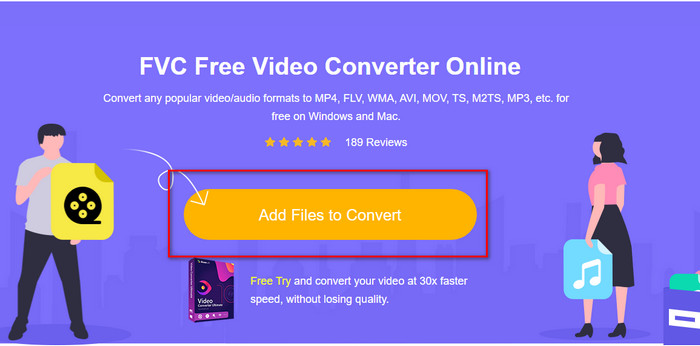
Krok 3. Po vložení souboru vyberte v rozbalovacím seznamu formát FLV.
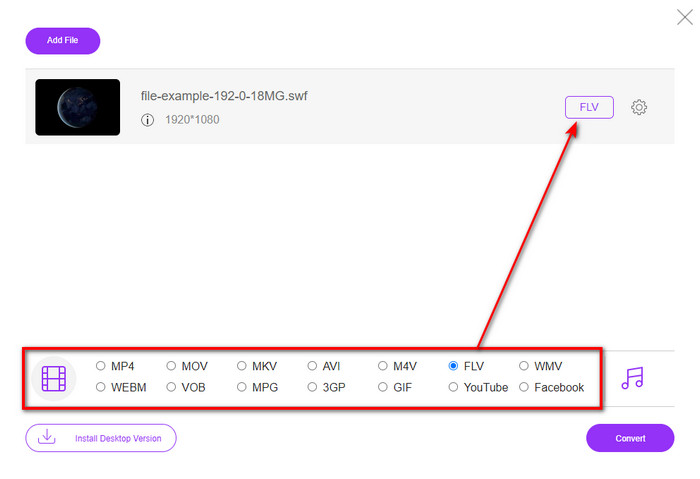
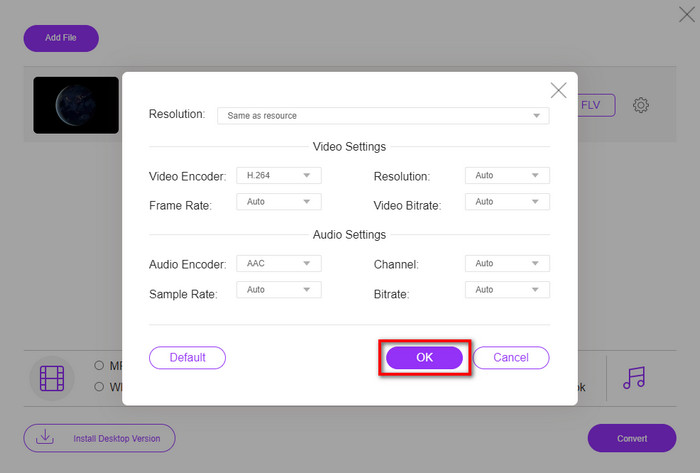
Chcete‑li změnit parametry videa a zvuku, klikněte na tlačítko gear (ozubené kolečko).
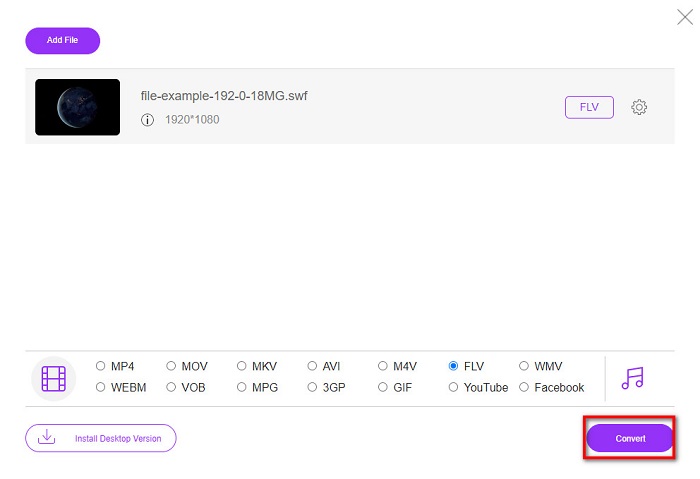
Krok 4. Pro zahájení převodu klikněte na tlačítko Convert.
Část 2. Převod SWF na FLV pomocí FFmpeg
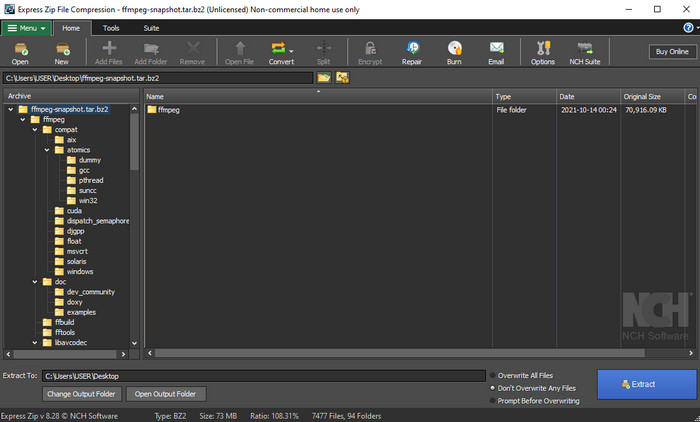
FFmpeg má specifické rozhraní a příkazový způsob ovládání, jak zdarma převádět SWF do FLV. Pokud tento převodník znáte, už víte, jak jej používat, ale zdaleka ne každý to ví. Stručně řečeno: nejde o typický video převodník, který běžně používáte na webu nebo po stažení. Místo klikání na tlačítka musíte tento nástroj ovládat příkazy v příkazovém řádku.
Krok 1. Stáhněte si převodník FFmpeg na disk a otevřete jej.
Krok 2. Na počítači otevřete příkazový řádek.
Krok 3. V příkazovém řádku (CMD) přejděte do složky se svým souborem SWF. Poté zadejte následující příkaz: ffmpeg -i input.swf -vn -ar 44100 -ac 2 -b:a 192k output.flv a stiskněte Enter, aby se proces spustil.
Část 3. Převod SWF na FLV ve Flashi
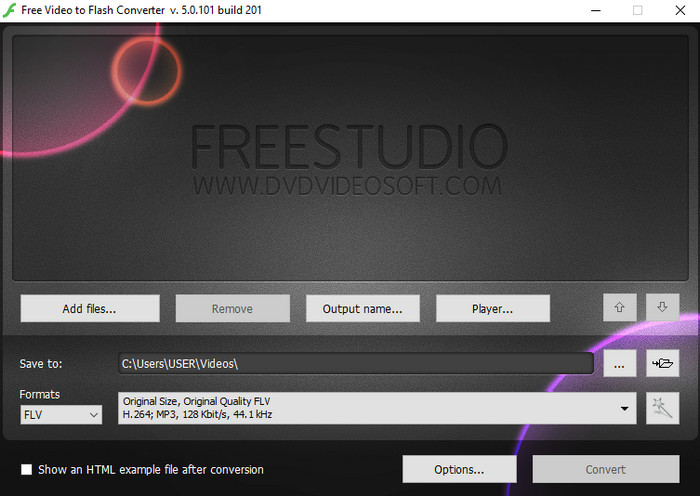
Free Video to Flash Converter je zdarma dostupný převodník pro Windows. Nabízí dva výstupní formáty, ze kterých si můžete vybrat. Je určen výhradně k převodu souborů do formátu FLV nebo SWF. Pokud tedy potřebujete převádět své soubory SWF do AVI, MP4, MOV, MKV a dalších formátů, s tímto nástrojem to nepůjde. Pojďme se bez dalšího zdržování naučit, jak převést SWF do FLV ve Flashi.
Krok 1. Stáhněte oficiální software Flash Converter do Windows a spusťte aplikaci.
Krok 2. Klikněte na Add Files a nahrajte soubor do převodníku. Poté stiskněte Formats, vyhledejte FLV a zároveň si můžete zvolit i kvalitu.
Krok 3. Spusťte konverzi kliknutím na tlačítko Convert v pravém dolním rohu rozhraní.
Část 4. Jak převést SWF na FLV pomocí Nejlepšího převaděče SWF pro Windows a Mac
Stále nejste spokojeni s prvními třemi online a offline převodníky SWF do FLV uvedenými výše? V tom případě zkuste FVC Video Converter Ultimate. Tento převodník předčí očekávání většiny uživatelů, zejména rychlostí převodu, kterou nabízí. Kromě skvělé konverze má také pokročilé editační funkce pro vylepšení videa a sadu nástrojů Toolbox pro další účely. Navíc vám kroky uvedené níže zaručí stoprocentně úspěšnou konverzi vašeho souboru.
Krok 1. Než nástroj použijete, stáhněte si jej do počítače s Windows nebo Mac, postupujte podle instalačního průvodce a program spusťte.
Zdarma ke staženíPro Windows 7 nebo novějšíBezpečné stažení
Zdarma ke staženíPro MacOS 10.7 nebo novějšíBezpečné stažení
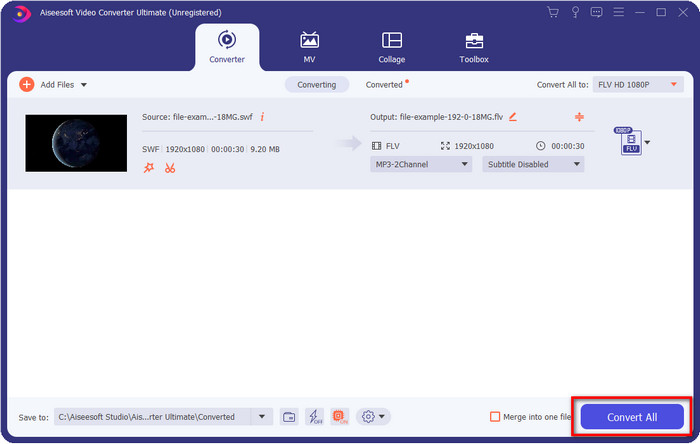
Krok 2. Jakmile bude program spuštěný, klikněte na Add Files a nahrajte soubory SWF, které chcete převést.
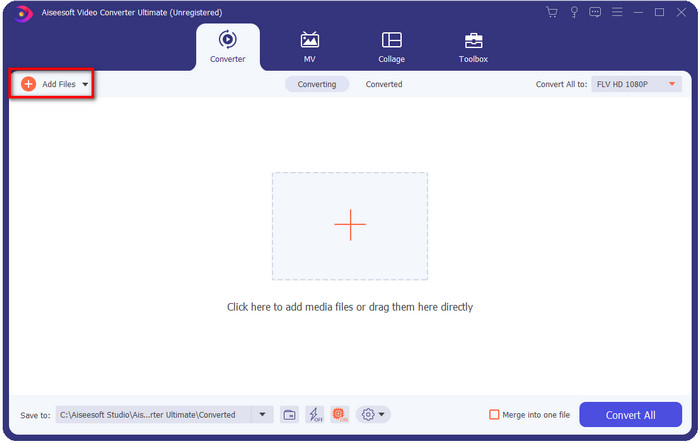
Krok 3. Klikněte na možnost Convert All to a zvolte formát FLV. Můžete si také vybrat kvalitu – buď ve vysokém rozlišení, nebo ponechat původní.

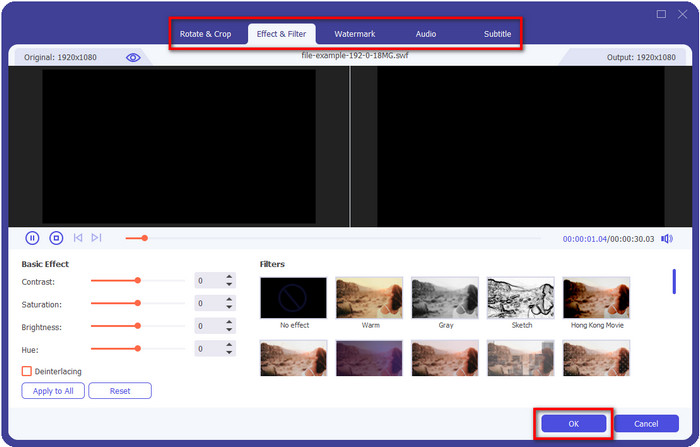
Pokud chcete svůj výsledný soubor ještě vylepšit, klikněte na tlačítko s wand (kouzelnou hůlkou). Otevře se nabídka různých úprav, jako jsou Crop, Rotate, Add Effects, Subtitle, Audio a Watermark. Chcete‑li provedené změny uložit, klikněte na OK.
Krok 4. Klikněte na Convert All a proces začne. Převod SWF do FLV zabere jen krátký čas; po dokončení se na obrazovce zobrazí složka s převedeným souborem FLV.
Část 5. Rozšířené znalosti SWF a FLV
ShockWave File nebo SWF je formát Adobe, ale vytvořila jej společnost Macromedia. Je známá tím, že na webu udržuje vektorové animace a zvuky. Navíc, protože se jedná o vektorový základ, můžete snadno upravit měřítko grafiky tak, aby se vešlo nebo přiblížit. Kromě vektorové animace je velikost souboru tak malá, aby se video načítalo rychleji, i když máte pomalé připojení k internetu. Tento formát však není podporován, pokud je chcete sdílet na platformách pro sdílení videa.
FLV je sice také pod Adobe, ale tento formát je lepší než SWF. Formát FLV nebo FlashVideo je standardní formát videa na většině webových stránek. Tento formát může obsahovat dva různé kodeky určené pro video a audio. A stejně jako soubor SWF je tento formát malý pro rychlejší načítání souboru na webu; jakmile si stáhnete soubor FLV na disk, můžete jej přehrát na přehrávači médií, i když ještě není dokončen.
Pomohlo by, kdybyste převedli SWF na FLV, protože SWF má mnoho nedokonalostí, které můžete najít ve formátu FLV. Zejména pokud je video soubor dlouhý, protože soubor .swf může obsahovat pouze omezený počet snímků za sekundu, existuje možnost, že jej nebudete moci použít. FLV však bez problémů pojme dlouhá videa. Navíc, pokud se chcete zaměřit na kvalitu, FLV má lepší kvalitu než SWF.
Část 6. Nejčastější dotazy o převodu SWF na FLV
Podporuje soubor SWF průhlednost?
Stejně jako PNG a GIF i tento formát podporuje stupně šedi se skutečnými barvami nebo přiřazením jedné barvy, aby byl průhledný.
Kde mohu sledovat videa ve formátu SWF?
V současné době nemůžete soubory SWF přehrát ve výchozím multimediálním přehrávači, protože tento formát nepodporuje. Můžete však kliknout na tento odkaz a zjistit více o Top 4 SWF Media Player pro Windows a Mac.
Mohu uložit .swf mého telefonu?
Ukládání souborů SWF do telefonu je možné, ale přehrávání v místním přehrávači médií nikoli. Protože tento formát není pro kompatibilitu s telefony, ale pro web. Pokud si tedy stáhnete soubor pod touto příponou, počítejte s tím, že jej nebudete moci používat; můžete jej však převést do formátu, který lze přehrávat, jako je MP4 v telefonu.
Závěr
Tento článek představuje převodníkové poklady, které můžete použít k převodu SWF do FLV bez ztráty kvality původního SWF. Při shromažďování těchto nástrojů jsme zjistili, že FVC Video Converter Ultimate je skrytý klenot, který pro řešení tohoto problému hledáte. Poskytuje nejkvalitnější výstup a nejrychlejší proces převodu ve srovnání se všemi zmíněnými nástroji. Teď už si jen musíte vybrat „poklad“, který chcete k převodu používat – buď stažením programu, nebo přístupem k nástroji přes web.
-
 Užitečné převodníky DV na FLV pro převod DV na FLV [2022]
 Pokud hledáte nejlepší a snadné nástroje pro převod DV na FLV, zde je nejlepší článek, který si můžete přečíst. Získejte vynikající přehled a projděte si všechny informace v tomto článku.
-
 Jak převést MPG na FLV bez ztráty kvality [Osvědčeno]
 Na tomto přehrávači médií musíte sledovat svůj oblíbený film, ale nepodporuje MPG. Pokuste se převést svůj MPG soubor na FLV pomocí těchto převodníků, které tento článek představuje.
-
 Převeďte TRP na FLV pomocí nejjednodušších metod offline a online
 Chcete převést svůj video soubor TRP do FLV rychle a bez jakýchkoli potíží? Přečtěte si tento článek, který vám poskytne nejlepší software a online službu, které nejlépe vyhovují situaci.
