Uživatelská příručka

Řešení převodu videa / zvuku

Začít

FVC Free FLV to Audio Converter je nejlepší bezplatný převodník videa do zvuku. Může extrahovat zvukové stopy z video souboru FLV. Navíc podporuje převod zvukových souborů mezi různými zvukovými formáty.
Hlavní rozhraní

Stáhnout a nainstalovat

Stáhněte si instalační balíček založený na operačním systému vašeho počítače. Poté poklepejte na instalační soubor a podle pokynů na obrazovce program nainstalujte.

Předvolby

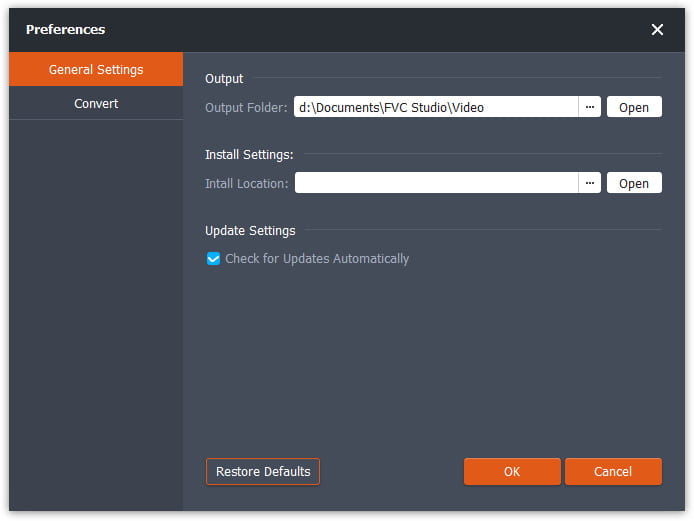
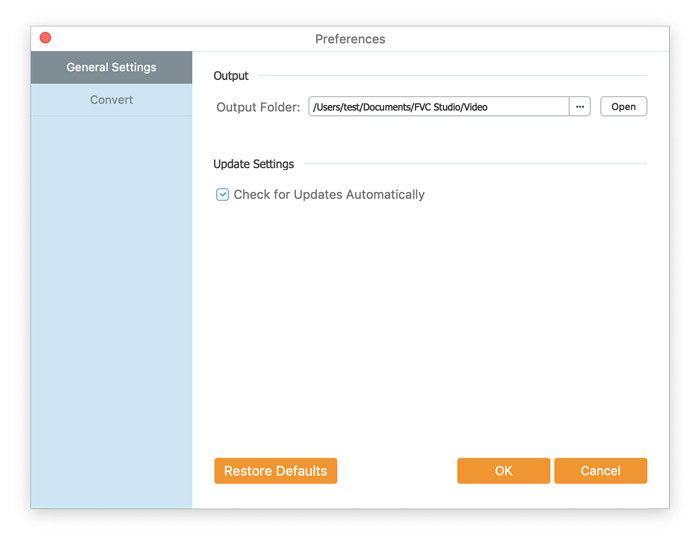
Before you start the conversion, it’s recommended to tweak the default settings. You can click the Menu icon and click on Preferences… to configure the specific settings. For example, you are free to choose the output folder to store your converted files.

Předvolby

Převést FLV na zvuk

Nyní můžete podle těchto pokynů převést soubory FLV do zvukových formátů.

Step 1. Launch FVC Free FLV to Audio Converter

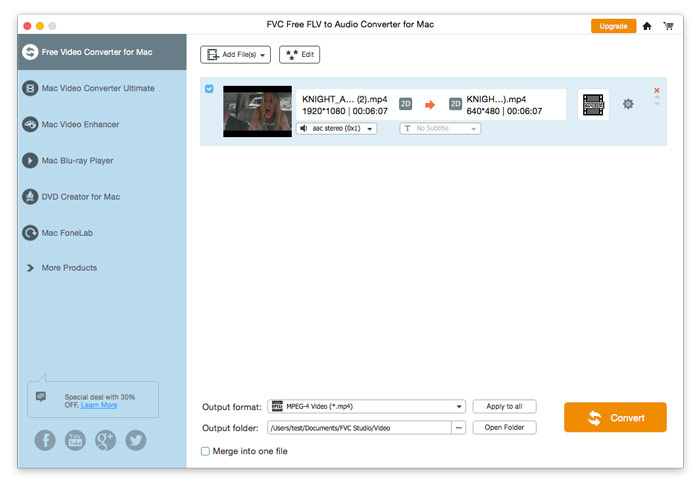
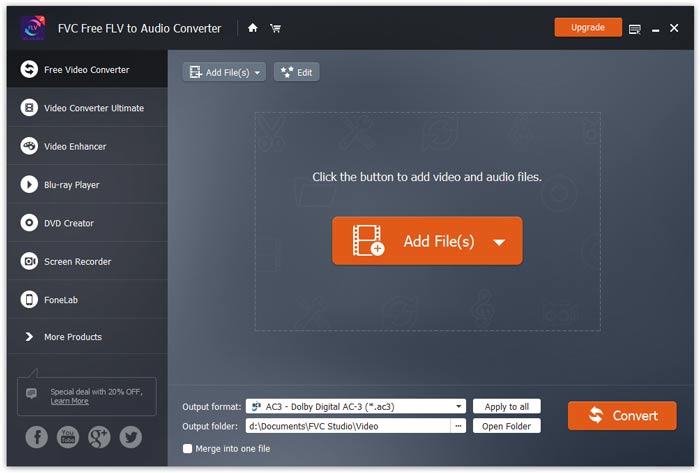
Spusťte FVC Free FLV to Audio Converter a uvidíte jeho čisté rozhraní.

Hlavní rozhraní

Step 2. Add an FLV file into the program

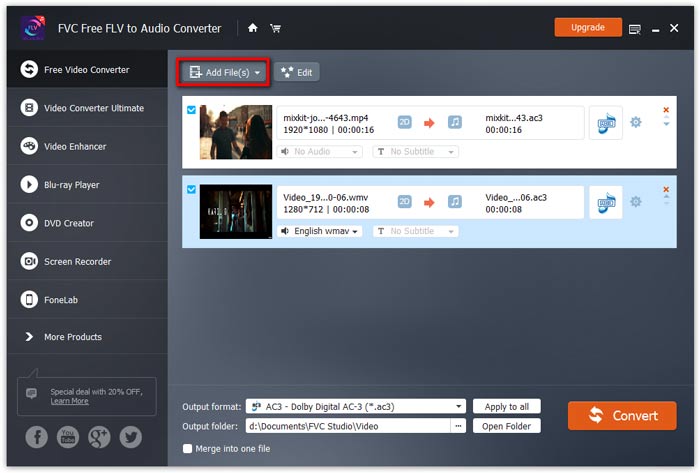
Click the Add File(s) button and choose FLV files you want to process in the dialogue opening subsequently. After the files are added to the program, they will be displayed on the file list.

Přidejte soubory FLV

Step 3. Select the output format

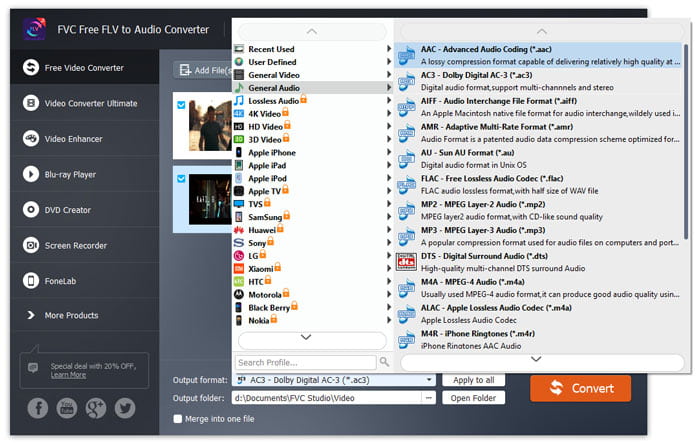
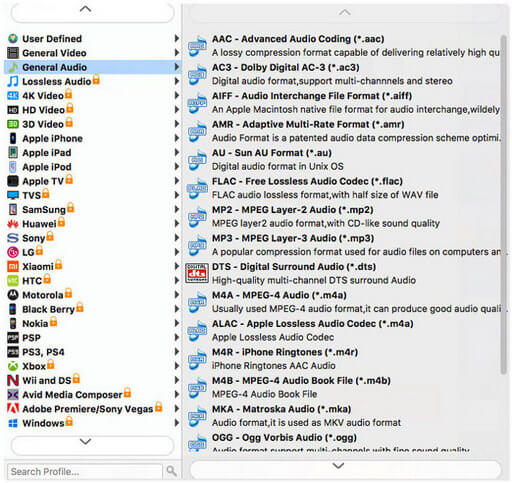
Click to open Output format drop-down list, then choose the audio format from the General Audio profile list. It can convert your FLV files to MP3, WMA, AAC, M4A, and so on.

Vyberte formát zvuku

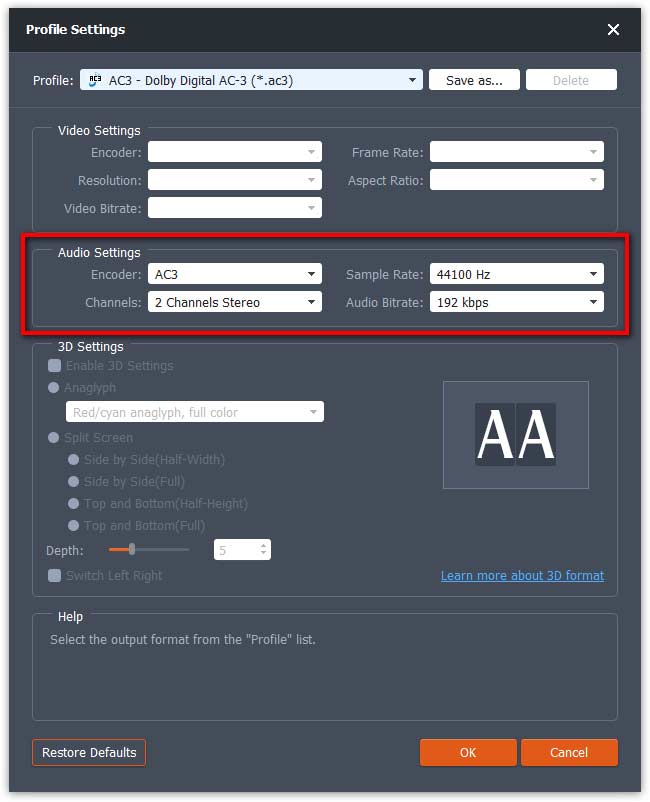
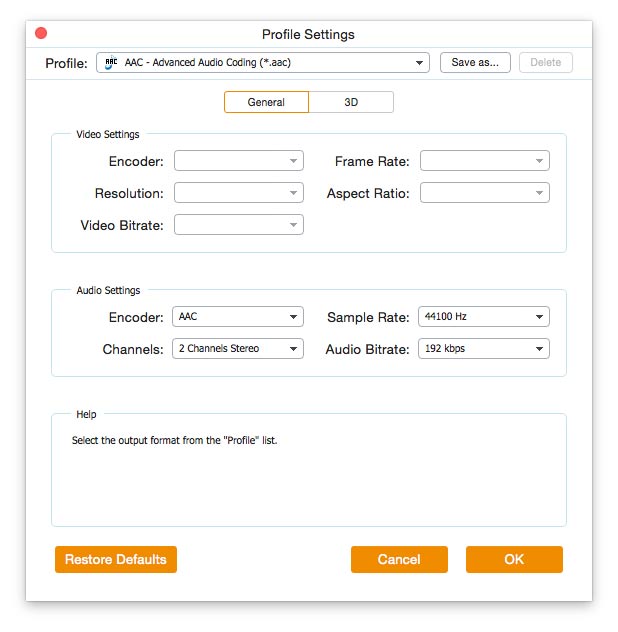
If you’re not satisfied with the original profile parameter settings, you can click the Cogwheel icon and adjust the encoder, channel, sample rate, and audio bitrate in the Profile settings window.

Nastavení profilu

Step 4. Start converting FLV to Audio

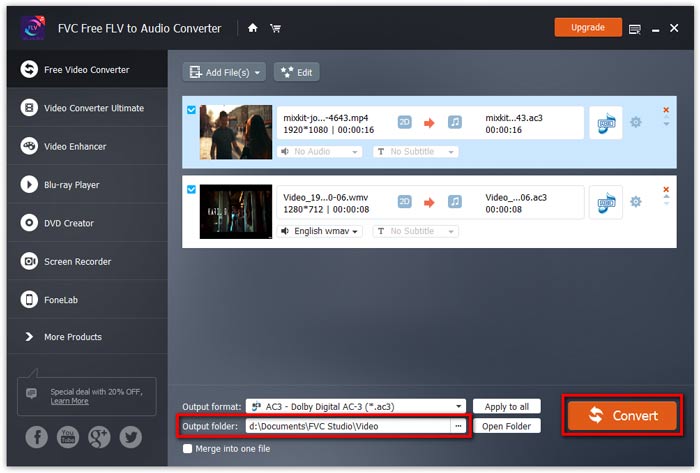
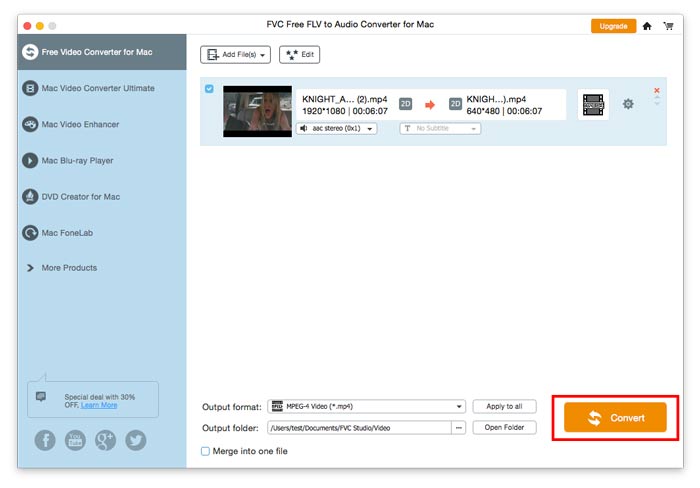
Go to Output folder to choose the destination folder for saving output files, and then click OK button to return to the main window. Finally, click the Convert button to start the conversion.

Zahájit převod

Uživatelská příručka

Řešení převodu videa / zvuku

Začít

FVC Free FLV to Audio Converter je nejlepší bezplatný převodník videa do zvuku. Může extrahovat zvukové stopy z video souboru FLV. Navíc podporuje převod zvukových souborů mezi různými zvukovými formáty.
Hlavní rozhraní

Stáhnout a nainstalovat

Stáhněte si instalační balíček založený na operačním systému vašeho počítače. Poté poklepejte na instalační soubor a podle pokynů na obrazovce program nainstalujte.

Předvolby

Before you start the conversion, it’s recommended to tweak the default settings. You can click the Menu icon and click on Preferences… to configure the specific settings. For example, you are free to choose the output folder to store your converted files.

Předvolby

Převést FLV na zvuk

Nyní můžete podle těchto pokynů převést soubory FLV do zvukových formátů.

Step 1. Launch FVC Free FLV to Audio Converter

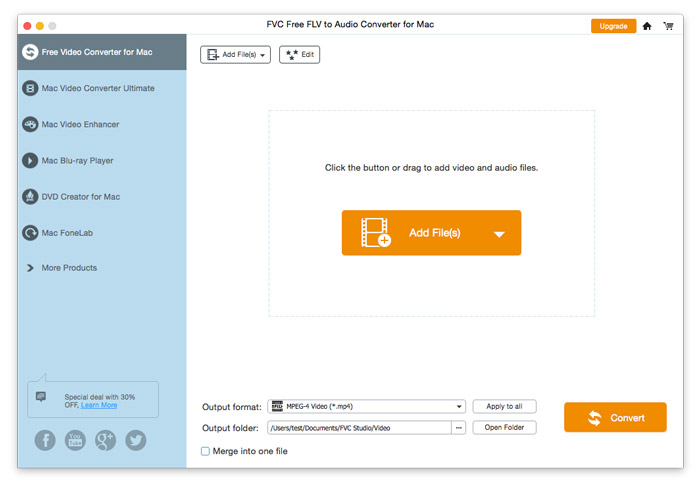
Spusťte FVC Free FLV to Audio Converter a uvidíte jeho čisté rozhraní.

Hlavní rozhraní

Step 2. Add an FLV file into the program

Click the Add File(s) button and choose FLV files you want to process in the dialogue opening subsequently. After the files are added to the program, they will be displayed on the file list.

Přidejte soubory FLV

Step 3. Select the output format

Click to open Output format drop-down list, then choose the audio format from the General Audio profile list. It can convert your FLV files to MP3, WMA, AAC, M4A, and so on.

Vyberte zvukový výstup

If you’re not satisfied with the original profile parameter settings, you can click the Cogwheel icon and adjust the encoder, channel, sample rate, and audio bitrate in the Profile settings window.

Nastavení profilu

Step 4. Start converting FLV to Audio

Go to Output folder to choose the destination folder for saving output files, and then click OK button to return to the main window. Finally, click the Convert button to start the conversion.

Zahájit převod