


 Screen Recorder
 Oprava videa
 Bezpečné stažení
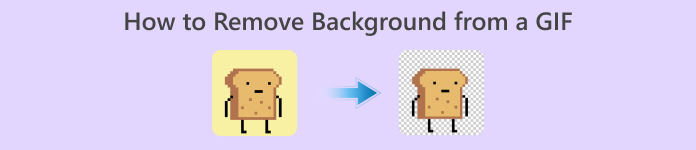
Jak odstranit pozadí z GIF pomocí efektivních programů
GIF je zkratka pro Graphics Interchange Format a je široce používán v online komunikaci, například při psaní zpráv nebo komentování příspěvků. Odstranění pozadí z GIFů nebo obrázků může být obtížné, pokud nemáte software, který je přímo určený na takový typ úkolu. Vzhledem k jeho popularitě je stále více uživatelů zvědavých, jak GIFy upravovat a vytvářet vlastní. Naštěstí jsme shromáždili spolehlivé a snadno použitelné online nástroje, které uživatelům pomohou odstranit pozadí z GIFů.
Doporučeno: FVC Free Background Remover
FVC Free Background Remover je užitečný nástroj pro odstraňování pozadí z vašich obrázků. Pomocí AI vyhledá a rozpozná osobu na fotografii. Nástroj je navíc k dispozici pro Windows i Mac. Celkově jde o pohodlný a spolehlivý nástroj, který můžete použít kdykoli a kdekoli.
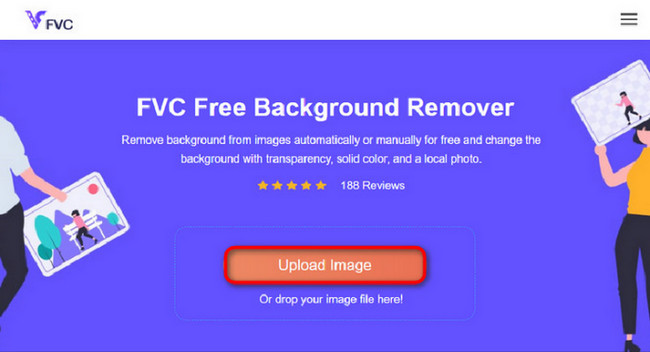
Krok 1. Nahrajte obrázek/GIF
Nejprve na počítači otevřete prohlížeč. Po otevření online programu se vám zobrazí možnost nahrát obrázek. Kliknutím na Upload Image přidáte GIF, ze kterého chcete odstranit pozadí.
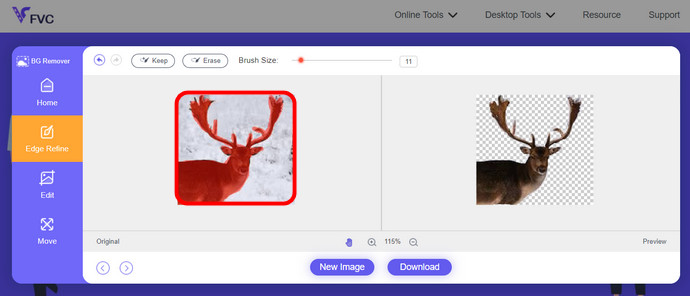
Krok 2. Upravte obrázek
Po nahrání nyní můžete z rozpoznávání AI odstranit jakékoli nepřesné odstranění zvýraznění. Stačí kliknout a přetáhnout myší a udělejte to podle svých představ.
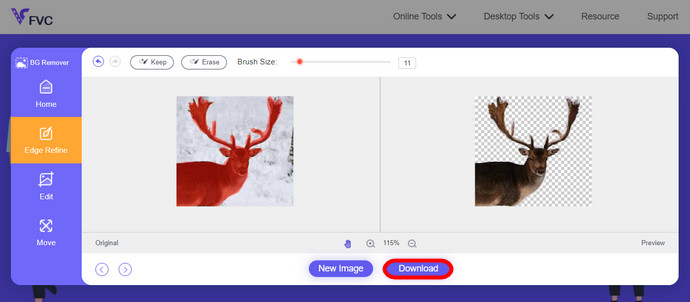
Krok 3. Stáhněte upravený obrázek
Nakonec klikněte na tlačítko Download. Úspěšně jste odstranili pozadí z vašeho obrázku.
Část 1. Odstraňte pozadí GIF pomocí EZGIF.com
Tento online software je software pro úpravu a konverzi fotografií/gif. Dokáže upravovat a převádět formáty GIF, PNG, WEBP, IMG a mnoho dalších. Zde můžete upravit svůj GIF pomocí editačního softwaru, který je dodáván se softwarem.
Krok 1. Otevřete stránku
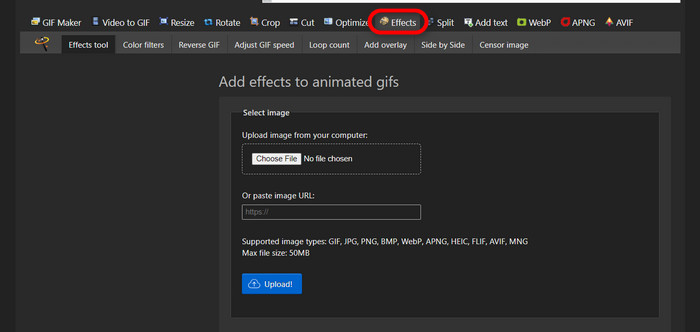
Chcete-li tento online nástroj používat, spusťte prohlížeč a zadejte odkaz. Okamžitě dostanete na výběr podle svých potřeb. Tato stránka vám umožňuje odstranit pozadí z vašeho GIFu. Kliknutím na Effects začnete.
Krok 2. Vyberte a nahrajte obrázek/GIF
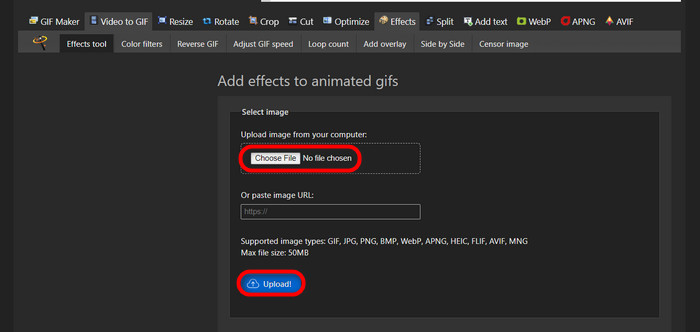
Nyní si vyberte soubor, který chcete nahrát. Klikněte na Choose Files, najděte ho ve zvoleném adresáři a stiskněte Upload, abyste soubor nahráli.
Krok 3. Upravte obrázek
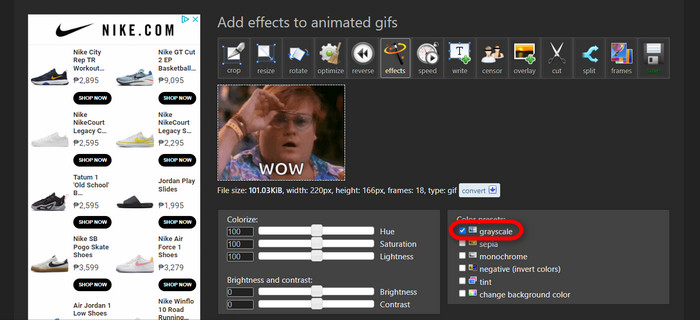
Po nahrání jste téměř u konce procesu odstraňování pozadí z vašeho GIFu nebo změny pozadí GIFu na černé. Kliknutím na grayscale ztmavíte pozadí.
Krok 4. Náhled a konverze obrázku/GIFu
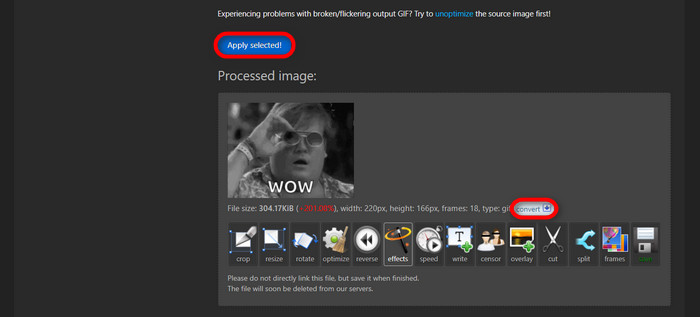
Po přidání efektu, změně velikosti a oříznutí nového GIFu klikněte na Apply Selected a zobrazí se vám náhled upraveného GIFu. Poté klikněte na tlačítko convert a stáhněte si soubor.
Část 2. Vytvořte GIF bez jakéhokoli pozadí v Remove.bg
Tato stránka je také navržena tak, aby odstranila jakékoli pozadí z jakékoli fotografie. Zde vám dává možnost stále upravovat automaticky odstraněnou fotografii na pozadí. Je poháněn šikovnou AI, která dokáže rozpoznat hlavní objekt a bezchybně odstranit jeho pozadí.
Krok 1. Nahrajte obrázek/GIF
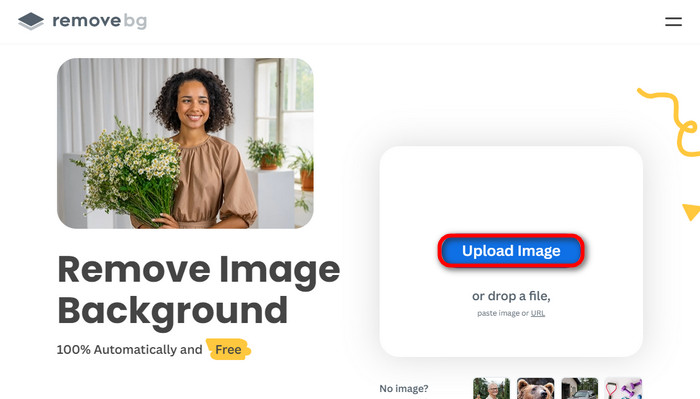
Začněme nahráním obrázku. V prohlížeči otevřete online software a na dané stránce klikněte na Upload Image.
Krok 2. Zkontrolujte a upravte obrázek
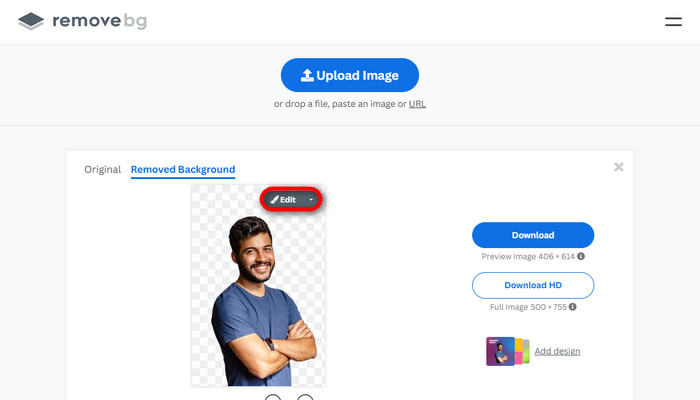
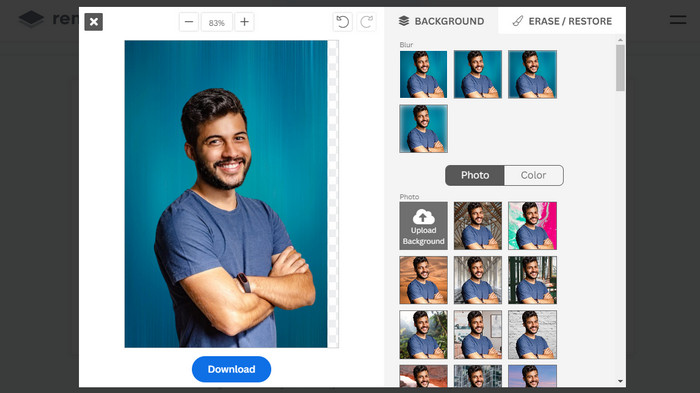
Jakmile je obrázek nahraný, pozadí by mělo být automaticky odstraněno, ale fotografii můžete dál upravovat. Původní fotografii uvidíte kliknutím na tlačítko Original vedle tlačítka Removed Background. Pomocí tohoto softwaru mohou uživatelé bez problémů přidat do obrázku černé pozadí.
Krok 3. Stáhněte upravený obrázek
V této části už máte úpravy hotové a můžete si obrázek stáhnout. Stačí kliknout na tlačítko Download pod fotografií.
Část 3. Využijte GIFMagic při odstraňování pozadí GIF
V GIFMagic, speciální efekty, přidávání textu, animace a mnoho dalších! To vše je možné pomocí tohoto online programu. S GIFy se snadno pracuje, pokud jde o úpravy v tomto softwaru!
Krok 1. Nahrajte obrázek/GIF
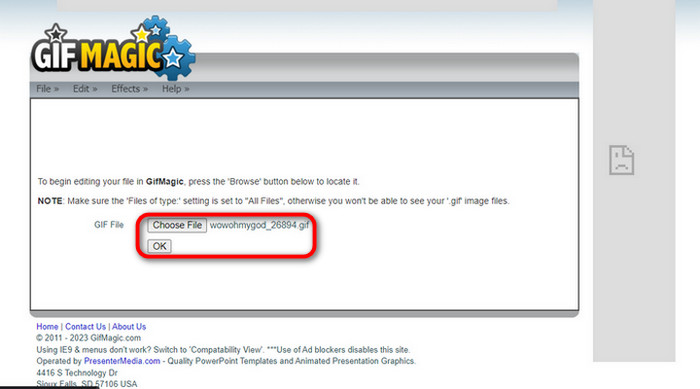
Po přihlášení vám stránky umožní nahrát vybraný soubor do softwaru. Můžete nahrávat soubory .gif nebo .img, což je pro uživatele velmi užitečné. Pro výběr souboru klikněte na Upload a po výběru souboru stiskněte tlačítko OK.
Krok 2. Upravte obrázek
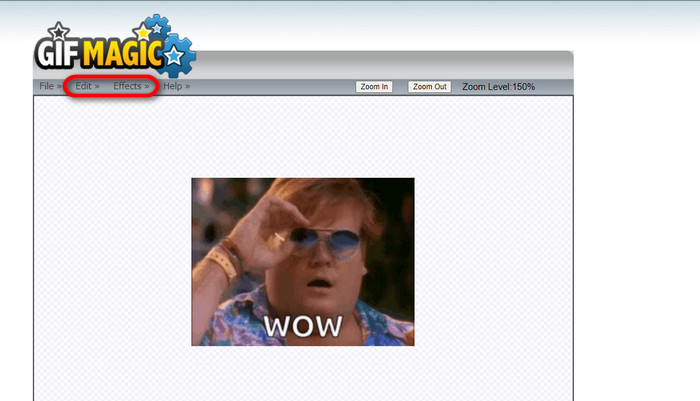
Jakmile přejdete na stránku, uvidíte tlačítka Edit a Effects vedle tlačítka File. V této části můžete svůj soubor upravovat, takže se do toho pusťte a užijte si editaci.
Krok 3. Stáhněte upravený GIF
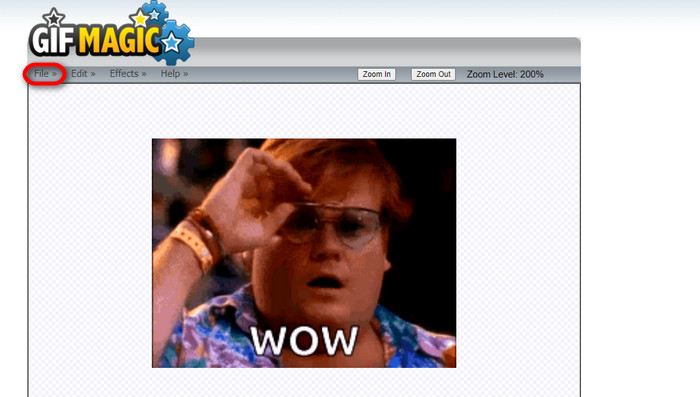
Poté, co jste u svého GIFu vytvořili průhledné pozadí, klikněte na tlačítko File a poté na Save. Hotovo, soubor je stažený.
Část 4. Udělejte pozadí GIF průhledným pomocí LunaPic
LunaPic je bezplatný online nástroj, který dokáže online odstraňovat GIFy na pozadí. Dokáže posoudit a upravit obrázky PNG, GIF, JPG, JPEG a mnoho dalších typů obrázků. Je to dobře uzemněný software, který se používá pro úpravy na mnoha platformách.
Krok 1. Nahrajte obrázek/GIF
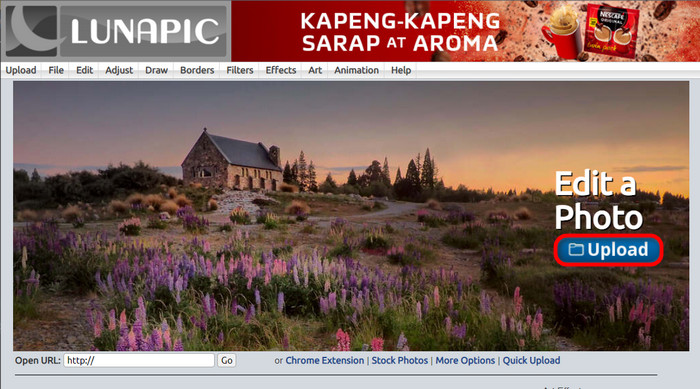
Po vstupu na stránku ve výchozím prohlížeči nebo v jakémkoli jiném prohlížeči podle vašeho výběru nahrajte na stránku svůj soubor .img nebo .gif. Stačí kliknout na tlačítko Upload.
Krok 2. Upravte obrázek/GIF
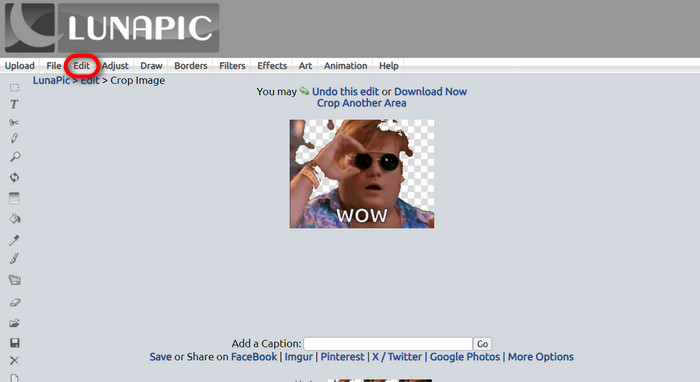
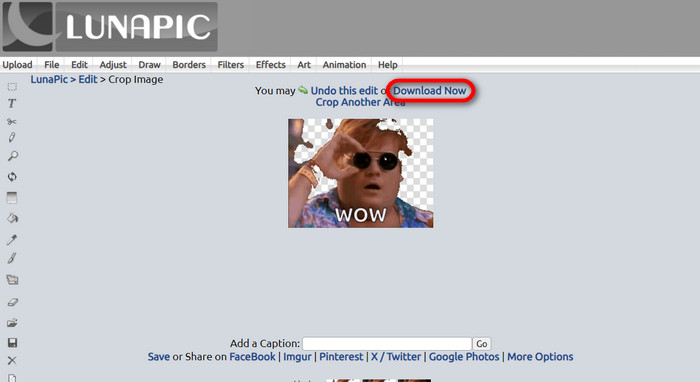
Poté můžete soubor upravit a udělat pozadí GIFu průhledné kliknutím na Edit a poté na nástroj Crop Image. Začněte ořezávat pozadí obrázku.
Krok 3. Stáhněte upravený GIF
Po oříznutí pozadí nebo pokud jste se pokusili vytvořit GIF s bílým pozadím, můžete kliknout na tlačítko Download now! a uložit si upravený soubor.
Další čtení:
4 nejlepší způsoby, jak odstranit vodoznak z GIFu [online i offline]
Odhalujeme špičkové nástroje pro GIFy na počítač, online i mobil

Video Converter Ultimate
345+ stažení- Užijte si sledování videí bez otravných vodoznaků, které blokují váš obsah.
- Vytvářejte kvalitní videa s vysokým rozlišením pro lepší sledování.
- Umožňuje odstranit jakýkoli vodoznak z jakéhokoli typu videa.
- Poskytněte vám nespočet formátů, do kterých můžete převést svůj soubor.
Stáhnout zdarmaPro Windows 7 nebo novějšíBezpečné stažení
Stáhnout zdarmaPro MacOS 10.7 nebo novějšíBezpečné stažení
Část 5. Často kladené otázky o odstraňování pozadí
Mohu převést animovaný PNG na GIF?
Ano, je možné převést PNG na GIF. Existuje však několik typů dat, která lze převést do několika formátů, pokud máte správný program.
Mohu změnit barvu pozadí GIF po jeho odstranění?
Ano, existuje spousta programů, které tuto práci nabízejí. Vyzkoušejte FVC Background Remover pro snadné odstranění pozadí.
Mohu v malbě zprůhlednit pozadí GIF?
Ne, barva takovou schopnost nemá. Můžete ale hledat jiné programy, které takovou práci nabízejí.
Co je to animovaný GIF s průhledností?
Animovaný GIF s průhledností je obrázek, který zobrazuje pouze určitou část obrázku po umístění na určitou webovou stránku. Může mít zobrazeno více obrázků, pokud je vložíte na jinou webovou stránku.
Umožňuje GIF průhlednost?
Ano, ale ne zcela transparentní. Podporuje pouze 1bitovou průhlednost.
Závěr
V současnosti je kladen velký důraz a poptávka po programech, které umí GIFy upravovat, jako jsou ty výše zmíněné. Ořezávání, úpravy, vrstvení a mazání je dnes možné na pár kliknutí. Uživatelé neustále inovují a vymýšlejí věci, které ještě nikoho nenapadly, například vytvořit GIF s bílým pozadím. Právě tito uživatelé jsou důvodem, proč vznikají takto výkonné programy, jako je FVC Background Remover.
-
 Vyberte nejlepší ořezávač GIF online a offline pro oříznutí GIFů [2023]
 Výběr nejlepšího nástroje pro oříznutí je nutností, zatímco tato funkce je u výrobců GIF k dispozici. Jaká je tedy vaše nejlepší volba pro oříznutí souborů a jak ji používat?
-
 Naučte se 4 způsoby, jak vytvářet GIF z obrázků [online a offline]
 Chcete vědět, jak vytvořit GIF z kompilace vašich obrázků? Poté klikněte na tento odkaz a přečtěte si následující příklady
-
 Opakujte GIF pomocí nejlepší smyčky animovaných GIF na Windows a Mac
 Chcete znát tajemství nejlepší smyčky GIF a vytvořit si jeden? Pokud ano, jste na správném místě. Naučte se, jak vytvořit smyčku s nejlepším dostupným looperem.
