


 Video Converter Ultimate
 Screen Recorder
 Oprava videa
 Bezpečné stažení
Top 10 nejvýraznějších aplikací Photo Resizer pro počítače
Mnoho lidí má potíže najít nástroj pro změnu velikosti svých obrázků, protože některé nástroje ovlivňují kvalitu při jejich zmenšování či zvětšování. Mnoho editorů fotografií navíc potřebuje měnit rozměry snímků, aby zvýšili jejich kvalitu nebo ušetřili místo v zařízení. Změna velikosti fotografií však může být složitá, protože může ovlivnit jejich kvalitu. Existují ale také softwarové aplikace, pomocí kterých můžete měnit velikost obrázků a přitom zachovat jejich kvalitu. Pokud tedy hledáte nejlepší aplikace pro změnu velikosti fotografií, sestavili jsme jejich přehled. Přečtěte si tento článek a poznejte sedm nejvýraznějších a nejvýkonnějších nástrojů pro změnu velikosti fotografií.

Část 1. Nejvýraznější online foto Resizers
Pokud chcete ušetřit místo na zařízení, je online resizer fotografií pro změnu velikosti obrázku docela výhoda. Online aplikace od vás nebudou vyžadovat nic stahovat, protože je nakonec můžete použít ve svém prohlížeči. Mnoho online aplikací je navíc zdarma k použití a jsou zcela bezpečné. Přečtěte si proto podrobně tuto část a zjistěte čtyři nejlepší online nástroje na úpravu obrázků.
FVC zdarma Upscaler obrázků
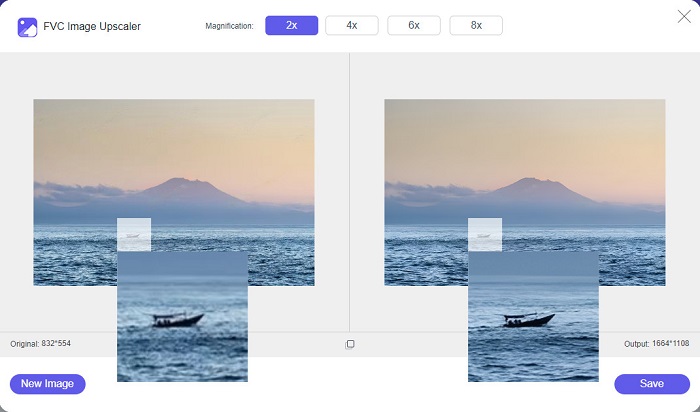
FVC Free Image Upscaler je nejlepší online nástroj pro změnu velikosti obrázků, který vám umožní upravit rozměry snímku bez ztráty kvality. Kromě toho můžete svůj obrázek zvětšit 2×, 4×, 6× nebo 8×. Podporuje také nejběžnější obrazové formáty, jako jsou PNG, JPG, JPEG a BMP. Má navíc uživatelsky přívětivé rozhraní, protože jeho ovládání je velmi jednoduché. A pokud chcete změnit velikost obrázku bez ztráty kvality, pak je FVC Free Image Upscaler tím pravým nástrojem pro vás. Dále využívá technologii AI (umělá inteligence), která automaticky rozpozná nekvalitní části vašeho snímku a rychle je vylepší. A na rozdíl od jiných online programů neobsahuje žádné reklamy, které by vás mohly rozptylovat.
Klady
- Používání je zdarma a bezpečné.
- Má rychlý proces nahrávání.
- Před uložením výstupu si můžete prohlédnout náhled.
- Dostupné ve všech webových prohlížečích, jako je Google, Firefox a Safari.
Nevýhody
- Je to nástroj závislý na internetu.
icons8.com
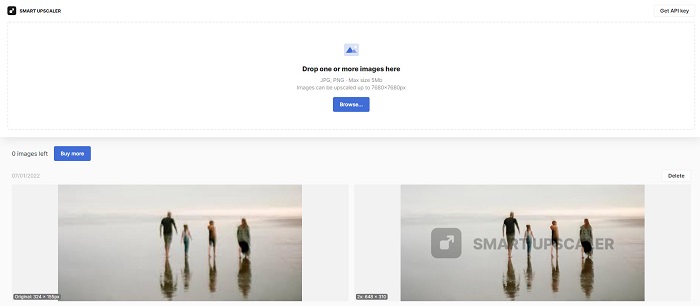
icons8.com je další online nástroj pro změnu velikosti fotografií, který můžete použít, pokud chcete upravit rozměry svého obrázku. icons8.com vám pomůže dosáhnout přesné velikosti, jakou pro obrázek potřebujete. Pokud navíc chcete zlepšit kvalitu fotografie, je tato aplikace to, co hledáte. Obsahuje nástroj pro zvětšování obrázků, který vám pomůže zvýšit jejich kvalitu. Kromě toho jej můžete používat zdarma, bez jakéhokoli předplatného. A pokud vás zajímá, zda je bezpečný, odpověď zní ano. Aplikaci můžete používat bez obav o bezpečnost svých dat. Když však v tomto nástroji změníte velikost obrázku, zůstane na něm vodoznak.
Klady
- Má snadno použitelné softwarové rozhraní.
- Podporuje nejběžnější formáty souborů.
- Může snadno vylepšit váš obrázek.
Nevýhody
- Při změně velikosti obrázku ponechte na obrázku vodoznak.
Zyro.com
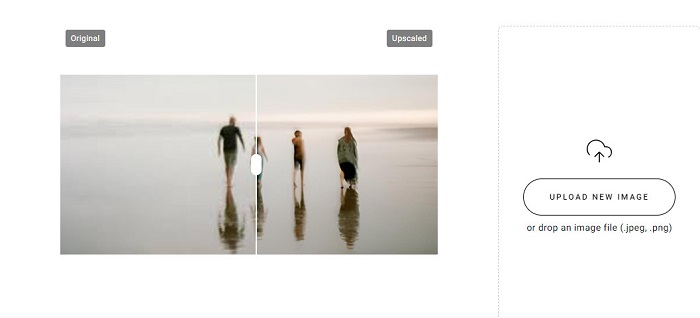
Další online aplikací, kterou můžete použít ke změně velikosti svého obrázku, je Zyro.com. Pokud chcete změnit rozměry své fotografie a zlepšit tím její kvalitu, Zyro.com je nástroj, který hledáte. Tento bezplatný nástroj pro změnu velikosti fotografií navíc využívá technologii AI, která automaticky zvyšuje kvalitu obrázků. Nemusíte se také obávat o nahrávané soubory, protože podporuje běžné obrazové formáty, jako jsou PNG, JPG a JPEG. Kromě toho je dostupný téměř ve všech webových prohlížečích, včetně Chrome a Safari.
Klady
- Je to nástroj vhodný pro začátečníky.
- Používání je zdarma a bezpečné.
- Neobsahuje žádné reklamy.
Nevýhody
- Má pomalý proces nahrávání.
Upscale.media
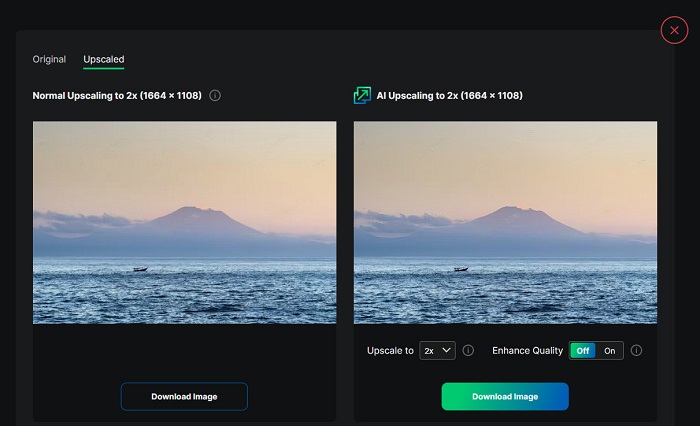
Pokud hledáte nástroj pro vylepšení nebo změnu velikosti obrázku, možná budete chtít použít Upscale.media. Tento online nástroj rovněž využívá technologii AI, což mnoha lidem usnadňuje změnu velikosti snímků. Podporuje navíc nejběžnější obrazové formáty, jako jsou JPEG, JPG, WebP, PNG a další. Působivé na této aplikaci je, že nabízí volbu pro vylepšení obrázku, aby měl vyšší kvalitu. A přestože se jedná o webovou aplikaci, neobsahuje žádné reklamy, které by vás při úpravě rozměrů rušily.
Klady
- Podporuje širokou škálu formátů.
- Má rozhraní pro rychlé zpracování.
- Umožňuje vám zobrazit náhled vašeho výstupu.
Nevýhody
- Budete mít pomalý proces nahrávání, když je internet pomalý.
ImageResizer.com
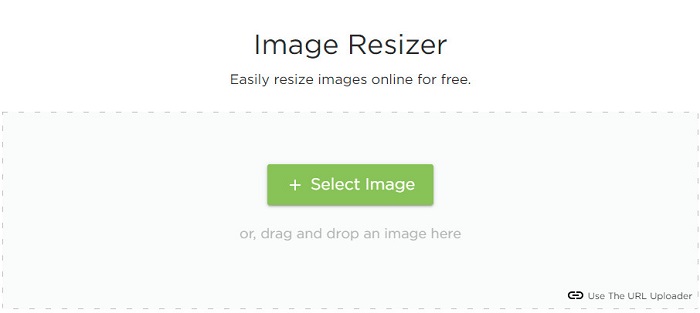
ImageResizer.com patří také mezi nejlepší online nástroje pro změnu počtu pixelů fotografií, který vám umožní upravit velikost libovolného obrázku. Úpravou počtu pixelů snímku můžete zmenšit jeho velikost. Kromě toho podporuje téměř všechny obrazové formáty, jako jsou JPG, PNG a WebP. Ačkoli jde o online nástroj, proces změny velikosti je velmi rychlý. Navíc je bezplatný a jeho používání je zaručeně bezpečné.
Klady
- Funguje na téměř všech webových prohlížečích.
- Je to uživatelsky příjemný nástroj.
Nevýhody
- Obsahuje reklamy.
Část 2. Nejúčinnější Offline Photo Resizers
Přestože jsou online nástroje na úpravu fotografií velmi pohodlné, protože šetří místo na vašem zařízení, offline nástroje také poskytují skvělé výsledky a výhody. Jednou z výhod používání offline resizeru obrázků je, že jsou bezpečné a nebudou vyžadovat přístup k internetu. Většina offline aplikací se navíc rychle zpracovává. Hledali jsme tedy nejpoužívanější offline resizery obrázků a vybrali z nich ty nejlepší. Níže je uvedeno pět nejlepších offline nástrojů pro změnu velikosti fotografií pro váš počítač.
Změna velikosti XN
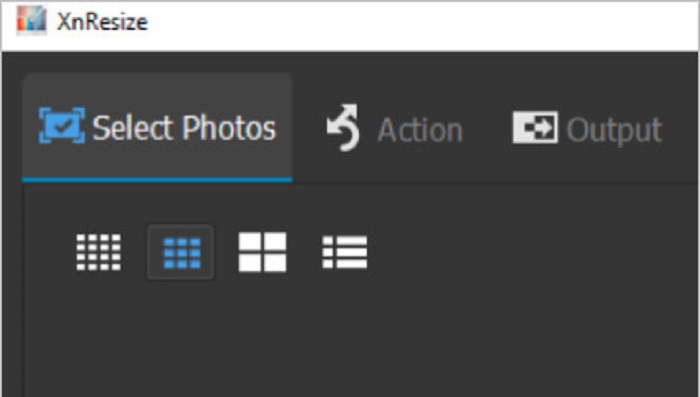
XN Resize je rychlý program pro změnu velikosti fotografií, který si můžete stáhnout do počítače se systémem Windows. Tento nástroj vám pomůže, pokud chcete snížit nebo zlepšit kvalitu svého obrázku. Mnoho lidí dnes chce nahrávat své fotografie na různé sociální sítě. Aby však bylo možné fotografie nahrát, nesmí velikost souboru překročit limity daných platforem. XN Resize je proto nástroj, který vám pomůže změnit velikost obrázku na menší soubor, takže jej můžete nahrát na různé platformy. Nevýhodou tohoto nástroje je, že podporuje jen několik formátů souborů a nenabízí editační funkce. Přesto vám XN Resize umožňuje upravit výšku a šířku snímku podle vašich představ.
Klady
- Orientaci obrázku můžete upravit.
- Má funkci otočit obrázek.
- Má snadno použitelné rozhraní.
Nevýhody
- Má omezené funkce k použití.
FastStone Photo Resizer
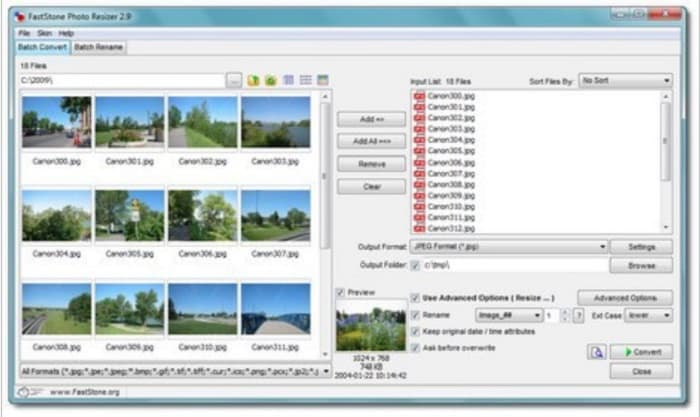
FastStone Photo Resizer není jen aplikace na pořizování snímků obrazovky. Má také funkci, pomocí které můžete změnit velikost obrázku. Po pořízení snímků obrazovky navíc zobrazí mnoho editačních funkcí, mezi nimiž je i změna velikosti. Pokud chcete používat bezplatný a bezpečný nástroj pro změnu velikosti obrázků, může být pro vás FastStone nejvhodnější volbou. S touto aplikací navíc můžete přejmenovávat obrázky a rychle je ukládat do zařízení. Skvělé na FastStone Photo Resizer je i to, že umožňuje převádět, ořezávat, otáčet a přidávat do snímků text.
Klady
- Podporuje strukturu složek nebo nesložek.
- Má funkce drag and drop.
- Je k dispozici ke stažení na Windows PC.
Nevýhody
- Po zkušební verzi si musíte aplikaci zakoupit.
Vysoce kvalitní Photo Resizer
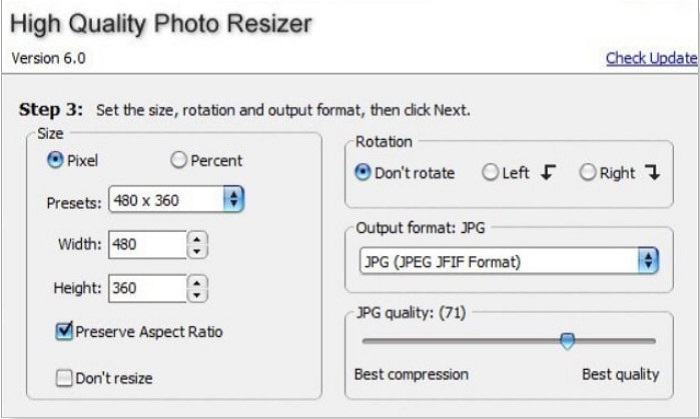
Aplikace High Quality Photo Resizer může být řešením, pokud chcete fotografii rychle zmenšit či zvětšit. V této aplikaci můžete nastavit velikost, otočení a dokonce i výstupní formát snímku. Dále můžete upravit počet pixelů podle svých preferencí. Také si můžete vybrat mezi nejlepší kompresí a nejlepší kvalitou. Pokud zvolíte nejlepší kompresi, získáte malou velikost souboru, ale nižší kvalitu. Naopak při volbě nejlepší kvality získáte vysoce kvalitní obrázek, ale velký soubor. Aplikace má navíc uživatelsky přívětivé rozhraní díky snadno ovladatelným funkcím.
Klady
- Podporuje různé formáty obrázků, jako BMP, GIF, JPG, JPEG a PNG.
- Je zdarma ke stažení.
Nevýhody
- Neobsahuje žádné editační funkce.
Cesium
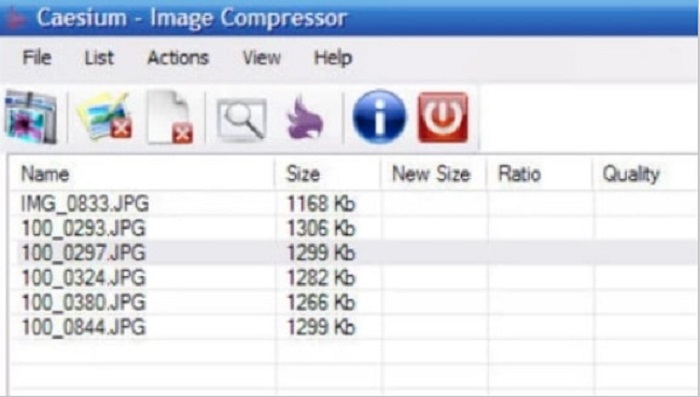
Caesium patří také mezi nejlepší nástroje pro změnu velikosti fotografií na PC. Caesium je známé svou jednoduchostí a efektivním zpracováním. Mnoho profesionálů používá oblíbený editační software ke komprimaci či zmenšení velikosti svých obrázků. V Caesiu si navíc můžete v reálném čase zobrazit náhled výstupu a porovnat ho s původním snímkem. Jednou z výhod této aplikace je, že dokáže zpracovat více obrázků najednou, aniž by zhoršila jejich kvalitu. Kromě toho podporuje nejběžnější obrazové formáty, jako jsou JPEG a PNG. A víte o tom, že? Caesium je zdarma a nevyžaduje žádné předplatné.
Klady
- Má jednoduché uživatelské rozhraní.
- Umožňuje snadno exportovat obrázky.
- Před uložením si můžete obrázek prohlédnout.
- Ke stažení na všech platformách napříč médii, jako jsou Windows, Mac a Linux.
Nevýhody
- Někdy má proces stahování pomalý.
FILEminimizer obrázky
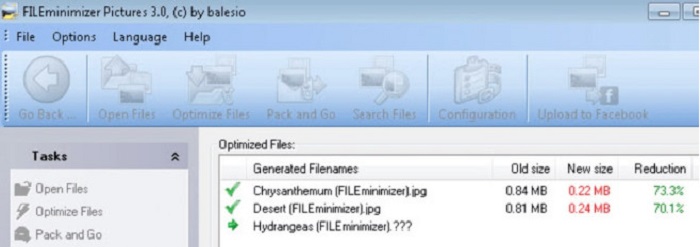
Hledáte softwarovou aplikaci, která vám pomůže zmenšit velikost obrázků? FILEminimizer Pictures by mohl být odpovědí na váš problém. Tato offline aplikace vám umožní zmenšit velikost souboru až o 98 % díky své vestavěné technologii pro vylepšování souborů. Tento nástroj navíc ukládá obrázky v jejich původním formátu a umí je rychle exportovat. A protože jde o aplikaci na změnu velikosti fotografií, zmenšuje velikost souboru snížením rozlišení. Počítejte tedy s tím, že při změně velikosti obrázku dojde i k poklesu jeho kvality.
Kromě toho nabízí čtyři různé kompresní procesy, komprimaci v dávkách, možnost použít bezeztrátovou kompresi a další. Přestože použití aplikace není zdarma, stále má bezplatnou zkušební verzi, kterou můžete použít. Pokud tedy hledáte dávkový resizer fotografií, můžete zvážit použití tohoto nástroje.
Klady
- Podporuje různé formáty, jako jsou JPG, BMP, GIF a PNG.
- Obrázky můžete exportovat do e-mailu.
- Má rychlý proces změny velikosti.
Nevýhody
- Po bezplatné zkušební verzi je třeba upgradovat zakoupením aplikace.
Související s:
Nejlepší aplikace na změnu velikosti fotografií online, offline, pro Android a iPhone
7 nejlepších online a offline nástrojů pro zvětšování fotografií
Část 3. Nejčastější dotazy o Photo Resizers
Existuje aplikace pro změnu velikosti fotografií na iPhone?
Image Size je aplikace pro iPhone, kterou si můžete zdarma stáhnout. Tato aplikace patří mezi nejlepší aplikace pro změnu velikosti fotografií pro iPhone.
Mohu komprimovat obrázek bez ztráty kvality?
Zmenšení velikosti obrázku vyžaduje úpravu rozlišení a pixelů. Takže když komprimujete obrázek, počítejte s tím, že bude mít nižší kvalitu.
Existuje kapwing Photo Resizer?
Naštěstí můžete použít Kapwing ke změně velikosti obrázku. Kapwing Photo Resizer umožňuje oříznout, zmenšit nebo přiblížit obrázek.
Závěr
Výše uvedené nástroje pro změnu velikosti fotografií patří mezi nejlepší online i offline aplikace pro úpravu rozměrů snímků. Každý z nich má své jedinečné funkce, proto si určitě vyberte ten, který vám nejvíce vyhovuje. Pokud ale chcete používat bezplatný a skvělý nástroj pro změnu velikosti fotografií, pak je FVC Free Image Upscaler tou správnou volbou.
Související články
-
 Vylepšete rozlišení fotografií iPhone pomocí Top Enhancer
 Chcete zlepšit rozlišení fotografií iPhone? V tomto článku se zabýváme nejlepšími nástroji, které můžete použít, a dalšími triky, které musíte znát!
-
 Obnova starých fotografií online a offline [Snadné kroky]
 Chcete obnovit starou fotku? S těmito nástroji budete znát proces obnovy starých fotografií. Přečtěte si tento příspěvek, abyste se naučili nejpřímější metody.
-
 Top 7 Pixels Enhancer pro všechny webové prohlížeče, které musíte použít
 Pokud chcete znát nejlepší vylepšovače pixelů, které lze použít, raději se podívejte na tento příspěvek. Tento článek uvádí sedm nejlepších vylepšení fotografických pixelů pro všechny webové prohlížeče.
