


 Video Converter Ultimate
 Screen Recorder
 Oprava videa
 Bezpečné stažení
Top 5 hráčů VOB pro Windows 10/8/7 PC a Mac
VOB (Video Object) is not a popular video format like MP4, AVI, old RMVB, or even the YouTube FLV. It is a container format in DVD-Video media. A VOB file can store videos, audio tracks, subtitles, DVD menus and navigation contents. Actually, you don’t care about some format like VOB until you get the unsupported issue.
VOB format can’t be opened by many media players, iOS/Android devices, and video editing tools. Windows Media Player won't play VOB files on Windows 10 PC. Meanwhile, you are not allowed to directly view a VOB file on Mac with QuickTime Player. Then how to play VOB files?

Considering your need, we like to introduce you with 5 great VOB players for Windows 10/8/7 PC and Mac. You can learn the key features of each VOB file player and then choose your preferred one.
Část 1. Zdarma VOB Player pro Windows 10/8/7 PC a Mac
FVC Free Video Player is a very popular online video and audio playing tool which can help you play any VOB files on both Windows 10/8/7/XP/Vista PC and Mac. This free VOB file player can give you a high quality VOB playback. Besides VOB, it also supports other video and audio formats including MP4, AVI, MOV, MKV, FLV, WMV, 3GP, MXF, MPEG, RMVB, MP3, AAC, M4A, WMA, FLAC, and more.
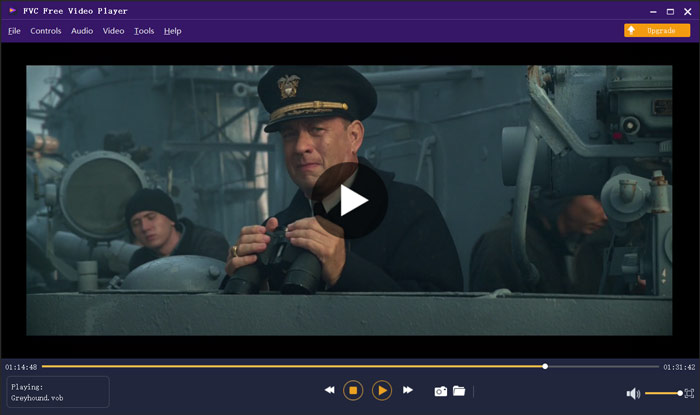
Tento přehrávač VOB nevyžaduje k přehrávání vašich videí VOB žádný další kodek ani doplňky. Stačí přejít na jeho oficiální web a poprvé nainstalovat malý soubor spouštěče, takže můžete snadno přehrávat všechny své mediální soubory. Tento přehrávač souborů VOB je vybaven pokročilou technologií kódování zvuku DTS-HD a Dolby TrueHD. Během hraní VOB můžete získat skvělý zvukový zážitek.
Část 2. Open Source VOB Player pro Windows 10 a Mac - VLC Media Player
VLC media player is an open source and all-featured player which enables you to watch VOB files on either a Windows 10/8/7 PC or a Mac. In fact, it can also work as a VOB player app for Android and iOS devices. VLC media player is totally free to use. Apart from VOB, VLC is also able to play media files in MP4, MOV, FLV, MKV, MOV, AAC, AC3, MP3, and more. When you insert a DVD disc into your computer, VLC can act as a standard DVD VOB player to play the VOB file for you.
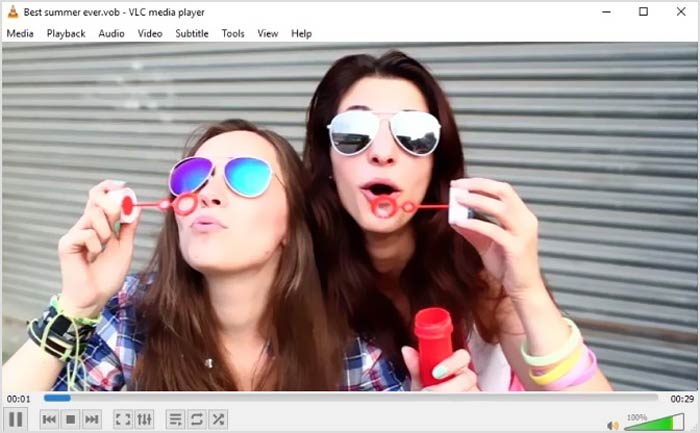
Jako přehrávač souborů VOB vám VLC umožňuje přístup ke všem nabídkám DVD, kapitolám a dalšímu obsahu. Chcete-li přehrát soubor VOB s VLC, měli byste jej nainstalovat a otevřít na svém počítači a poté importem videa VOB zahájit přehrávání. Kromě základní funkce přehrávání je VLC media player také navržen s převodem, editací, nahráváním a dalšími užitečnými funkcemi.
Část 3. Přehrávač souborů VOB pro Android / iOS / Windows / Mac - KMPlayer
KMPlayer is another popular video playing software which can help you play VOB files. It has a wide range of video format support. KMPlayer has the capability to play videos in VOB, MPEG, MP4, WMV, MOV, AVI, OGG and more. It can work as a great VOB player for Windows PC and Mac. Moreover, KMPlayer offers apps for you to view VOB on both Android phone, iPhone and iPad.

Tento videopřehrávač VOB umožňuje vytvářet a spravovat vlastní seznam skladeb, upravovat různá nastavení titulků, vlastní zvukové efekty s ekvalizérem a další. KMPlayer také obsahuje funkce vyhledávání, přehrávání, přehrávání v síti, časovač a další funkce. Tvrdí, že vám může nabídnout přehrávání videa ve vysokém rozlišení až do 4K.
Část 4. Přehrávač souborů VOB pro Windows 10 - Final Media Player
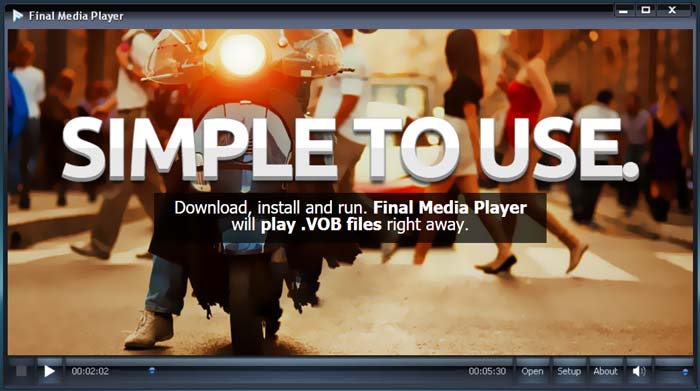
Final Media Player is a video playing tool for Windows users. It highly supports over 80 types of audio and video files. You don’t need to install other obscure codecs for the VOB playing. It enables you to play VOB files on Windows 10 PC with high quality. Besides VOB, it also supports 3GP, ASF, AVI, DIVX, FLV, M4V, MKV, MOV, MP4, MPEG, MPG, MV, MXF, RMVB, SWF, WMV, XMV, XVID and more.
Část 5. VOB Player pro Mac a Windows 10/8/7 PC - 5KPlayer
5KPlayer is a powerful video and music player which enables you to play VOB files on both Windows 10 PC and Mac. It is a mixture of video player, music player, AirPlay and DLNA enabled media streamer and video downloader. As a hardware-accelerated VOB file player, it guarantees that you can view VOB files with great visual and sound experience.
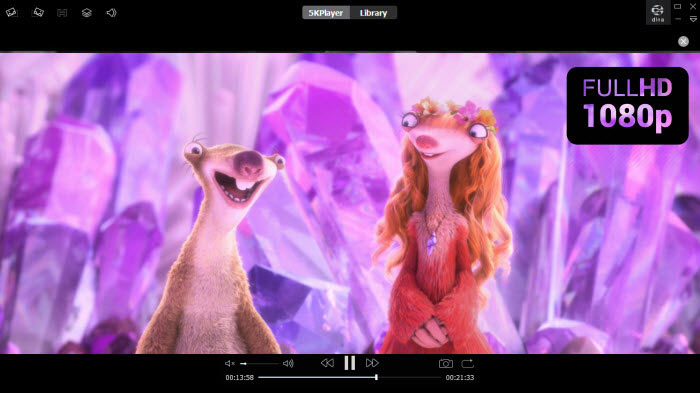
Tento hráč VOB vám poskytuje bezplatnou stopu pro různé funkce. Měli byste však vědět, že 5KPlayer není zcela bezplatný nástroj pro hraní.
Část 6. Časté dotazy k VOB File Player
Jak přehrávat soubory VOB v programu Windows Media Player?
As it mentioned above, you can’t directly open VOB files on Windows 10 with Windows Media Player. You need to install the VOB codec or convert VOB to MP4 for the playback.
Můžete upravovat soubory VOB pomocí iMovie?
Ne. VOB formát není podporován Mac, QuickTime Player a iMovie. V aplikaci iMovie nemáte povoleno otevírat ani upravovat soubor VOB.
Jak zdarma převést VOB na MP4?
You can rely on the popular free VOB to MP4 converter to make the video conversion with ease. It is also able to convert VOB to MOV for the video playing on Mac.
Závěr
We have mainly talked about VOB player in this post. We make a list of 5 best VOB file players for you to choose from. Whether you are looking for a VOB player for Windows 10, Mac or Android/iOS device, you can easily find a suitable one.
-
 Průvodce, jak převést MP4 na VOB v počítači
 Jak převést MP4 na VOB na Windows PC a Mac? Chcete-li tento problém vyřešit, bude tento příspěvek sdílet 3 nejlepší způsoby, jak vám zdarma převést MP4 na VOB.
-
 8 nejlepších přehrávačů MOV pro PC a Mac pro přehrávání video souborů QuickTime MOV
 Prostě se dozvíte více o 8 nejlepších přehrávačích MOV dostupných pro Windows i Mac. Můžete vybrat požadovaný a vhodný soubor pro přehrávání souborů MOV v původní kvalitě.
-
 8 nejlepších přehrávačů souborů MKV pro přehrávání videa MKV s titulky v systémech Windows a Mac
 Chcete-li přehrát video MKV s požadovanými titulky, můžete se dozvědět více o nejlepších 8 přehrávačích souborů MKV pro PC / Mac a vybrat požadovaný podle vašich požadavků.
