


 Video Converter Ultimate
 Screen Recorder
 Oprava videa
Kompletní přehled o tom, jak převést soubor SWF do AVI pomocí 5 převodníků
Formát vytvořený společným úsilím ShockWave Flash a Adobe je SWF. Tento formát je navržen tak, aby obsahoval a přehrával video animace ve Flash Playeru nebo na webu pomocí Flash pluginů. Nicméně sledování animovaných videí ve formátu SWF je velmi obtížné. Protože žádný z multimediálních přehrávačů tento formát nepodporuje, kromě Flash Playeru. A v takovém případě budete potřebovat převodník, abyste mohli soubor .swf sledovat na svém počítači. Níže vám proto představujeme převodníky, které můžete použít k tomu, abyste převedli SWF na AVI online i offline.
Část 1. SWF vs AVI: Který z nich je lepší?
Dříve jsme vysvětlili některá data, která jsme shromáždili během našeho výzkumu o souborech SWF. Věděli jste ale, že tento soubor používá spíše vektor než pixel? Abychom tomu lépe porozuměli, pojďme se do toho ponořit hlouběji. Pixely jsou malé rámečky, které se zobrazují na obrazovce. V podstatě všechny tyto malé čtverce mají různé barvy a všechny jsou spojeny dohromady, aby vytvořily vizuál. Vektory však používají matematické rovnice k výpočtu tvaru, který bude mít část na vaší obrazovce. Pokud se tedy pokusíme sledovat videa ve formátu SWF, očekávejte mnohem lepší vizuální kvalitu než jakýkoli formát.
AVI je jedním z renomovaných formátů souborů, který má ve srovnání s ostatními formáty obrovskou velikost souboru. A hlavním důvodem, proč je velikost souboru AVI velká, je pouze to, že je nekomprimovaný. A protože je nekomprimovaný, očekávejte, že si soubor zachová kvalitu, ale v mnohem větší velikosti.
Jediný důvod, proč se budete muset naučit, jak převést soubor SWF do AVI, je sledovat video, které má stále příponu .swf. Kromě toho vám již nyní usnadňujeme vyhledávání, protože sestavujeme různé nástroje, které si můžete vybrat. Všechny níže uvedené nástroje také poskytují skvělou konverzi, která vám doslova pomůže tento problém vyřešit.
Část 2. 5 nejlepších převodníků SWF do AVI dostupných na ploše a na webu
1. FVC Video Converter Ultimate
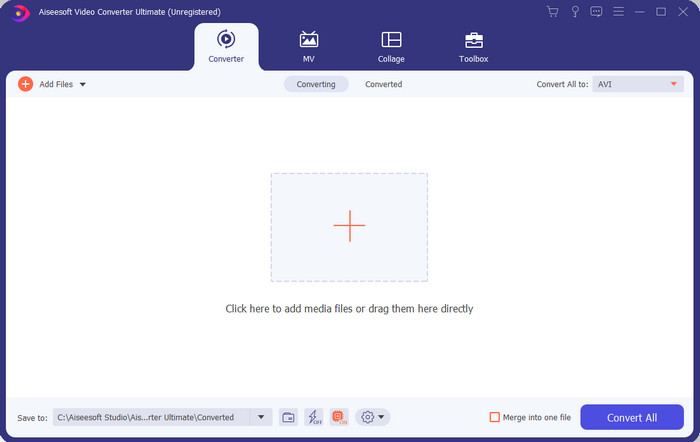
Pokud hledáte špičkový software, který potřebujete k převodu .swf, pak je FVC Video Converter Ultimate ten pravý. Nebyl by na prvním místě, kdyby neposkytoval vynikající konverzi. Také podporuje více než 200 formátů, které znáte, i těch, o nichž jste možná nikdy neslyšeli. Na rozdíl od převodníků uvedených níže se výrazně liší rozhraním, funkcemi, pokročilými nástroji, přístupností a dalšími aspekty. Pokud hledáte skvělý převodník, můžete si říct, že vaše pátrání skončilo, protože jste ho našli. A pokud vás tento nástroj ještě stále nepřesvědčil, přesvědčte se sami a stáhněte si nejprve tento nejlepší bezplatný převodník SWF na AVI.
Klady
- Podporuje hardwarovou akceleraci a rychlou konverzi pro konverzi během mrknutí oka.
- Široká škála podporovaných formátů mediálních souborů.
- Funkce úprav jsou k dispozici po uhrazení platby.
- Dávkovou konverzi lze provést snadno.
Nevýhody
- Před použitím je třeba zaplatit, ale je to velmi levné.
- Nejprve je nutné stáhnout na váš disk.
2. Přehrávač médií VLC
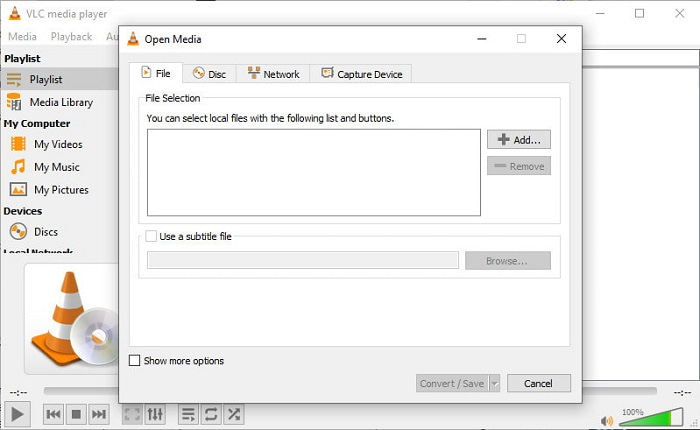
Tento multimediální přehrávač má skrytou funkci, kterou si zamilujete. VLC Media Player neslouží pouze jako přehrávač médií, ale nabízí i funkci převodníku. Podporované formáty vestavěného převodníku jsou však velmi omezené a nemůžete nastavit rozlišení. Také samotný proces převodu formátu vám ve srovnání s ostatními převodníky rozhodně dá zabrat. Pokud ale chcete tento bezplatný převodník SWF na AVI vyzkoušet a používat, stáhněte si tento přehrávač.
Klady
- Má vestavěný převodník vedle přehrávače médií.
- Zdarma ke stažení na jakékoli platformě.
- Stahování je bezpečné a proces převodu je také chráněn.
Nevýhody
- Podporován je menší formát než ostatní konvertory dostupné v tomto seznamu.
- Než budete moci provést konverzi, je třeba udělat hodně procesu převodu.
3. Convertio
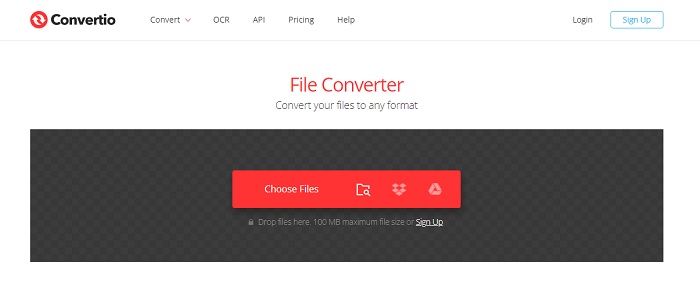
Pokud chcete převést SWF na AVI online, vyzkoušejte Convertio, protože poskytuje jednoduchý a účinný převod. Tento webový nástroj je navíc bezpečný a všechny soubory, které s ním převedete, budou z webu odstraněny. Další úžasnou funkcí tohoto nástroje je možnost dávkové konverze po registraci. Proces nahrávání a stahování vám však rozhodně zabere hodně času, což je pro uživatele poněkud nepohodlné. Pokud nechcete za převod utratit ani korunu, zkuste tento nástroj použít.
Klady
- Není třeba stahovat software na disk, než jej budete moci používat.
- Podporuje střední úroveň formátů, ze kterých si můžete vybrat.
- Současně lze převádět 2 formáty souborů.
Nevýhody
- Nahrání a stažení souboru po konverzi by vám zabralo hodně času.
- Závisí na internetu, což znamená, že pokud je váš internet pomalý, očekává se dlouhá doba.
4. OnlineConvertFree.com
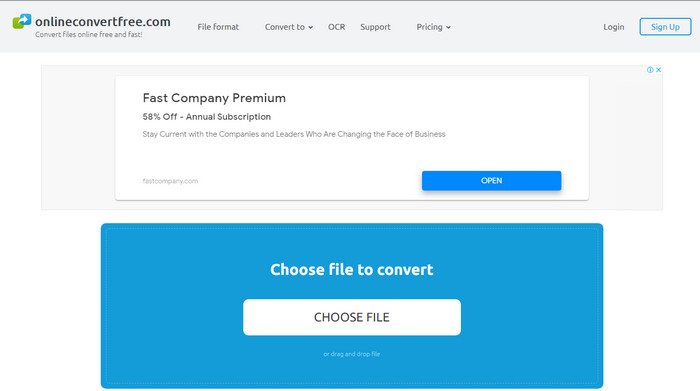
Další online video převodník SWF na AVI, který můžete použít, je OnlineConvertFree.com. Pokud je jednoduchost krása, pak je to správná volba pro vaši práci s převodem. Na rozdíl od prvního zmíněného online nástroje je tento mnohem jednodušší, ale podporuje méně formátů, ze kterých si můžete vybrat. Velikost souboru je navíc v tomto online softwaru omezena. Pokud tedy máte soubor větší než 20 MB, počítejte s tím, že ho v tomto nástroji nevyužijete. Jestliže ale chcete soubory převádět a zároveň nechcete moc utrácet, použijte tento nástroj.
Klady
- Přístup je zdarma.
- Tento převodník lze použít, pokud máte připojení k internetu.
- Celkové rozhraní vypadá elegantně.
Nevýhody
- Nelze se připojit, pokud není k dispozici internet.
- Reklamy zabíjejí web.
Část 3. 5 kroků, jak převést SWF do AVI na FVC Video Converter Ultimate
Zde jsou podrobné kroky, jak používat FVC Video Converter Ultimate. Všechny zde uvedené kroky vám zaručí snadný a přesto fenomenální zážitek.
Krok 1. Nejprve je nutné stáhnout nástroj na pevný disk vašeho počítače, vyberte, zda jde o PC nebo Mac. Poté software nainstalujte na disk, snadno proveďte nastavení a klikněte na Start Now.
Zdarma ke staženíPro Windows 7 nebo novějšíBezpečné stažení
Zdarma ke staženíPro MacOS 10.7 nebo novějšíBezpečné stažení
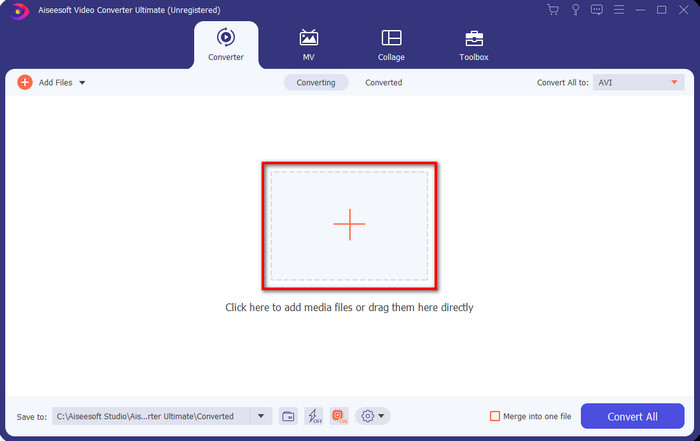
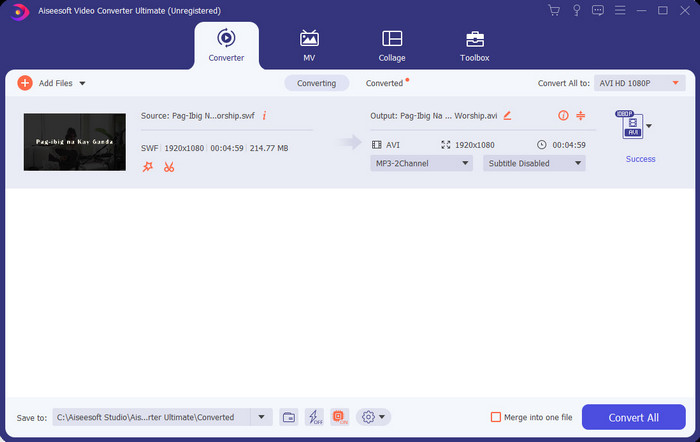
Krok 2. Otevřete software, který jste nainstalovali na disk, klikněte na tlačítko + a poté v otevřeném okně vyhledejte soubor v příslušné složce. Pro pokračování stiskněte Open.
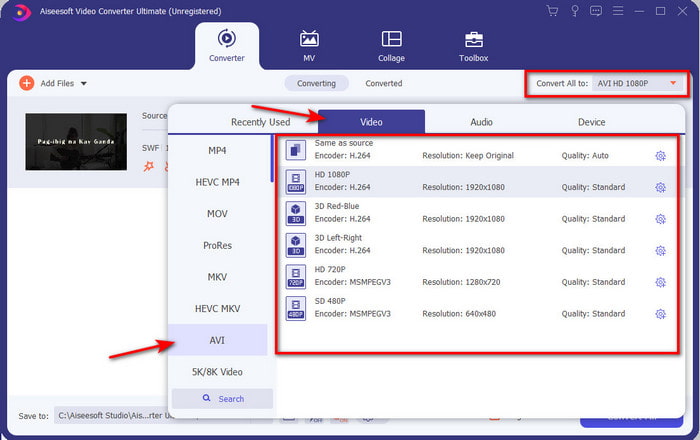
Krok 3. Chcete‑li změnit soubor SWF na formát AVI, klikněte na tlačítko drop-down a vyberte formát AVI, poté zvolte rozlišení.
Krok 4. Jakmile máte formát vybraný, klikněte na Convert All, aby se spustil proces převodu.
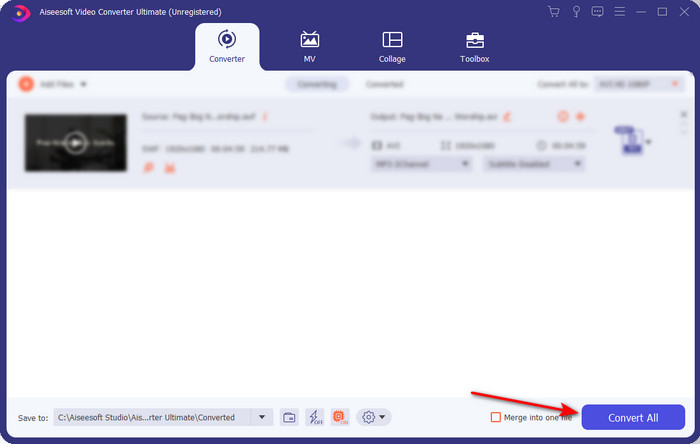
Krok 5. Po dokončení převodu se zobrazí složka s převedeným souborem. Klikněte na nový soubor AVI, abyste jej přehráli, a případně jej později přesuňte, kam potřebujete.
Část 4. Nejčastější dotazy o SWF a AVI
Mohu přehrávat SWF na jiných přehrávačích médií?
Rozhodně ne, protože .swf není ve vašem multimediálním přehrávači podporován, ani když použijete aplikaci třetí strany. Nejlepším řešením, jak přehrát .swf, je převést jej do jiného formátu, abyste ho mohli přehrát. Pokud jej však nechcete převádět, musíte použít Flash Player, abyste mohli přehrávat soubory ve formátu SWF.
Má .swf menší velikost?
Rozhodně ano, kromě toho, že má malou velikost, se také načítá mnohem rychleji než jiné formáty, a to i díky své struktuře. Pokud jsou příliš velké, můžete zkusit komprimovat soubory SWF pomocí video kompresoru.
Může můj soubor SWF upravit průhlednost?
No, můžete to nastavit jako průhledné, pokud chcete, nebo ne, pokud nechcete. Můžete také přidat alfa kanál s barvou na displeji nebo stupni šedi a nastavit jej jako průhledný.
Závěr
Na konci tohoto článku jsme již zjistili, co je SWF a jaký je jeho další účel. Také jsme se dozvěděli, že nemůžete použít soubor .swf, pokud nepoužíváte Flash Player, a kromě toho jej nemůžete přehrát. Nejlepším řešením pro přehrávání souboru SWF je tedy jeho převedení do nového formátu, jako je AVI. Kromě toho všechny výše uvedené nástroje vykonávají svou práci jako převodník. Neexistuje však žádný nástroj, který by poskytoval mnohem rychlejší a jednodušší řešení než FVC Video Converter Ultimate.
-
 SWF na MP4: Bezplatný převod SWF na MP4 online a PC
 Jak otevřít soubor SWF bez aplikace Adobe Flash Player? Vezměte si zdarma horní 3 převaděč SWF na MP4 a zdarma změňte SWF na MP4 online a na PC / Mac ve 3 krocích.
-
 [2 řešení] Jak snadno a zdarma převést soubory SWF na soubory GIF
 Pokud se vám nepodaří exportovat formát GIF pomocí softwaru Flash, můžete zkusit nejprve uložit soubory ve formátu SWF. Pak se z tohoto článku můžete naučit 2 snadné způsoby převodu souborů SWF na GIF.
-
 Vynikající volba pro převod MKV do formátu AVI
 Osvojte si, jak převádět videa MKV pomocí jednoduchých kroků poskytovaných výhradně vám. Chcete vědět jak na to? Pak klikněte na tento odkaz a dozvíte se více.
