


 Video Converter Ultimate
 Screen Recorder
 Oprava videa
V podrobných recenzích O 3 webových a desktopových konvertorech používaných k převodu souborů WMV do AVI
There will be a time that you want to convert your file into a new one because they aren't playable. An excellent example in this situation is the WMV format. If you are a Windows user, you have already heard of this format. It stores different video and audio files in one container. However, this format doesn't gain support from most of the media players. So the best way to watch the video file stored in the file extension of .wmv is to convert. If you're asking the same question as others, can you convert WMV to AVI? Then try to proceed below as we accumulate different web tools you can use with the steps provided.
Část 1. Top 3 konvertory zdarma Převod WMV do AVI online
Top 1. FVC Free Video Converter Online
Converting can be quickly done if you have internet access and use this FVC Free Video Converter Online. This software supports a much faster and better conversion, unlike other webtool. Also, you will not need to wait for the file to upload because this tool doesn't want you to wait for too long. Another good thing about this web tool is the built-in converted video library this tool provides. To access the video or audio, you convert efficiently and effectively. However, if you don't have internet access, you can't use this just like the other web tool below. Moreover, if you want to try this tool, then here are some provided steps you can follow to convert WMV to AVI for free online.
Step 1. First, go to the main website of the FVC by clicking this link.
Step 2. Then click Add Files to Convert to install the launcher of the web tool. No need to worry because it is only just a few bytes, and it is safe also. If the installer is on your drive, re-click the Add Files to Convert, choose the .wmv format on the folder, and click Open.
Stáhněte si desktopovou verzi a převádějte soubory hromadně.
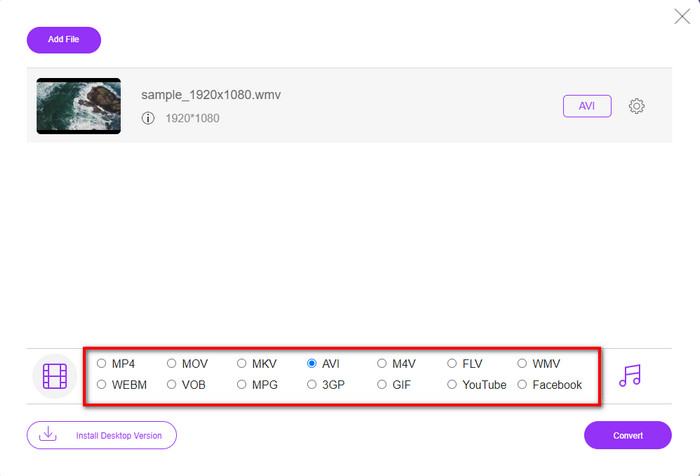
Step 3. Once the WMV file is on the interface, you must now choose the AVI format on the options available below.
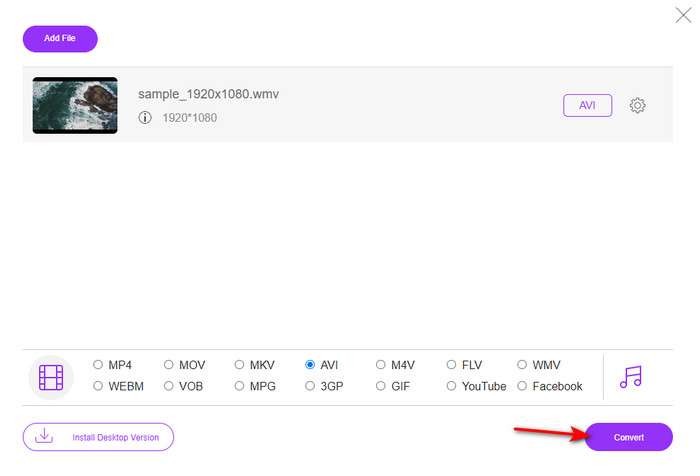
Step 4. After selecting the format, it is now the right time to convert it by clicking Convert.
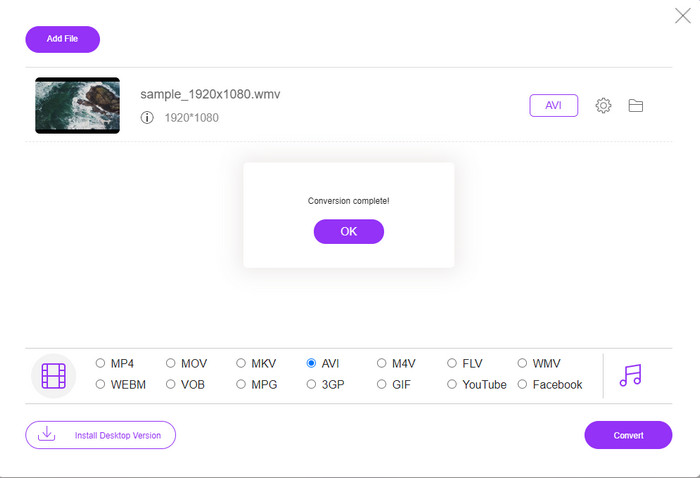
Step 5. Wait for a few minutes for the process to end, and if it is a folder containing your converted file will show on your screen. Then click it to watch the new WMV format you've made with this tool.
Nahoru 2. Převod
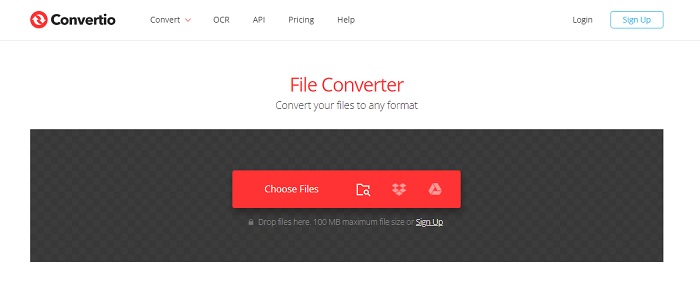
Another online converter you can use to convert WMV files to AVI for free is the Convertio. Unlike the web tool mentioned first, you will not need a launcher to use it. Also, you can convert PDFs, images, audio, and more in this tool. However, the major drawback is that uploading and downloading files will take a lot of time. Also, it doesn't have a built-in library containing all the converted files you've made. So now, if you want to use this as your converter, then follow these steps.
Step 1. Go to your favorite browser and search Convertio.io.
Step 2. Click Choose File and locate the WMV file you want to convert to the folder. Then click the drop-down button and choose AVI.
Step 3. The uploading process will take your time, and click Download to save the converted format.
Nahoru 3. CloudConvert
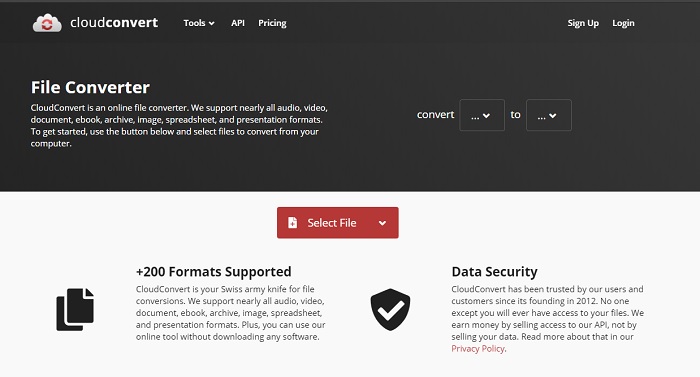
CloudConvert supports small-scale formats you can choose to convert on. Also, the conversion process here is safe and doesn't keep a record of your converting process. Just like the Convertio, this tool doesn't have a library as well. And the process of converting format here is so much slower as it doesn't support hardware acceleration to boost the conversion speed. Moreover, if you want to experience a free convert WMV to AVI online, copy the steps below.
Step 1. Open your web browser and search the Cloud Convert.
Step 2. Press Select File, then search for the .wmv file on the folder that will show on your screen.
Step 3. Click Convert to, choose the AVI format, click the Convert button, click Download after the conversion.
Část 2. Jak změnit WMV na AVI na Mac & PC pomocí Lightning Speed Converter
The online software mentioned above can't copy what FVC Video Converter Ultimate provides to its customers. If you are looking for a multi-purpose tool, this must be the best choice. Also, you can use this software as a converter, editor, GIF maker, and more. Moreover, this software is more than expected on what it can do and how fast it can finish. The overall performance of this tool amazes us and if you want to be surprised too, then download this phenomenal converter on your desktop. And now, let's proceed with converting WMV to AVI on Mac and PC by following the step-by-step procedure we made below.
Step 1. Before you can access the tool, you will need to download it first and choose which platform you are currently using. Then install the software on your desktop and so the quick set-up takes less than a minute.
Zdarma ke staženíPro Windows 7 nebo novějšíBezpečné stažení
Zdarma ke staženíPro MacOS 10.7 nebo novějšíBezpečné stažení
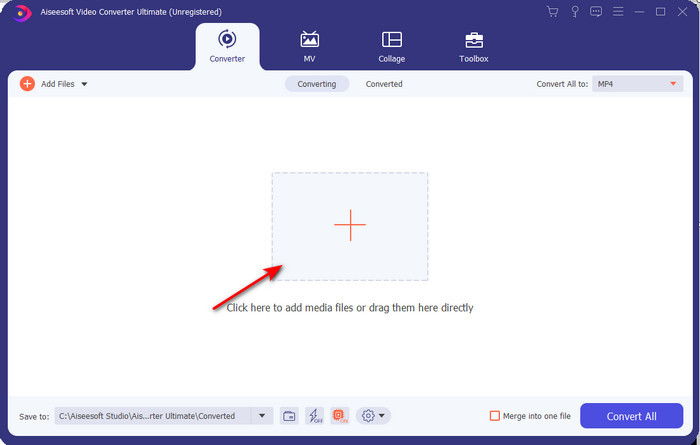
Step 2. Open the software to proceed to the next step; after launching it, you will see a + sign; click it to add the files, then select Open.
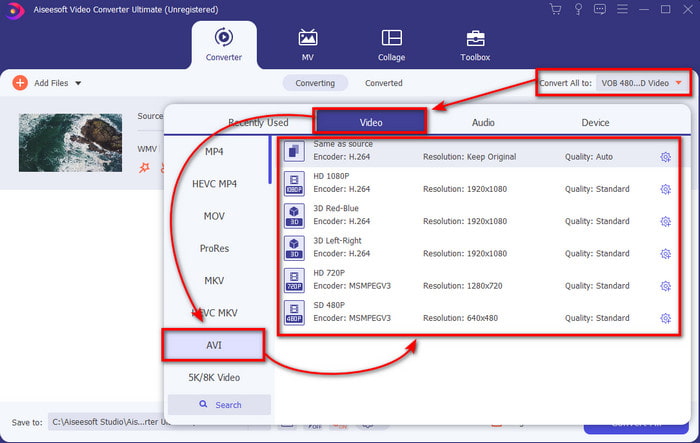
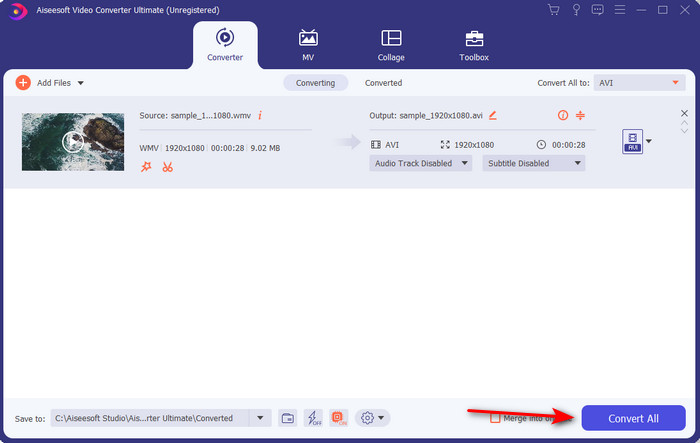
Step 3. To change the format, click the drop-down menu of Convert All to and choose AVI on the submenu.
Step 4. So now, to convert the WMV file to AVI successfully, click Convert All and wait for several seconds for the process to be done.
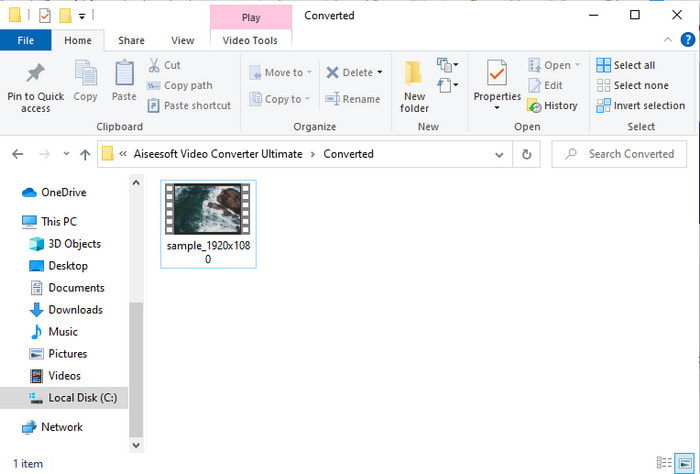
Step 5. After converting, a folder will show on your screen with the converted file you made a few seconds ago. To watch it click the video file and enjoy your converted WMV file without losing the quality.
Část 3. WMV VS AVI; Který formát funguje nejlépe
WMV a AVI jsou některé ze špičkových kontejnerů video souborů, které byste rádi používali. Oba zmíněné formáty mohou obsahovat vysoce kvalitní video a zvuk, ale nyní pojďme určit jejich rozdíly čtením této srovnávací tabulky.
| WMV | AVI | |
| Také známý jako | Windows Media Video | Audio Video Interlevance |
| Nejlepší použití pro | Dříve se velký soubor změnil na menší pro dobře strukturované streamování videa online. | Slouží k oddělenému ukládání videa a zvuku a jejich současnému přehrávání bez jakýchkoli prodlev. |
| Vyvinul | Microsoft | Microsoft |
| Nevýhody formátu | Získává méně pozornosti a podpory ze strany přehrávačů médií. | Ke kompresi tohoto velkého souboru na mnohem menší, ale v rámci limitu, potřebuje kodek. |
WMV vs. AVI
WMV, produkovaný společností Microsoft, byl jedním z nejběžnějších video formátů v roce 2000. Lze jej vidět na webu a přehrávat v různých přehrávačích médií ve Windows. A je to také výchozí formát souboru videa programu Windows Media Player. V poslední době ji ale přebírají jiné formáty.
Formát AVI, založený na formátu RIFF (Resource Interchange File Format), byl představen společností Microsoft v roce 1992. Dokáže uložit vysoce kvalitní video/audio, protože používá méně komprese. To však také způsobuje velkou velikost souboru AVI, což může být problém, když je k dispozici omezený prostor.
Část 4. Nejčastější dotazy o formátu WMV a AVI
Má přeměna WMV na AVI vliv na kvalitu?
Kvalita souboru WMV, když jej převedete do AVI, se nesmí změnit. Předpokládejme však, že se vaše WMV změní a kvalita klesne. V takovém případě konvertor, který používáte, nepodporuje vysoce kvalitní pixel vašeho videa.
Změní se po převodu velikost mého WMV?
Velikost souboru WMV se může trochu lišit od původní velikosti souboru. Existuje důvod, proč se to mění. Jedním z důvodů je, že komprimovaný soubor se změní na nekomprimovaný, takže se změní velikost souboru. Změny se však musí blížit původní velikosti souboru a neměly by být tak velké ani velké.
Mohu použít WMV k připojení videa k e-mailu?
Ano, ideální je použít formát WMV a přiložit video k e-mailu, protože podle Microsoftu podporuje lepší a rychlejší kompresi než MPEG-4. Také je známý jako miniaturní formát kvůli tomu, jak malá může být velikost souboru. Kvalita videa však zůstává.
Závěr
Na konci je pro nás snazší pochopit, že ne všechny platformy a software podporují WMV. Webtool navíc funguje dobře, ale existuje jeden nástroj, který dokáže převádět dávkové soubory mnohem rychleji a snadněji: FVC Video Converter Ultimate. Předpokládejme, že chcete zažít fenomenální konverzi, kterou tento software poskytuje. V takovém případě si jej musíte nyní stáhnout na plochu a používat.
-
 Jak převést WMV do MP4 zdarma a online [Vyřešeno]
 Jak převést soubory WMV na MP4? Zde jsou 4 snadné způsoby, jak převést WMV na MP4 v systémech Mac a Windows pomocí jednoduchých kroků.
-
 WMV do MP3 – Jak převést video na zvuk zdarma [ Desktop/Online ]
 Při sledování videa WMV shledáváte zvukovou část fascinující. Chcete jej tedy přehrát na svém MP3 přehrávači. Váš přehrávač však zjevně nepodporuje formát WMV. To vás nutí přemýšlet, zda existuje způsob, jak převést WMV na MP3.
-
 2 nejjednodušší způsoby převodu souborů WMV na FLV na PC / Mac
 Jak můžete převést WMV na FLV? Nejprve si musíte přečíst naše doporučení a najít svou oblíbenou metodu a poté postupovat podle našeho průvodce, abyste mohli svou práci provést rychle.

