


 Video Converter Ultimate
 Screen Recorder
 Oprava videa
 Bezpečné stažení
Snadné způsoby, jak odstranit vodoznak Coub online a offline
Coub je webová stránka určená ke sdílení videí online. Je to populární web, který uživatelé používají k vytváření a sdílení videí dlouhých až deset sekund. Na rozdíl od GIFů mají videa z Coubu vysoce kvalitní zvuk, což je dělá oblíbenými u mnoha lidí. Když si však videa z Coubu uložíte nebo stáhnete, video obsahuje vodoznak. Pokud tedy chcete odstranit vodoznak Coub, musíte použít nástroj, který umí vodoznaky odstranit. Tento článek vám představí ty nejúžasnější nástroje, jak snadno odstranit vodoznaky Coub z vašich videí.

Část 1. 4 způsoby odstranění Coubova vodoznaku
Mnoho lidí se nyní zajímá o sledování a stahování videí Coub online. Ale když stahujete videa z coub, obsahuje vodoznak. Budete vědět, jak odstranit vodoznak Coub pomocí těchto čtyř jednoduchých způsobů.
FVC Video Converter Ultimate
FVC Video Converter Ultimate je desktopová aplikace, která dokáže z vašich videí odstranit jakýkoli vodoznak. Tento nástroj je uživatelsky přívětivý, protože má jednoduché uživatelské rozhraní a snadno se stahuje. Kromě toho nebudete mít problém s formáty souborů, protože podporuje nespočet formátů, jako MP4, MKV, AVI, MOV, M4V, WEBM, FLV a více než 1000 dalších formátů.
Má také pokročilé editační funkce, včetně editoru metadat médií, slučování videa, kompresoru videa a dalších ze sady nástrojů. A když vodoznak z videa odstraníte, umožní vám to nastavit velikost oblasti pro odstranění. Uvidíte také náhled videa vašeho souboru, abyste mohli zkontrolovat výstup vašeho videa. Pokud chcete tento konvertor použít k odstranění Coubova vodoznaku, postupujte podle následujících kroků.
Krok 1. Stáhněte si FVC Video Converter Ultimate do počítače kliknutím na tlačítko Download níže. Postupujte podle instalačního procesu a poté aplikaci spusťte.
Zdarma ke staženíPro Windows 7 nebo novějšíBezpečné stažení
Zdarma ke staženíPro MacOS 10.7 nebo novějšíBezpečné stažení
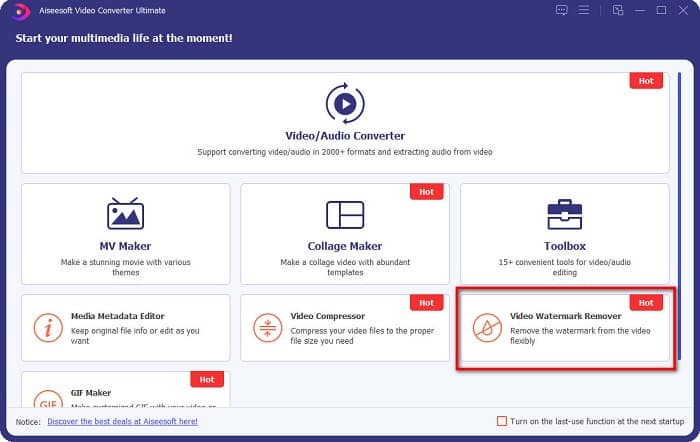
Krok 2. Poté v prvním rozhraní softwaru přejděte na Video Watermark Remover. Pokud jej na úvodním rozhraní nenajdete, klikněte na Toolbox.
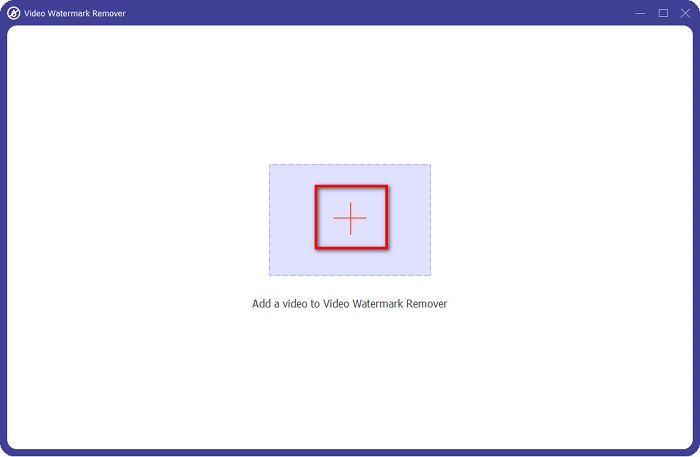
Krok 3. Na dalším rozhraní klikněte na tlačítko se znakem +, abyste nahráli coub video. Otevře se okno se soubory v počítači, kde vyberete video a kliknete na Open.
Krok 4. Dále klikněte na tlačítko Add watermark removing area, aby se zobrazila oblast pro odstranění. Potom přesuňte rámeček oblasti odstranění na vodoznak coub. Uvidíte, že vámi zvolená oblast bude rozmazaná.
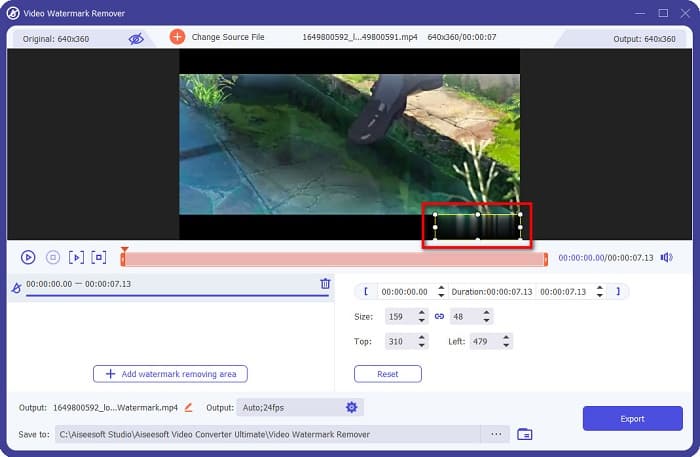
Krok 5. Nakonec klikněte na tlačítko Export, aby se vodoznak Coub odstranil; váš výstup se automaticky uloží do složek v počítači.

Jednoduché, že? Pomocí výše uvedených kroků můžete ze svého videa odstranit vodoznak coub. Klikněte sem a zjistěte, jak odstranit vodoznak TikTok.
Odstraňovač vodoznaků Hitpaw
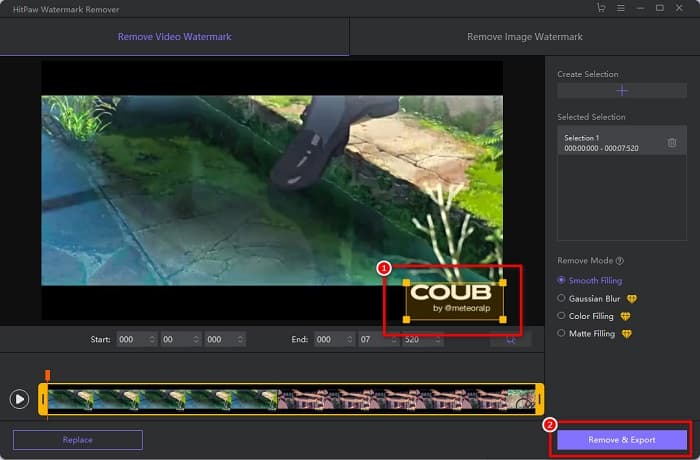
Hitpaw Watermark Remover je jeden z populárních stahovatelných nástrojů pro odstranění vodoznaku, který vám umožní snadno odstranit vodoznak coub z vašeho videa. Pokud chcete mít Coub video bez vodoznaku, můžete k jeho odstranění použít tento nástroj. Kromě toho má tento nástroj jednoduché uživatelské rozhraní, takže je uživatelsky přívětivý.
Také pro vás bude snadné odstranit vodoznak na určité části videa pohybem posuvníků. A co víc, umožňuje hladké plnění při odstraňování vodoznaku. Je také zdarma ke stažení na téměř všechna mediální zařízení.
Krok 1. Nejprve si stáhněte Hitpaw Watermark Remover, postupujte podle instalačního procesu a spusťte aplikaci.
Krok 2. Poté klikněte na tlačítko Choose File v hlavním rozhraní softwaru, abyste nahráli své coub video. Otevře se okno se soubory v počítači, kde otevřete své coub video.
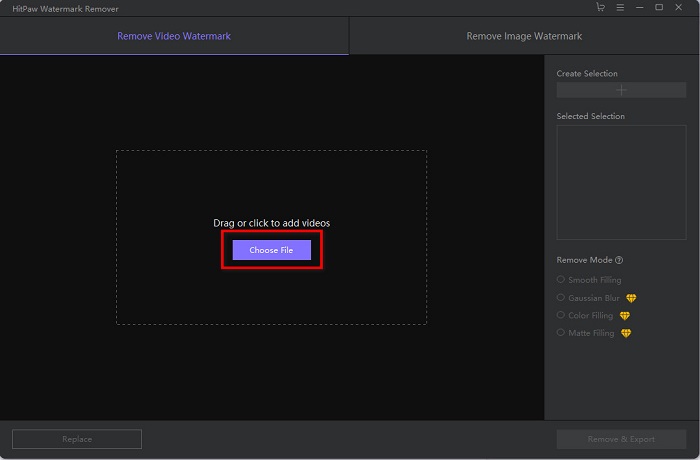
Krok 3. Přesuňte oblast odstranění na vodoznak coub a poté klikněte na tlačítko Remove & Export v pravém dolním rohu rozhraní, abyste vodoznak trvale odstranili.
Media.io
Media.io je online nástroj pro odstranění vodoznaku z videí. Tento online nástroj dokáže odstranit vodoznaky, jako jsou loga, texty a razítka. Pokud používáte nástroj na odstranění vodoznaku poprvé, nebudete mít s používáním tohoto online nástroje potíže, protože je snadný na ovládání. Kromě toho podporuje nejběžnější video formáty, jako MP4, MKV, AVI, FLV, MOV a další. Můžete si také vybrat video soubory z Dropboxu, Google Drive a YouTube. Navíc je bezpečný a zdarma. Media.io je dostupný ve všech webových prohlížečích, včetně Google, Firefox a Safari.
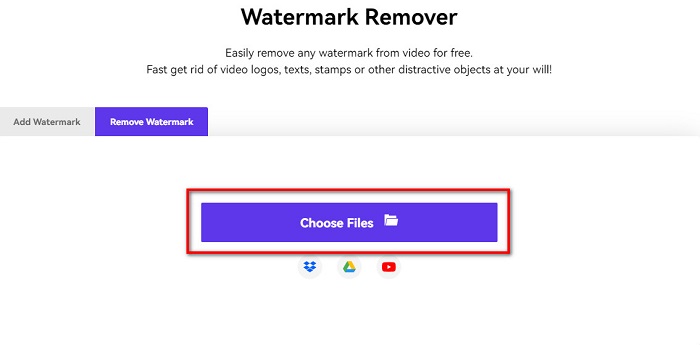
Krok 1. Ve svém prohlížeči vyhledejte Media.io a poté přejděte na jejich web. V hlavním rozhraní softwaru klikněte na tlačítko Choose Files.
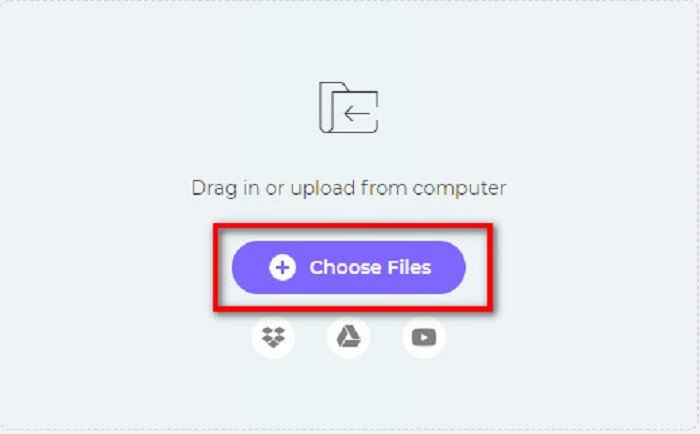
Krok 2. Zobrazí se nové rozhraní, kde kliknete na tlačítko Choose Files nebo přetáhnete své Coub video do rozhraní softwaru. Počkejte, až se vaše video nahraje, a přejděte k dalšímu kroku.
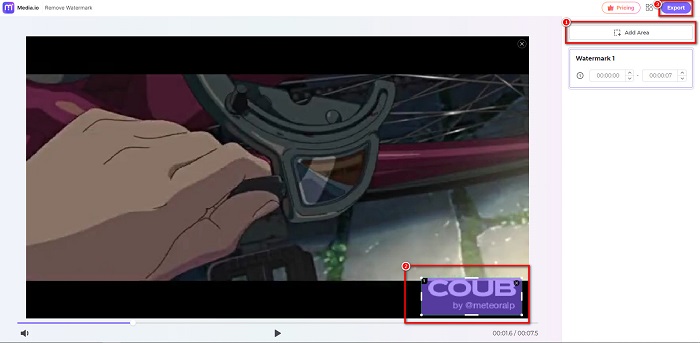
Krok 3. Poté klikněte na Add Area v levém rohu rozhraní a přesuňte oblast odstranění na vodoznak coub. Kliknutím na tlačítko Export vodoznak odstraníte a váš soubor se automaticky uloží do vašeho zařízení. Tímto způsobem můžete také odstranit vodoznak z videa.
BeeCut
BeeCut je další způsob, jak online odstranit vodoznaky Coub. Tento nástroj je velmi pohodlný, protože do svého zařízení nemusíte nic stahovat. Kromě toho je zdarma a bezpečný na používání. Zajímavé je, že tento nástroj podporuje mnoho formátů souborů, včetně MP4, AVI, MKV, FLV a dalších běžných formátů.
Navíc je to nástroj vhodný pro začátečníky, protože má snadno ovladatelné uživatelské rozhraní. Pokud je však vaše připojení k internetu pomalé, protože je závislé na internetu, můžete zaznamenat pomalý provozní proces. Chcete-li odstranit vodoznak Coub pomocí BeeCut, postupujte podle jednoduchého průvodce níže.
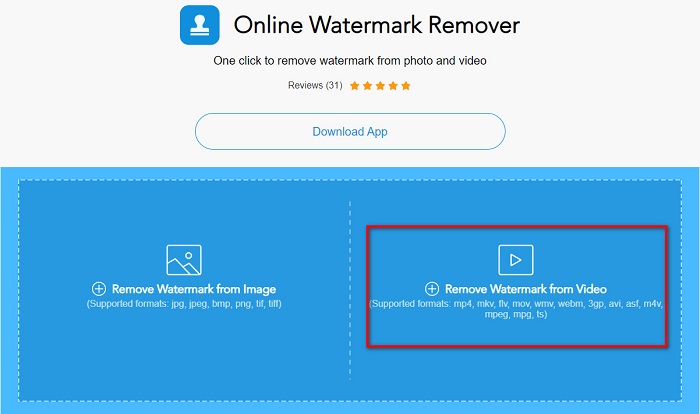
Krok 1. Vyhledejte BeeCut ve svém prohlížeči, poté v hlavním rozhraní softwaru klikněte na Remove Watermark from Video. Nahrajte své video tak, že jej otevřete ze souborů v počítači.
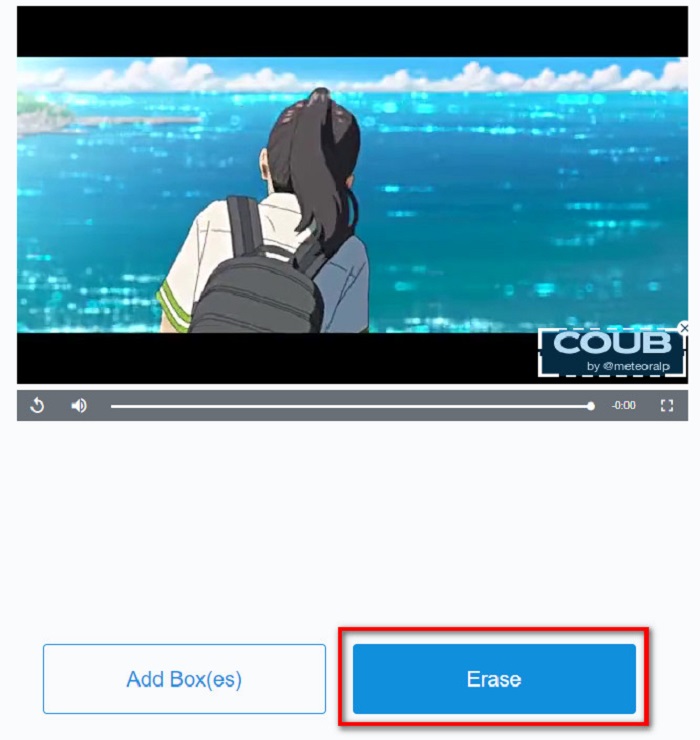
Krok 2. Na dalším rozhraní přesuňte oblast odstranění na vodoznak coub, který chcete odstranit. Pokud máte ve videu další vodoznaky, loga nebo razítka, můžete přidat další rámeček pro odstranění kliknutím na Add Box(es).
Krok 3. Nakonec klikněte na tlačítko Erase, abyste odstranili vodoznak coub ze svého videa. Výstup uvidíte ve složkách svého počítače.
Část 2. Často kladené otázky o odstranění Coub Watermark
Můžete získat coub videa bez vodoznaku?
Bohužel neexistují žádné konkrétní způsoby nebo nástroje, jak stáhnout coub video bez vodoznaku. Odstraňovače vodoznaku vám však pomohou mít coub video bez vodoznaku.
Sníží odstranění vodoznaku velikost souboru vašeho videa?
Ne. Odstranění vodoznaku z videa neovlivní velikost souboru videa.
Proč je oblast vodoznaku po odstranění rozmazaná?
Rozmazání v oblasti vodoznaku, kterou jste odstranili, protože tak nástroje odstraní vodoznak z vašich obrázků nebo videí.
Závěr
Odstranění vodoznaku Coub z videí může znít komplikovaně. Když však použijete výše uvedené nástroje, můžete snadno odstranit vodoznaky Coub ze svého videa. Pokud ale chcete používat nástroj na odstranění vodoznaku, který má rychlé zpracování a mnoho funkcí, stáhněte si FVC Video Converter Ultimate.
-
 4 nejlepší způsoby, jak odstranit vodoznak z GIF [online a offline]
 Potřebujete odstranit vodoznak z GIF? S nástrojem v tomto článku se naučíte různé styly s různým odstraňovačem vodoznaku dostupným na vaší platformě.
-
 Vynikající odstraňovač vodoznaků Photobucket online a offline
 Naučte se, jak odstranit vodoznak Photobucket z vašich fotografií pomocí tohoto úžasného odstraňovače vodoznaků Photobucket. Přečtěte si tento článek a zjistěte způsoby.
-
 Snadno odstraňte vodoznak z PDF pomocí jednoduchých kroků
 Odstraňte vodoznak z PDF pomocí následujících jednoduchých kroků. Naučte se, jak snadno odstranit vodoznaky ze souboru PDF pomocí těchto úžasných nástrojů.
