


 Video Converter Ultimate
 Screen Recorder
 Oprava videa
Editor metadat VLC a jeho nejlepší alternativy pro snadnou úpravu metadat
VLC Media Player se stal jedním z nejznámějších přehrávačů videa, který si můžete stáhnout na jakékoli zařízení, jako je Windows, Mac, Android a iOS. Díky podporovaným formátům a kodekům je přehrávání videí v něm velmi plynulé. Kromě schopnosti přehrávat více formátů má tento nástroj různé funkce a vlastnosti, které si zamilujete. Jednou z nich je úprava metadat. Pokračujte ve čtení tohoto článku, abyste se dozvěděli více o editoru metadat VLC a jeho dalších konkurenčních alternativách.

Část 1. Recenze editoru metadat VLC / Klady a zápory / Nejlepší alternativy editoru metadat VLC
Úvod do funkce úpravy metadat přehrávače VLC Media Player
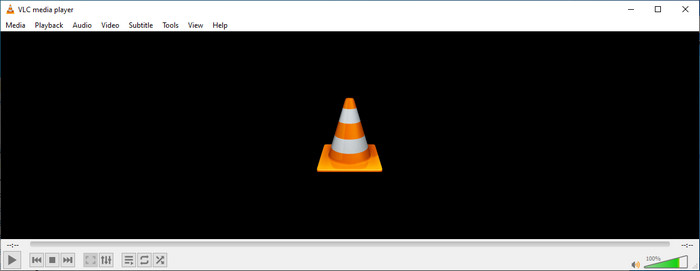
Primárním účelem editoru metadat VLC není jako editor, ale jako hráč. Tento nástroj přehraje široký formát, který náš nativní přehrávač médií nepodporuje. Namísto stahování kodeků do vašeho souboru vám tento nástroj usnadní práci tím, že přidá soubor a užijete si jeho sledování. Po jeho prvním vydání v roce 2001 jeho vývojář vylepšil celkovou funkci a vlastnosti přehrávače médií, aby mohl konkurovat jinému softwaru. I když je do nástroje přidáno mnoho funkcí a funkcí, stále to nestačí konkurovat jinému vyhrazenému editoru metadat.
Klady a zápory
Nyní, když máme představu o schopnosti editoru metadat VLC, podívejme se, zda je to ideální editor značek, který byste měli používat. Pokud se chcete dozvědět více o editoru metadat VLC pro Android, iOS, Windows a macOS, je nejlepší pokračovat ve čtení jeho výhod a nevýhod.
Klady
- Jedná se o freeware, což znamená, že pro jeho stažení nebudete muset tento nástroj kupovat.
- Podporuje široký formát pro snadnou úpravu vašich metadat.
- Může optimalizovat přehrávání pro video a zvuk vašeho vybraného zařízení.
- Rozšiřitelné pomocí zásuvných modulů, pokud můžete.
Nevýhody
- Editor metadat videa VLC není nejlepší pro úpravu metadat vašeho souboru.
- Nástroj není určen pro úpravy, takže jej nelze považovat za profesionální editor videa.
- Při používání softwaru často dochází k pádům a zamrzání.
- Špatná aktualizace jeho GUI.
I když to není nejlepší volba pro úpravu metadat, stále věříme, že je to nejlepší přehrávač médií, který si můžete zdarma stáhnout a který překonává ostatní vestavěné přehrávače médií ve vašem zařízení. Následující podrobnosti vám pomohou určit nejlepší alternativy pro úpravu značek než VLC.
Část 2. 3 Konkurenční a nejlepší alternativy pro editor metadat VLC
Video Converter Ultimate
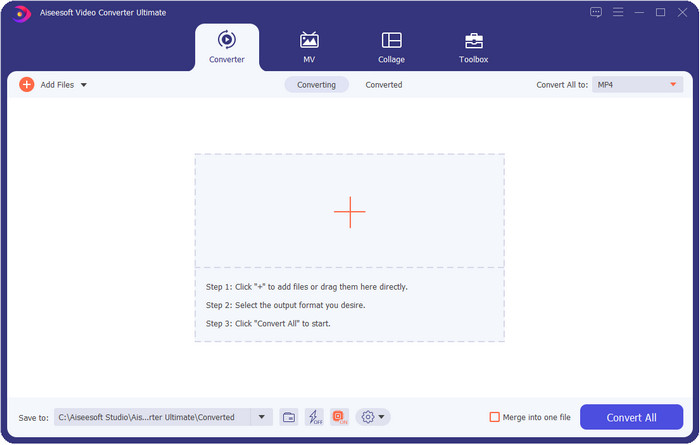
Video Converter Ultimate je v úpravě tagů nejkonkurenceschopnější a nabízí více než editor metadat VLC. S tímto nástrojem můžete snadno upravovat všechny tagy u souborů MP4, MOV, M4V, AVI, WMV a dalších více než 1000 podporovaných formátů. Přidávání tagů pro většinu z nás nikdy nebylo jednoduché, ale pokud použijete tento nástroj, můžete do souboru jako součást metadat přidat názvy, jména interpretů, alba, komentáře, další informace a dokonce i obrázky. Přestože ve VLC můžete provádět základní úpravy tagů, není to dostačující, a pokud chcete dělat víc, musíte zvolit tento ultimátní nástroj. Abychom vám pomohli bez námahy přidat potřebné tagy, které VLC ani jiný editor metadat na trhu neumí poskytnout. Pokud chcete vědět, co všechno získáte po stažení tohoto ultimátního nástroje, níže uvádíme některé funkce, které můžete využít.

Video Converter Ultimate
5 689 200+ stažení- Může upravovat tagy vašich mediálních souborů, jako jsou MP4, AVI, FLV, RMVB a další.
- Má ultra rychlý proces konverze a hardwarovou akceleraci.
- Další pokročilé vlastnosti a funkce jsou na Toolbox.
- Podporuje dávkovou konverzi, aby byl úkol dokončen současně
- K dispozici ke stažení pro Windows i macOS.
Zdarma ke staženíPro Windows 7 nebo novějšíBezpečné stažení
Zdarma ke staženíPro MacOS 10.7 nebo novějšíBezpečné stažení
MetaZ
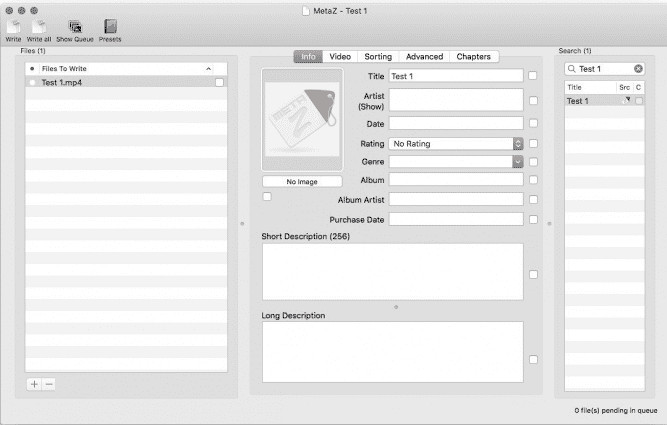
Pokud chcete mít bezplatný editor video metadat VLC na Macu, pak je MetaZ nástroj, který musíte použít. Tento nástroj je specializovaný meta-tagger, který si můžete stáhnout na Mac, a jeho hlavním účelem je přidávat nebo upravovat tagy u mediálních souborů. Také pokud jej chcete používat, můžete automaticky vyhledávat tagy a přidávat je, pokud máte připojení k internetu. S tímto nástrojem můžete také přenášet tagy pomocí funkce exportu archivu, kterou najdete pouze v MetaZ. Ačkoli nástroj vypadá slibně, problémem je jeho kompatibilita s jinými operačními systémy, například s Windows. Navíc podporuje jen omezené množství formátů, takže než jej začnete používat, musíte počítat s omezeními při přidávání souborů. Kromě toho není s používáním tohoto nástroje žádný zásadní problém.
Skener značek
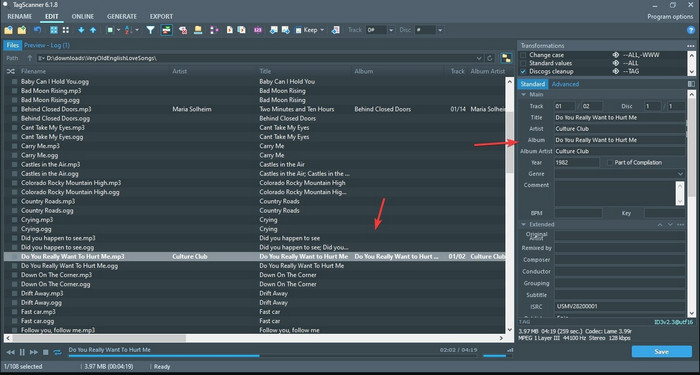
Tag Scanner je lepší verzí MKV editoru metadat ve VLC. Tento nástroj dokáže snadno upravovat a organizovat tagy mediálních souborů. Při používání nástroje si všimnete, že má detailnější grafické rozhraní než VLC, pokud jde o úpravu tagů, což znamená, že do údajů o souboru můžete přidat více podrobností. Stejně jako MetaZ dokáže tento nástroj vyhledávat potřebné tagy pro váš soubor v různých databázích. Kvůli robustnímu rozhraní je jeho používání poněkud odlišné od běžných editorů metadat, takže budete potřebovat čas, abyste si na něj zvykli. Přesto je zřejmé, že tento nástroj je mnohem lepší než VLC i další konkurenti, ale není tak uživatelsky přívětivý jako jiné nástroje na trhu.
Část 3. Časté dotazy o editoru metadat VLC
Kde si mohu stáhnout VLC?
Oficiální VLC si můžete stáhnout na videolan.org. Ujistěte se, že jste si jej stáhli na oficiálních webových stránkách, abyste se vyhnuli okolnostem, jako jsou viry na ploše.
Mohu upravit video pomocí VLC?
Ano, ve VLC můžete provádět úpravy. Není to však profesionální editor, který byste potřebovali pro složitější střih videa. Pokud jste začínající vlogger nebo tvůrce obsahu a hledáte nejlepší video editor pro Windows, klikněte na tento odkaz, ale pokud používáte Mac, klikněte na tento odkaz a zjistěte, jaký je nejlepší video editor pro Mac.
Jak opravit zpoždění zvuku na VLC?
Klikněte na tento odkaz a podívejte se na nejlepší řešení, jak opravit zpoždění zvuku ve VLC s podrobným postupem.
Závěr
VLC je fantastický nástroj, který můžete mít zdarma. S tímto nástrojem můžete přehrávat jakýkoli typ videa a audia nebo dokonce upravovat jejich tagy. Pokud však jde o úpravu tagů ve VLC, můžeme říci, že není tak dobrý jako ostatní specializované editory tagů dostupné na trhu, i když tuto funkci zvládne. Pokud je vaším úkolem úprava nebo oprava tagů mediálních souborů, VLC je volba, ale ne ta nejlepší. Co tedy dělat? Vypsali jsme nejlepší alternativy, které můžete použít k úpravě tagů lépe než ve VLC, a jednou z nich je Video Converter Ultimate. Na rozdíl od ostatních alternativ a editoru metadat VLC nabízí tento nástroj mnoho pokročilých funkcí, takže si jej stáhněte a získejte vše v jednom.
-
 Jak velmi chytrým způsobem upravovat a opravovat metadata MP4
 Chcete vědět, jak opravit metadata MP4? V takovém případě si přečtěte celý obsah tohoto článku, abyste poznali triky, jak snadno opravit tagy MP4.
-
 4 nejlepší způsoby, jak opravit a upravit metadata MP3 ve Windows a Mac
 Chcete poznat tajemství snadné úpravy metadat MP3? Tento blog vás naučí různé techniky s různými nástroji, ke kterým máte snadný přístup.
-
 2 nejlepší způsoby úpravy metadat OGG, které byste měli vyzkoušet zdarma
 Potřebujete upravit metadata OGG? Úpravu značek snadno zvládnete pomocí správného softwaru. Pokud ho nemáte, přečtěte si tento článek.
