


 Video Converter Ultimate
 Skærmoptager
 Video reparation
Udtømmende gennemgang af lydoptagelsessoftware til at optage lyd effektivt
Uanset om du er ekspert eller amatør, skal du have et lydoptagelsesprogram for at kunne bearbejde og finpudse lyden til et bestemt formål. Derudover kan det være udfordrende at vælge den rette lydoptager til din enhed, fordi der findes så mange muligheder på markedet. I stedet for at afprøve flere forskellige lydoptagelsesprogrammer præsenterer vi her fire optagere, som vi har vurderet som velegnede til dine behov, så du undgår at downloade eller tilgå skadelig software. Listen over lydoptagere nedenfor er nøje udvalgt for kun at give dig de bedste – og frasortere de dårligt ydende lydoptagere.

Del 1. 4 Bedste lydoptagelsessoftware på Windows og macOS
1. FVC -skærmoptager
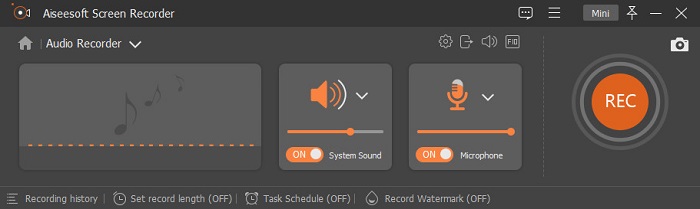
Skal du optage lyd fra computeren, men ved ikke, hvad du skal bruge? I så fald præsenterer vi markedets bedste og mest populære optager, FVC Screen Recorder. Den har en fremragende brugerflade, som gør det let for brugerne at interagere med softwaren uden at skulle gøre noget kompliceret. Derudover har mange brugere problemer med baggrundsstøj, så med hjælp fra den nye, ekstra støjreduktion kan du optage uden at blive generet af små baggrundslyde. Desuden har den flere funktioner, der hjælper dig med at optage effektivt. Vil du vide, hvad de er? Så lad os gennemgå nøglefunktionerne i FVC Screen Recorder.

Skærmoptager
4.988.518+ downloads- Den optager lyde med ultrahøj lydkvalitet.
- Optag lyd 24/7, så længe du har nok lagerplads på dit computerdrev.
- Du kan optage systemlyd med en mikrofon på samme tid.
- Mikrofonforbedring er tilgængelig for en meget bedre oplevelse af at optage din stemme.
- Du kan tjekke mikrofonlyden, hvis du har brug for det.
Gratis downloadTil Windows 7 eller nyereSikker download
Gratis downloadTil macOS 10.7 eller nyereSikker download
Fordele
- Programmet lader brugerne opleve en høj spændende at optage lyd på Mac eller Windows.
- Grundlæggende redigeringsfunktioner er tilgængelige, såsom at klippe eller trimme lyden.
- Den har en indbygget optagelseshistorik for nemt at finde den optagede lyd.
Ulemper
- Det understøtter ikke tilføjelse af effekter på lyd under optagelse.
- Køb før du bruger.
2. Frækhed
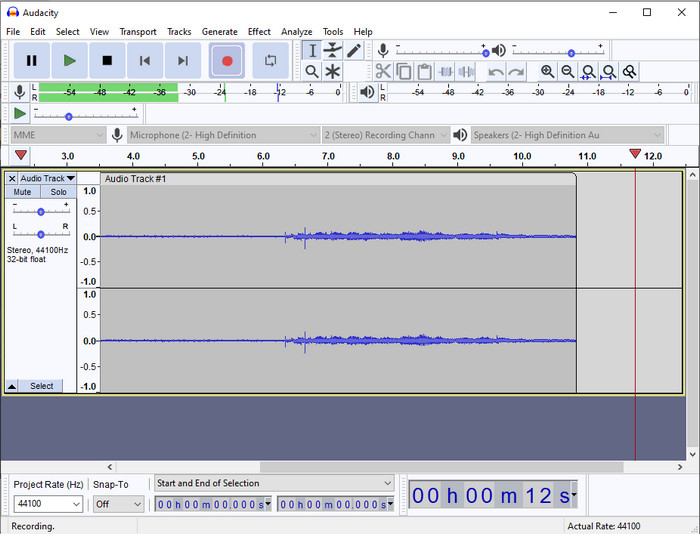
Hvis du har brug for et professionelt værktøj til at håndtere din lydoptagelse, er Audacity en god hjælp. Denne professionelle lydoptager har allerede hjulpet millioner af podcastere på deres rejse med at optage lyd. Har du brug for en avanceret optager gratis, er dette program et af dem. Selvom det har nogle professionelle optagefunktioner, er det stadig svært at blive fortrolig med værktøjet på grund af den svage brugerflade. Selv om det understøtter professionel optagelse, er der stadig funktioner, der trænger til forbedring, som f.eks. støjreduktion. Ikke desto mindre optager Audacity computerlyd på en professionel måde, som langt fra alle optagere kan tilbyde.
Fordele
- Gratis at downloade på alle desktop-platforme.
- Det tilbyder ekspertredigeringsfunktioner til den professionelle.
- Den har nogle avancerede funktioner, du skal bruge for at oprette en podcast.
Ulemper
- GUI af softwaren er forældet.
- En opgradering skal til nogle af dens funktioner.
- Ikke det bedste valg for amatører og dem, der ikke ved, hvordan man optager.
3. QuickTime Player
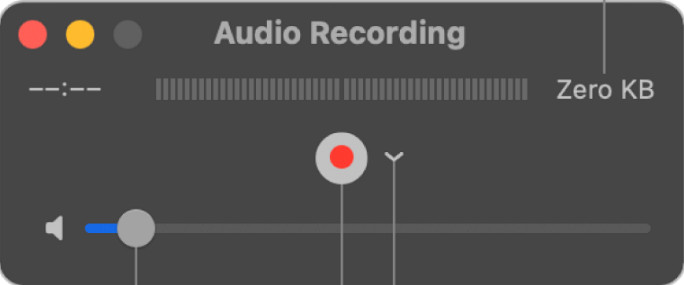
QuickTime Player kan også bruges som lydoptager på Mac, hvis du har behov for det. Selvom afspilleren ikke er særlig velegnet og effektiv til optagelse, vil du kunne opleve forsinkelser og lavere kvalitet på lydoutputtet. Har du derimod brug for en hurtig lydoptagelse på din Mac, er dette et valg, for du behøver ikke downloade noget, og den er uden tvivl sikker at bruge. Men hvis du er professionel og leder efter det bedste lydoptagelsesprogram, er dette ikke det perfekte værktøj.
Fordele
- Den er allerede tilgængelig på alle macOS.
- Gratis, sikker og nem at bruge.
Ulemper
- Den er ikke så effektiv som den anden lydoptager på denne liste.
- Den endelige outputkvalitet af lyden er lav.
- Ikke det bedste valg til professionel optagelse og redigering.
Relateret:
Sådan optager du skærm med lyd på Mac med QuickTime
Sådan konverterer du QuickTime til MP4
4. Oceanaudio
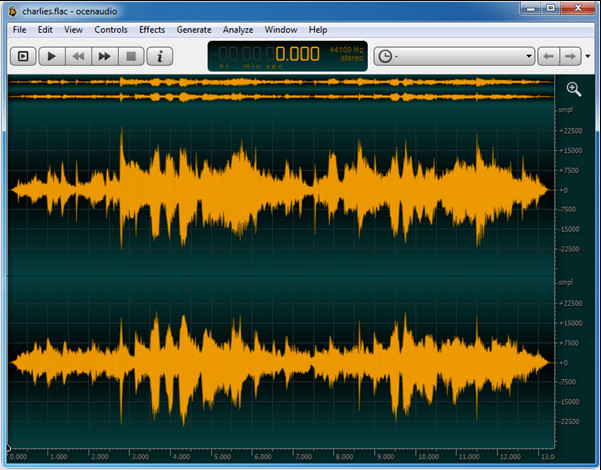
Hvis du har brug for en alsidig optager til at optage lyd på Windows 10 eller nyere, kan Oceanaudio hjælpe dig. Dette værktøj har en næsten identisk brugerflade med Audacity, men det er lettere at forstå GUI’en i dette program. For at uddybe giver denne optager kompleksitet og funktioner, du får brug for til lydoptagelse. Selvom det er en smule svært at bruge, og du kan få behov for at se en vejledning i, hvordan man bruger det, er det stadig umagen værd i sidste ende. Så hvis du har brug for en editor med en bedre brugerflade end Audacity, bør dette være dit valg.
Fordele
- Den bruger avanceret teknologi til optagelse.
- Det er et ekspertvalg at lave lydoptagelser.
- Du kan lytte til din stemme, mens du optager.
Ulemper
- Det er ikke brugervenligt.
- Begyndere kan blive forvirrede, mens de bruger dette værktøj.
Del 2. Sammenligningsskema om Audio Recorder Software
| Funktioner | FVC -skærmoptager | Frækhed | QuickTime Player | Oceanaudio |
| Optag systemlyd og mikrofon |  | | | |
| Rediger optagelsen | | |  | |
| Hardware Acceleration | | | | |
| Forhør i realtid | | | | |
| Gem den originale kvalitet | | | | |
| Bedste brugergrænseflade | | | | |
Del 3. Ofte stillede spørgsmål om Audio Recorder Software
Er Cinch Audio Recorder den bedste lydoptager?
Vi har for nylig lavet en anmeldelse af Cinch Audio Recorder. Hvis du vil vide mere om denne lydoptager, skal du klikke på dette link og få mere detaljeret information om programmet.
Hvad er egenskaberne ved en god lydoptager?
Du skal kende grundlæggende standarder, før du vælger en god lydoptager. For det første skal det være i stand til at fange lyden på din mikrofon med lethed. For det andet er det sikkert og malware-frit. For det tredje, hvis du bliver nødt til at købe værktøjet, skal selve værktøjet give brugerne fremragende kvalitet. For det fjerde betyder effektivitetsrate, at værktøjet skal være meget effektivt i en optagelse. For det femte skal grundlæggende eller avancerede funktioner være tilgængelige for at hjælpe brugerne med at optage. Før du vælger en lydoptager til at hjælpe dig, kan du stole på disse standarder.
Hvordan optager man lyd på Windows 10?
Før du optager på Windows 10, skal du vælge den bedste optager, f.eks. FVC Video Recorder, ved at downloade den til din computer, installere værktøjet og starte det. Vælg derefter funktionen Audio Recorder, og klik på den. Nu kan du nemt tilføje systemlyd til din optagelse eller mikrofon ved at slå dem til på den flydende værktøjslinje. Når du er klar til at optage, klikker du på den runde røde knap for at starte. Hvis du vil afslutte optagelsen, klikker du på den firkantede knap for at stoppe; derefter vises en ny grænseflade med en liste over de lydoptagelser, du har lavet.
Konklusion
Nu kender vi de lydoptagelsesprogrammer, der er tilgængelige på din computer. Alle de værktøjer, vi har præsenteret her, vil hjælpe dig med dine optagelser. Men hvis du leder efter en optager, der overgår de andre, bør FVC Screen Recorder være noget for dig. Tvivler du stadig på denne lydoptager? I så fald er det eneste, du kan gøre, at downloade den og selv teste, om den fungerer, sådan som vi beskriver i denne artikel.
-
 Top 4 gratis AIFF -lydoptagere, der producerer lyd i høj kvalitet
 Denne artikel taler om AIFF og nogle af de mest populære værktøjer, du kan bruge til at producere AIFF-format af høj kvalitet.
-
 3 af de bedste teknikker til, hvordan man optager lyd på iPhone
 Har du problemer, fordi du ikke kan lave lydoptagelse korrekt på iPhone? Så læs denne artikel for at vide, hvordan du optager lyd på iPhone, og hvad er de tilgængelige værktøjer.
-
 7 af den storslåede stemmeoptager tilgængelig på alle platforme
 Vil du lære at lave lydoptagelse? Så gå til denne artikel, mens vi taler om den bedste lydoptager, der kan passe ind i dine behov.
