


 Video Converter Ultimate
 Skærmoptager
 Video reparation
 Sikker download
Fuld guide til konvertering af et billede til sort-hvid
Fremkomsten af farvebilleder ser ud til at have gjort sort-hvid overflødig. Men er det virkelig tilfældet? Sort-hvide nuancer er tilsyneladende ikke forsvundet helt ud af vores liv. Når folk ser sort-hvide fotos, har de en tendens til at fokusere mere på de mest grundlæggende linjer i mennesker og på objekternes tekstur. Kunstnere bruger ofte sort-hvid for at fremhæve en vintageeffekt i historiske dokumentarer. Nogle designere vælger også at konvertere et billede til sort-hvid, før de tilføjer en anden, klar farve for at fremhæve en bestemt del af billedet. Hvis du også vil have dine fotos til at se tidsrejste eller mere dramatiske ud, kan du prøve de metoder, vi anbefaler i denne artikel, til at gøre billeder sort-hvide. Vi giver både desktop- og onlinemuligheder, så brugere på forskellige platforme kan prøve dem.

Del 1. Sådan laver du et billede i sort-hvid i Photoshop
Når vi skal foretage ændringer i et billede, er det første værktøj, der falder os ind, Adobe Photoshop, et program, der er blevet så populært, at det er blevet standarden i fotobranchen. Dette program er blevet standarden i den grafiske branche, og det kan hjælpe os med at få vores billeder til at se ud som alt, inklusive sort-hvid, selvfølgelig. Det er ligegyldigt, hvilket system du har på din computer. Du kan installere Photoshop på din computer og begynde at bruge det. Udover at ændre farvetonerne kan vi bruge det til at tilføje flere effekter til billedet, såsom beskæring, markering, forbedring af kvaliteten, fjernelse af urenheder osv.
Her vil vi vise, hvordan man konverterer et billede til sort-hvid i Photoshop. Følg trinene nedenfor.
Trin 1. Hent Adobe Photoshop på din computer. Bemærk venligst, at hvis du er ny bruger, kan du først nyde en 7-dages gratis prøveperiode. Photoshop er dog et betalingsprogram, og du skal opgradere din konto, hvis du vil fortsætte med at låse op for tjenesten.
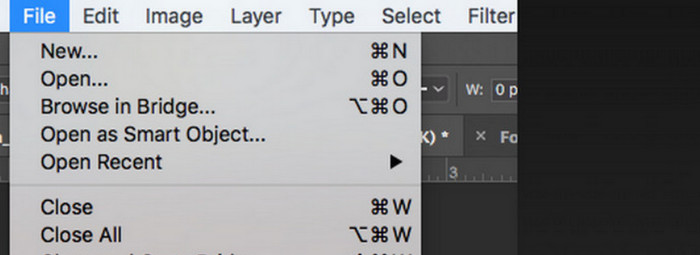
Trin 2. Når du har startet programmet, klik på File > Open, og vælg det farvebillede, du vil konvertere.
Trin 3. Når billedet er indlæst, gå til Window, og klik på Adjustments. Her finder du et black-and-white-ikon. Klik på det.
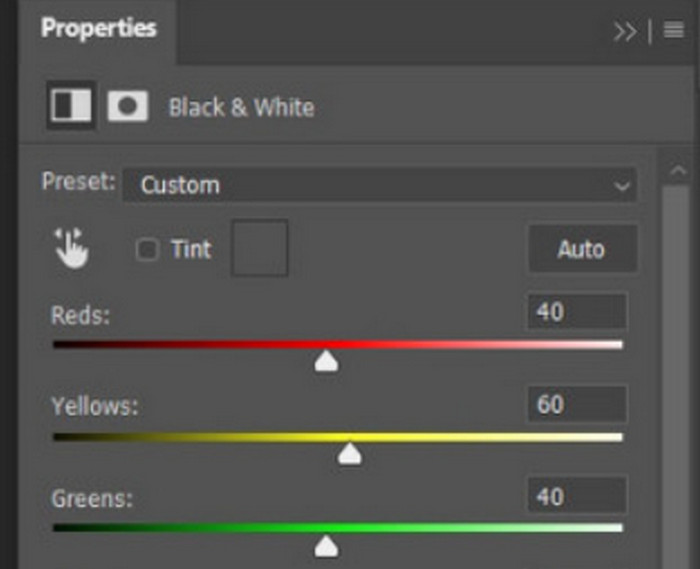
Trin 4. Panelet Properties åbnes. Vælg Color Slider, og flyt derefter skyderen for at justere gråtonerne i dit billede. Tag dig god tid til at indstille det, indtil du er tilfreds med billedets sort-hvide udseende.
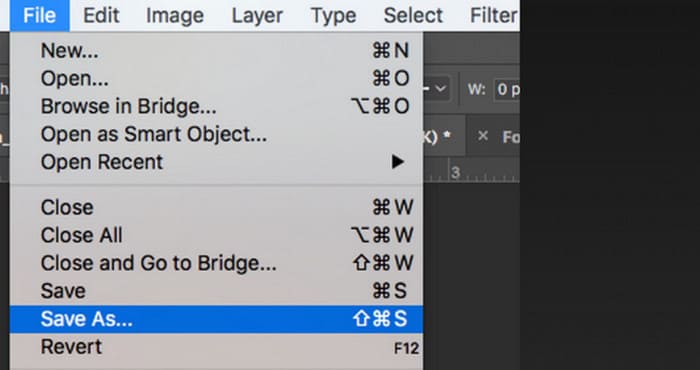
Trin 5. Klik derefter på File øverst til venstre, og vælg Save As i rullemenuen. Vælg derefter en lagringsplacering til dine konverterede billeder.
Efter at have gennemført ovenstående trin, har vi med succes gjort billedet sort-hvidt. Brugere kan dog undervejs opleve, at Photoshops brugerflade er meget kompliceret, og at nogle knapper er svære at finde. Trods den fulde funktionalitet kan nybegyndere næsten ikke bruge Photoshop; det tager ofte lang tid at lære og øve sig for at blive fortrolig med, hvordan softwaren fungerer. Hvis du ikke vil gå rundt og rundt, men vil gå direkte til sagen og begynde at gøre billedet sort-hvidt med det samme, så læs videre for at finde en mere ligetil løsning.
Del 2. Konverter billede til sort-hvid online
Nogle onlineværktøjer er helt sikkert en bedre løsning til at konvertere et farvebillede til sort-hvid end det noget besværlige Adobe Photoshop. De kræver ikke installations- og downloadtrin og kan bruges direkte i browseren. Her anbefaler vi at prøve Pixelied Photo Editor, som kan justere farvetonerne til sort-hvid og i øjeblikket understøtter upload af billeder i formater som JPG, PNG, SVG osv. Denne onlineassistent har også nogle gode sektioner til billedbeskæring og redigering, der kan hjælpe os med at gøre vores arbejde smukkere.
Sådan laver du et sort-hvidt foto med Pixelied Photo Editor.
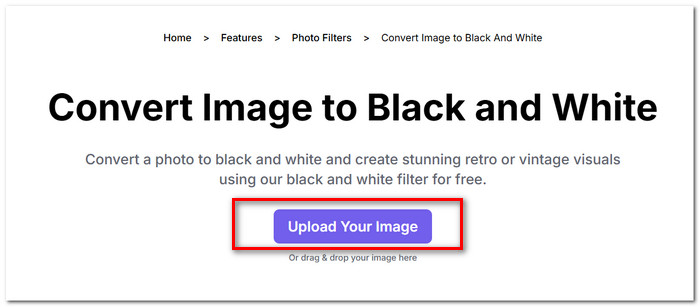
Trin 1. Gå til Pixelied Image to Black and White Converter’s hjemmeside. Klik på Upload Your Image, og tilføj den fil, du vil konvertere.
Trin 2. Når det uploadede billede er indlæst, gå til Edit Image > Filters. Find filteret Black and White, og anvend det på dit billede.
Trin 3. Når konverteringen er færdig, klik på Download for at gemme billedet på din computer.
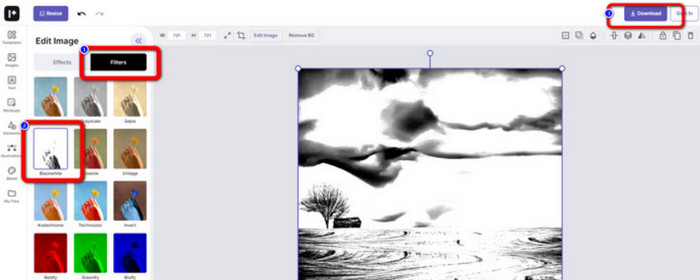
At konvertere et billede til sort-hvid med Pixelied sker med det samme, og platformens grænseflade er langt mere overskuelig end Adobe Photoshops. Men for at kunne anvende det sort-hvide filter ordentligt, skal brugerne betale for at opgradere deres konto. Gratisversionen af denne photo color enhancer giver kun 2 GB lagerplads. Det er disse punkter, vi skal være opmærksomme på, når vi bruger den.
Del 3. Bonustip - Gør et sort-hvidt billede farverigt igen
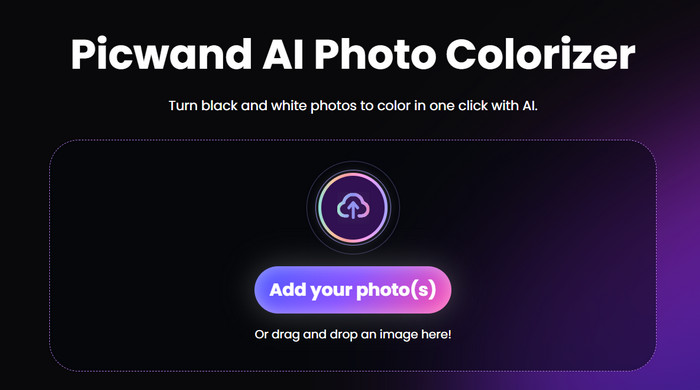
Picwand-billedfarvelægger
Nu ved vi præcis, hvordan man gør et billede sort-hvidt. Så omvendt: findes der et værktøj, der kan rette et foto, som oprindeligt var sort-hvidt, og bringe farven tilbage til personerne på billedet? Det leder os til en online-fotoredigeringsløsning, nemlig Picwand Image Colorizer. Med den nyeste AI-teknologi i ryggen kan den ved hjælp af avancerede algoritmer farvelægge gamle fotos. Vi behøver ikke at udføre mange fine og komplicerede handlinger; med blot ét klik kan Picwand Image Colorizer gøre sort-hvide billeder farverige igen.
Del 4. Ofte stillede spørgsmål om konvertering af et billede til sort-hvid
Kan et billede konverteres direkte fra farve til sort-hvid?
Ja. Vi kan bruge nogle smarte værktøjer, der ikke kræver manuelle farvejusteringer. Disse værktøjer vil lægge et sort-hvidt filter oven på det originale billede.
Hvilke billeder bliver bedst sort-hvid?
Et billede med klare linjer, former og rammer fungerer bedst, når det konverteres til sort-hvid. Et sort-hvidt filter gør det muligt at ignorere urenheder i billedet og kun koncentrere sig om de mest originale linjer.
Hvad er det bedste format til sort-hvide fotos?
Det bedste valg er naturligvis JPG, som er det mest fleksible og balancerer billedstørrelse og kvalitet, så filen ikke bliver for stor uden at miste for meget billedkvalitet. Hvis dit billede har et andet format, kan du også bruge et værktøj til at konvertere det til en JPG-fil, før du redigerer og behandler det.
Konklusion
I denne artikel gennemgår vi to måder at gøre billeder sort-hvide på, nemlig ved at bruge det mest klassiske fotoredigeringsprogram, Photoshop, og ved at prøve en online editor. Adobe Photoshop udfører opgaven mest raffineret, men abonnementet er dyrt og programmet kompliceret at bruge. Uerfarne brugere kan vælge Pixelied, som har en mere begyndervenlig grænseflade.
-
 Sådan ændres farve i Photoshop | 2025 omfattende guide
 Vil du tage din kreativitet til det næste niveau ved at lære at ændre baggrundsfarve i Photoshop? Denne artikel har alt, hvad du behøver at vide. Læs det nu!
-
 Sådan fjerner du baggrund fra billede ved hjælp af GIMP
 Kom godt i gang med GIMP og trin-for-trin-processen med at fjerne baggrunde fra billeder. Opdag effektive måder at skabe gennemsigtige billeder ved hjælp af GIMP i dag!
-
 Sådan fjerner du baggrund fra billede: Problemfri værktøjer
 Oplev seks værktøjer til at fjerne baggrunden fra ethvert billede uden besvær. Sig farvel til kompliceret redigering og slet billedbaggrunde med lethed i dag!
