


 Video Converter Ultimate
 Skærmoptager
 Video reparation
 Sikker download
Få de ultimative procedurer for, hvordan man konverterer NEF til JPG
Når vi tager billeder, ønsker vi altid at bevare livets mindeværdige øjeblikke i billeder af den bedst mulige kvalitet. Det er grunden til, at folk køber fremragende kameraer, der giver gode resultater. Du kan dog opnå den bedste billedkvalitet ved at gemme råbilledet. Men det kan give mange problemer. NEF står for Nikon Electronic Format. Nikon, en af de mest populære kamerafabrikanter, bruger rå billedformater. Der er tidspunkter, hvor du ikke kan se filerne på en computer. Det kræver et professionelt program, som ofte er dyrt og svært at arbejde med. I denne situation er den bedste løsning at konvertere NEF‑filerne til et universelt billedformat som JPG. Fleksibiliteten ved dette format gør det muligt for dig at se fotos på næsten enhver enhed. Og samtidig kan det spare plads på din lagerenhed. Hvis du vil konvertere dine filer til en JPG‑fil, så læs denne vejledning og lær de bedste NEF til JPG-konvertere, du kan bruge.

Del 1. NEF vs. JPG
| Filformat | NEF | JPG / JPEG |
| Filnavnsudvidelse | .nef | .jpg / .jpeg |
| Fulde navn | Nikon elektronisk format | Joint Photographic Expert Group |
| Udviklet af | Nikon | Joint Photographic Expert Group |
| Beskrivelse | Nikon Raw Image-filer er kendt som NEF filer. Ligesom andre RAW-billedfiler gemmer NEF-filer al information, som kameraet har optaget før behandling. Det inkluderer metadata som kamera- og linsemodeller. NEF-fotos tilbyder utrolig høj billedkvalitet. | Den Joint Photographic Experts Group oprettede JPG format i slutningen af 1980. Det omfatter også lagring af billeder på digitale kameraer og andre reproduktionsværktøjer. Den tabsgivende komprimeringsmetode JPEG-filer bruger til op til 24-bit farve og mere billedlagring. |
| Kompression | Tabt | Tabt |
| Tilknyttede programmer/browsere | Adobe Lightroom IrfanView Graphic Viewer Adobe Photoshop ViewNX 2 Pics.io | IrfanView Graphic Viewer Fotos Program Paint Adobe Photoshop Google Chrome Internet Explorer Microsoft Edge Mozilla Firefox |
Del 2. Sådan konverteres NEF til JPG på nettet
Sådan konverteres NEF til JPG på Safeimageconverter
Brug Safeimageconverter til hurtigt at konvertere online fra JPF til NEF‑billedformat. Med dette enkle onlineredskab kan du nemt ændre filformatet. Billedkonverteren er gratis, online og kræver ingen installation, så du kan bruge den så ofte, du vil, uden at bruge penge. Du skal blot uploade den originale fil til dette værktøj for at få en konverteret billedfil i NEF‑format. Værktøjet er også meget hjælpsomt og lader os spare vigtig tid. Vi kan hurtigt og nemt konvertere fra jpg til NEF‑format. Du kan konvertere filerne direkte i browseren. Når du konverterer billedfilerne, vises der dog mange forstyrrende reklamer på skærmen. Der er også nogle tilfælde, hvor onlineværktøjet viser fejl efter konverteringsprocessen. En internetforbindelse anbefales også, når du bruger dette onlineværktøj.
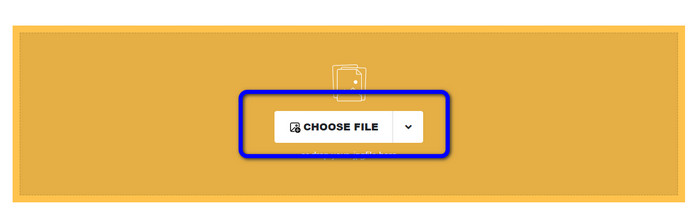
Trin 1. Gå til Safeimageconverters webside. Klik derefter på knappen Choose File for at uploade den NEF‑fil, du vil konvertere.
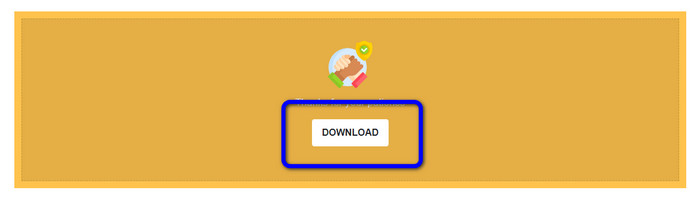
Trin 2. Efter upload vil billedkonverteren automatisk konvertere billedfilen. Når konverteringen er færdig, skal du klikke på knappen Download. På den måde kan du gemme det konverterede billede på din computer.
Del 3. Praktisk metode til at konvertere NEF til JPG på Mac og Windows
Hvis du foretrækker at bruge Windows eller Mac til at konvertere NEF til JPG, kan du bruge Photoshop. Adobe Photoshop er ikke kun god til at redigere billeder. Det er også pålideligt, når det gælder konvertering af forskellige filer, herunder NEF. Derudover kan du batch‑konvertere NEF til JPG i Photoshop. Det har også en hurtig konverteringsproces, hvilket gør det ideelt for alle brugere. Desuden kan offlineprogrammet bevare kvaliteten af dine billeder. På den måde vil billedet stadig have en tilfredsstillende kvalitet, efter at du har konverteret filerne. Adobe Photoshop er dog ikke 100% gratis. Du skal købe et abonnement for at kunne bruge programmet. Det tilbyder kun en gratis prøveversion i 7 dage. Derudover er installationsprocessen ret kompliceret.
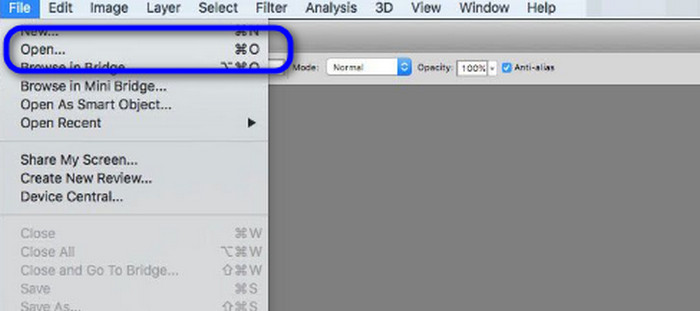
Trin 1. Download Adobe Photoshop på din computer. Når du har installeret programmet, skal du starte det for at se grænsefladen. Gå derefter til menuen File og vælg Open for at indsætte NEF‑billedfilen.
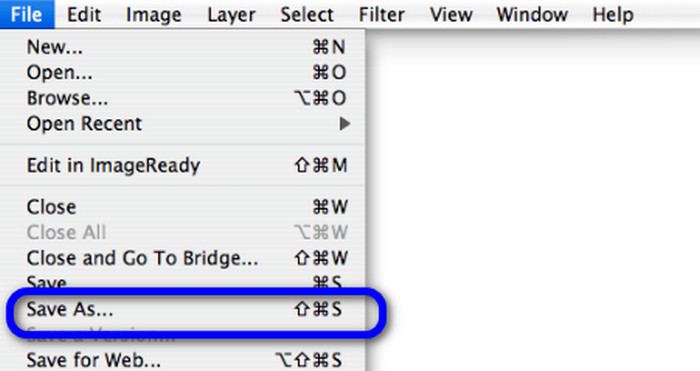
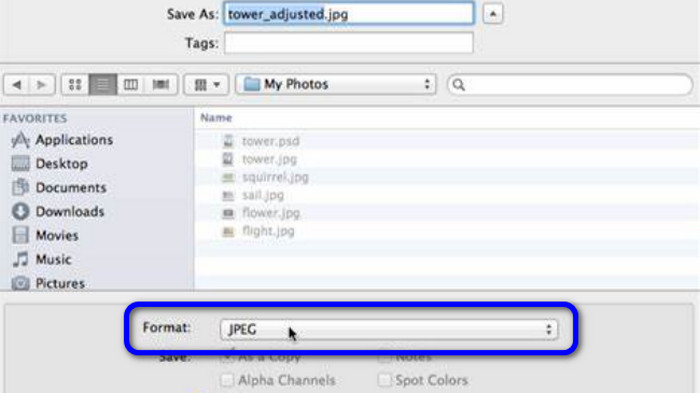
Trin 2. Når du har indsat NEF‑billedet i grænsefladen, skal du gå til menuen File igen og vælge indstillingen Save as.
Trin 3. Vælg derefter JPG i formatindstillingen og klik på Save.
Del 4. Anbefalet billedkonverter
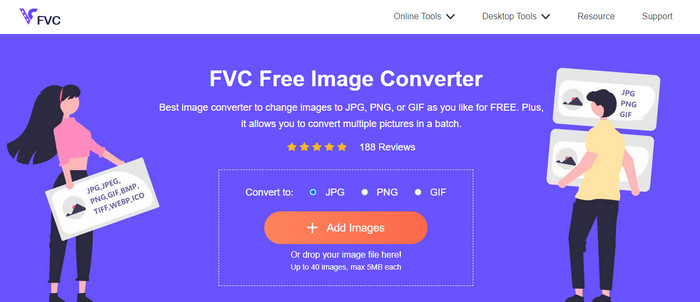
I dette afsnit, hvis du leder efter en anden billedkonverter til at konvertere andre billedformater online, giver FVC Free Image Converter dig den bedste løsning. Denne online billedkonverter kan nemt konvertere forskellige formater. FVC Free Image Converter understøtter JPG, PNG, GIF, BMP, TIFF og mere. Du kan også få adgang til billedkonverteren i forskellige browsere, såsom Google, Explorer, Edge, Firefox og flere. Derudover kan du fuldføre konverteringsprocessen på blot få sekunder, hvilket gør den praktisk for alle brugere. Du kan også uploade flere billeder i dette onlineværktøj. Med dets batchkonverteringsfunktion kan du uploade op til 40 billeder på én gang. Når du downloader de konverterede billeder, kan du desuden downloade dem med ét enkelt klik.
Del 5. Ofte stillede spørgsmål om konvertering af NEF til JPG
1. Er det muligt at konvertere JPG til NEF?
Desværre kan du ikke konvertere en JPG-fil til NEF. Dette skyldes, at NEF er et faktisk skud taget på et Nikon-kamera. NEF-formatet bruges, når en fotograf bruger et Nikon-kamera og uploader digitale filer.
2. Hvordan åbner man en NEF fil?
Du kan nemt åbne NEF-filen, hvis du har det rigtige codec på din Windows. Men hvis du ikke kan åbne filen NEF, har du brug for hjælp fra programmer, der kan downloades. Du kan bruge Microsoft Camera Codec Pack, Adobe Photoshop, Irfan View, GIMP og mere.
3. Hvorfor skal du konvertere fra NEF til JPG?
Det er vigtigt at konvertere NEF til JPG, fordi nogle programmer og billedredigeringsprogrammer ikke understøtter NEF-filer. NEF har også en stor filstørrelse, der bruger for meget lagerplads på enheden. Så det bedste valg er at vende NEF-filen til JPG.
Konklusion
NEF‑filer kan give dig billeder i høj kvalitet. Nogle browsere og programmer understøtter dog ikke filen, hvilket er frustrerende. Heldigvis gav dette indlæg en fremragende løsning til at konvertere NEF til JPG. Derudover introducerede indlægget dig for en anden online billedkonverter, du kan bruge til at konvertere andre billedformater, nemlig FVC Free Image Converter. Du kan bruge denne onlinekonverter til at konvertere forskellige billedformater.
-
 4 pålidelige metoder til nemt at konvertere JFIF til JPG
 Denne guidepost vil fortælle dig alt om at konvertere JFIF til JPG online og offline. Hvis du vil lære de mest effektive metoder, så læs dette indlæg med det samme!
-
 Sådan konverteres GIF til JPG uden at miste kvalitet
 Læs og få de mest effektive metoder til professionelt at konvertere GIF til JPG. Du lærer at konvertere billedfiler med guiden til perfekte billedkonvertere
-
 Nem at følge procedurer til at konvertere billeder til vektor
 Her er nogle af de bemærkelsesværdige måder at vektorisere et billede på. Derudover får du nok viden om den billedkonverter, du kan bruge.
