


 Video Converter Ultimate
 Skærmoptager
 Video reparation
 Sikker download
Top 5 GIF-afspillere til computere, Android og iPhone
Animerede GIF’er kan formidle mere information end statiske billeder. Leder du efter en god GIF-afspiller til at se alle typer GIF-filer på din iPhone, iPad, Android-telefon eller computer?
Du kan nemt modtage og sende forskellige sjove GIF’er i sociale apps. Men efter at du har gemt GIF’erne på din enhed, kan nogle af dem ikke åbnes direkte i den standardmedieafspiller, du bruger. Derfor kan du overveje, om du bør hente en GIF-afspiller til afspilning af GIF-filer.

Du kan se GIF-filer direkte i den sociale app. Men i nogle tilfælde kan du ikke få lov til at åbne dem igen med afspilleren på din computer eller bærbare Android/iOS-enhed. For at imødekomme dit behov har vi lavet en liste over 5 animerede GIF-afspillere, som du kan vælge imellem. Uanset om du leder efter en GIF-afspiller til Android, iPhone eller computer, kan du finde en passende afspiller.
Del 1. Bedste GIF-afspiller til Mac og Windows - FVC Free Video Player
FVC Free Video Player er et populært, gratis værktøj til afspilning af mediefiler, som kan hjælpe dig med at afspille enhver GIF-fil på både Windows 10/8/7/XP PC og Mac. Denne gratis GIF-afspiller er en form for onlineafspillingssoftware, der hjælper dig med at åbne alle typer video- og lydfiler. Du skal installere en lille startprogram-fil for at kunne afspille GIF’er første gang. Den er kompatibel med mange ofte anvendte browsere, herunder Chrome, Safari, IE, Firefox og flere andre.
Gratis downloadTil Windows 7 eller nyereSikker download
Gratis downloadTil macOS 10.7 eller nyereSikker download
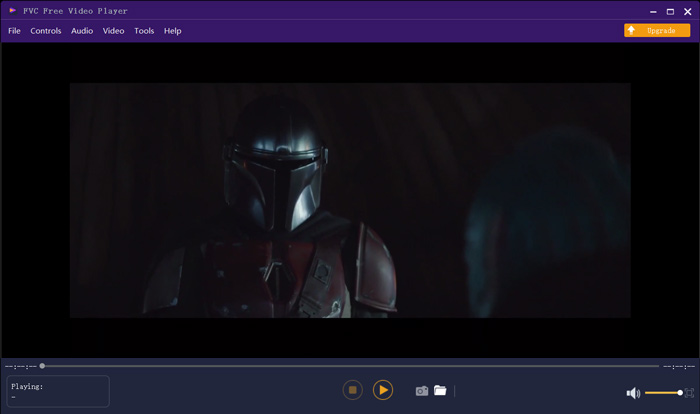
Mere end bare en gratis GIF-afspiller understøtter den stærkt alle populære video- og lydformater som MP4, MOV, FLV, AVI, WMV, VOB, MP3, AAC, ALAC, M4A, WAV, FLAC og meget mere. Der er ingen filstørrelsesgrænse for GIF-afspilning. Det kan give dig en fantastisk visuel oplevelse. Desuden understøtter den den avancerede DTS-HD og Dolby TrueHD lydkodningsteknologi, som kan tilbyde en god lydeffekt.
Del 2. GIF Player App til Android - OmniGIF
OmniGIF er et værktøj til afspilning af GIF’er, som primært er udviklet til Android-brugere. Hvis du vil åbne GIF’er på en Android-telefon, kan du benytte det. Mere end blot en GIF-afspiller fungerer OmniGIF også som en GIF-maker og GIF-editor. Det giver dig mulighed for nemt at administrere dine GIF-filer, videoklip og fotos. Til GIF-afspilning på din Android-enhed kan du sætte hastigheden op eller ned, afspille fremad og baglæns, afspille billede for billede og foretage flere andre handlinger efter behov.
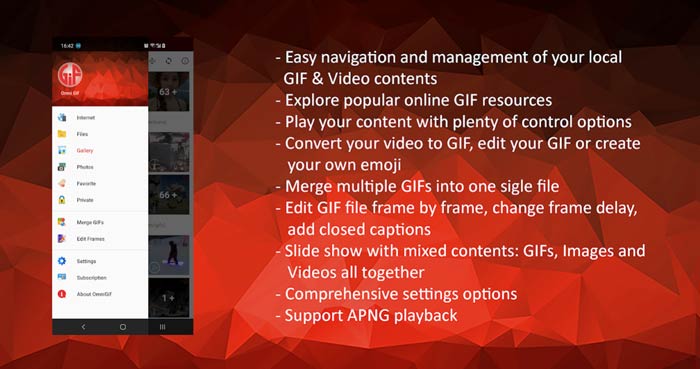
Denne Android GIF-afspiller-app giver dig mulighed for at skjule nogle private filer i hemmelighed. Det giver dig også kraftfuld GIF-redigering og oprettelse af funktioner. Derudover giver OmniGIF en fantastisk delingsfunktion til hurtigt at dele dine GIF-filer, videoklip eller fotos til Facebook, Instagram, Twitter, Messenger, Line, WhatsApp, Gmail og mere.
Del 3. GIF Player-app til iPhone og iPad - GIF Viewer
GIF Viewer er en GIF-afspilningsapp til iOS-brugere. Du kan gratis installere denne GIF-afspiller-app fra App Store på din iPhone eller iPad. Den kan nemt afspille, organisere og dele de GIF-filer, der er gemt i Fotos-appen. Denne iOS GIF-afspiller-app giver dig også mulighed for at tilføje og se GIF-animationer fra andre kilder.
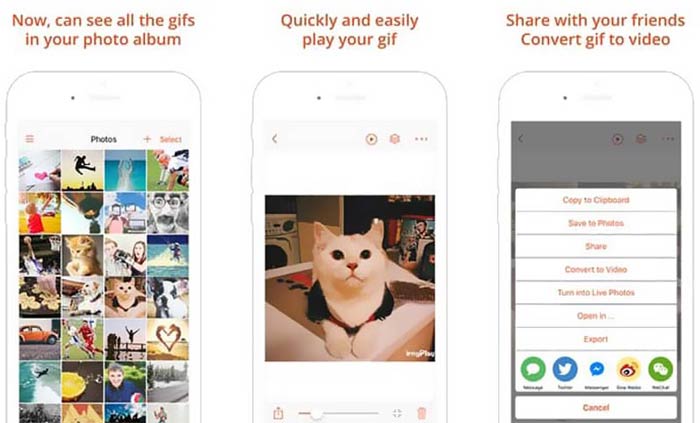
GIF Viewer kan afspille alle typer GIF-filer fra lokal lagerplads, udklipsholder, iCloud Drive, Dropbox og kopierede Twitter-links. Derudover kan denne GIF-afspiller hjælpe dig med at konvertere GIF til video for bedre afspilning på dine enheder.
Del 4. GIF Player til Mac og Windows PC - QuickTime Player
QuickTime Player er standardmedieafspilleren til Mac. Den kan fungere som GIF-afspiller, så du kan åbne og se GIF-filer på Mac. Hvis du bruger en Mac, kan du direkte åbne en GIF-fil med denne forudinstallerede medieafspiller. Den har også en Windows-version, så du kan afspille GIF’er på en Windows-PC.
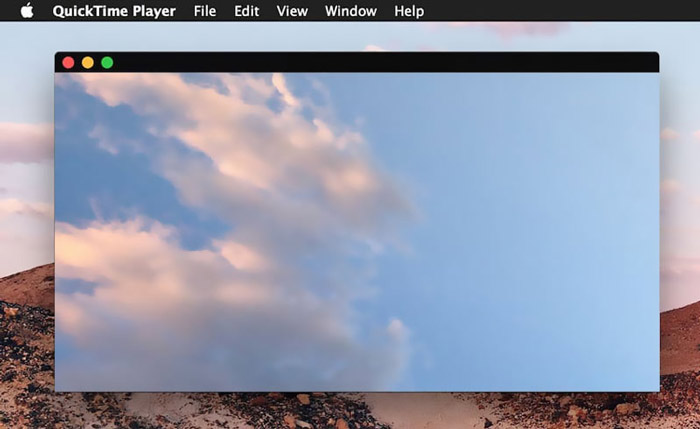
Som afspiller kan QuickTime kun understøtte nogle ofte anvendte video- og lydformater, såsom MP4, MOV, M4V, AAC, M4A, MP3 og mere. Det er designet med nogle grundlæggende redigerings- og optagefunktioner. Du kan stole på, at denne GIF-afspiller fanger din skærm og redigerer filen.
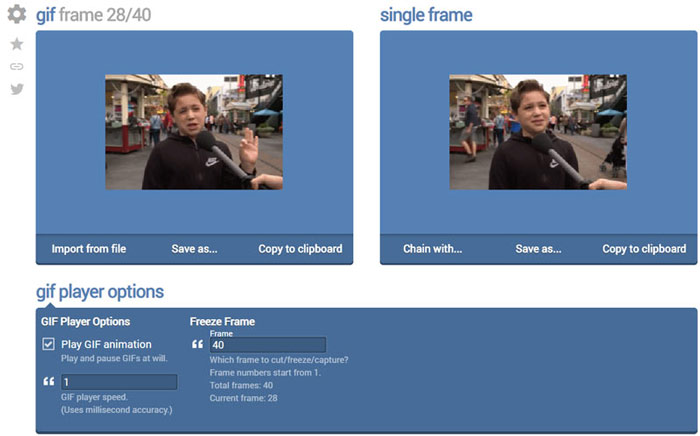
Del 5. Gratis online GIF-afspiller - OnlineImageTools
OnlineImageTools er et onlineværktøj til afspilning af GIF-filer, som gør det muligt at se GIF’er på både Mac og Windows PC. Du behøver ikke installere nogen plug-ins eller andre filer for at afspille GIF’erne. Denne gratis, browserbaserede GIF-animationsafspiller giver dig mulighed for at åbne din GIF-fil direkte online. Til GIF-afspilning kan du afspille en GIF-fil billede for billede.
Del 6. Ofte stillede spørgsmål om GIF Player
Spørgsmål 1. Hvordan gemmes GIF'er på iPhone?
Når du vil gemme en GIF-fil på din iPhone, kan du trykke og holde på GIF, indtil prompten vises. Derefter kan du vælge indstillingen Gem billede for at gemme det i appen Fotos.
Spørgsmål 2. Hvordan konverteres video gratis til GIF?
Hvis du vil lave en GIF-fil ud fra video, kan du bruge den populære Free Online Video Converter. Den giver dig mulighed for nemt at konvertere ethvert videoklip til GIF.
Spørgsmål 3. Kan VLC spille GIF?
Nej. VLC medieafspiller kan kun åbne en GIF-fil som et statisk billede.
Konklusion
Uanset om du leder efter en GIF-afspiller til computer eller mobiltelefon, kan du finde en passende løsning blandt de 5 anbefalede værktøjer til GIF-afspilning ovenfor. Skriv en besked til os, hvis du stadig har spørgsmål om GIF-afspillere eller afspilning af GIF’er.
-
 Vejledning til at komprimere GIF og reducere dens filstørrelse med høj kvalitet
 Her er 2 nemme måder at komprimere GIF på din computer eller mobiltelefon. Du kan bruge FVC Free Online Video Compressor og Photoshop reducere GIF-filstørrelsen i forskellige aspekter.
-
 Top 10 FLV-afspillere til Windows, Mac, iOS og Android i 2021
 FLV-afspiller hjælper dig med let adgang til dine FLV-filer på din Windows-, Mac-, Android-, iOS-enhed. Se de bedste FLV-filafspillere, du kan downloade lige nu.
-
 Top 8 SWF File Player til afspilning af Flash-videofiler på Windows og Mac
 Når du vil nyde SWF-film og -spil på pc og Mac, kan du lære mere om de fremragende funktioner i de 8 bedste SWF-filafspillere fra artiklen.
