


 Video Converter Ultimate
 Skærmoptager
 Video reparation
 Sikker download
7 mest kraftfulde Pixel Enhancers til Google, Firefox og Safari
Folk vil forbedre pixlene i deres billeder for at få et billede i høj opløsning, fordi antallet af pixels påvirker kvaliteten af dit billede. Når du forbedrer pixlene i dit billede, øges din billedopløsning også, så du får et billede med et skarpt og klart udtryk. Derudover søger mange efter fotopixel‑forbedrere, som de kan bruge online. Denne artikel oplister de fem bedste pixel enhancers, der er værd at prøve.

Del 1. Online Photo Pixel Enhancers til alle webbrowsere
Mange mennesker ønsker at forbedre pixels i deres billede for at få et billede i høj opløsning. Det er dog svært at søge efter den bedste billedforstærker på internettet, fordi ikke alle har den bedste funktion at tilbyde. Men bare rolig, fordi vi søgte efter de bedste fotopixelforstærkere og listede de bedste blandt dem.
FVC Free Image Upscaler
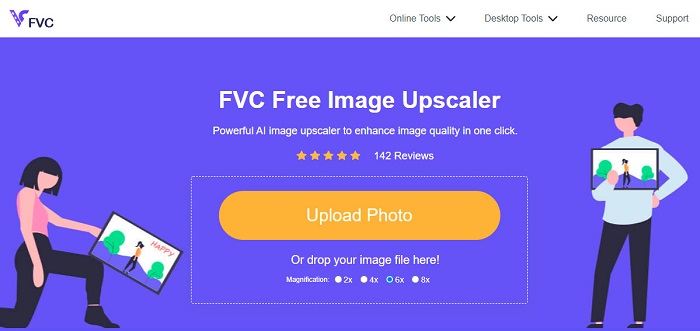
FVC Free Image Upscaler er en online billedopskalerings‑tjeneste, som du kan bruge i alle webbrowsere, herunder Google, Firefox og Safari. Denne online‑applikation lader dig vælge en forstørrelse til dit billede. Jo højere forstørrelse, desto bedre opskalering, og du kan vælge mellem 2x, 4x, 6x og 8x. Desuden bruger den AI‑ (kunstig intelligens) teknologi, som automatisk registrerer de slørede dele af dit billede og forbedrer din billedopløsning. FVC Free Image Upscaler kan genskabe tabte pixels, farveteksturer og flere detaljer.
Ydermere er det et begyndervenligt værktøj, fordi det har en intuitiv brugergrænseflade. Hvad mere er, kan du downloade dit billede hurtigt på din enhed. Det understøtter også alle filformater, såsom JPG, JPEG, PNG og BMP.
Fordele
- Den bruger en AI-opskaleringsproces.
- Det er et begyndervenligt værktøj.
- Det har en hurtig importproces.
- Tilgængelig på alle webbrowsere.
Ulemper
- Du kan opleve en langsom importproces, når internetforbindelsen er langsom.
ikoner 8
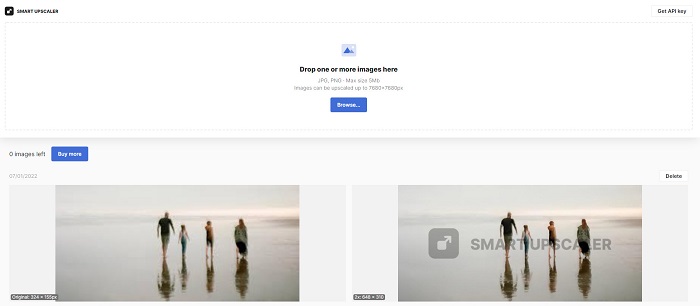
icon8 er også en online fotopixel‑forbedrer, som du kan bruge til at forbedre opløsningen på billeder i lav kvalitet. Denne online‑applikation understøtter de mest almindelige filformater som JPG, PNG, JPEG og WebP. Derudover registrerer den automatisk de dele af billedet, der har lav pixelkvalitet. Du kan også nemt downloade dit forbedrede billede gratis. Derudover forbedrer den automatisk dit billedes opløsning, kontrast og skarphed. Men da det er et internetafhængigt værktøj, vil opskaleringsprocessen også være langsom, hvis din internetforbindelse er langsom.
Fordele
- Det er et begyndervenligt værktøj.
- Det forbedrer automatisk dit billede.
- Du kan få adgang til det på alle webbrowsere.
Ulemper
- Det efterlader et vandmærke på dit billede.
UpscalePics
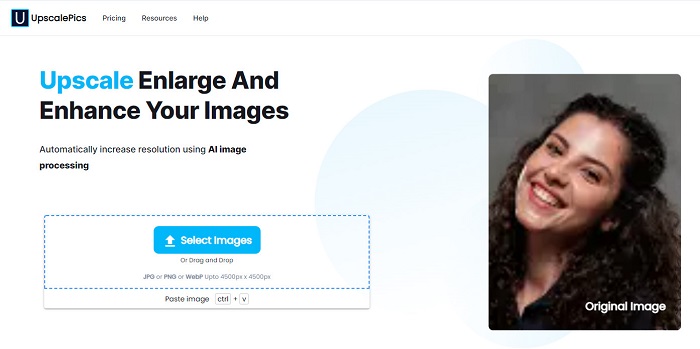
Hvis du har et billede i lav kvalitet på din enhed og vil forbedre det, kan UpscalePics være det værktøj, du har brug for. UpscalePics er en online pixel‑forbedrer, der hjælper dig med at forbedre kvaliteten af dit billede. Derudover har den en funktion, som fjerner JPEG‑støj og artefakter ved hjælp af sin AI‑teknologi. Den understøtter også de kendte billedformater som JPG, PNG og WebP og kan opskalere billeder op til 4500 px x 4500 px. Desuden kan du hurtigt downloade dit forbedrede billede til din enhed.
Fordele
- Den bruger en AI-opskaleringsproces.
- Den har en intuitiv brugergrænseflade.
- Det er sikkert at bruge.
Ulemper
- Det er et internetafhængigt værktøj.
- Kræver, at du logger ind, før du downloader dit forbedrede billede.
Dybt billede
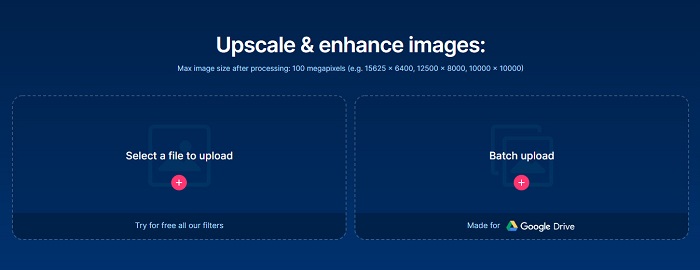
Også på denne liste er Deep Image. Deep Image er værktøjet for dig, hvis du leder efter en brugervenlig online billedforbedrer. Deep Image er en AI‑drevet online picture pixel‑forbedrer. Med dette værktøj kan du forbedre dit billedes opløsning 2x eller 4x. Hvis du vil have ubegrænset adgang til værktøjet, kan du oprette en gratis konto på websitet. Det, der er endnu bedre ved dette værktøj, er, at det understøtter batchkomprimering via funktionen Batch Upload. Du kan også bruge filtre, som du kan tilføje til dit billede.
Fordele
- Du kan uploade billeder på op til 100 megapixel.
- Den har en nem at bruge softwaregrænseflade.
- Den har en version, der kan downloades.
Ulemper
- Du skal købe værktøjet, før du får adgang til dets specielle funktioner.
MyHeritage
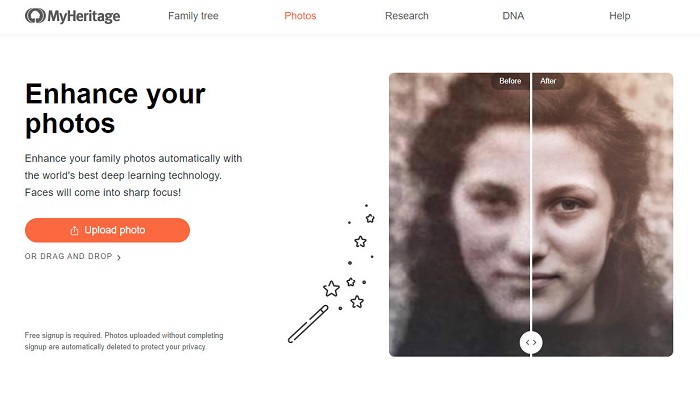
MyHeritage er kendt for at forbedre gamle fotos online. Denne online billedforbedrer bruger også en AI‑drevet billedopskaleringsproces, hvilket gør den praktisk for mange brugere. Desuden kan den automatisk forbedre de slørede dele af dit billede med det samme. Med sin deep‑learning‑teknologi forbedrer den desuden sort‑hvide fotos på fremragende vis. Det, der gør dette onlineværktøj endnu bedre, er, at det er sikkert at bruge i alle webbrowsere som Google, Firefox og Safari.
Fordele
- Forbedr automatisk slørede dele af dit billede.
- Det er gratis og sikkert at bruge.
- Det har en hurtig opskaleringsproces.
Ulemper
- Det efterlader et vandmærke på dit forbedrede billede.
FotoJet
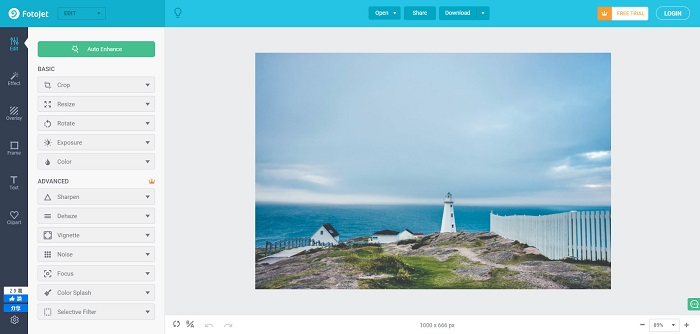
FotoJet er en online billedkvalitetsforbedrer, der er gratis at bruge i alle webbrowsere som Google og Safari. Den gør det også muligt automatisk at forbedre billeder med lav opløsning. Derudover justerer den eksponering, lysstyrke, kontrast, mætning og farvetone i dit billede. Det, der er endnu mere imponerende, er, at den indeholder andre redigeringsfunktioner som beskæring, ændring af størrelse, rotation og skarpning af dit billede. FotoJet gør det nemt at eksportere dine billeder til andre sociale medieplatforme. Desuden har den en funktion, hvor du kan lave perfekte billedcollager.
Fordele
- Den har andre redigeringsfunktioner at bruge.
- Det forbedrer automatisk dit billede i lav kvalitet.
- Den har en nem at bruge softwaregrænseflade.
Ulemper
- Du kan kun bruge dens redigeringsfunktioner til betalte brugere.
PiZap
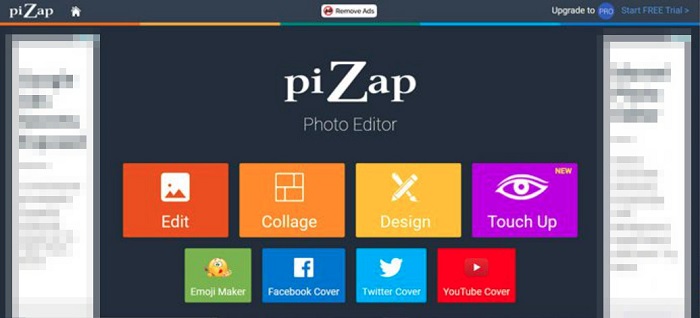
Også på listen er PiZap foto‑forbedrer. Dette redigeringsprogram er kendt for sin collagefunktion til billeder. Men mange brugere ved ikke, at det også har en funktion, hvor du kan forbedre dit billede til den bedst mulige kvalitet. Derudover har det andre redigeringsfunktioner som touch‑up, emoji‑maker, Facebook‑cover‑maker og Twitter‑cover‑maker. Desuden findes det både i en HTML5‑ og en Flash‑version, som mange bruger.
Fordele
- Det har skabeloner til sociale medieplatforme.
- Det er et brugervenligt værktøj.
Ulemper
- Det er en betalt ansøgning.
- Den indeholder mange foruroligende annoncer.
Del 2. Ofte stillede spørgsmål om Photo Pixel Enhancer
Er 300 DPI en høj opløsning?
300 PPI (Pixels per tomme) konverteres til 300 DTI (dots per inch) og vil fremstå som et skarpt og sprødt billede. Desuden betragtes 330 PPI som et billede i høj opløsning. Men hvis du vil have en opløsning i bedre kvalitet, er 600 PPI bedre.
Er Remini fotoforstærker gratis?
Remini fotoforstærker er en kendt billedforstærker, som du kan bruge til at forbedre dit billede. Det er også en kendt applikation, som er gratis at bruge på alle webbrowsere. Desuden har den en mobilapp, som du også kan downloade gratis. Denne app understøtter dog kun få billedformater.
Øger filstørrelsen ved at øge et billedes pixel?
Når pixel på dit billede er høj, betyder det, at dit billedes opløsning også er høj, hvilket resulterer i en større filstørrelse.
Konklusion
Alle de pixel enhancers, du har læst om ovenfor, er blandt de kraftigste applikationer til at forbedre kvaliteten af dine billeder. Men ikke alle er gratis at bruge eller kan forbedre din billedkvalitet hurtigt. Hvis du vil have den mest kraftfulde billedforbedrer, så brug FVC Free Image Upscaler nu.
-
 Restaurering af gamle billeder online og offline [Easy Steps]
 Vil du gendanne et gammelt billede? Med disse værktøjer vil du kende den gamle fotogendannelsesproces. Læs dette indlæg for at lære de mest ligetil metoder.
-
 Sådan rettes billedkvalitet online og på Adobe Photoshop
 Hvis du har et billede i lav kvalitet, skal du rette opløsningen på dit billede. Hvis du vil lære at rette billedkvaliteten, skal du læse denne artikel fuldstændigt.
- Gamle fotogendannelse online og offline
Vil du gendanne et gammelt billede? Med disse værktøjer vil du kende den gamle fotogendannelsesproces. Læs dette indlæg for at lære de mest ligetil metoder.
