


 Video Converter Ultimate
 Skærmoptager
 Video reparation
 Sikker download
Top 5 gratis DVD-afspillere til Windows 10
Følger der en DVD‑afspiller med Windows 10?
Som Windows‑PC‑bruger har du måske opgraderet systemet til det nyeste Windows 10. Men Microsoft har beskåret Windows Media Player i Windows 10, så den ikke længere kan afspille dvd'er for dig. Du er nødt til at købe appen Windows DVD Player for at kunne afspille dvd'er i Windows 10.

Du vil selvfølgelig helst afspille dvd'er gratis på din Windows 10‑PC. Så findes der en gratis dvd‑afspiller til Windows 10? I dette indlæg har vi lavet en liste over de 5 bedste gratis dvd‑afspillere til Windows 10‑PC. Hvis du bruger Windows 8, Windows 7 eller en tidligere version, kan du stadig benytte dem til at se dvd'er.
Del 1. Gratis DVD-afspiller til Windows 10/8/7 pc og Mac
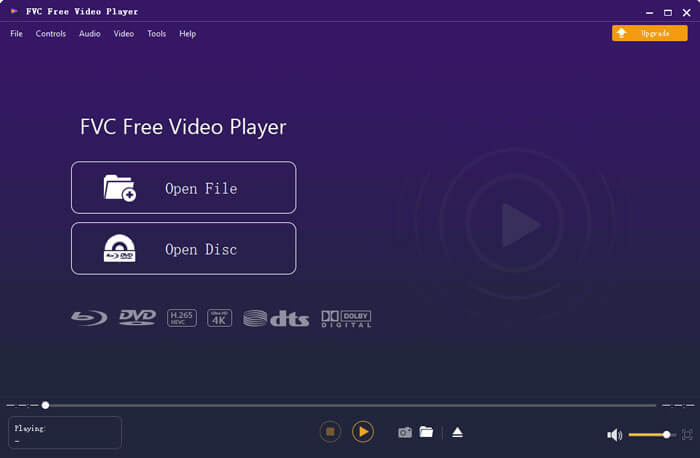
FVC Free DVD Player er et helt gratis, online dvd‑afspilningsværktøj, som lader dig se dvd‑diske, dvd‑mapper og dvd‑ISO‑billedfiler i høj kvalitet. Du behøver ikke installere et stort medieafspiller‑program på din computer for at afspille dvd'er. I stedet kan du afspille din dvd direkte i en webbrowser.
Denne region gratis DVD-afspiller er kompatibel med Windows 10, Windows 8, Windows 7 og macOS. Så det er ikke kun en gratis DVD-afspiller til Windows 10. Du kan åbne din browser og bruge den på enhver computer.

Denne gratis DVD-afspillersoftware er designet med den avancerede videokodningsteknologi. Til lydafspilningsdelen understøtter den både DTS-HD og Dolby TrueHD. Det giver dig mulighed for at nyde enhver DVD-film med høj billedkvalitet og tabsfri lydeffekt.
Som gratis dvd‑afspiller til Windows 10 rummer den alle de dvd‑afspilningsfunktioner, du har brug for. Desuden kan du tage skærmbilleder, justere og vælge undertekster og lydspor. Når du vil afspille en dvd‑disk, kan du gå til denne Free DVD Player‑side og klikke på knappen Play Now. Du kan følge vejledningen for hurtigt at installere en lille startfil til dvd‑afspilning. Derefter kan du nemt nyde dvd‑film og almindelige videoer med den.
Del 2. Open source DVD-afspiller til Windows 10 og Mac - VLC Media Player
VLC media player er et af de mest populære programmer til video‑ og lydafspilning. Denne cross‑platform medieafspiller er kompatibel med Windows 10/8/7, macOS og Linux. Som en open source‑afspiller med fuld funktionalitet kan VLC også fungere som gratis dvd‑afspiller til Windows. Den kan afspille dvd'er, VCD'er og lyd‑cd'er.
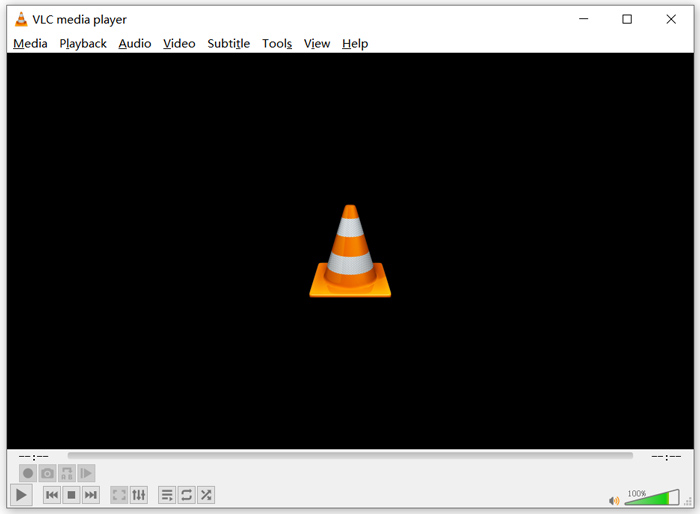
Som gratis dvd‑afspiller kan VLC få adgang til dvd‑menu, kapitler og andet relateret indhold. Dens hardware‑dekodningsfunktion gør det muligt at nyde dvd‑film uden hakken. Derudover får du avancerede kontrolmuligheder til dvd‑afspilningen. Du kan tage skærmbilleder, mens dvd'en afspilles. Ud over dvd‑film understøtter VLC også Blu‑ray‑diske.
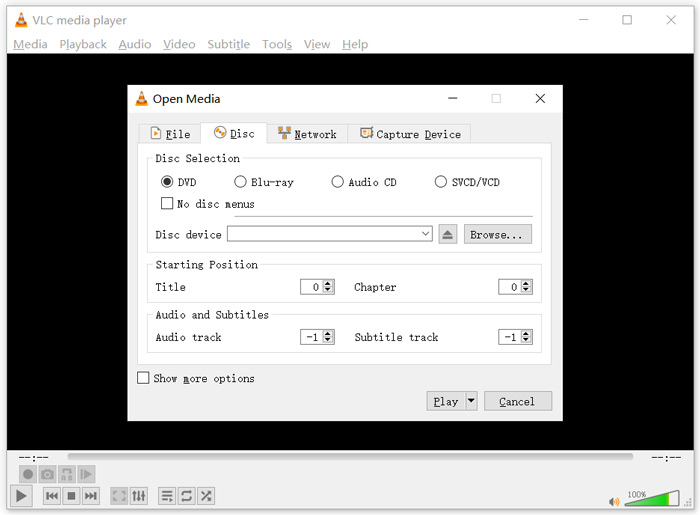
For at afspille dvd med VLC media player kan du indsætte din dvd‑disk i computerens diskdrev, starte VLC og derefter vælge Media i topmenuen. Vælg indstillingen Open Disc, DVD og derefter knappen Browse for at vælge din dvd‑fil. Derefter kan du klikke på knappen Play for at se din dvd.
Del 3. Regionfri DVD-afspiller til Windows 10 - PotPlayer
PotPlayer er en funktionsrig medieafspiller, som har dvd‑afspilningsfunktion. Den kan fungere som regionsfri dvd‑afspiller til din Windows 10/8/7‑PC. Den er udstyret med alle de funktioner, du har brug for til afspilning af dvd, Blu‑ray og almindelige mediefiler. Derudover understøtter den OpenCodec, så du nemt kan tilføje de codecs, du ønsker.
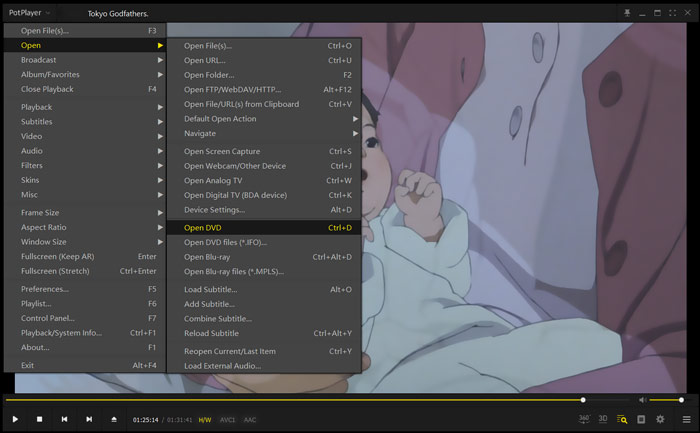
For at afspille dvd‑film med PotPlayer kan du åbne den og derefter højreklikke på PotPlayer i øverste venstre hjørne. Vælg i rullemenuen Open, Open DVD, og vælg derefter den specifikke dvd‑fil, du vil afspille. Du kan nemt styre afspilningshastighed, videoeffekter, justere undertekster og lydspor og tilpasse andre indstillinger.
Del 4. Gratis DVD-afspillersoftware til Windows 10/8/7 og Mac - KMPlayer
KMPlayer er et populært videoafspilningsværktøj, som kan hjælpe dig med at afspille dvd'er på Windows 10/8/7‑PC og Mac. Det understøtter i høj grad alle gængse video‑ og lydformater, herunder MP4, MKV, FLV, MOV, MPG, VOB, MP3, AAC, WAV og flere. KMPlayer har også dvd‑afspilningsfunktion.
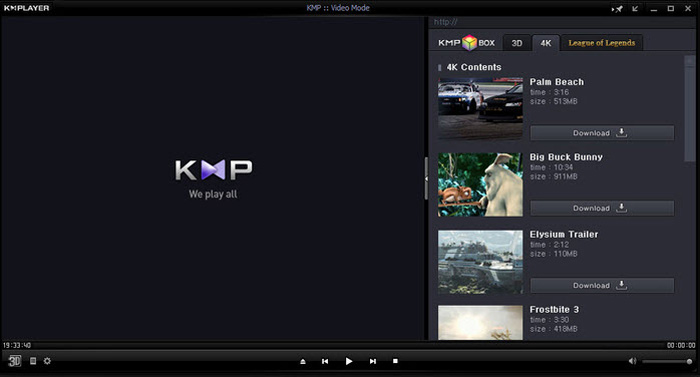
Til dvd‑afspilning giver KMPlayer dig fuld kontrol over dvd‑valg, dvd‑menuer, lydspor og undertekster samt justering af effekter som lysstyrke, kontrast og mere. Når du vil se en dvd‑film, kan du åbne KMPlayer, højreklikke et tomt sted i vinduet og vælge menuen Open og derefter Open Folder for at se dvd'en.
Del 5. Gratis DVD-afspiller til Windows 10/8/7 pc og Mac - 5KPlayer
5KPlayer er den sidste anbefaling i listen over de 5 bedste gratis dvd‑afspillere. Det er en kraftfuld medieafspiller, som har dvd‑afspilningsfunktion. Det er ikke kun en gratis dvd‑afspiller til Windows 10, men understøtter også andre Windows‑versioner og macOS. Ud over afspilning af dvd og almindelige videoer giver 5KPlayer dig også mulighed for at afspille videoer trådløst via AirPlay‑protokollen og DLNA.
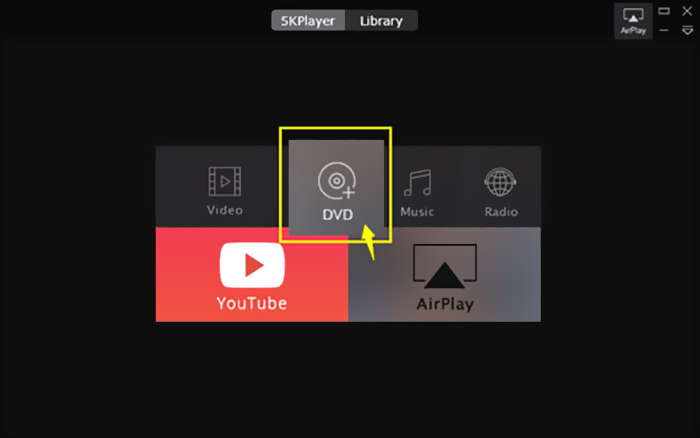
Denne gratis dvd‑afspiller har en indbygget AirPlay‑funktion, som gør det muligt at forbinde dvd til tv. Så kan du se dvd‑film direkte på dit tv i høj kvalitet. For at afspille dvd'er med 5KPlayer kan du åbne programmet og vælge indstillingen DVD.
Del 6. Ofte stillede spørgsmål om gratis DVD-afspiller til Windows 10
Spørgsmål 1. Hvordan afspilles DVD-filer i Windows Media Player?
For de kopierede DVD-filer kan du afspille dem med Windows Media Player. I mange tilfælde skal du installere AC3-filteret og pluginet kaldet en MPEG-2-dekoder til DVD-afspilning.
Spørgsmål 2. Hvorfor kan jeg ikke afspille DVD'er på Windows 10?
Som nævnt ovenfor har Microsoft fjernet den indbyggede understøttelse af DVD-afspilning i Windows 10. Så DVD-afspilning er mere besværlig på en Windows 10-pc. Du skal få en DVD-afspiller fra tredjepart eller betale $14.99 for Windows DVD-afspiller.
Spørgsmål 3. Hvordan rippes en DVD til MP4?
Af forskellige grunde vil du måske rippe en dvd til digital video som MP4, MOV eller AVI. Du kan downloade dvd‑omformer for at rippe dvd til MP4 uden kvalitetstab.
Spørgsmål 4. Hvilke videoformater kan understøttes af en DVD-afspiller?
Generelt kan de fleste DVD-afspillere på markedet afspille videoer i MPEG-4, MPEG-2, MOV, DivX og andre ofte anvendte filformater.
Konklusion
Leder du efter en gratis dvd‑afspiller til Windows 10? Efter at have læst denne side kan du få 5 af de bedste gratis dvd‑afspillere til både Windows 10/8/7‑PC og Mac. Du kan lære de vigtigste funktioner i hver dvd‑afspiller at kende og derefter træffe dit valg. Efterlad en besked til os, hvis du stadig har spørgsmål om dvd‑afspilning.
-
 VOB Player - 5 bedste VOB-afspillere til Windows 10/8/7 PC og Mac 2025
 Sådan afspilles VOB-filer på Windows 10? Hvad er den bedste VOB-afspiller? Dette indlæg foretager en gennemgang af de 5 bedste VOB-afspillere til Windows 10-computere og Mac.
-
 Sådan brændes video _TS-fil til DVD på Mac / Windows 10
 Hvordan konverterer jeg og brænder TS-filer til DVD-disk? Denne trinvise vejledning viser dig, hvordan du kopierer TS-filer og -mapper til DVD på Windows / Mac, så du kan se TS-filer på DVD-afspiller eller TV.
-
 10 gratis måder at konvertere TS-fil til MP3, AIFF, ALAC, FLAC og mere
 Sådan konverteres TS-fil til MP3 gratis? I denne vejledning finder du 11 nemme måder at udtrække lyd fra TS-fil med TS til lyd freeware og online konverteringsværktøjer.
